Changing your app pricing plan in the App Marketplace
App marketplace allows you to change the pricing plan for the apps that you've installed.
TABLE OF CONTENTS
How do I update the app pricing plan?
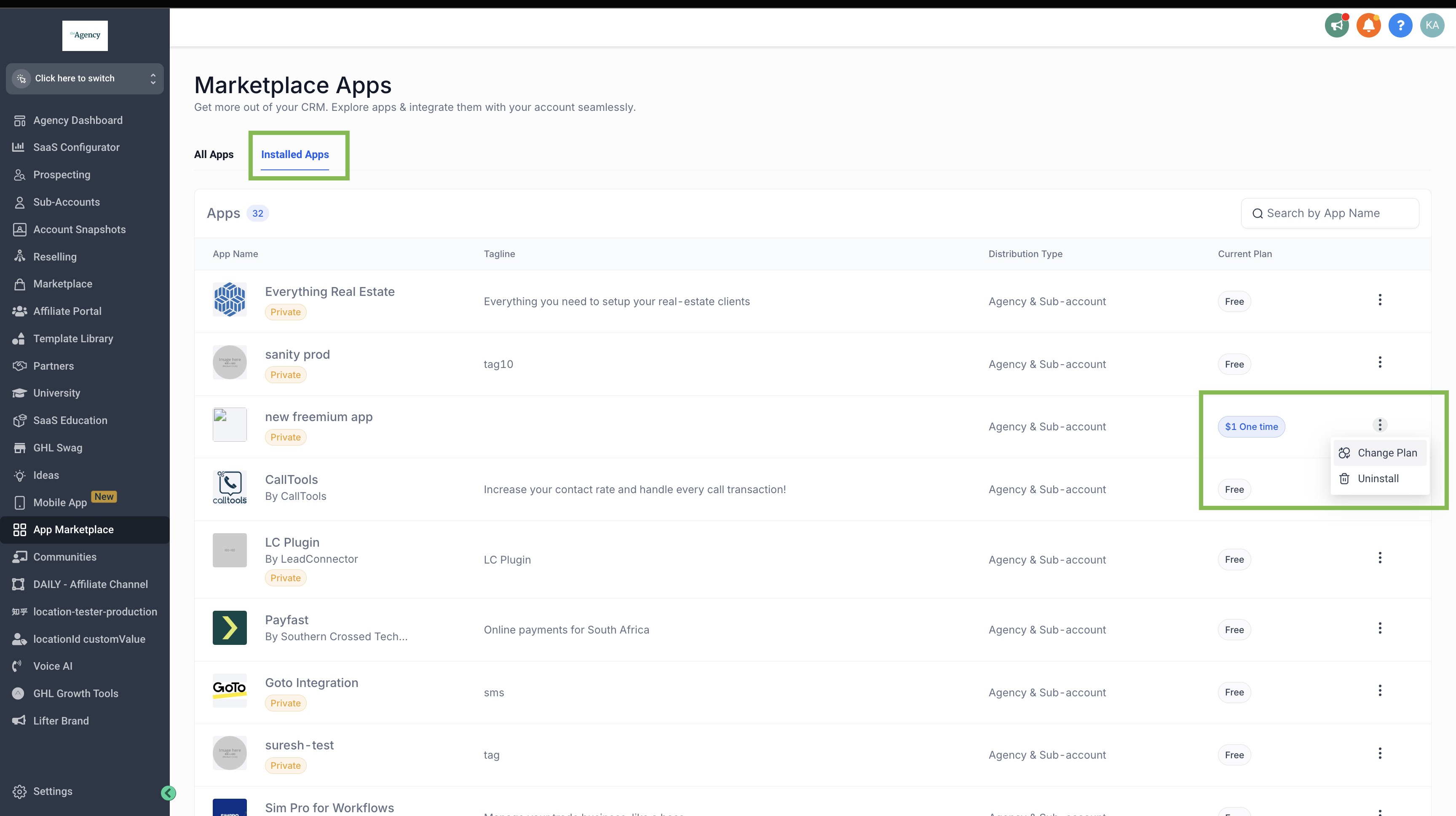
To update the pricing plan, head-over to App Marketplace > Installed Apps and choose the 'Change Plan' option for the app that you wish to upgrade.
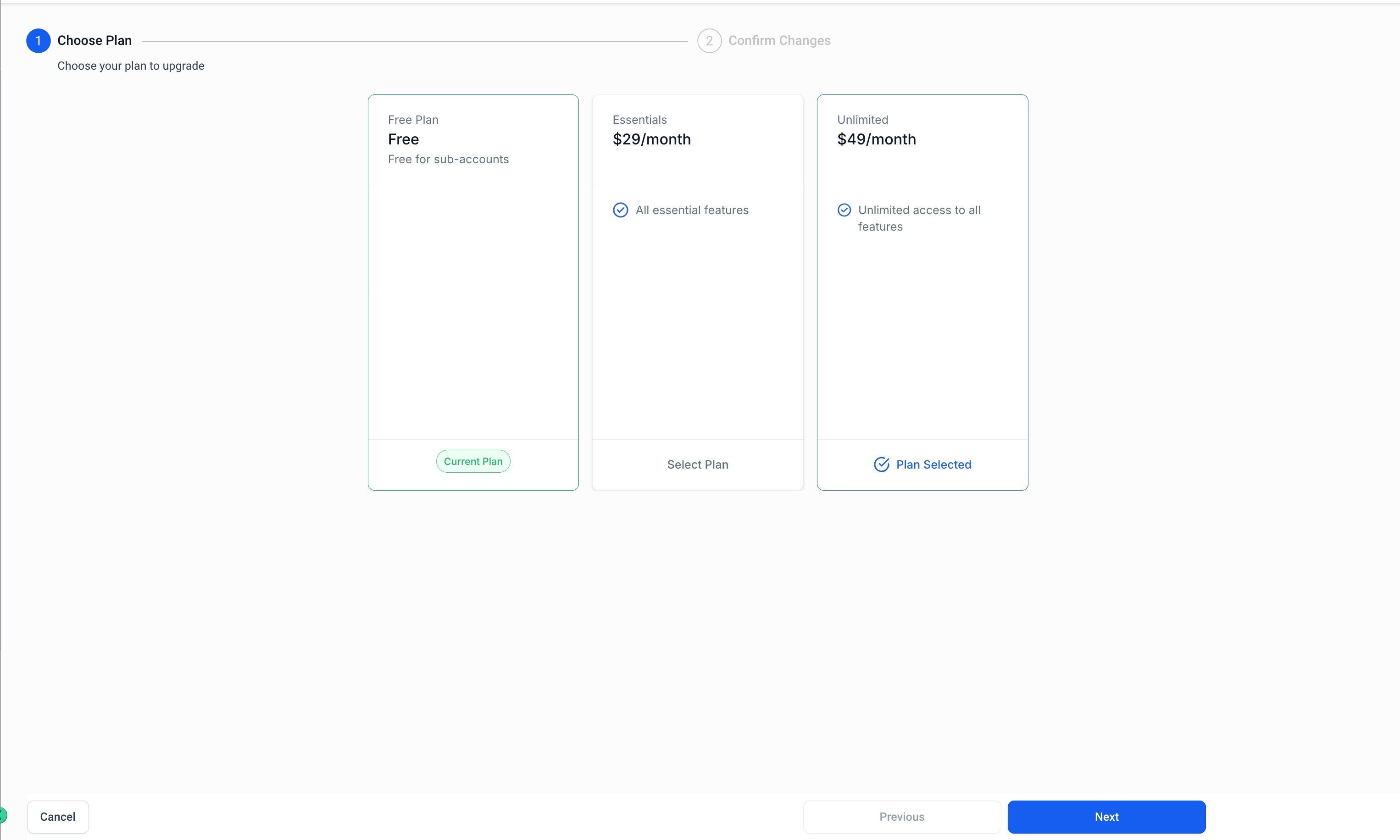
Next, choose the new plan.
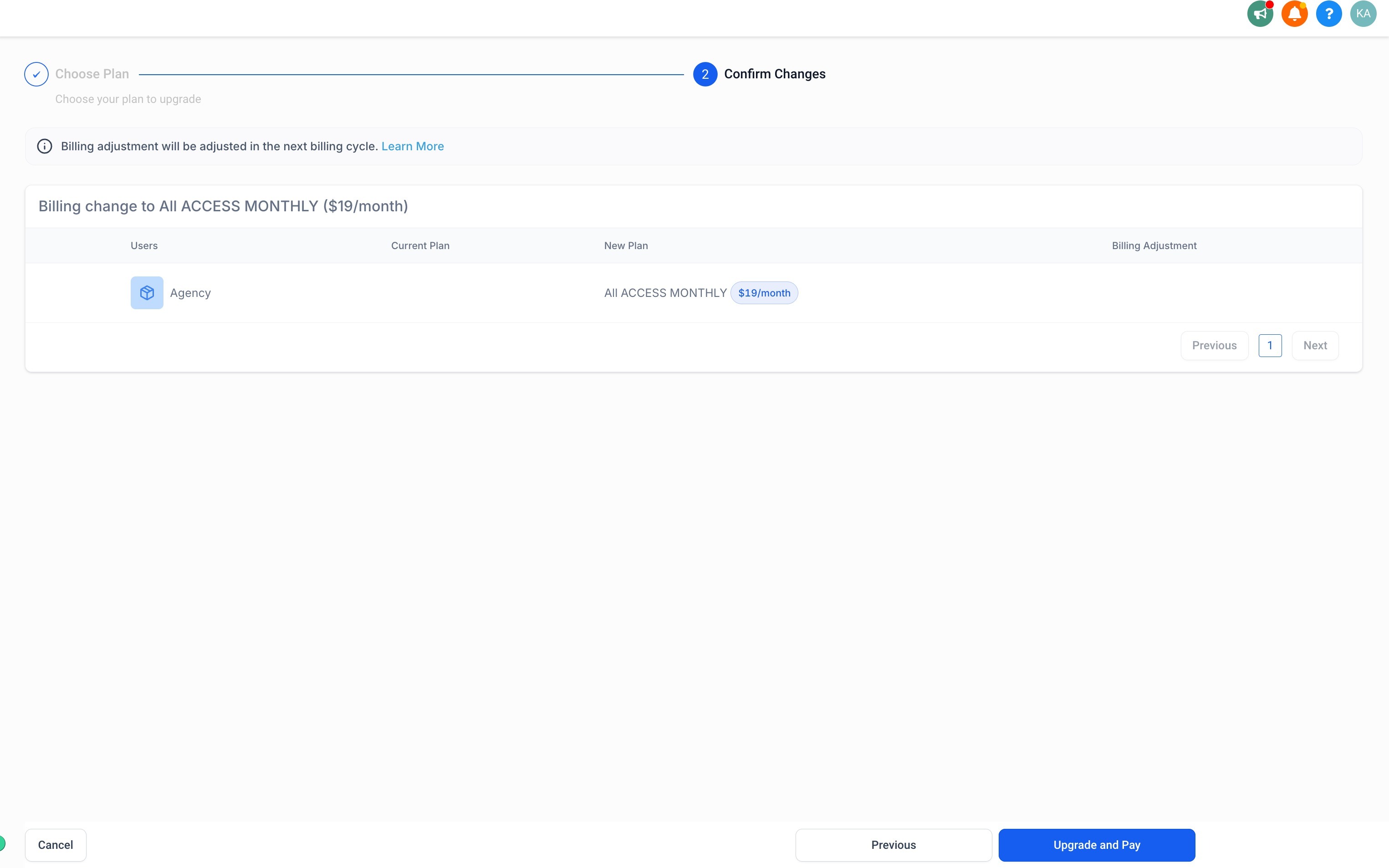
Finally, review the changes, and proceed to upgrade and pay for the new plan.
Billing adjustments
For pricing plan changes that are done in the middle of the billing cycle, the billing adjustments are calculated on a pro-rated basis. These can be either additional charges or refunds based on whether you are upgrading or downgrading the plan. The billing adjustments are adjusted in the next billing cycle.
Was this article helpful?
Related articles
- Marketplace Apps - View & InstallationThe App Marketplace is a hub where you can seamlessly search for and integrate crucial apps into your sub-account. Assuring quality and functionality, every app is scrutinized by our developers. Only users with sub-account admin privileges can integrate these apps into their accounts. TABLE OF CONTApp marketplace
- Usage Based Pricing on App MarketplaceWhat does the usage-based price apply for? An app can have usage-based price for three modules: - A per-execution price for Marketplace Actions and Triggers. - A per-message price for Conversation Providers. They can set a custom price for inbound and outbound messages. - A custom per-usage price foApp marketplace