Introduction to Credentials: Certificates, Badges, and Paperwork
Certificates, badges and paperwork now share one builder and one issuance pipeline. This article explains the model before you start designing.
Before You Begin
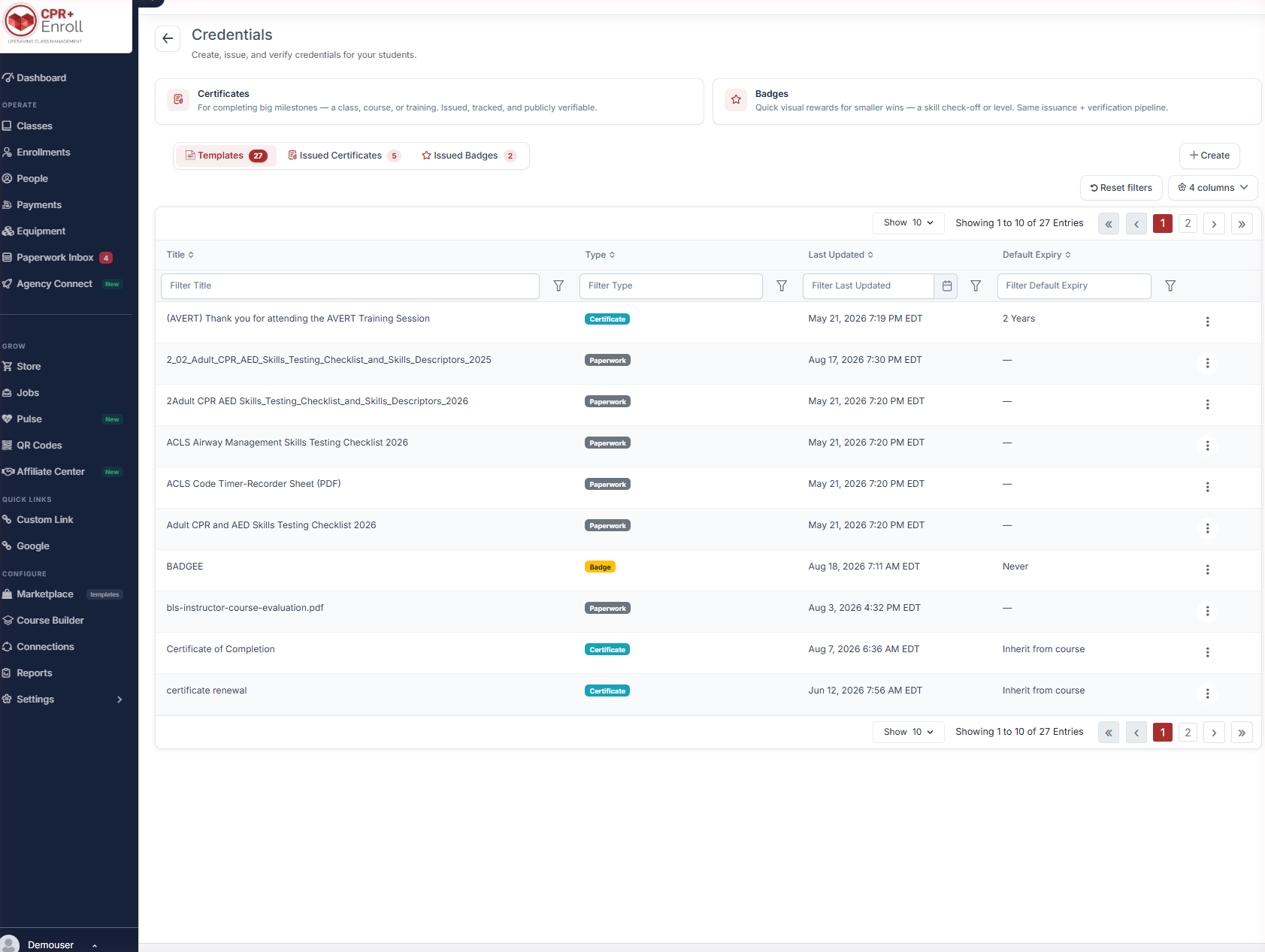
- Credentials live at Course Builder > Credentials. The page header reads “Create, issue, and verify credentials for your students.”
- Decide whether what you are making is a certificate, a badge or paperwork — the three behave differently.
- Nothing you design here is issued until you issue it. Building a template is safe.
The Two Credential Types
| Type | Use it for | How the product describes it |
|---|---|---|
| Certificate | Completing a class, course or training. | “For completing big milestones — a class, course, or training. Issued, tracked, and publicly verifiable.” |
| Badge | A skill check-off or a level. | “Quick visual rewards for smaller wins — a skill check-off or level. Same issuance + verification pipeline.” |
Paperwork — waivers and forms signed at class — is built in the same canvas but is not issued as a credential. It has no Credential ID and no public verification page.
The Three Tabs
| Tab | What it holds |
|---|---|
| Templates | Every certificate, badge and paperwork template you have, with Title, Type, Last Updated and Default Expiry. |
| Issued Certificates | Every certificate issued, with Issued To, Issued Date, Expiry Date, Source and Credential ID. |
| Issued Badges | The same for badges. |
Default Expiry on a template can be a fixed period such as 2 Years, Never, or Inherit from course.
Creating Something
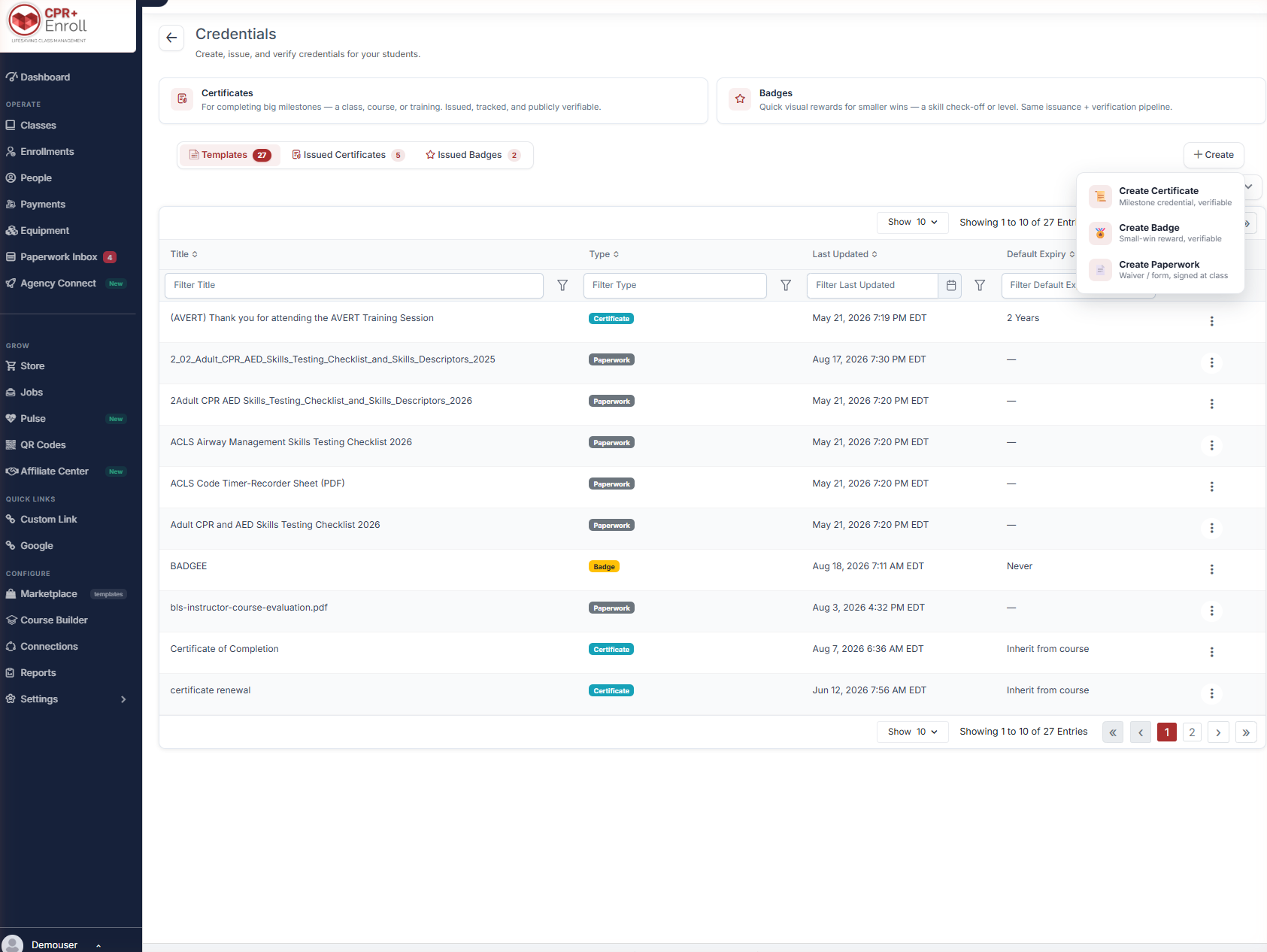
Click + Create and choose:
- Create Certificate — milestone credential, verifiable.
- Create Badge — small-win reward, verifiable.
- Create Paperwork — waiver or form, signed at class.
Template Versioning
Templates are versioned automatically. The exact version used to generate a document or issue a credential is preserved.
✔ Editing a template never rewrites history. A certificate issued last year keeps the design it was issued with, even after you redesign the template. You do not need to duplicate a template before editing it.
Best Practices
- Use badges for skill check-offs and certificates for course completion. Both verify the same way, so the distinction is about what the recipient understands they have earned.
- Set Default Expiry on the template rather than per issue — Inherit from course keeps expiry logic in one place.
- Build paperwork in the same canvas but do not expect it to appear in the issued tabs. It is a document, not a credential.
- Design once and edit freely. Versioning means you are not risking historical records.
Frequently Asked Questions
| Question | Answer |
|---|---|
| Where do I find credentials? | Course Builder > Credentials. |
| What is the difference between a certificate and a badge? | Scale, not mechanism. Certificates mark milestones, badges mark smaller wins; both use the same issuance and verification pipeline. |
| Is paperwork a credential? | No. It is built in the same canvas but is not issued, has no Credential ID and no verification page. |
| Will editing a template change credentials I already issued? | No. Templates are versioned and the issued version is preserved. |
| What expiry options does a template have? | A fixed period, Never, or Inherit from course. |
✔ You know the model. Next, read Designing a Certificate or Badge in the Document Builder.
Was this article helpful?
Related articles
- Designing a Certificate or Badge in the Document BuilderThe Document Builder is a full design canvas. This article covers opening it, the tools down the left rail, merge fields, page setup and the settings that decide how a credential is delivered. Before You Begin - Decide whether you are designing a certificate, a badge or paperwork before you open theCredentials & Documents
- Issuing, Verifying, and Revoking CredentialsIssuing is the point at which a design becomes a record. This article covers how credentials are issued, what each one carries, how the public verification page works, and how to revoke or reinstate. Before You Begin - The template must exist and be saved before anything can be issued from it. - CheCredentials & Documents