New Theme Customizer for Courses
Overview
The New Theme Customizer is a powerful new feature that enables users to personalize the appearance of their course sites with ease. From logos and search bars to hero sections and course sidebars, users have full control over key design elements to create a visually appealing and branded learning experience.
With intuitive visibility toggles, color and text overrides, custom content blocks, and template-saving options, users can effortlessly design course sites that align with their brand identity—without needing coding expertise. Real-time previews ensure that changes are instantly reflected, while system and custom templates offer flexibility for quick deployment.
This document provides a detailed breakdown of each feature and customization option available.
How to Use the New Theme Customizer
Navigate to the "Customize" option in your Course Outline.
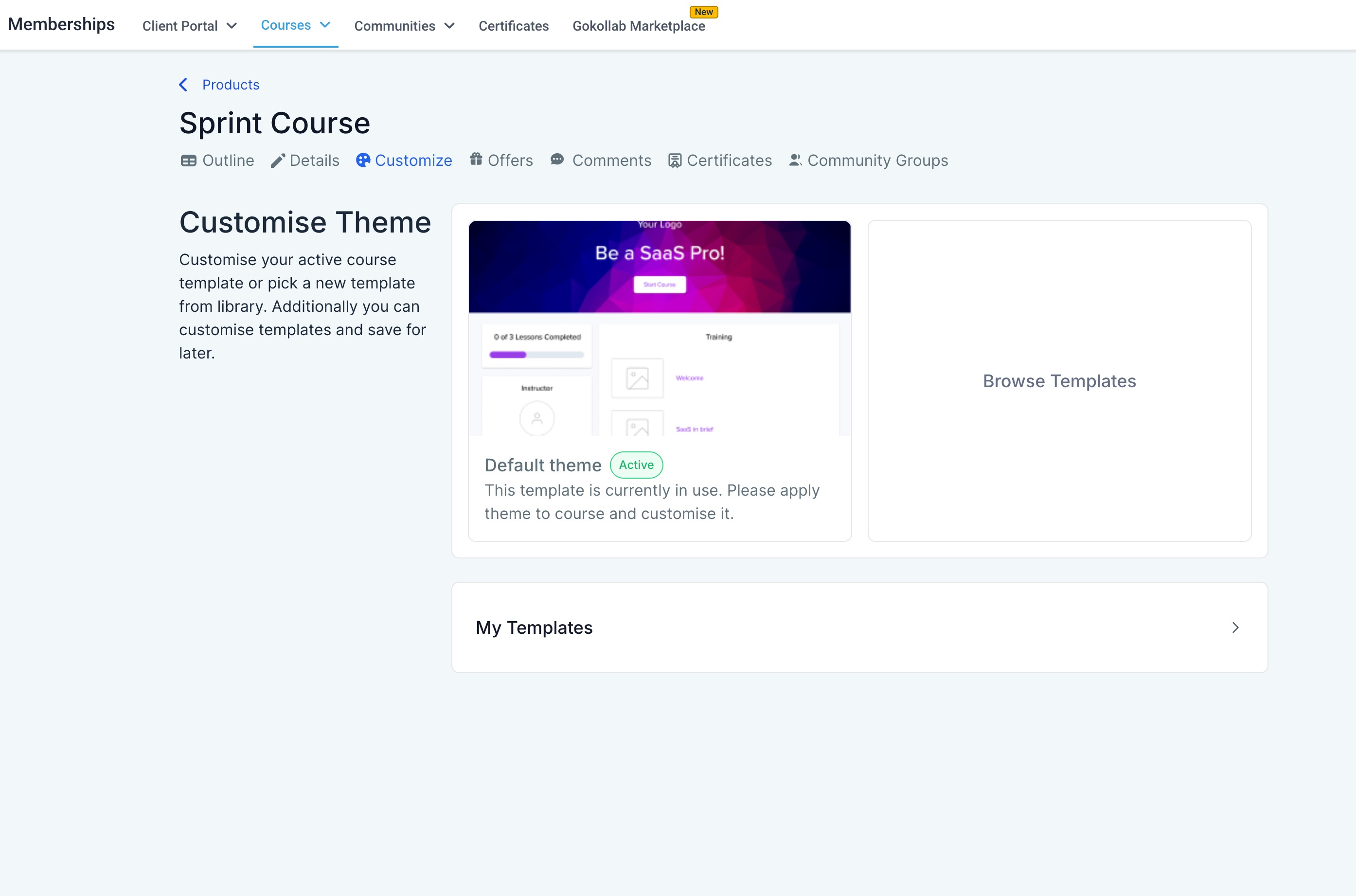
Click on "Browse System Templates".
Select "Neo Classic" Theme to utilize the New Customizer.
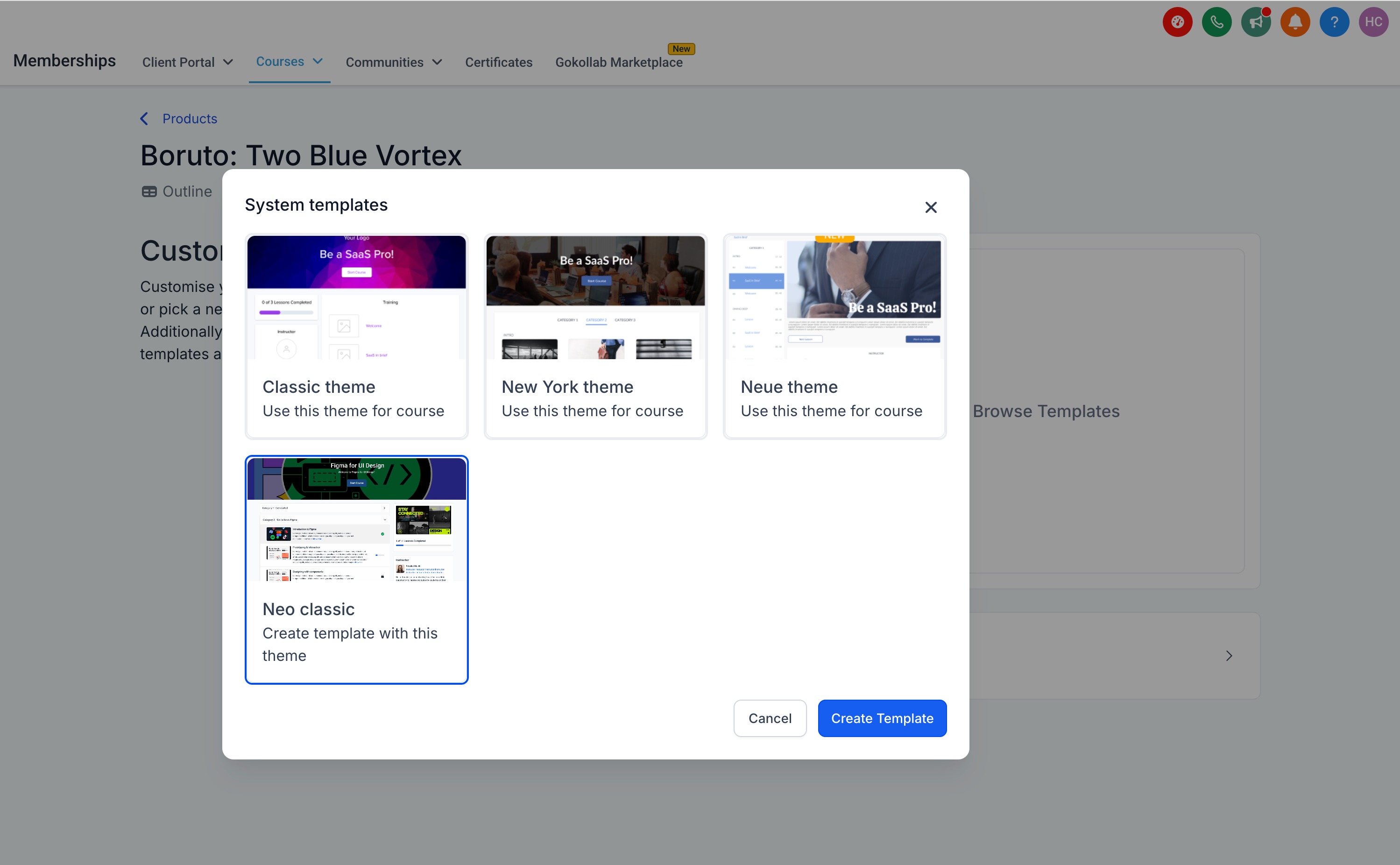
You can do modifications as per the available customization options and then save this for future use.
If you choose to Save it, you can later find this under "My Templates" option on the main "Customize" Screen.
Key Features and Customization Options
1. Logo (Mandatory)
Visibility: Show/Hide option
Category Types: Text, Image
Logo Action: Set action for clicking the logo to redirect users to:
Site Home
Product Home
Height Options: Small, Medium
Placement: Typically in the top-left or center of the header
2. Search Bar (Mandatory)
Visibility: Show/Hide option
Search Helper Text: Add instructional text inside the search bar to guide users
Appearance Properties:
Background Colour Override
Text Colour Override
3. Hero Section (Mandatory)
Customize the hero section of your Course page to change the appearance of the top-most section of your page.
Visibility: Show/Hide option
Appearance Types:
Image background
Colour Picker for solid backgrounds
Overlay Options:
No Overlay (Checkbox)
Overlay Colour and Opacity customization
Course Info Customization:
Title: Text, Colour Override, Bold/Italics, Alignment (Left, Center, Right)
Description: Text, Colour Override, Bold/Italics, Alignment
Spacing Options:
Full Height
Medium
Small
Start Button Customization:
Text: Colour Override, Content
Button: Colour Override, Alignment
4. Welcome Body (Add Section)
Users can add multiple content blocks to the welcome body, including images, text, videos, and CTAs.
Image Block:
Upload an image
Set an image action (URL link on click)
Text Block:
Text Alignment (Left, Center, Right)
Colour Override, Bold, Italic
Video Block:
Upload a video directly to be displayed
Custom Block:
Text: Alignment, Colour Override, Bold, Italic
Image: Upload an image, add an action URL
CTA Button: Customize button colour, text colour, content, and destination link.Guide learners with strategic CTAs for maximum engagement.
Video: Upload a video
5. Course Syllabus (Mandatory)
The Course Syllabus is the outline of your Course Modules and Lessons.
Visibility: Show/Hide option
Syllabus Type Selection:
Categories: Organize courses by category
Posts: Display syllabus as a list of course posts
Customizable Text Fields:
Categories Label
"Coming Soon" Text
"Show More" Text
6. Course Sidebar
Progress Bar:
Show/Hide
Colour Override
Custom Text Override (with an info icon displaying description)
Instructor Section:
Show/Hide
Headshot Display: Show/Hide, Upload Image
Instructor Info: Heading, Name, Title, Bio
Cross-Sell Section:
Promote another Offer directly from your Course Product to encourage your existing customers to purchase. Customize the appearance of your Offer within the Cross Sell block in your SidebarSelect an Offer
Set a CTA Text to encourage sign-ups
Custom Blocks:
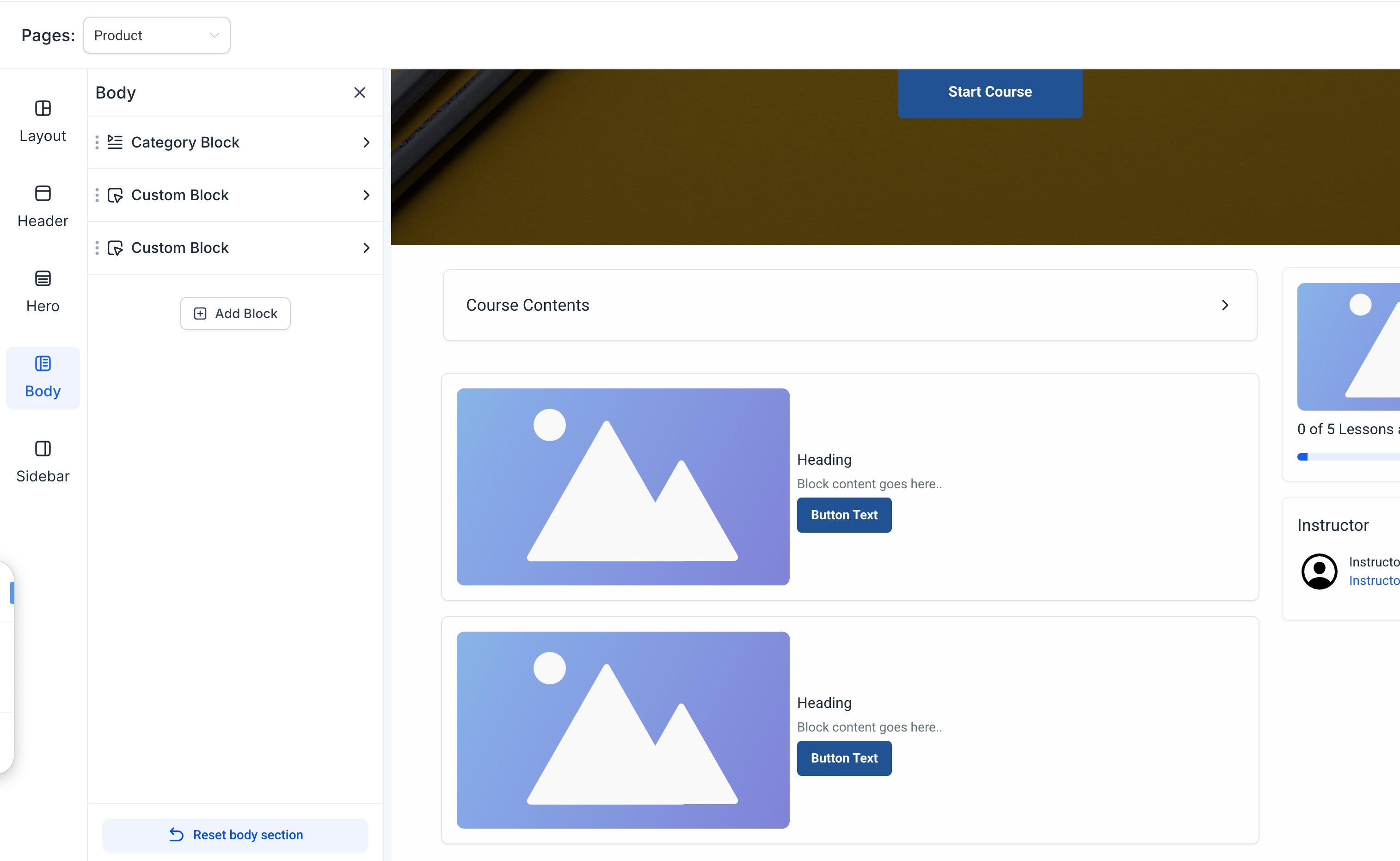
Add a custom block onto your Sidebar to build in another Offer, display a promotion, communicate an announcement, and more! The custom block is yours to design. With the custom block you can choose to includeText: Customize content, colour, style, and alignment
Image Block: Upload an image and assign an action URL
CTA Button: Customize content and destination link
Additional Customization Options
Lesson Page Customization
Breadcrumb Navigation: can be displayed to act as a trail leading back to the Course homepage.
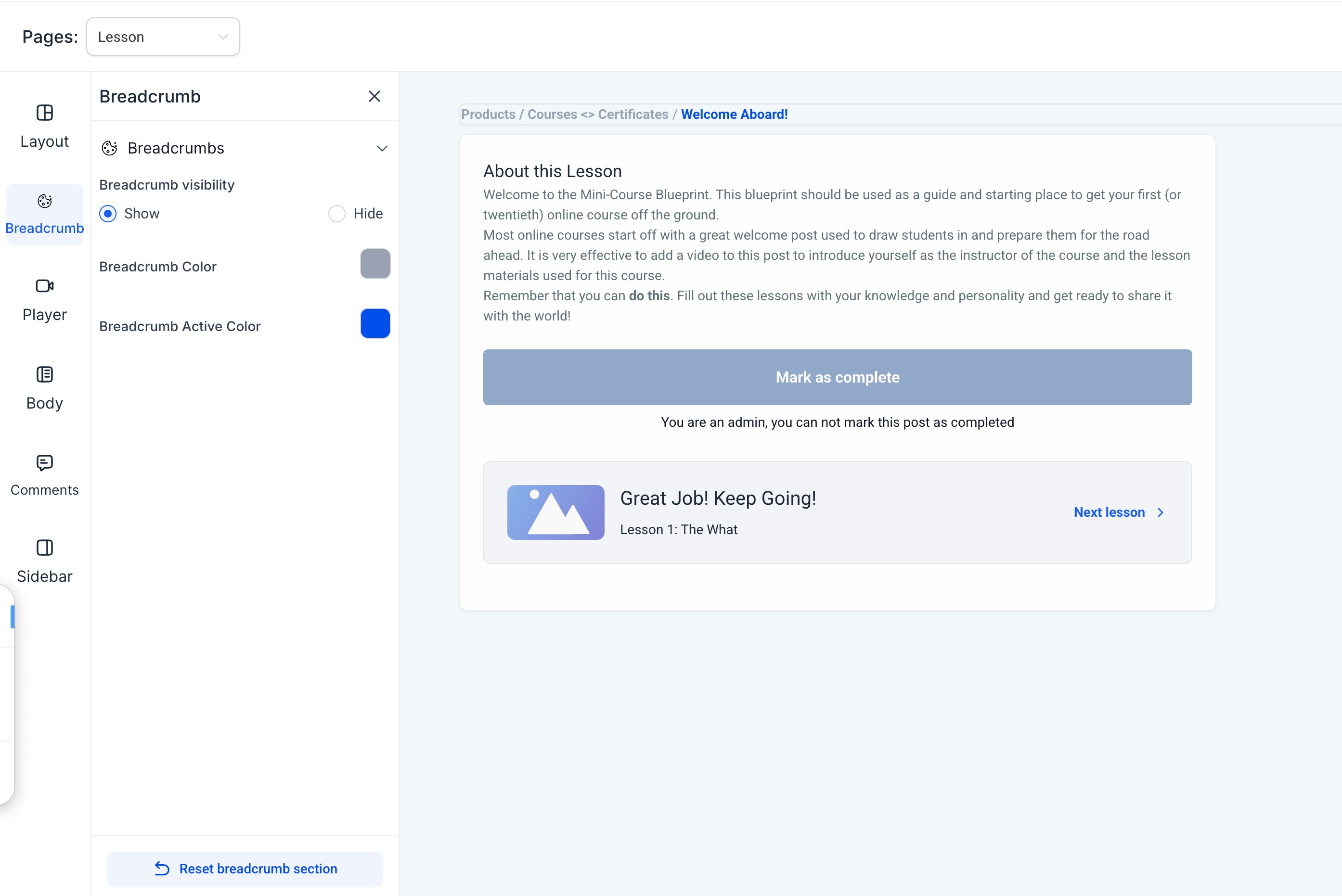
Show/Hide
Lesson Player Settings:
Background Colour Override
Auto Advance (On/Off)
Lesson Body: allows you to configure the appearance of your Lesson Body to adjust the text alignment, the Mark as Complete button, etc
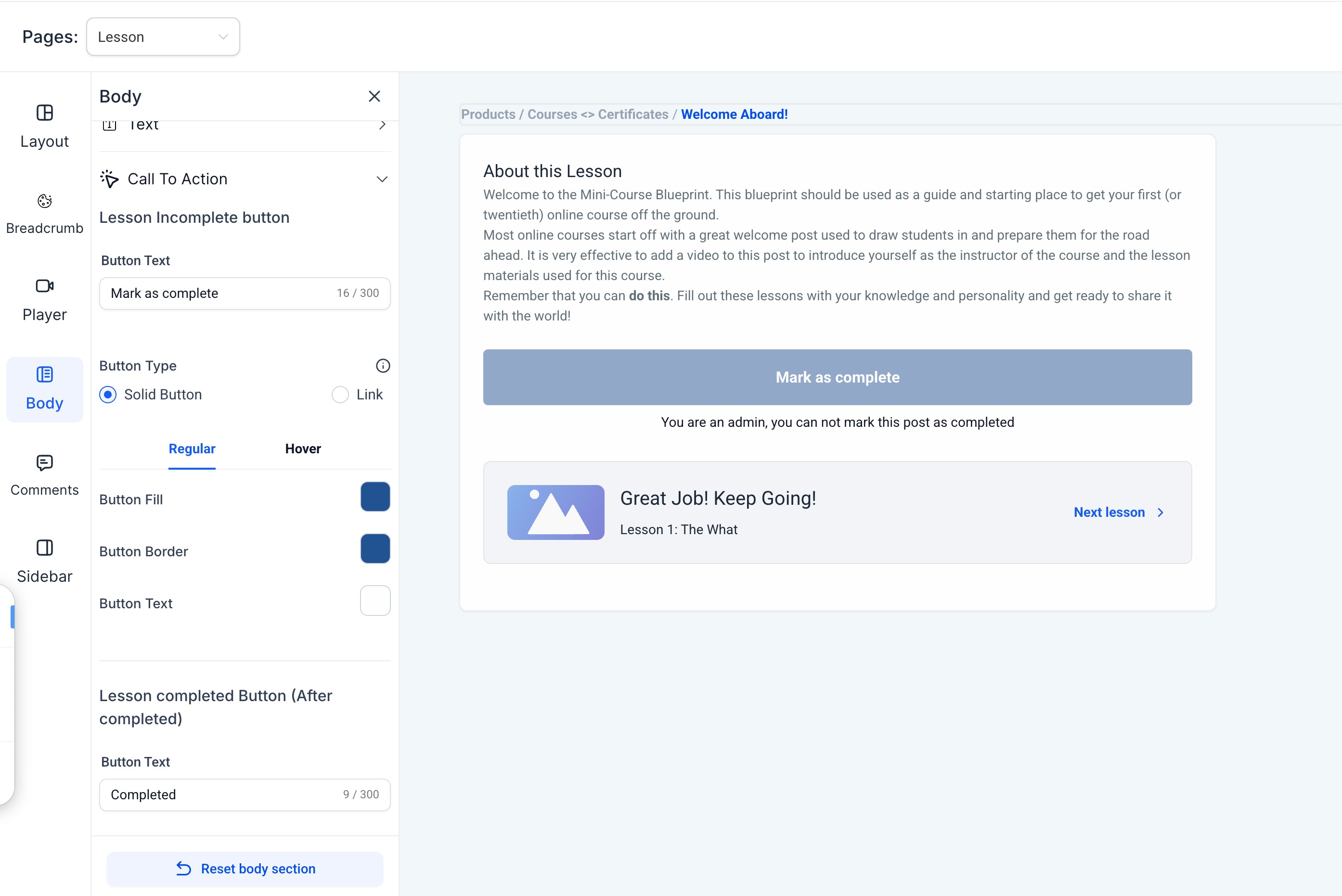
Text Alignment: Left, Right, Center
Text Colour Override
Category Page Customization
Categories Sidebar:
Progress Bar: Show/Hide, Colour Override
Text Override (with "i" icon for tooltips)
Was this article helpful?
Related articles
- How to use memberships themesOverview Step 1: Choose a system theme Step 2: Customize your theme Step 3 : Apply or save your themeInstructor details, Favicon, and Logo: Overview You can now customize the feel of your product pages using handpicked themes. Themes help you establish a custom brand identity and experience. ThMemberships
- How to create your Whitelabel Community inside a subaccountCreating a white-label community involves customizing the community features to match your brand. Here’s a step-by-step guide: 1. Access the Subaccount in - Log in to the app. - Navigate to the sub-account where you want to create the community. - Head over to Membership > Communities 2. Set Up the Memberships
- Getting Started - Launch a CourseSetting up and launching your online course might seem daunting at first, but trust me—it's simpler than you think! With just a few clicks, you'll be on your way to sharing your expertise, building your audience, and even earning some income. Let's dive in step-by-step. TABLE OF CONTENTS - Create a Memberships
- Magic Links In Memberships (Courses)Have you ever been in a situation where you're trying to get somebody in membership, or you want to get them in quickly, and they've lost their password, or they can't figure out how to log in? A Memberships magic link is the one-click solution for that. The fastest way to get your customers and useMemberships