ResQEngage Webchat for Shopify: How to Get Started
Are you looking for an easy way to connect with your website visitors and convert them into customers? ResQEngage Webchat for Shopify is the perfect solution for you!
In this article, we'll walk you through the steps to start with ResQEngage Webchat for Shopify.
How to obtain the embed code for web chat for the website:
Copy the embed code from Sites > Chat Widget > Get Code
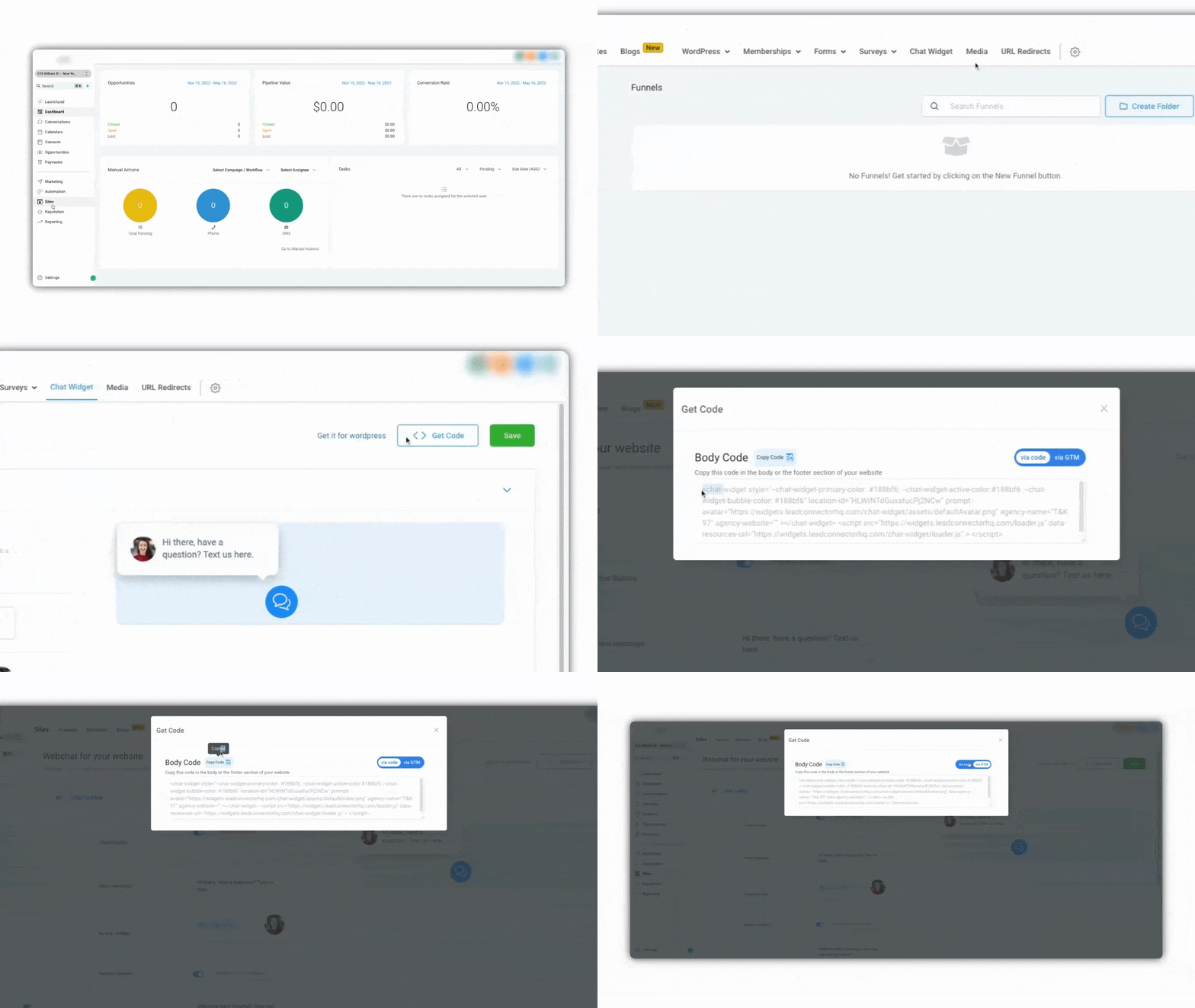
Here are detailed steps on how to add a custom chat widget to a Shopify website using different methods:
- Log in to your Shopify account: Go to your Shopify account and log in.
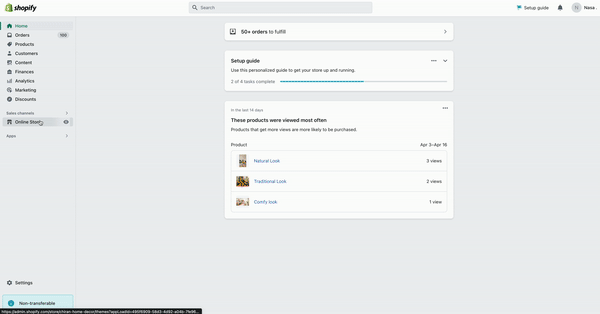
- Navigate to the "Online Store" section: From your Shopify dashboard, navigate to the "Online Store" section.
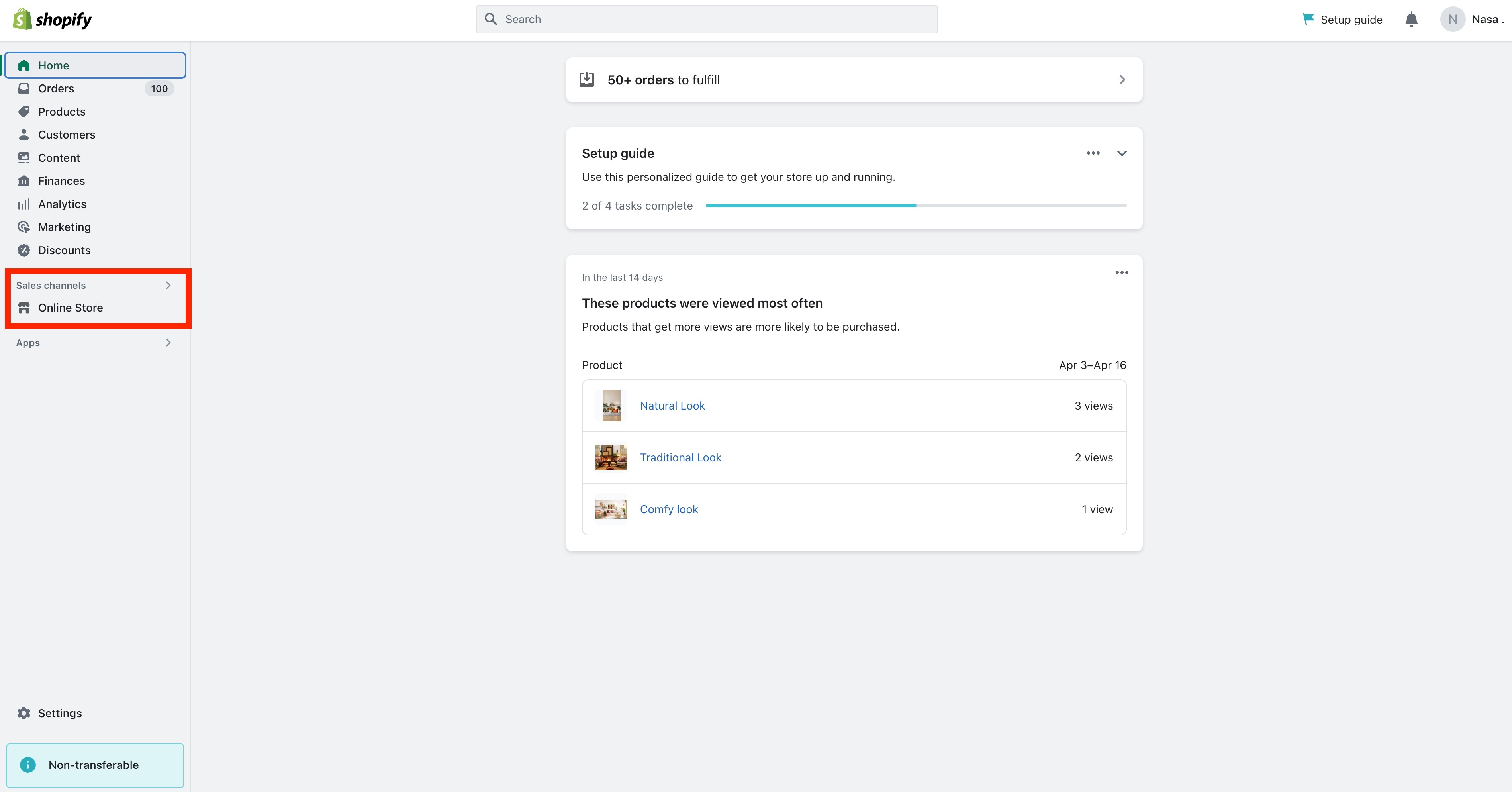
- Edit your website's theme: Select the theme you want to edit and click the "Actions" button. Choose "Edit code" from the drop-down menu.
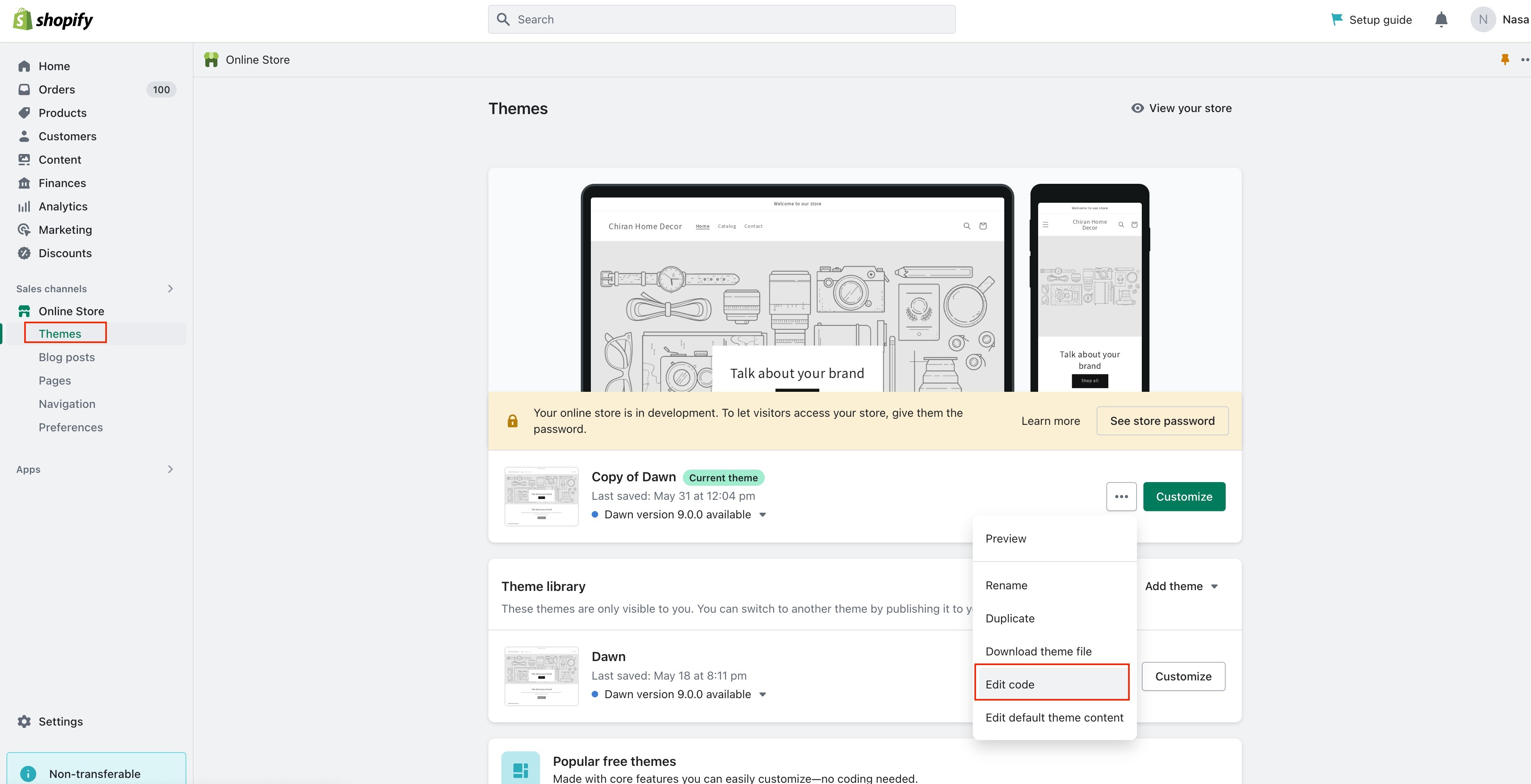
- Open your theme's theme.liquid file: In the list of files that appears, select the "Layout" folder and then select the "theme.liquid" file.
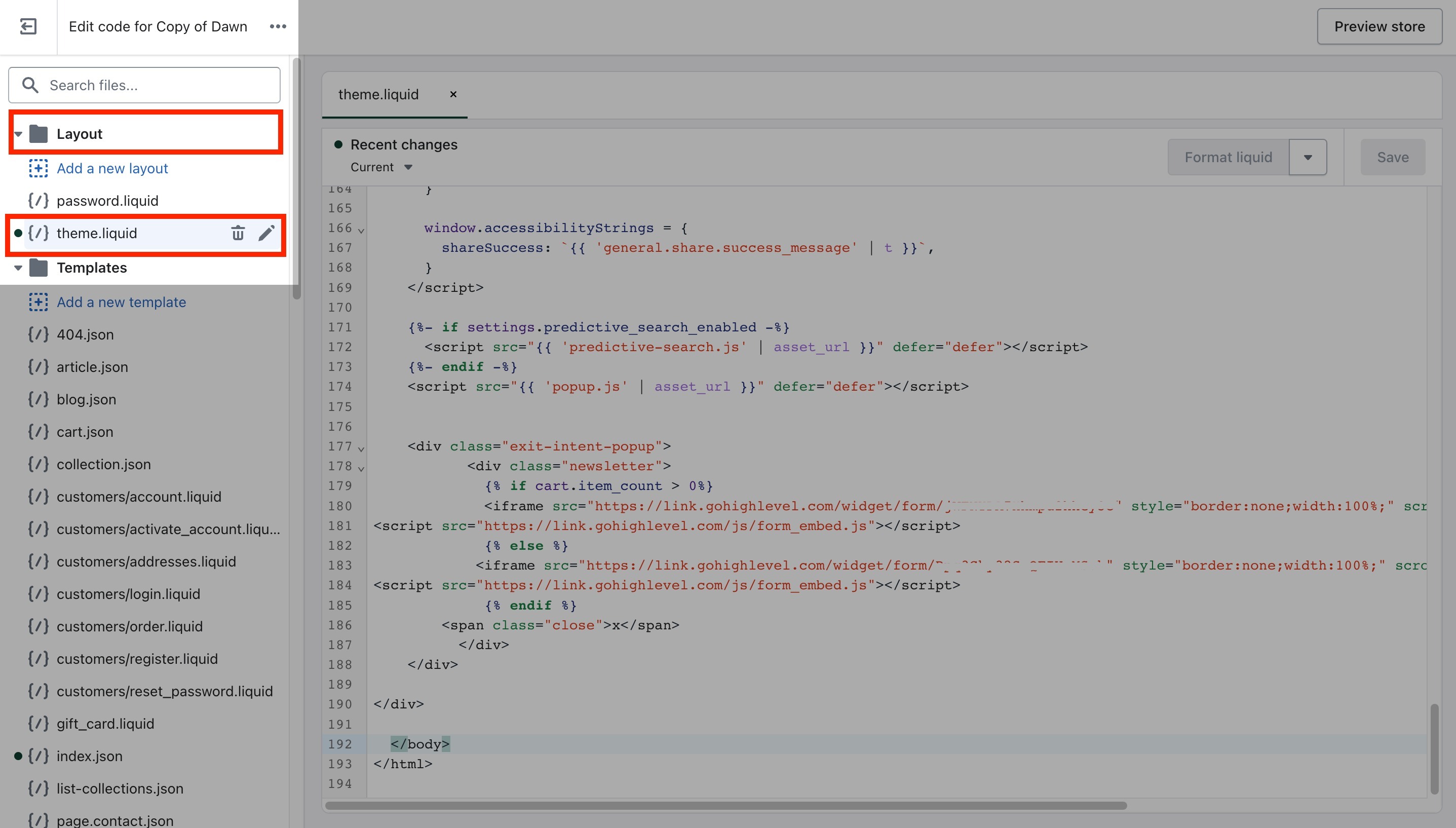
- Paste the embed code: Locate
</body>tag within theme.liquid then add embed code above it.
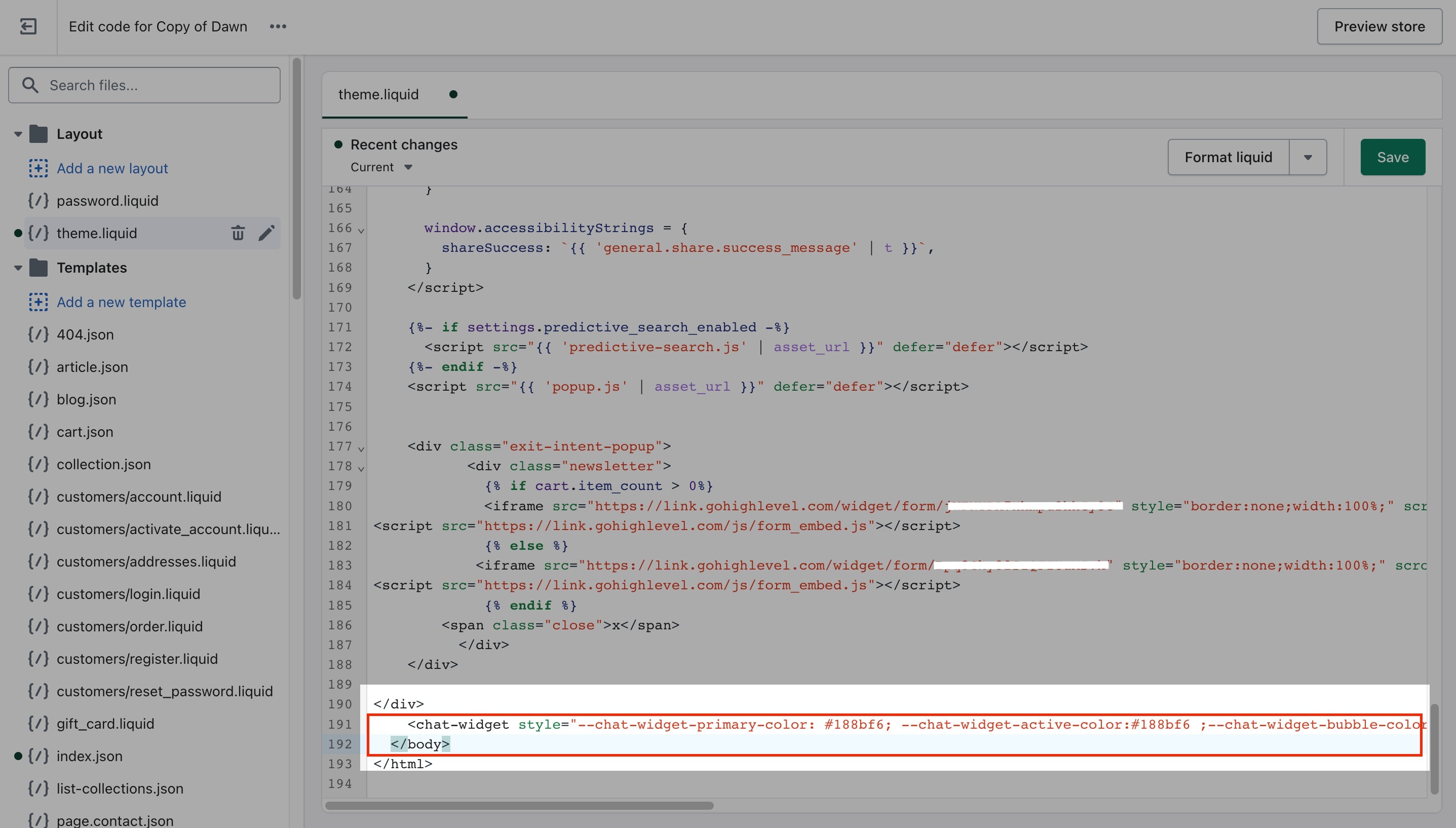
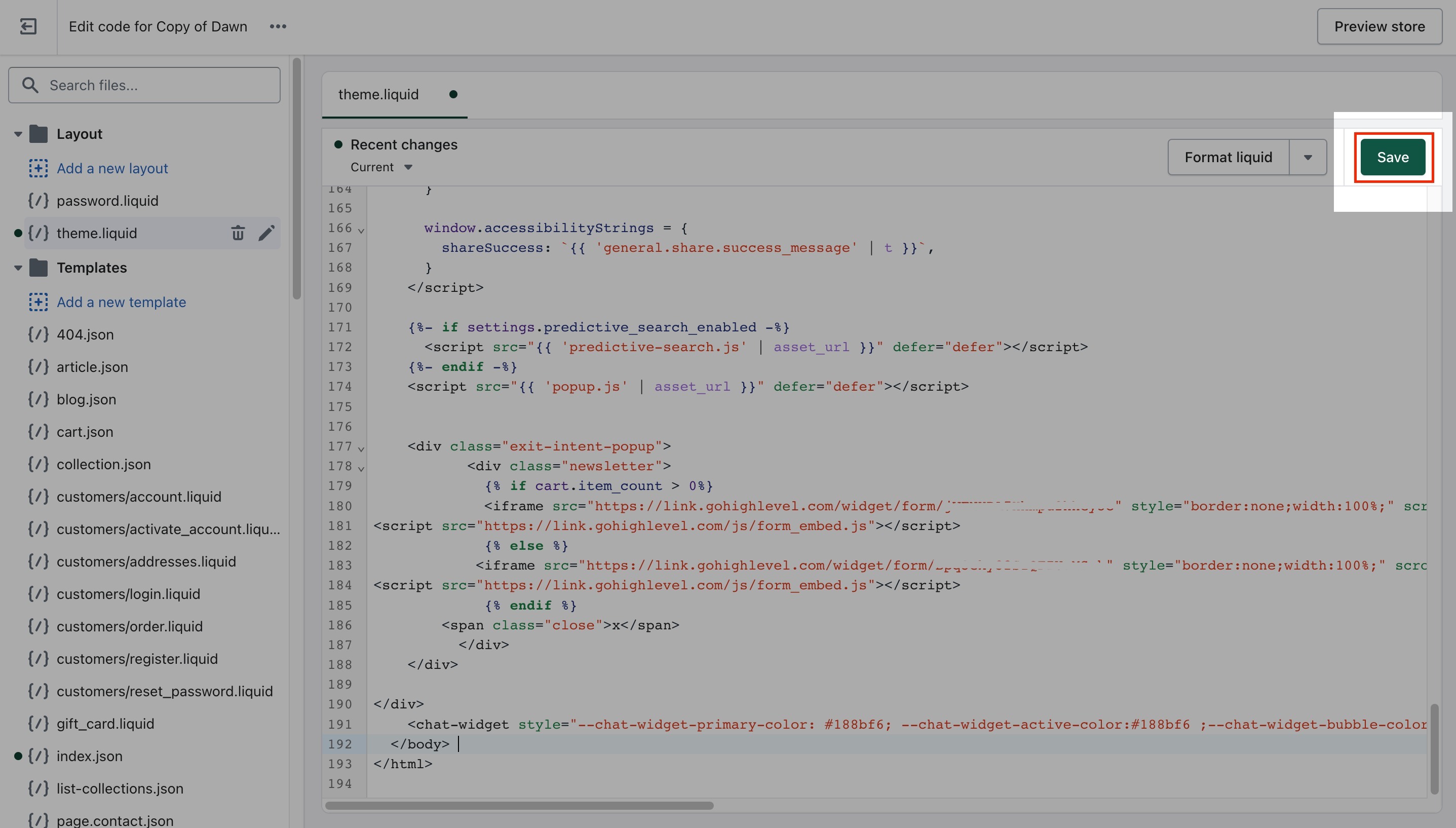
- Save the changes: After adding the embed code, hit the save button.
- Preview the chat widget: Go to your website and refresh the page. The chat widget should now be visible on your website.
- Please test it out to make sure it's working correctly.
Was this article helpful?
Related articles
- LeadConnector Webchat for Weebly: How to Get StartedAre you looking for an easy way to connect with your website visitors and convert them into customers? LeadConnector Webchat for Weebly is the perfect solution for you! In this article, we'll walk you through the steps to start with LeadConnector Webchat for Weebly. Covered in the article How to oWebChat Widget
- LeadConnector Webchat for Squarespace: How to Get StartedAre you looking for an easy way to connect with your website visitors and convert them into customers? LeadConnector Webchat for Squarespace is the perfect solution for you! In this article, we'll walk you through the steps to start with LeadConnector Webchat for Squarespace. Covered in this ArticlWebChat Widget
- LeadConnector Webchat for Wix: How to Get StartedAre you looking for an easy way to connect with your website visitors and convert them into customers? Webchat for LeadConnector is the perfect solution for you! In this article, we'll walk you through the steps to start with LeadConnector Webchat for Wix. Covered in this article: How to obtain thWebChat Widget
- LeadConnector Webchat for Duda: How to Get StartedAre you looking for an easy way to connect with your website visitors and convert them into customers? LeadConnector Webchat for Duda is the perfect solution for you! In this article, we'll walk you through the steps to start with LeadConnector Webchat for Duda. Covered in this article: How to obtWebChat Widget