Skip to content
CPR EnrollHelp
HomeKnowledge base
Ctrl K
Contact support

Digital Products

  • How to add a product to a funnel or website
  • How to set up your very own Customizable 404 Error page?
  • Custom 404 Error Page Setup & Best Practices
HelpKnowledge baseDigital Products

How to add a product to a funnel or website

Updated January 16, 20261 min read
 In this video, we're going to learn how to add products to the new payments section and use them in funnels.  


Troubleshooting

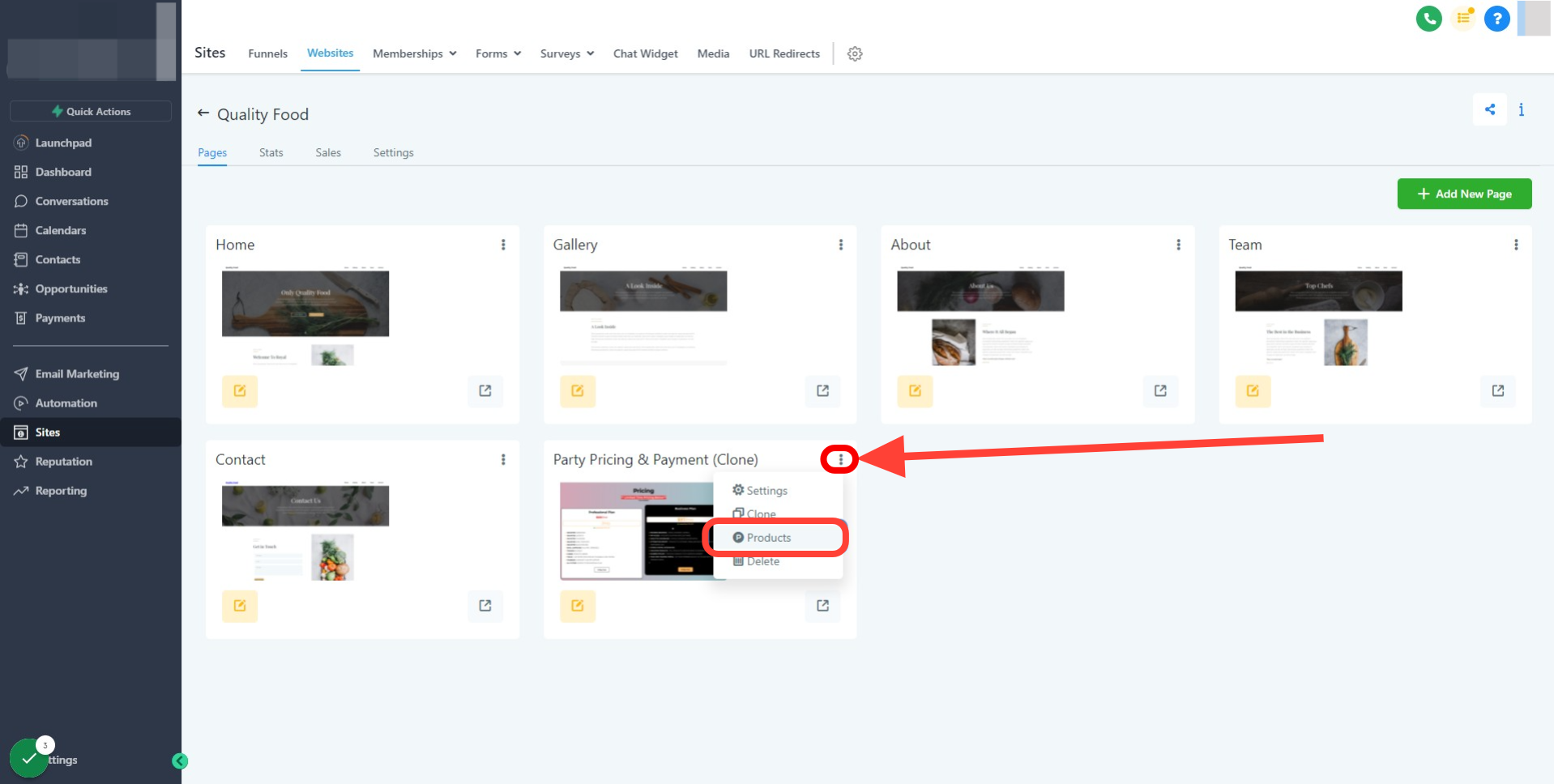
Q1: I'm using websites and do not see a way to add a product:

To add a product to a website please click on the 3 dots located on the website page where your order form will reside.


Was this article helpful?

Related articles

  • How to set up your very own Customizable 404 Error page?Enhance your user experience with our existing customizable 404 error page feature! Seamlessly redirect users encountering errors to a custom, brand-aligned webpage instead of the default error page. It's an innovative, simple, and effective way to keep users engaged, even in unexpected circumstanceDigital Products
  • Custom 404 Error Page Setup & Best PracticesA custom 404 error page helps turn a frustrating “page not found” experience into a positive interaction. Instead of showing a generic error, you can guide visitors back to useful content, maintain brand consistency, and keep users engaged on your site. TABLE OF CONTENTS - What is a Custom 404 ErrorDigital Products

Still need help?

Our support team can look at your account with you and walk you through it.

Contact support
CPR EnrollHelp
  • Help centre home
  • Knowledge base
  • Go to CPR Enroll
  • Contact support

© 2026 CPR Enroll