How to create invoices in ResQEngage (Mobile App)
Overview
How to create a new invoice
How to edit your invoice info
How to add taxes to your invoice
How to add a discount to your invoice
How to send your invoice
How to check the status of your invoices
Overview
You can now send invoices to your customers/clients using the products that you have created in your sub-account.
How to create a new invoice
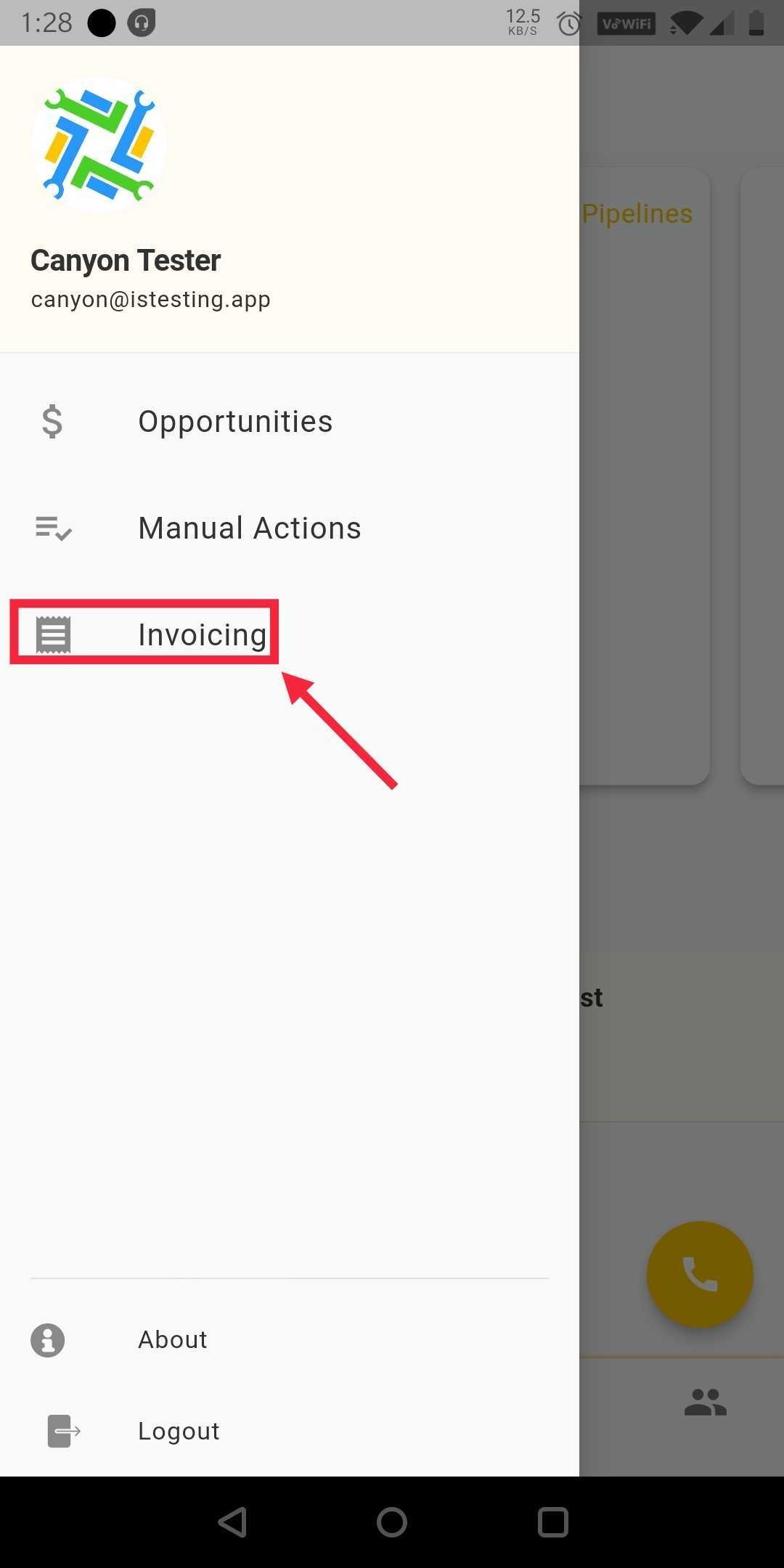
Click on the three lines in the top left of the app and select the Invoicing Tab
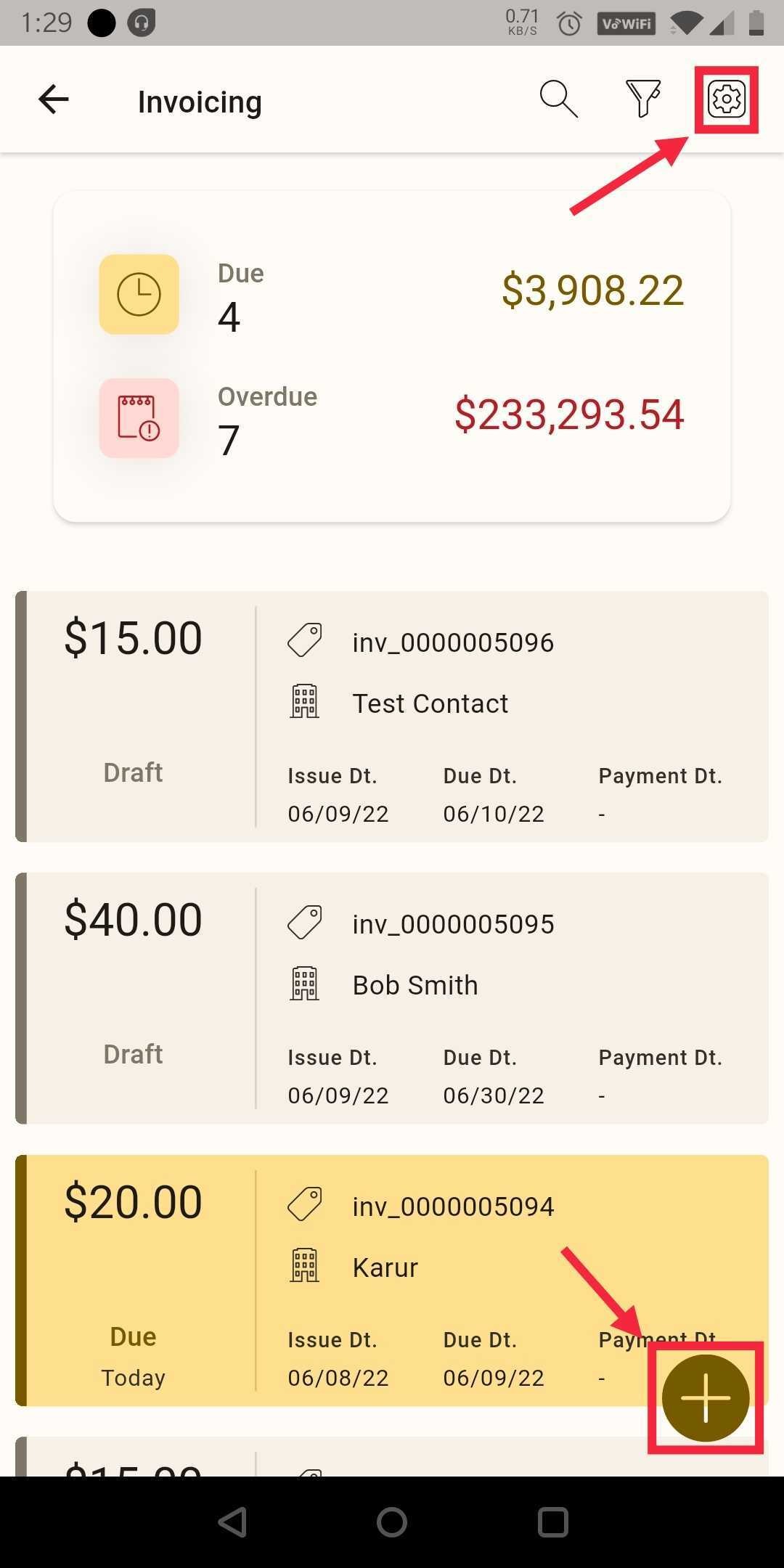
Click on the button "+" and start creating a new invoice.
Note:
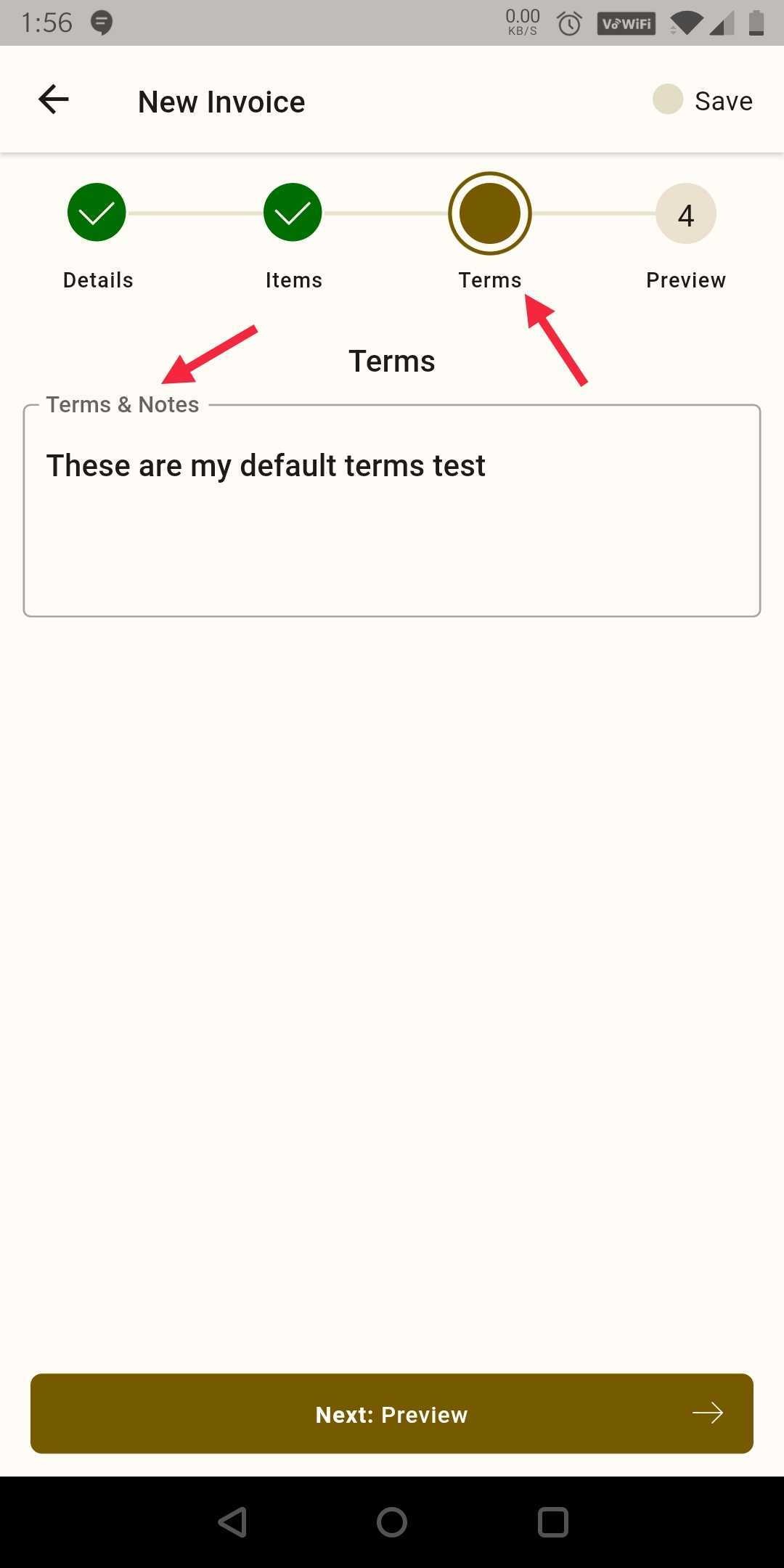
Add Global terms of services/notes by clicking on the gear wheel icon in the top right. You can also do this for the individual invoice in the third "Terms" step:
 |  |  |
How to edit your invoice info
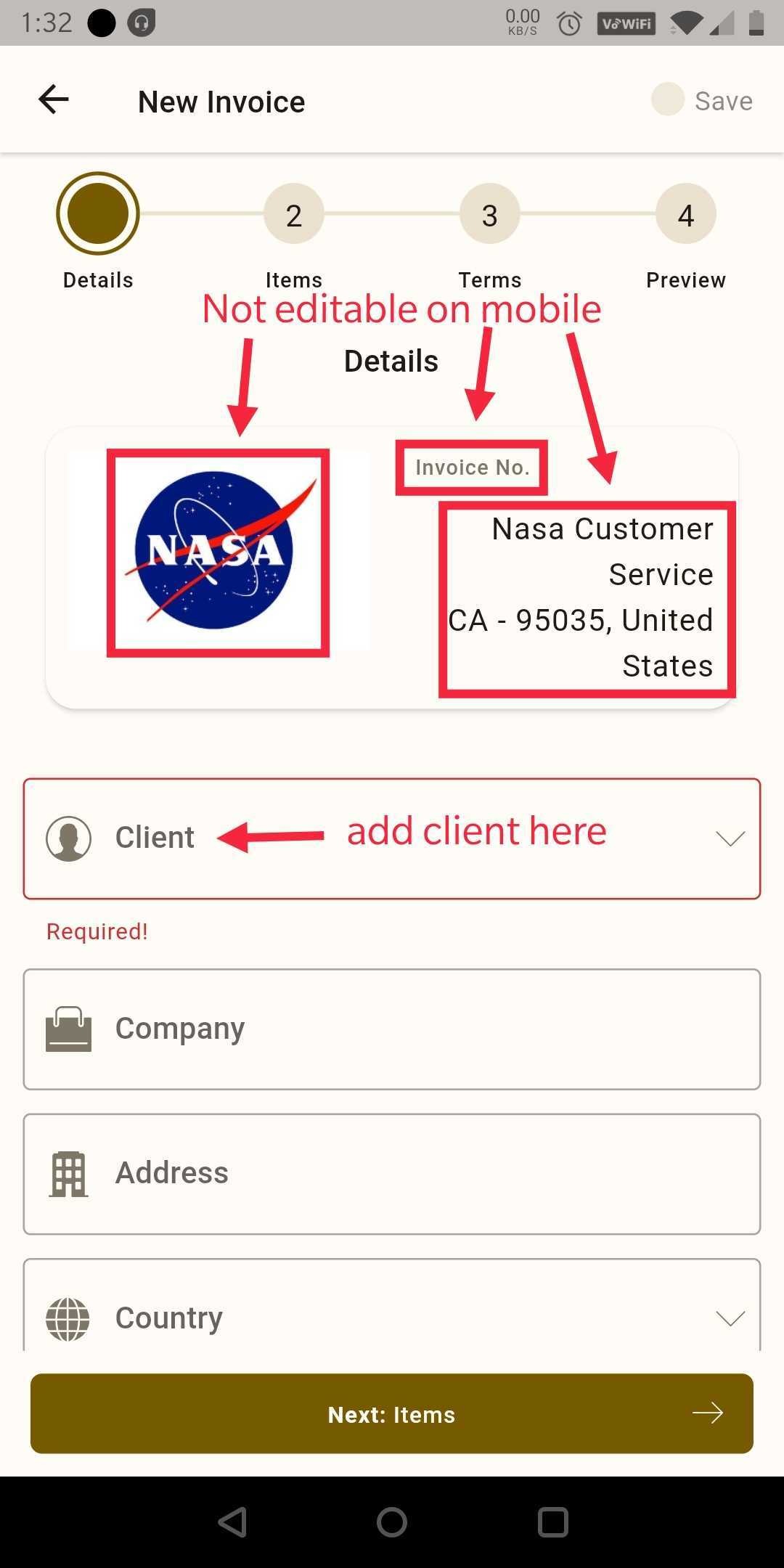
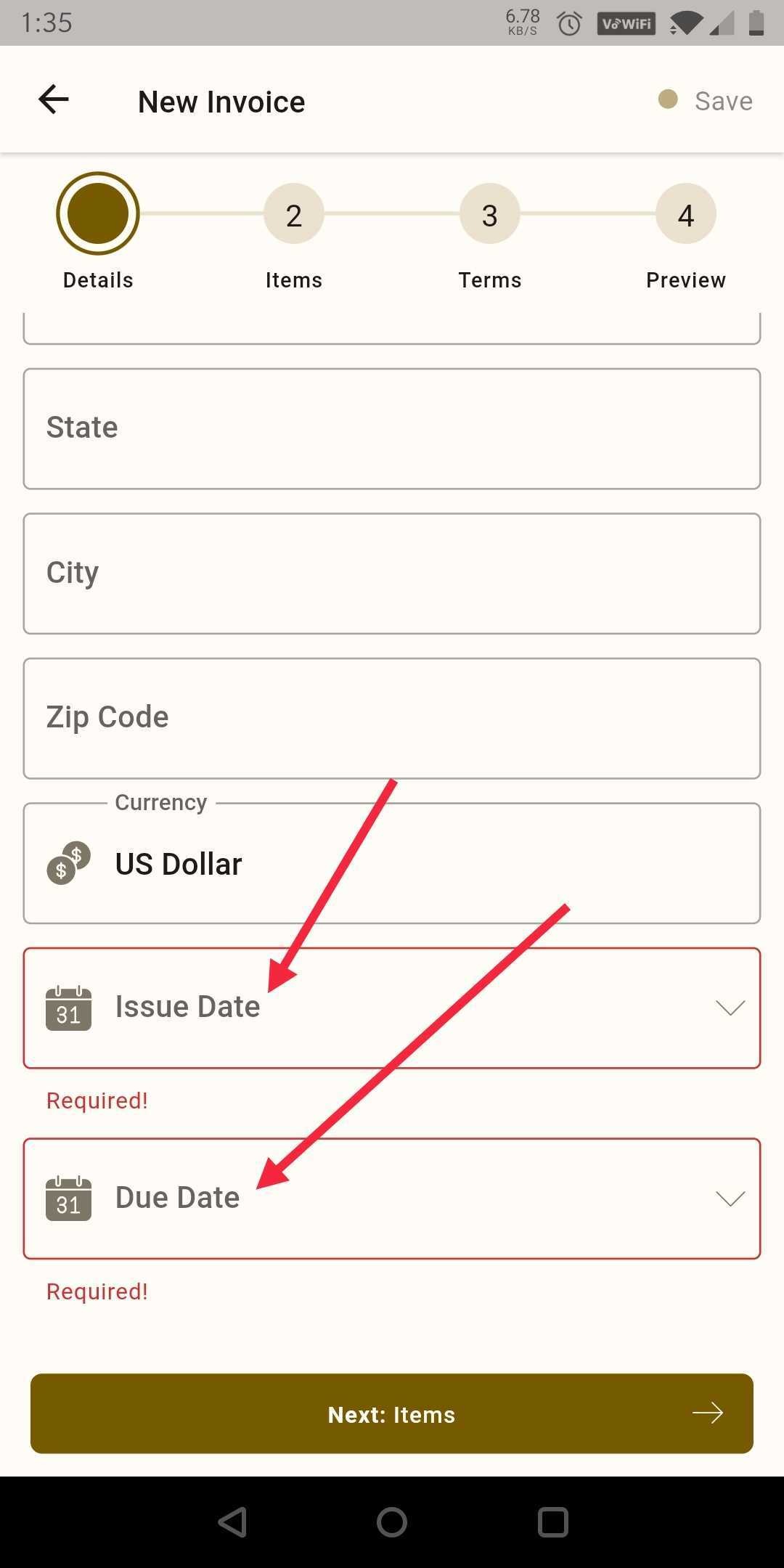
Step 1: When you begin creating an invoice you will first add the client and edit the Issue and Due dates.
 |  |
Notes:
On mobile, you cannot edit the "from info", image, or invoice number at this time.
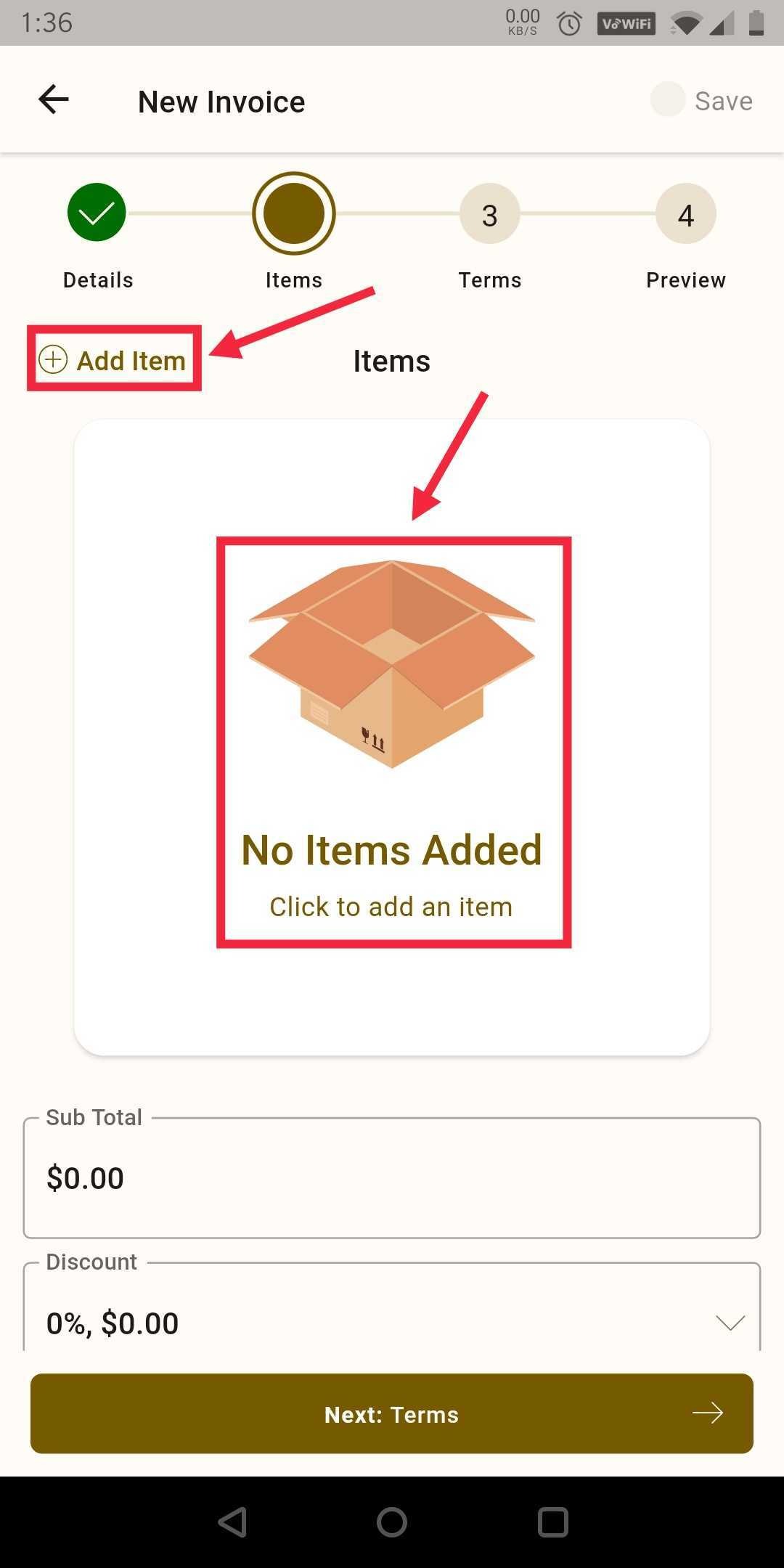
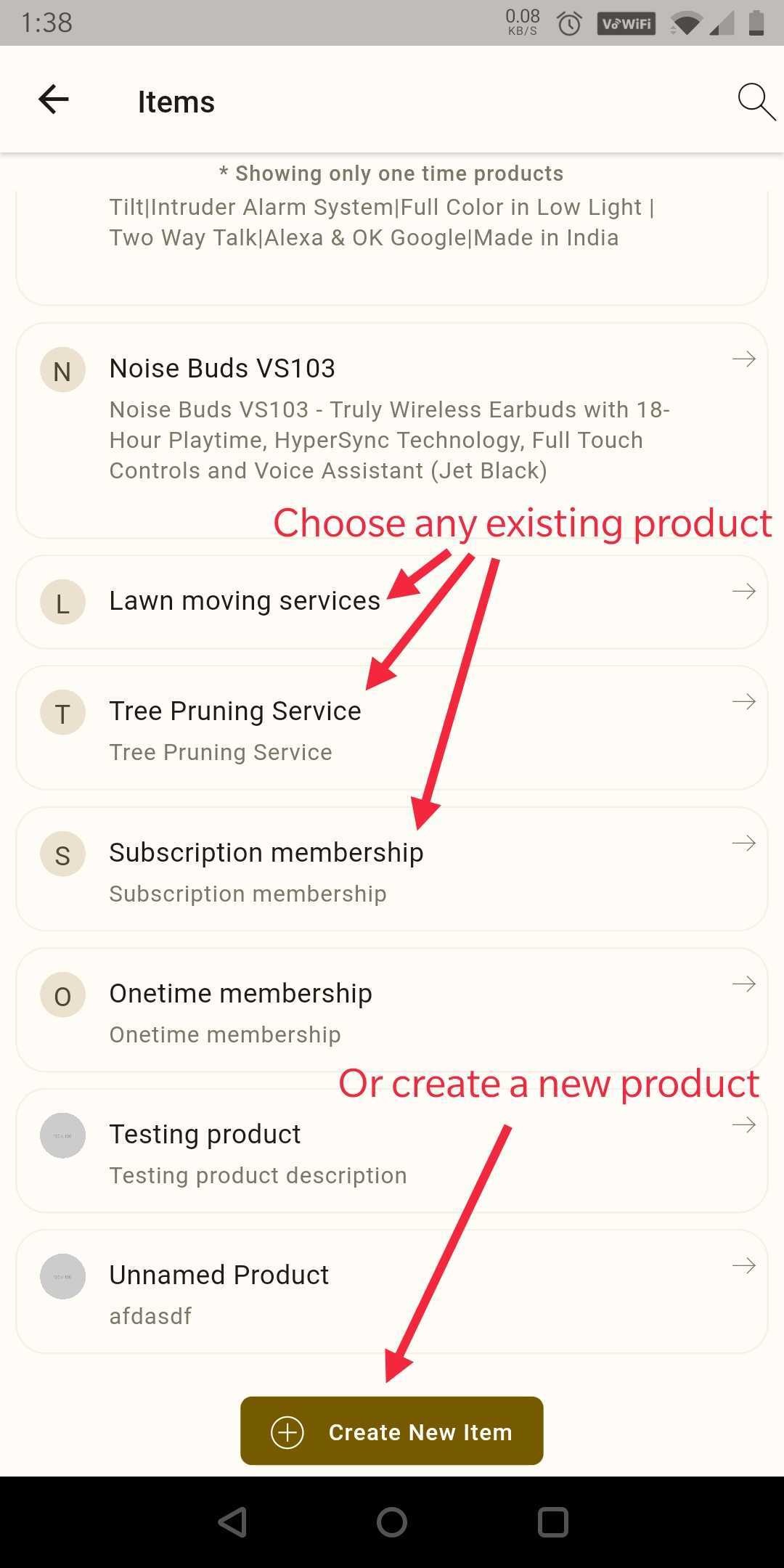
Step 2: Click The "+Add Item" to add the products that you have created on your products tab. You can also create a new product here.
 |  |
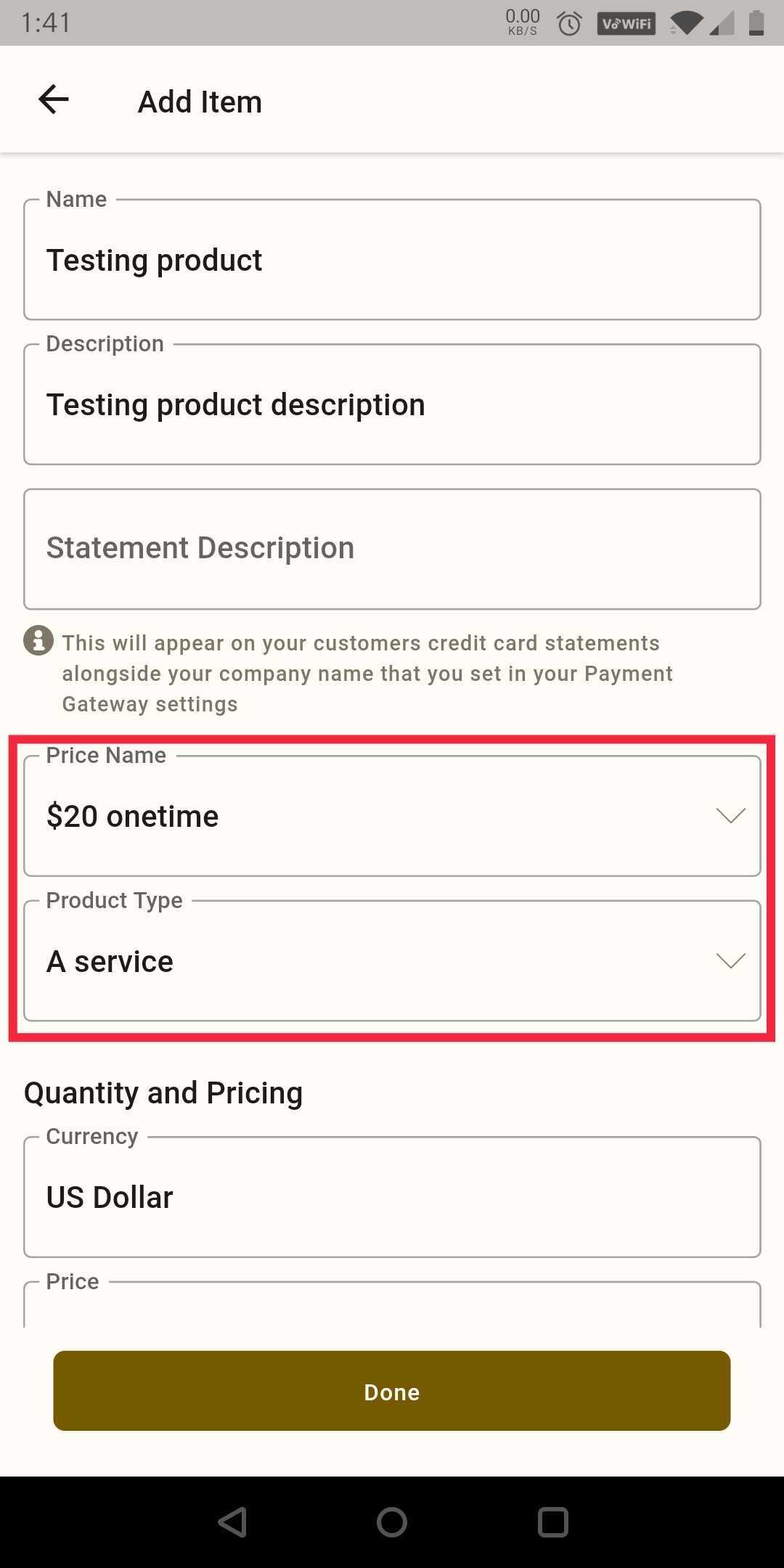
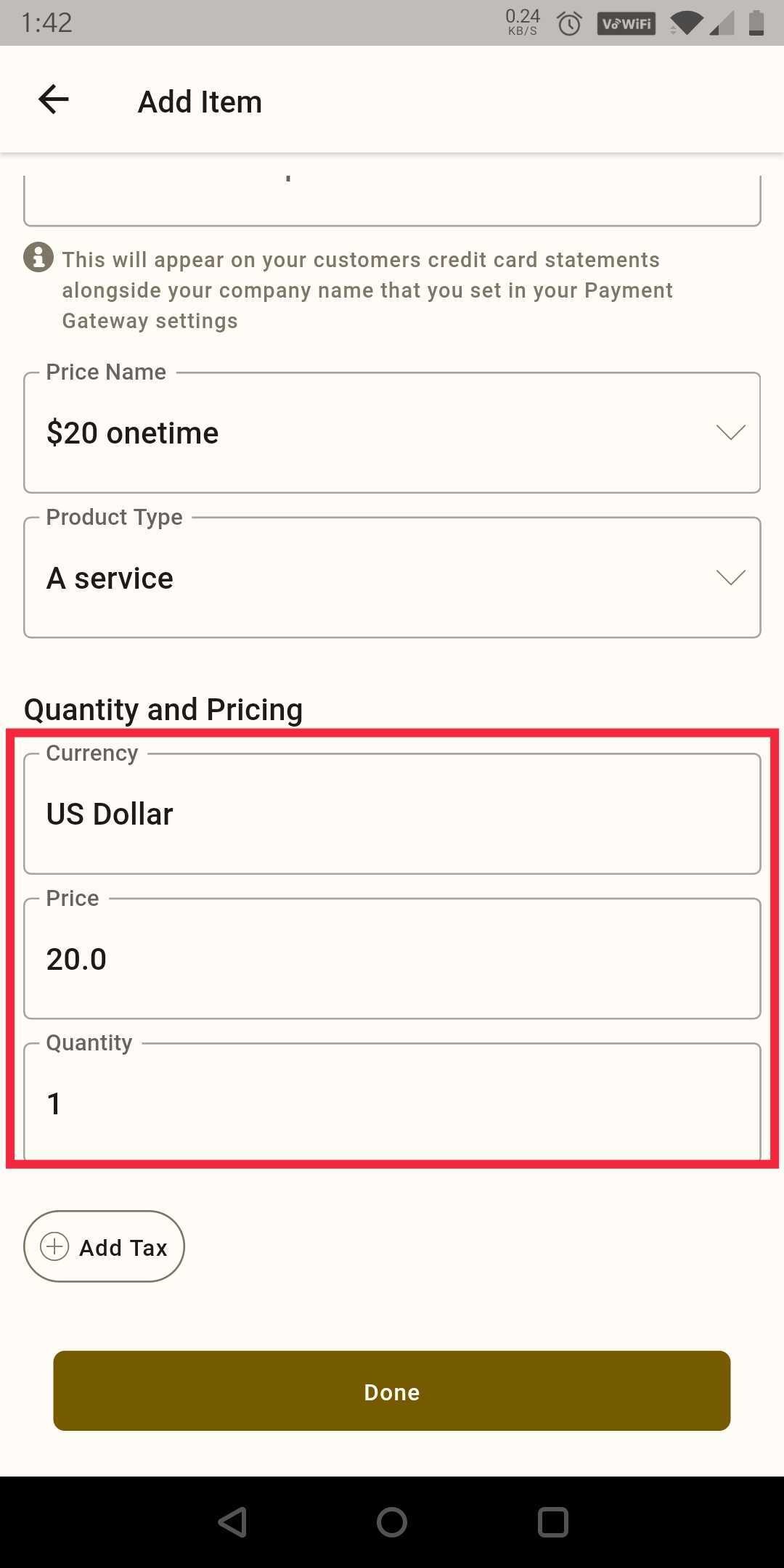
Step 3: Once you add the product it will allow you to edit the price and quantity.
 |  |
How to add taxes to your invoice
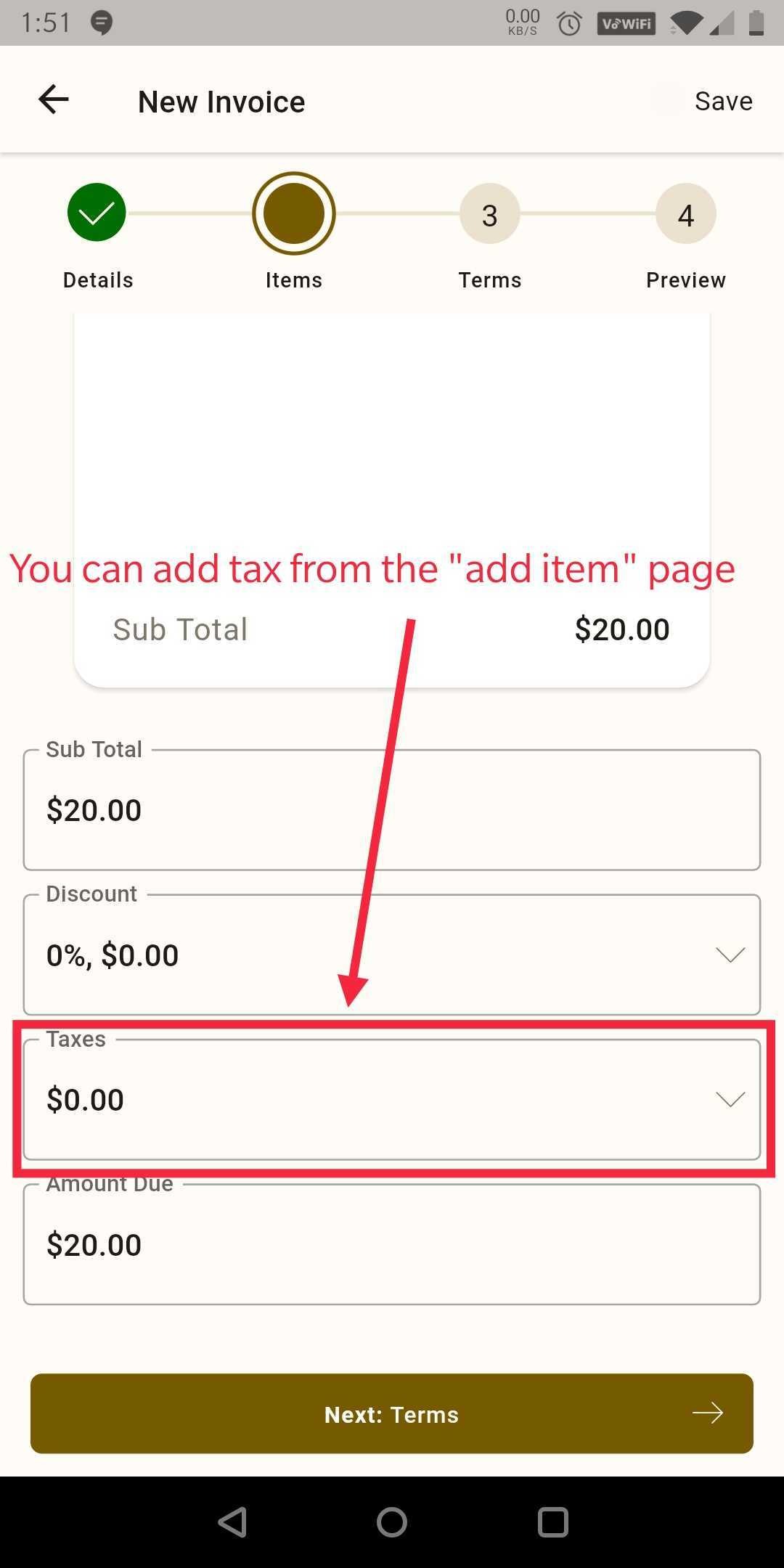
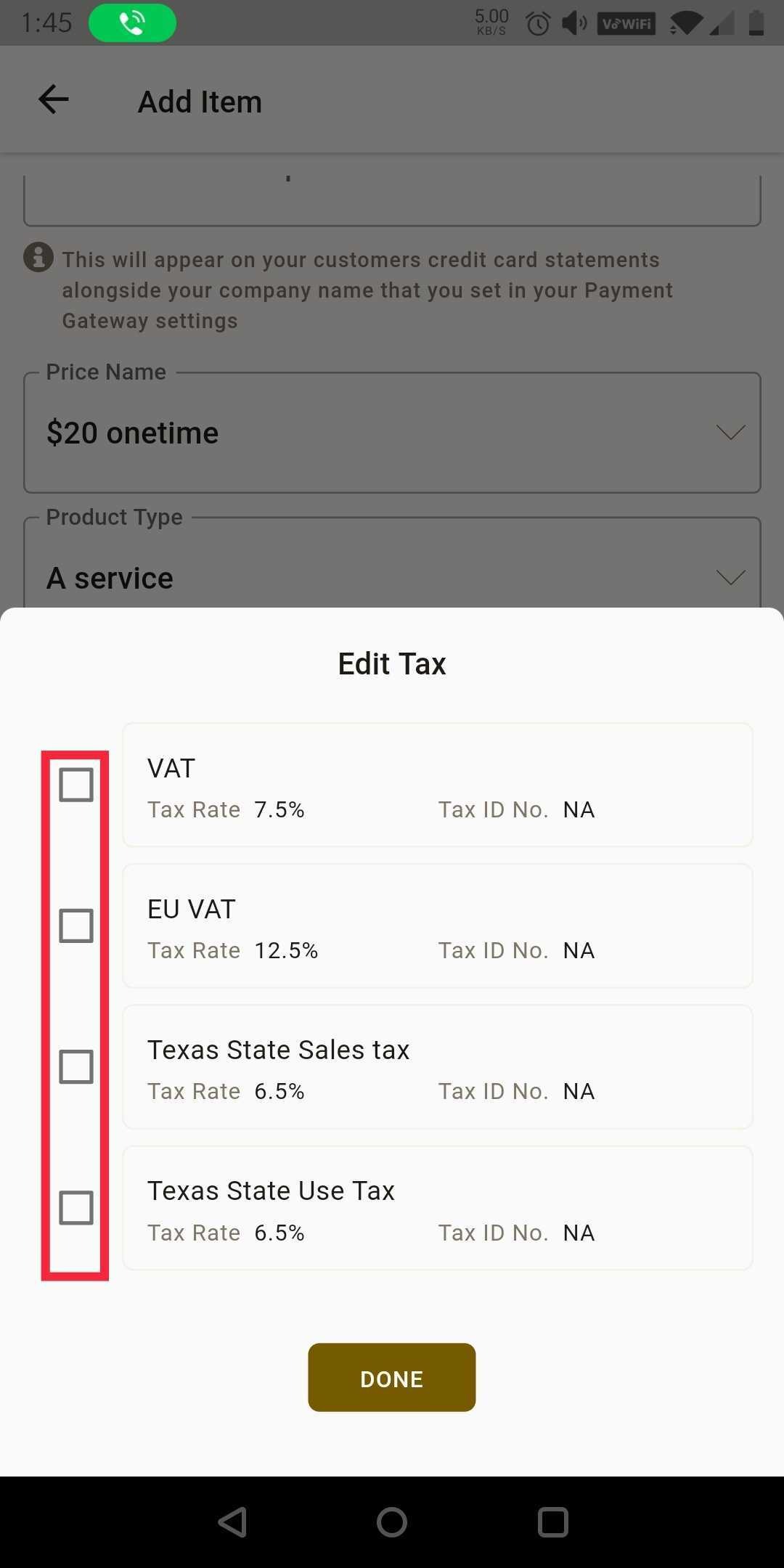
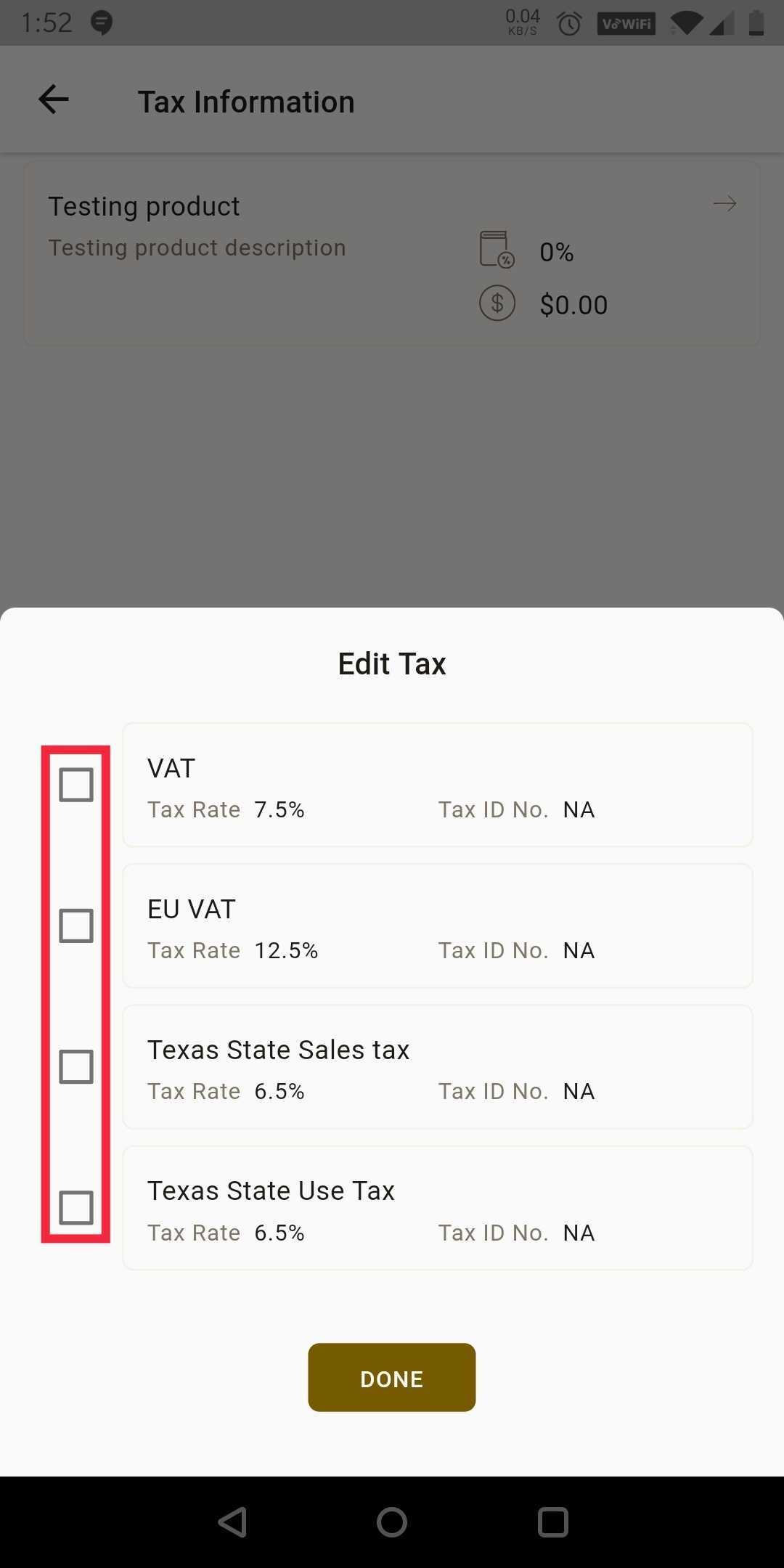
You can select "Taxes" on the "add item" page then select the checkbox next to your taxable options.
 |  |
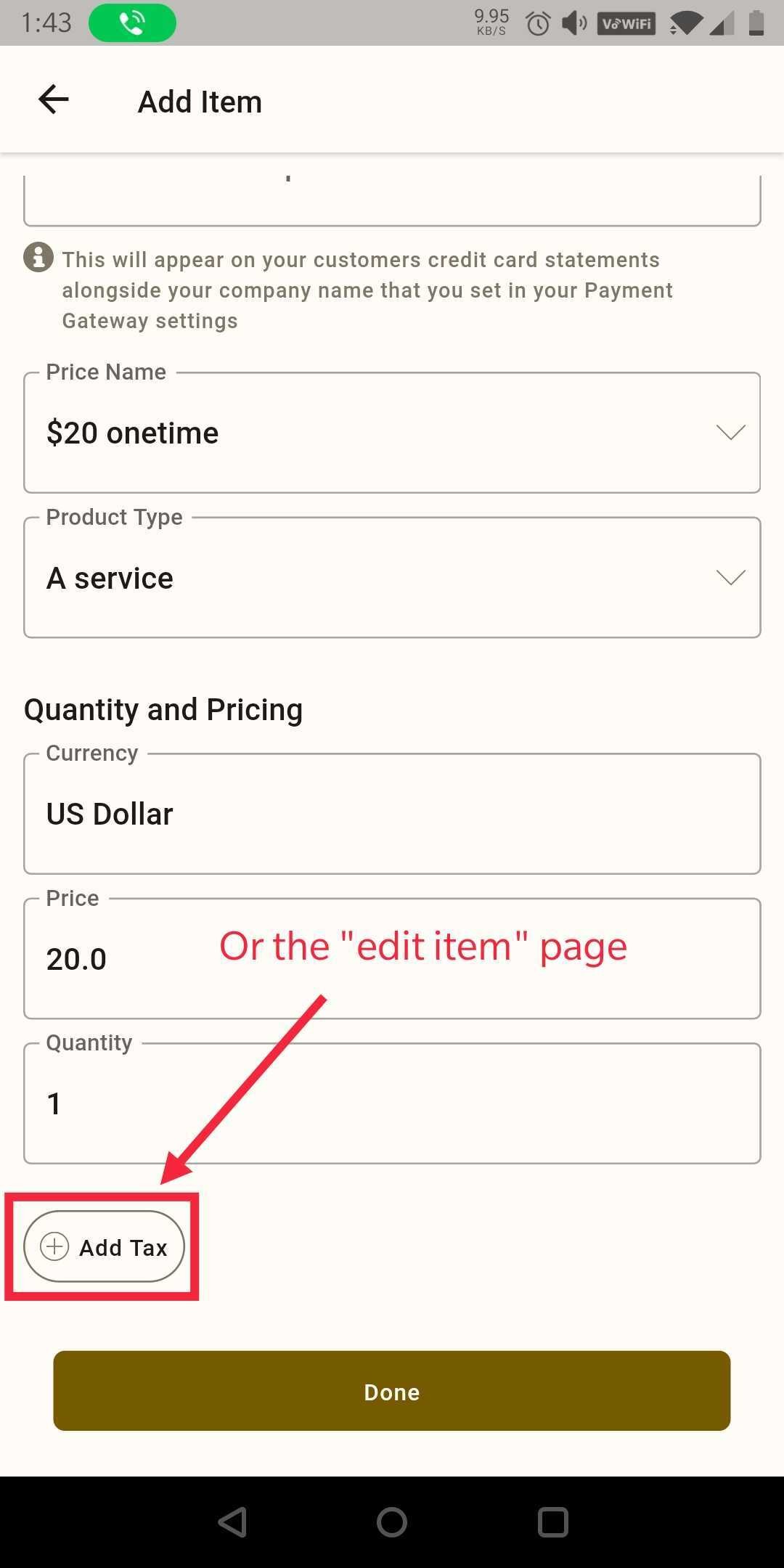
Or you can select the "+ Add Taxes" button on the "Edit Item" page and select the same options.
 |  |
How to add a discount to your invoice
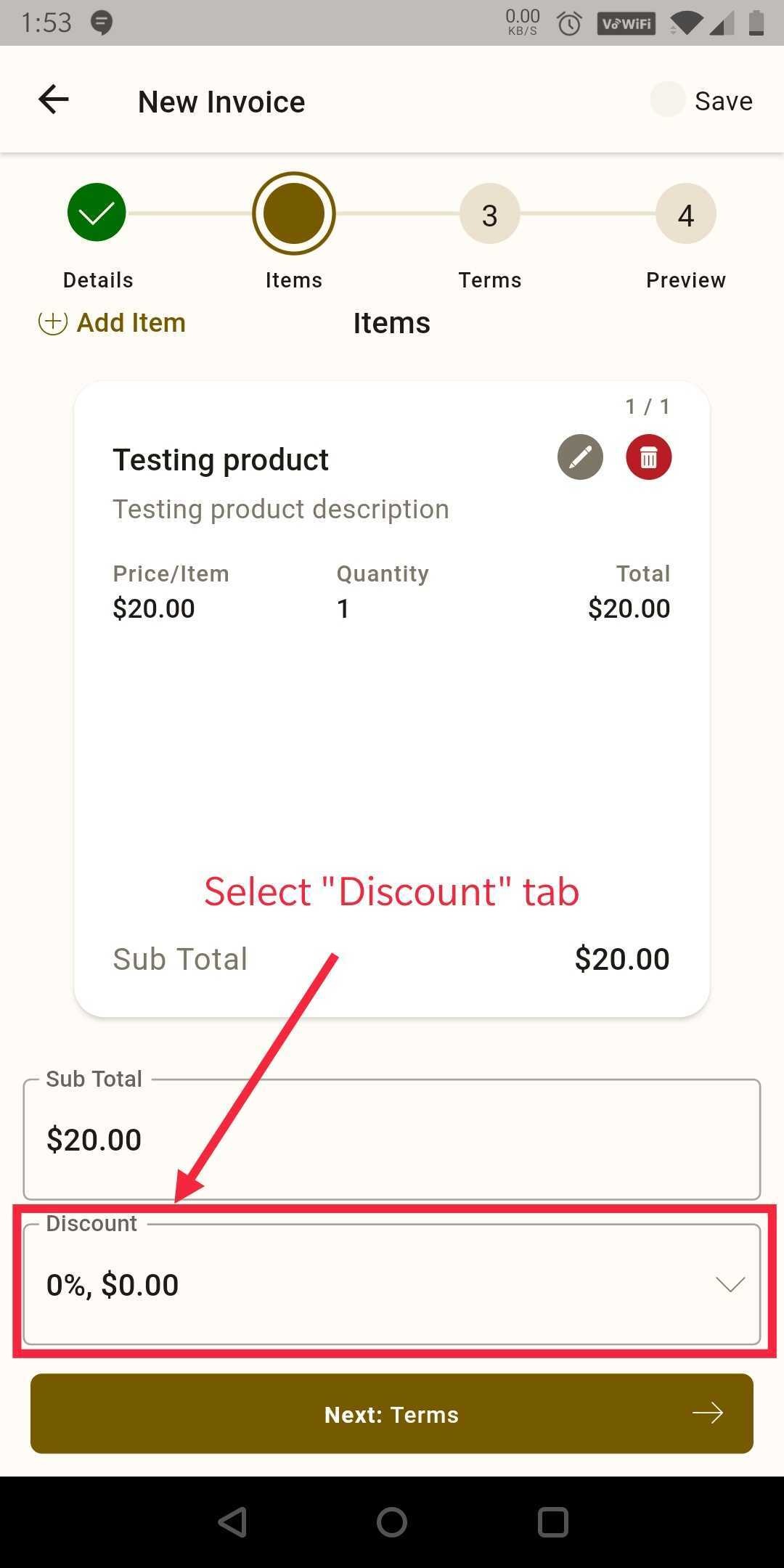
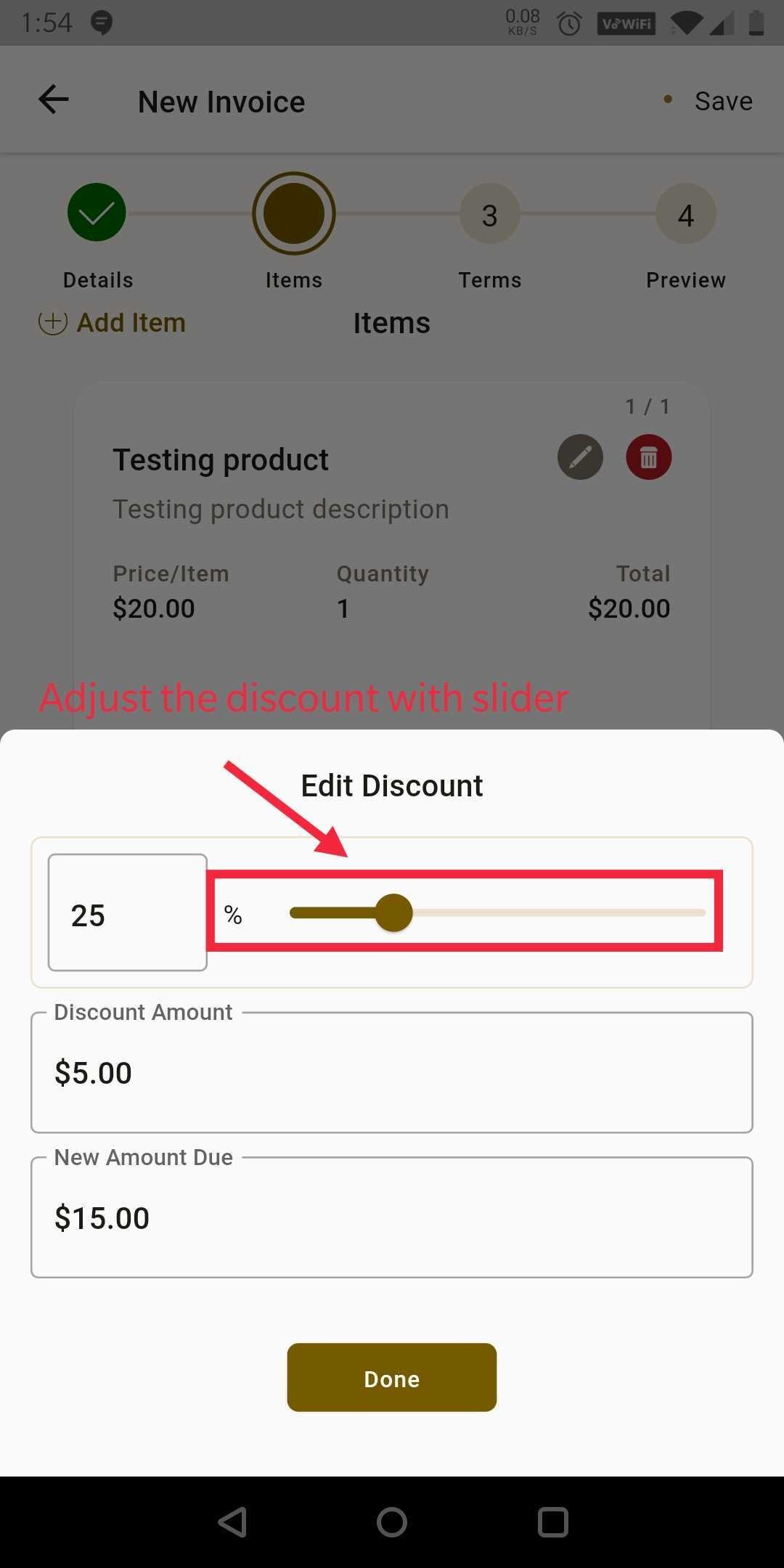
You can add a discount to this invoice by clicking on the "discount" tab and adjust it using the slider.
 |  |
How to send your invoice
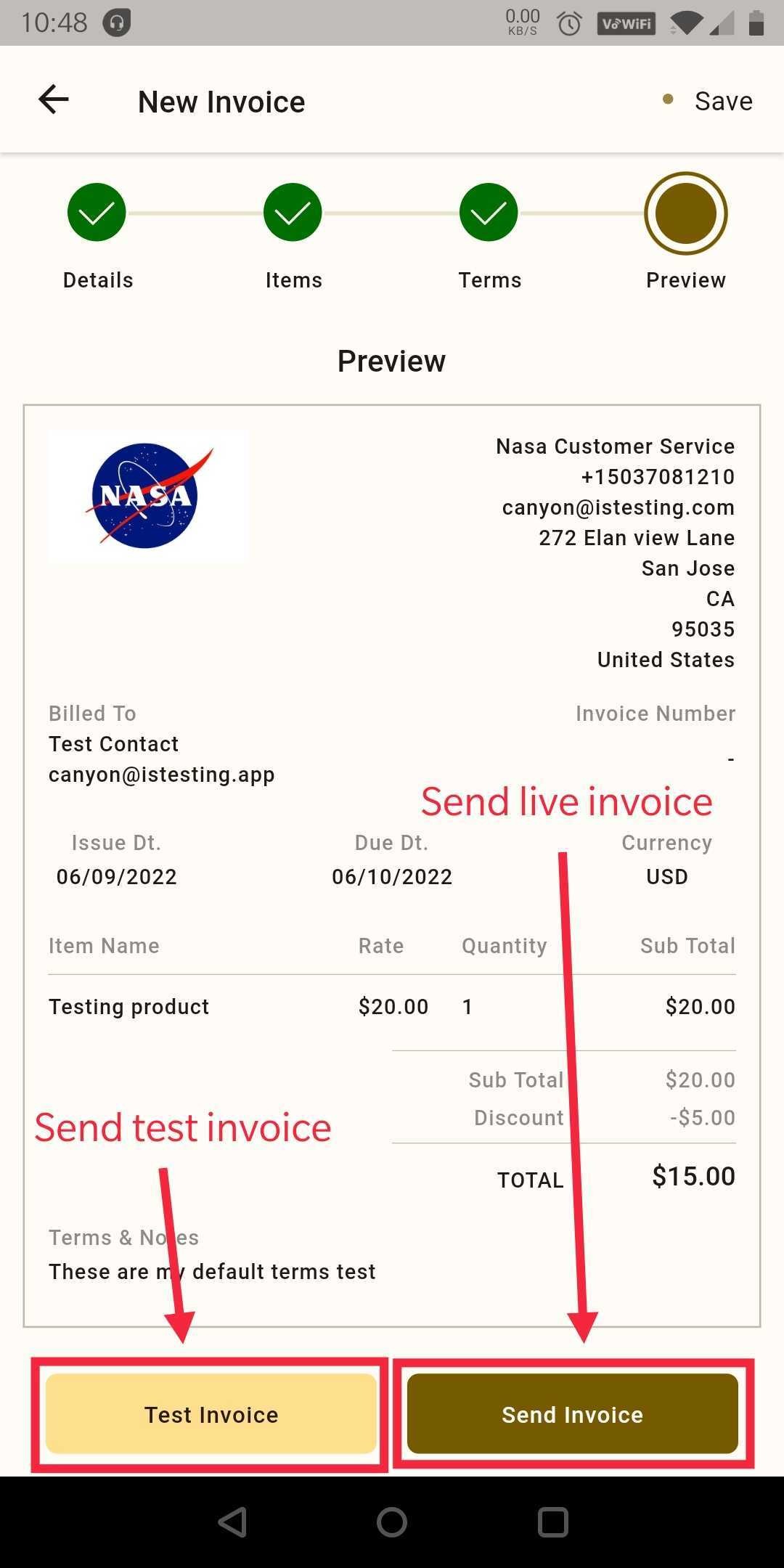
Step 1: Once you preview the invoice now you can send that to your client using the buttons at the bottom. Test invoice on the left or send live invoice on the right.
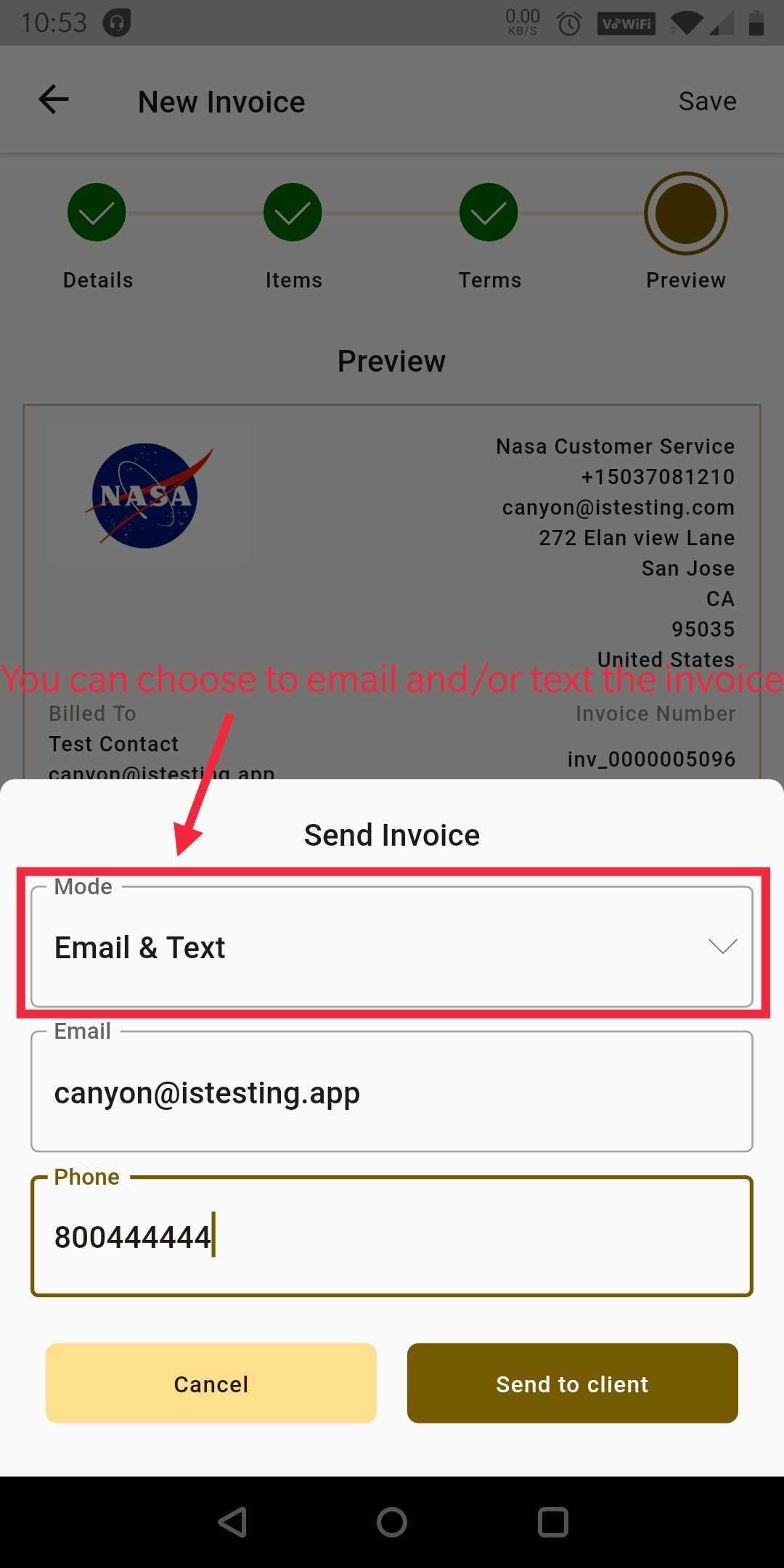
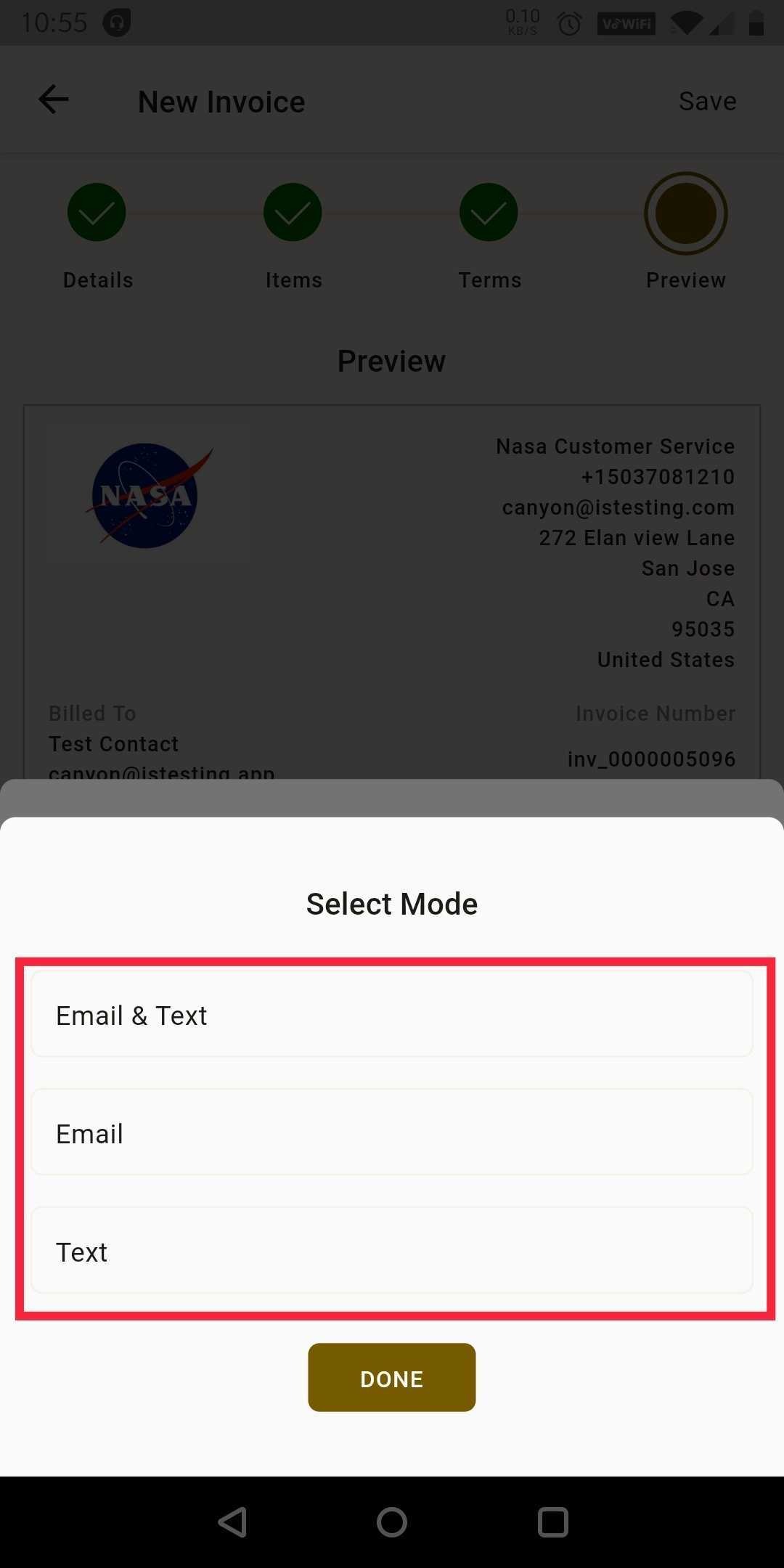
Step 2: You can send the invoice through email and/or text as you want here.
 |  |
How to check the status of your invoices
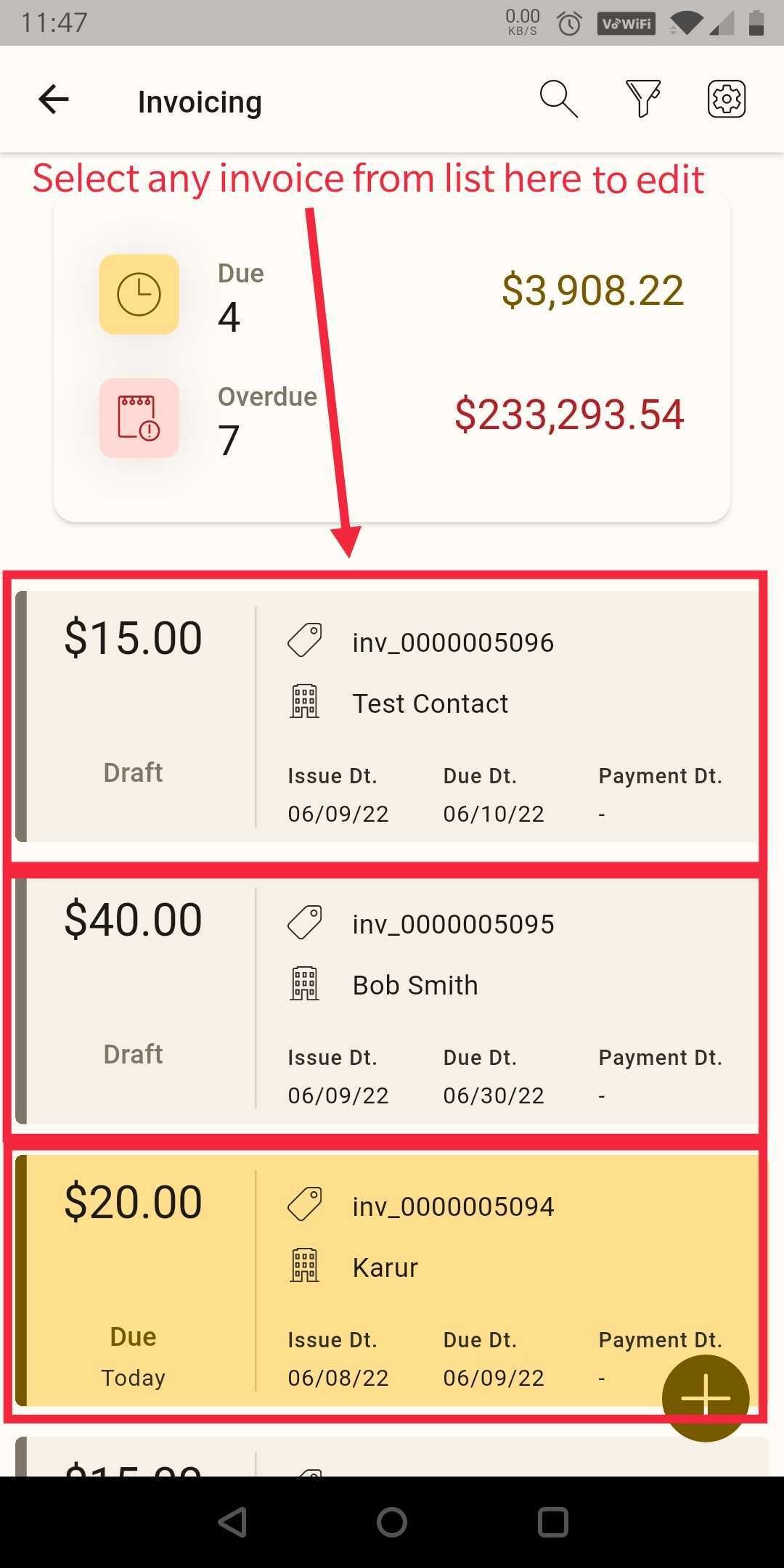
Step 1: Go to the Invoicing tab where you will see the list of invoices and they will be color-coded for the statuses Draft, Due, and Overdue.
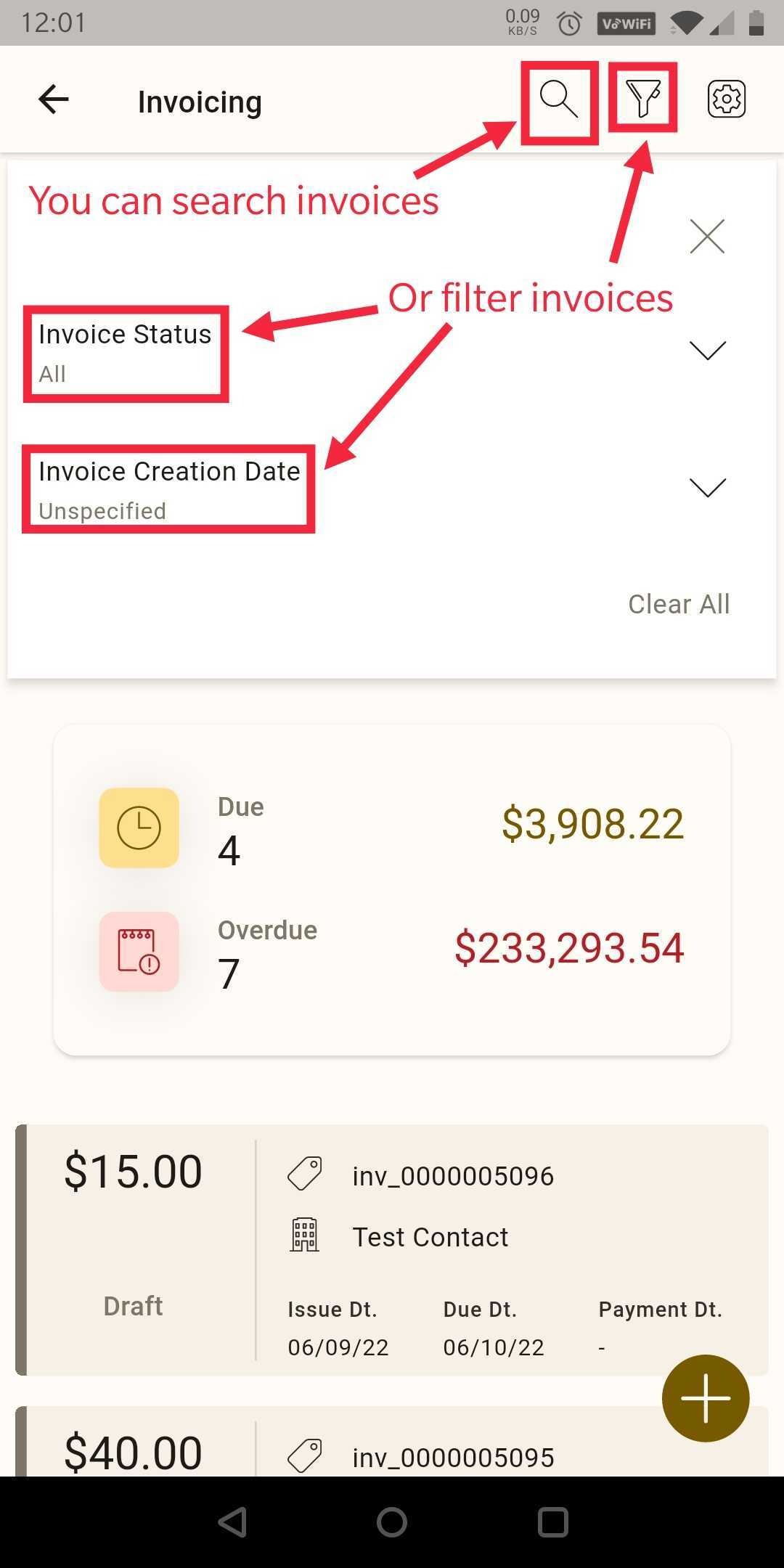
Step 2: You can search invoices or filter the invoices by status and date range as well.
Notes:
There is no transaction tab in mobile
Was this article helpful?
Related articles
- Lead Connector for mobile -How to download the beta versionIN THIS ARTICLE Get early access to new mobile features before anyone else, and help shape the future of LeadConnectors iOS & Android apps! Compared to the standard mobile app, you’ll receive bug fixes and updates much quicker ! Lead Connector beta for iOS How to sign up Like many other apps, LeaGet Started
- Getting Started with the LeadConnector Mobile AppThe LeadConnector mobile app lets you run your business from your phone — manage conversations, contacts, calendars, and payments on the go. It's the white-labeled mobile companion to your ResQEngage account. Download and sign in - Install the LeadConnector app from the Apple App Store or Google PlaGet Started
- Invoices & Payments in the Mobile AppYou can bill clients and take payment directly from the LeadConnector mobile app — useful for collecting payment in person at a class. Create an invoice on mobile - Open the app and go to the Payments area (or the invoice option on a contact). - Create a new invoice, add the client and line items, aGet Started