Understanding the Grades in Your Marketing Audit Report
This document provides detailed information on the visual representation and calculation of scores within the Marketing Audit Report. The aim is to offer clarity on how different performance levels are evaluated and displayed using a colour-coded scheme and weighted scoring system.
TABLE OF CONTENTS
- Overall Score Calculation
- Business Details Section
- Online Reputation Section
- Listings Grade: Measuring Your Digital Footprint
- Website Performance
- SEO Section
Overall Score Calculation
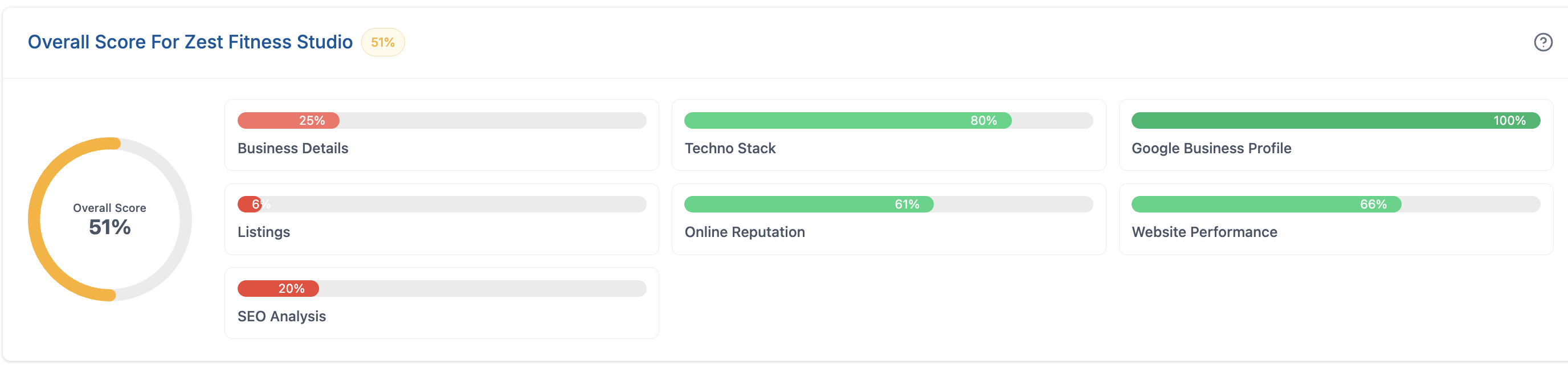
Your overall score is calculated from equally weighted all the audit sections: Business Details, Techno Stack, Google Business Profile, Listings, Online Reputation, Website Performance and SEO Analysis
- Listings
- Business Details
- Techno Stack
- Techno Stack
- Online Reputation
- Local SEO Analysis
- Website Performance
Colour Scheme Scores are visually represented using the following colour scheme:
- Dark Red (Worse): 0-20%
- Red (Bad): 21-40%
- Orange (Average): 41-60%
- Green (Better): 61-80%
- Dark Green (Exceptional): 81-100%
Business Details Section
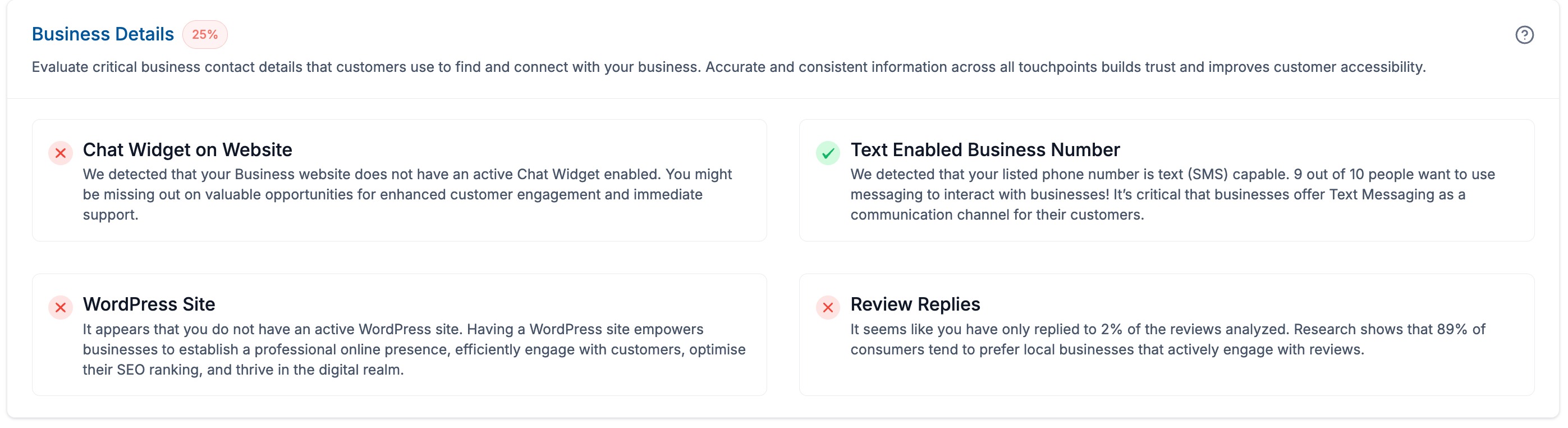
This analysis evaluates critical business contact information that customers use to find and connect with your business. Each component plays a crucial role in building trust and improving customer accessibility.
Your Business Details Grade is calculated based on four key factors, each contributing 25% to your overall score:
- Chat Widget on Website – 25%
- Text Enabled Business Number – 25%
- WordPress Site – 25%
- Review Reply Engagement – 25%
Online Reputation Section
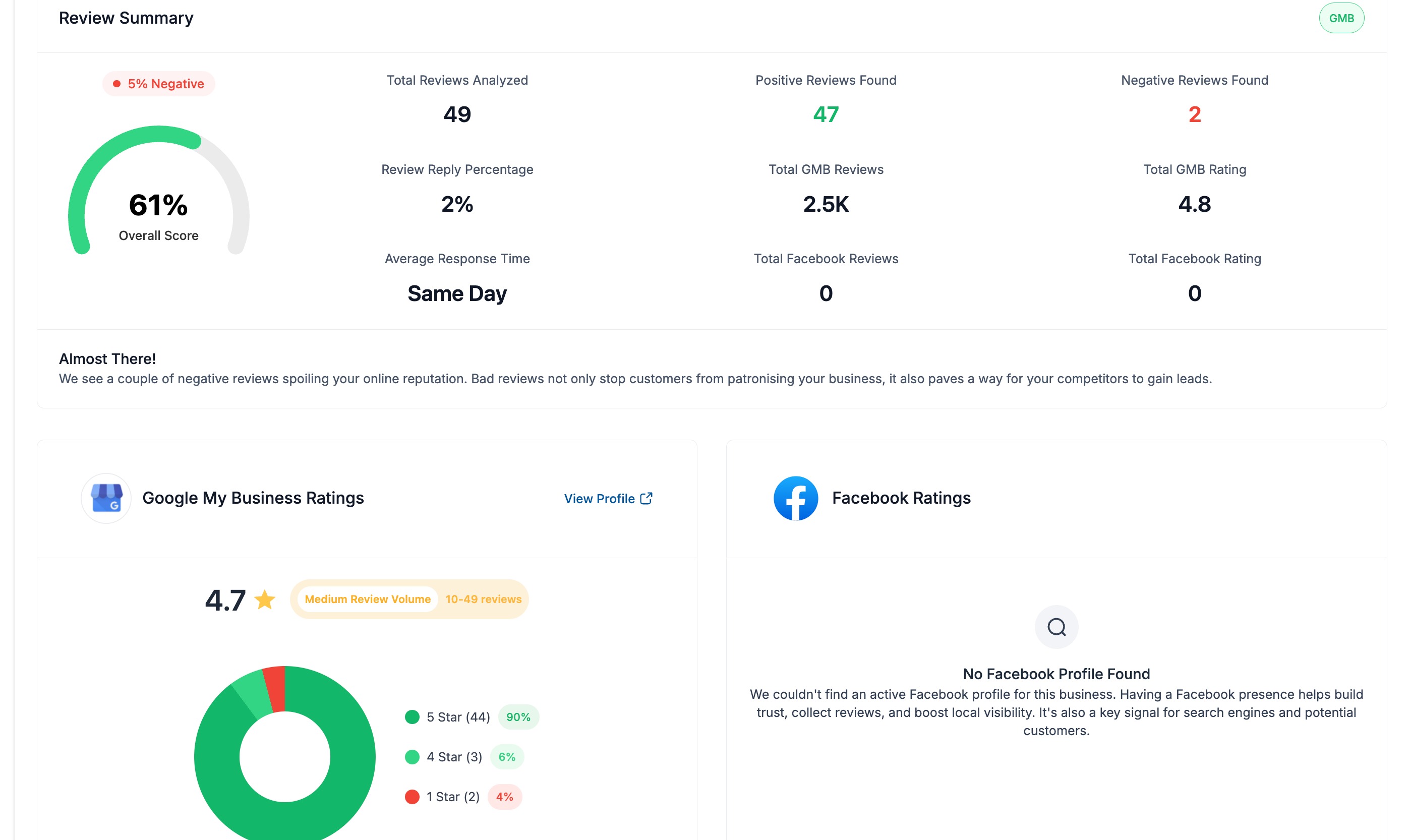
Review grades are a reflection of your business’s online review performance. Each grade in the Reviews section is determined by the percentile range your business falls into based on reviews in Google and Facebook.
This grade reflects your business's online review performance across Google and Facebook. It's calculated by analyzing:
- Positive Review Ratio :The percentage of positive reviews compared to analyzed reviews.
- Platform Weightage : Google reviews (75%) and Facebook reviews (25%).
- Review Volume Analyzed Scoring: Reliability by review volume analyzed:
- 50+ reviews analyzed (100%)
- 20+ reviews analyzed(85%)
- 10+ reviews analyzed (70%)
- 5+ reviews analyzed (50%)
- <5 reviews analyzed (30%)
Listings Grade: Measuring Your Digital Footprint
This score evaluates the accuracy and impact of your business listings across the internet. It considers:
- Listing Accuracy: How consistent and up-to-date your business information is across platforms.
- Source Importance: The influence of each listing site, with priority given to major platforms like Google.
- Overall Visibility: The breadth of your online presence across relevant directories.
A higher grade indicates a strong, consistent online presence, which can improve your discoverability and credibility with potential customers.
Website Performance
The Website Performance section includes several metrics with the following weightage:
- Page Speed Mobile: 25%
- Page Speed Desktop: 25%
- Overall SEO: 30%
- Interactivity: 10%
- Large Content: 10%
SEO Section
By default SEO Section consists of 9 Heat Map points, and could be updated upto 49 Map Points (7x7 HeatMap)
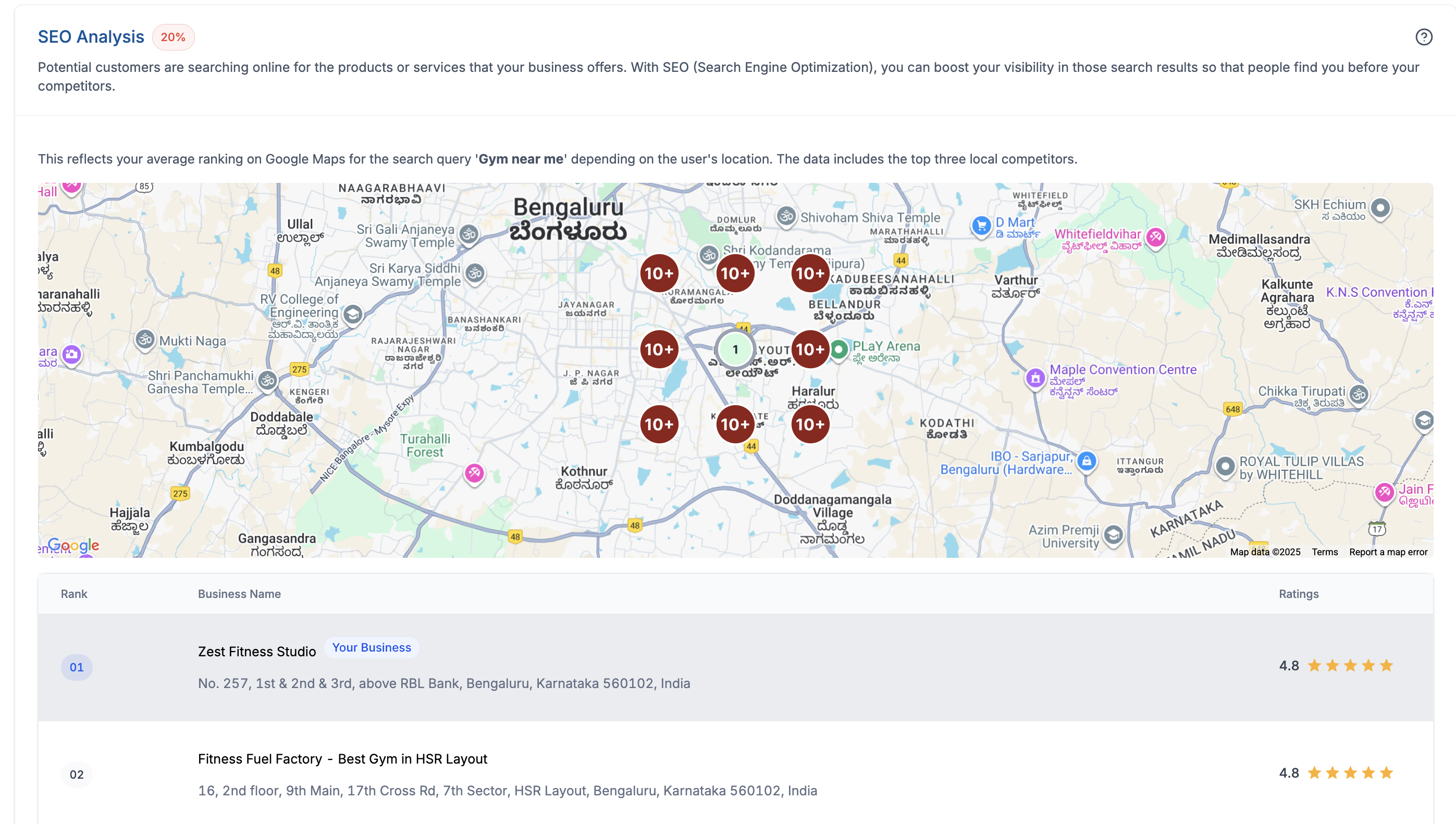
Each heatmap is scored in the range 0-100 as per following
We check prospect's rank at each map pin for the chosen keyword and radius.
Nearer pins count more than farther pins (center has the highest weight).
Ranks → points: 1=10, 2–3=8, 4–5=6, 6–10=4, 11+=0.
For each ring, we compute % of points earned vs its max, then apply the ring’s weight.
We sum all rings and convert to a 0–100 score.
Ring weights: 3×3 → 60/40, 5×5 → 50/30/20, 7×7 → 40/25/20/15.
Read it: 100% = #1 at every pin; 0% = not in Top 10 anywhere.
Was this article helpful?
Related articles
- SEO Heatmaps in the Prospecting Tool: A Support GuideThe SEO Heatmap feature in the Prospecting Tool provides a visual representation of your prospect’s search engine rankings. This feature allows agencies and businesses to quickly understand where their website stands in search results for specific keywords and locations, helping improve visibility aProspecting Tool
- Analysing Website Performance of a prospect in the Marketing Audit ReportThe Website Performance section is essential in the Marketing Audit Report of a prospecting tool as it helps agencies optimise user experience, improve search engine visibility, conduct competitive analysis, optimise conversion rates, and provide valuable client education and consultation services oProspecting Tool
- How to find Leads for your business using Prospecting ToolThe Points of Contact tab helps you quickly find decision-makers and key contacts inside a saved prospect account. It surfaces role details, location, and available contact methods so you can personalize outreach and avoid guessing who to message. TABLE OF CONTENTS - What Is the Points of Contact TaProspecting Tool
- Prospecting Tool: Create Prospecting Widgets For Your WebsitesGenerate more leads directly from your website with the Prospecting Widget. This feature allows visitors to enter their business information and instantly receive valuable insights about their online presence, including listings, reviews, website performance, SEO opportunities, and more. Every submiProspecting Tool