Workflow trigger for 'New Prospects' in the Prospecting Tool
This guide will help you set up workflow triggers for new prospects generated through the Prospecting Tool, whether they are created directly in-app or via embedded widgets. This allows you to automate actions based on prospect details, helping you organise and engage with leads more effectively.
TABLE OF CONTENTS
Overview
The "Prospect Generated" workflow trigger enables automated actions for new prospects created either directly within the Prospecting Tool or through embedded widgets on your website. This helps you organize leads, improve follow-up strategies, and optimize your sales funnel.
With this trigger, you can:
- Automatically save and categorize new prospects.
- Filter prospects based on their source (in-app or widget) and conversion rate.
- Trigger automated actions like sending welcome emails, assigning prospects to sales pipelines, and notifying team members.
Trigger Name
Prospect Generated
Where to Find It:
- The "Prospect Generated" trigger is located in the Workflow Builder.
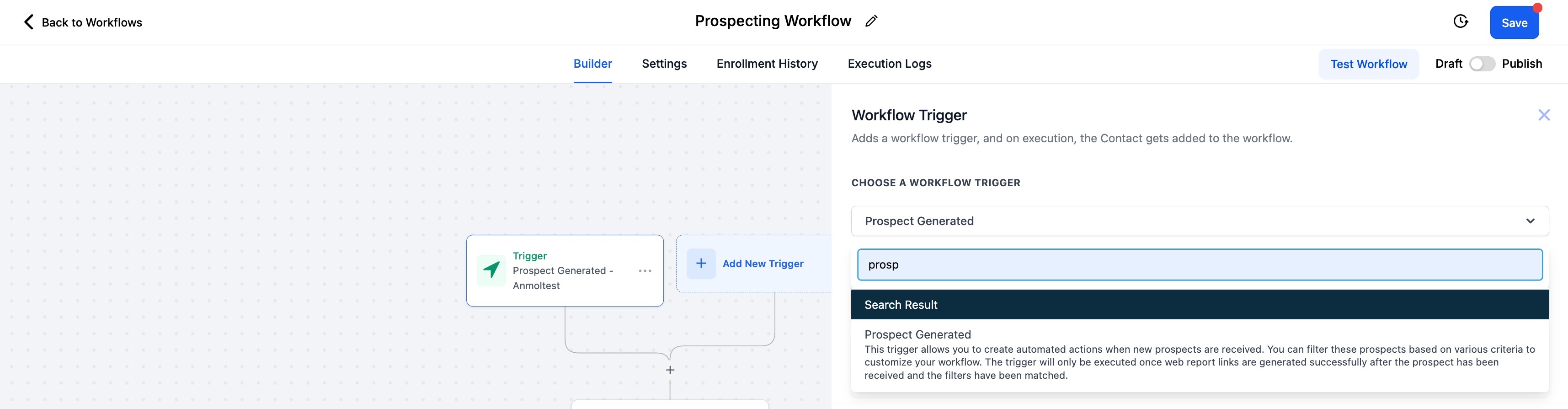
Trigger Description
The "Prospect Generated" trigger activates automated workflows when a new prospect is created in the Prospecting Tool. This can happen in three ways:
- In-App: When a prospect is manually generated within the tool.
- Widget: When a prospect is generated through an embedded widget on your website.
- Prospect AI: When a prospect is generated automatically via Prospect AI
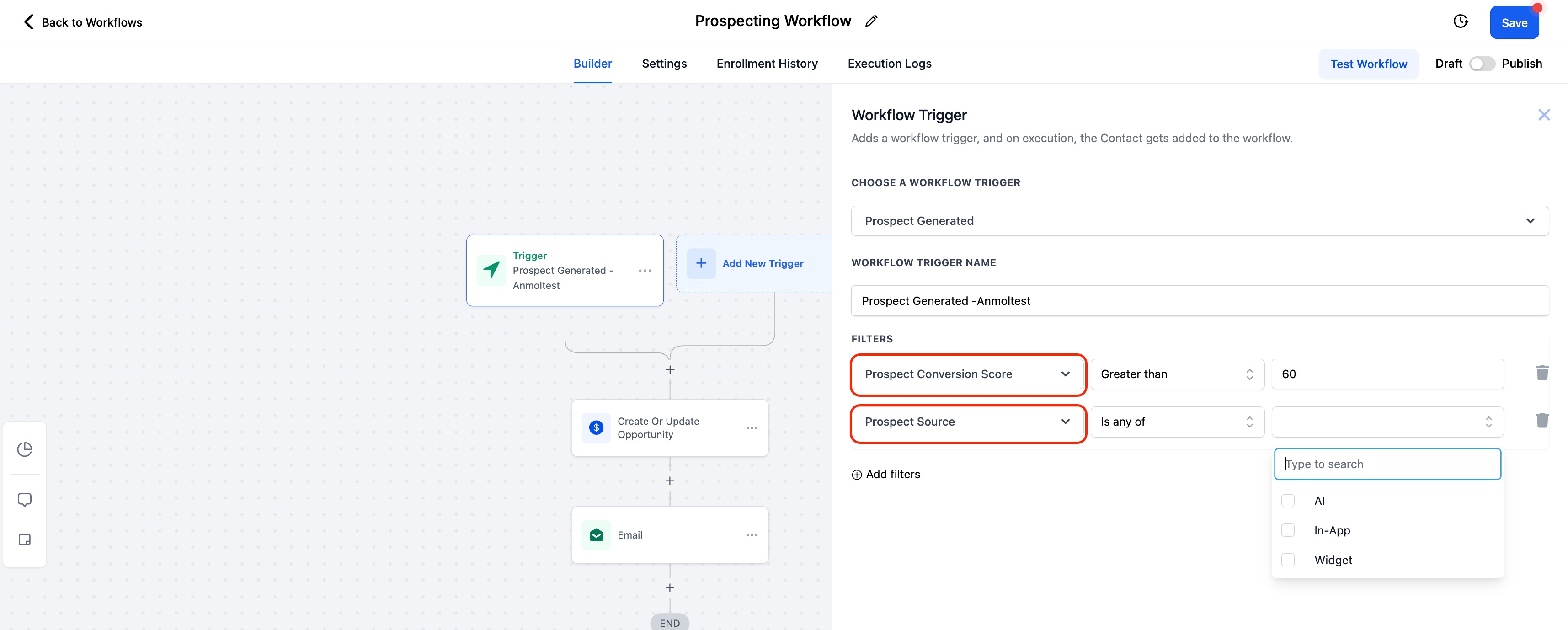
This trigger allows you to filter and organise prospects based on:
- Source: Identify whether the prospect originated in-app or via a widget or via the AI
- Conversion Rate: Segment prospects by their likelihood to convert, enabling targeted engagement.
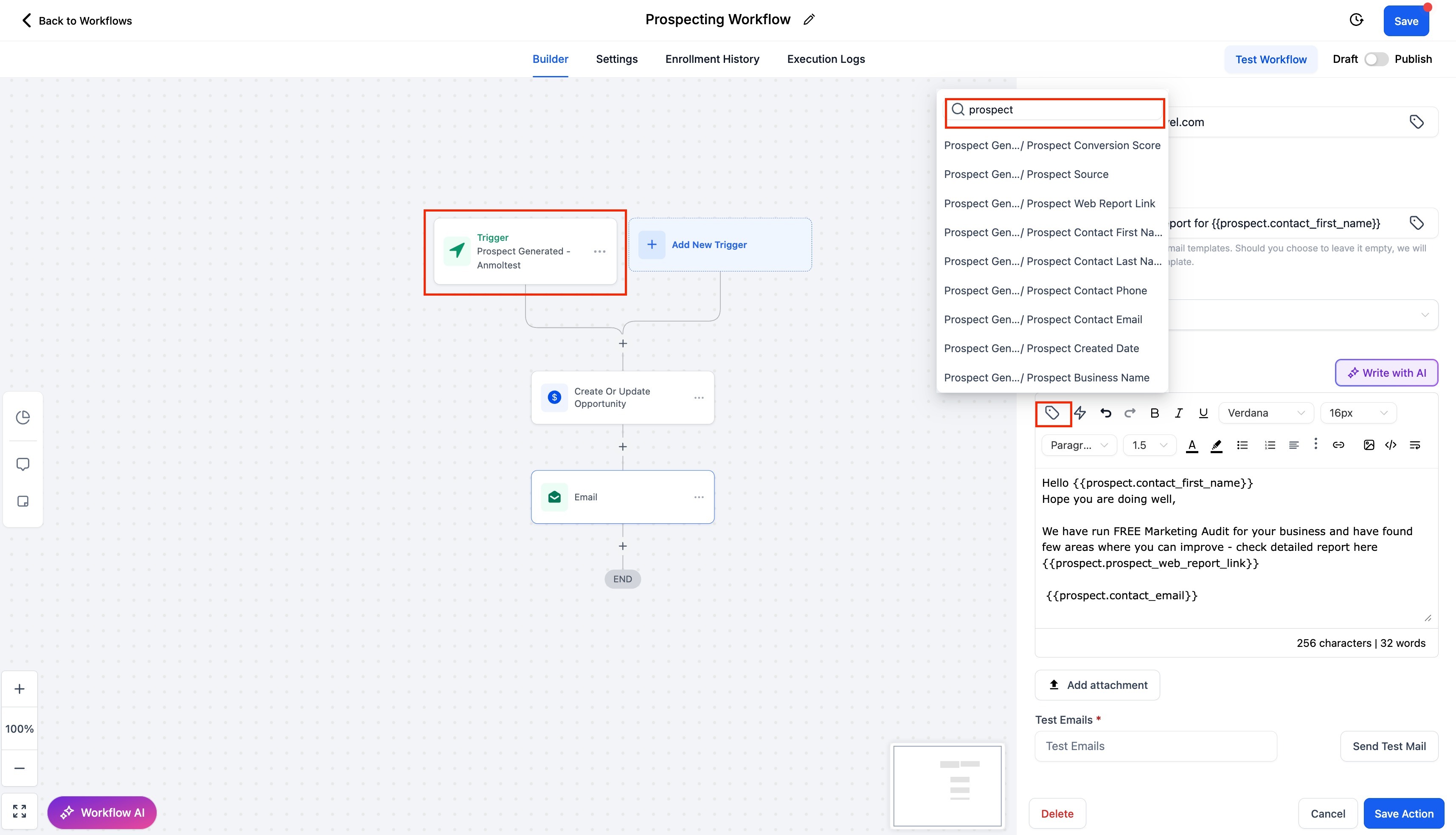
You can also use merge fields to include custom values in your email
This customisation makes it easier to prioritise high-potential leads and streamline your sales process.
Was this article helpful?
Related articles
- How to Resell and use Prospecting Tool for Sub-AccountsThe Prospecting Tool for Sub-Accounts empowers agencies to provide their sub-accounts with the ability to search for new business prospects, generate marketing audit reports, and customise prospecting efforts based on niches, location, and other preferences. This tool is particularly useful for agenProspecting Tool
- How to send Marketing Audit Report as Email/SMS to your ProspectsMarketing audit reports provide valuable insights to your prospects about their online presence, website performance, and marketing gaps. Now, you can seamlessly send these reports via Email or SMS to engage prospects effectively. Please note this is available only at the 'Sub Account Level ProspeProspecting Tool
- How to Customize Prospecting Report with Report BuilderWe’re excited to introduce a major upgrade to your Prospecting Reports experience: A completely redesigned Web Report UI and a powerful Report Builder that gives you total control over how your reports look and feel. This update is all about helping customers tell their brand story, create better fProspecting Tool
- Workflow action: Generate Marketing Audit ReportTABLE OF CONTENTS - Overview - Action Name - Action Description - Action Details - Example Overview The Marketing Audit Report Generation workflow action allows you to automatically create a Marketing Audit Report for every new lead (contact) added to your sub-account. With workflow automation, you Prospecting Tool