How to Use FTP to Access Your WordPress Website
FTP (File Transfer Protocol) is a secure and fast way to access your website’s files. You can upload, download, or edit files directly, just like managing files on your computer.
Why You Might Use FTP?
Upload custom plugins or themes
Edit wp-config or .htaccess files
Troubleshoot white screen or plugin issues
Download backups or specific files
✅ What You’ll Need
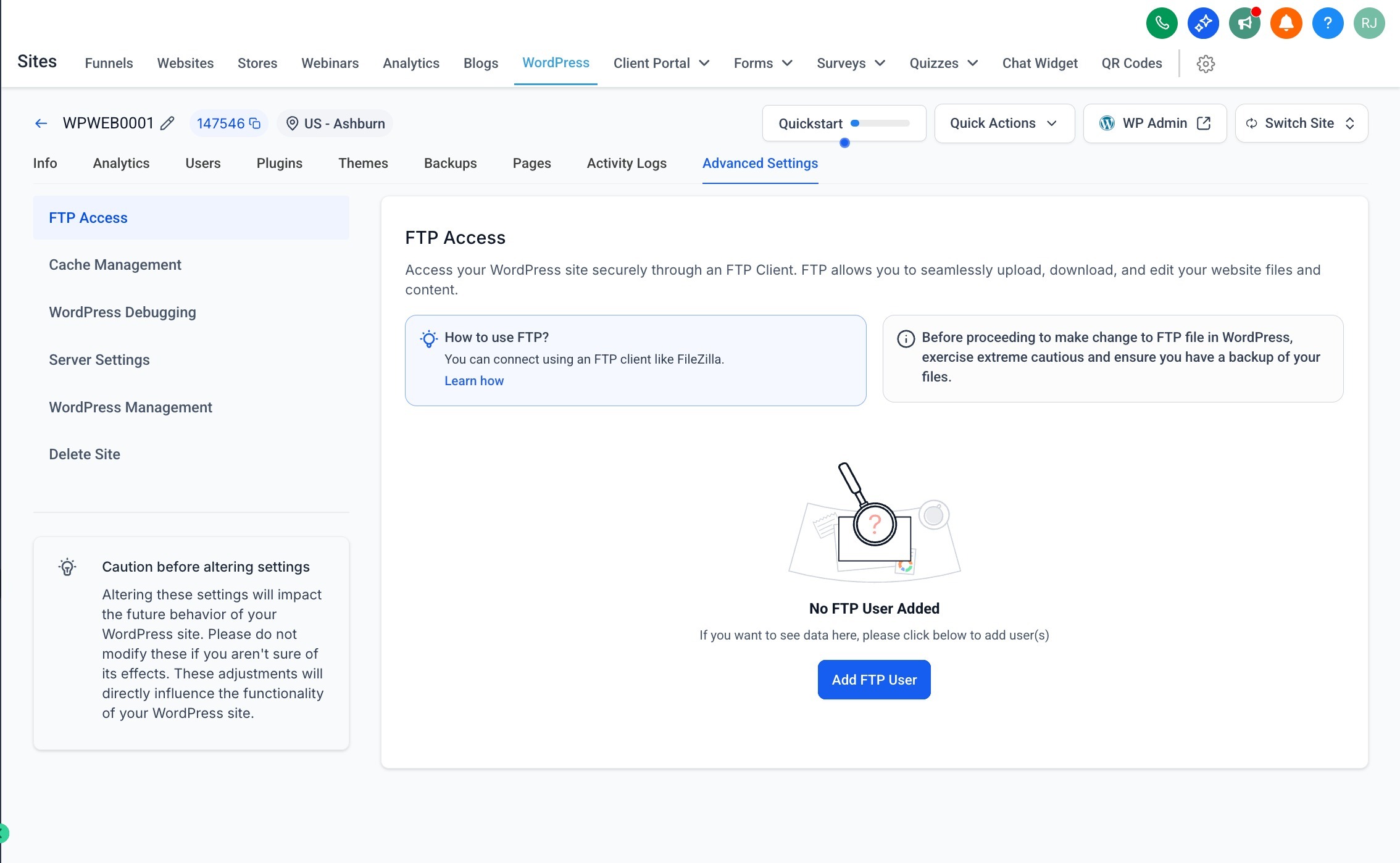
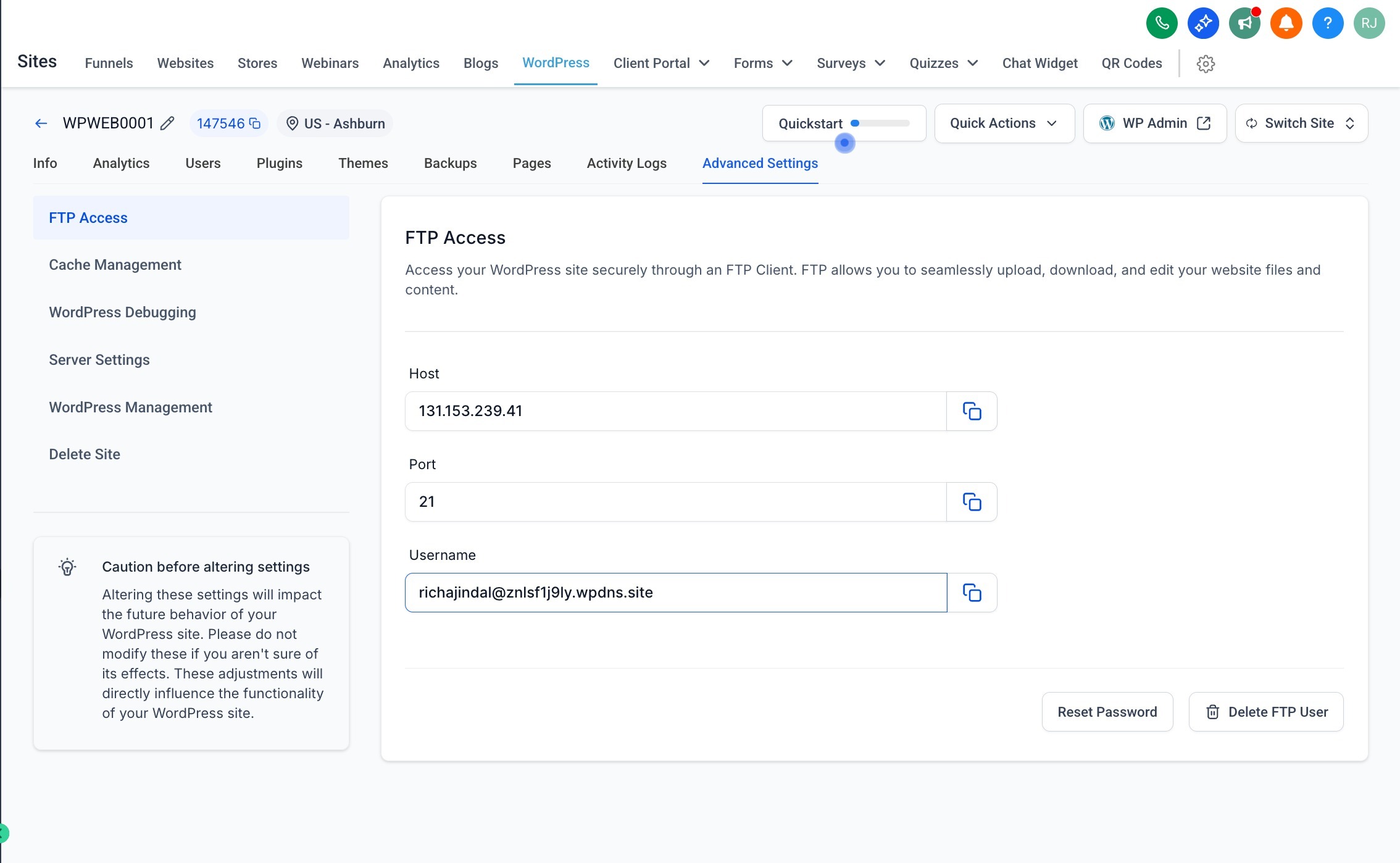
Before connecting via FTP, grab these details from your WordPress Hosting dashboard (under Sites → WordPress → Advanced Settings → FTP Access):
Host (e.g.,
103.67.202.37)Port (usually
21)Username (e.g.,
[email protected])Password (click “Reset Password” if not available)
Step-by-Step: Connect to FTP Using FileZilla
We recommend FileZilla, a free and trusted FTP client.
1. Download and Install FileZilla
Choose the version for your OS (Windows, Mac, or Linux)
- FileZilla Client Downloads
- Windows (64-bit): Download FileZilla Client for Windows
- macOS (Apple Silicon): Download FileZilla Client for macOS (Apple Silicon)
- macOS (Intel): Download FileZilla Client for macOS (Intel)
- Linux (64-bit): Download FileZilla Client for Linux
2. Open FileZilla and Enter Your Credentials
At the top of the FileZilla window:
| Field | Value |
|---|---|
| Host | Your FTP Host (e.g., 103.67.202.37) |
| Username | Provided in the dashboard |
| Password | The one you generated/reset |
| Port | 21 |
Then click Quickconnect.
3. Navigate Your Website Files
Right side = Your website files on the server
Left side = Your local computer files
You can drag & drop files between both sides.
? Pro Tips
Don’t delete files unless you know what they do.
To edit a file, right-click and select View/Edit.
Always download a backup before making changes.
❓Common Issues
| Issue | Solution |
|---|---|
| Can't connect | Double-check password, port, and host IP |
| Timeout error | Try passive mode in FileZilla → Settings |
| Permission denied | Contact your admin or reset FTP password |
? Helpful Resources
? Still need help?
If you’re stuck, reach out to your admin with the following:
Site name
Username
Screenshot of your FileZilla settings
Was this article helpful?
Related articles
- WordPress Error Codes and FAQOur WordPress Hosting system has a few error codes that are unique only to our system and need specific troubleshooting steps to take care of them. Covered in this Article What is the meaning and Troubleshooting for each of these errors? - File Corrupted: - Plugin Issue: - Unknown Error (where bWordPress Folder
- WP File Manager Plugin (Stable Alternative for FTP Access)A WordPress file manager is a plugin that enables users to perform file management tasks from the WordPress dashboard. Instead of logging in to your control panel or File Transfer Protocol (FTP) client, you can access the WordPress website files from a single location. Covered in this Article: WhyWordPress Folder
- WordPress - Adding Domains for your siteThis article provides instructions for adding and configuring domains for a WordPress website. Covered in this Article How to add Domains to your WordPress website? a) Adding new Root Domain as your primary Domain b) Adding WWW domain as Primary for your WordPress site c) Adding Sub-Domain to WP sWordPress Folder
- LC WordPress Plugin | Fixing Cron Jobs/Crashing IssueFor Resolving the LC Plugin creating too many cron jobs/crashing your website please follow the steps provided below. Step 1 - Deactivate the LC plugin by going to Plugins -> Installed Plugins. Skip if already in Inactive state. Step 2 - Download the leadconnector-cron-fix plugin by clicking hWordPress Folder