Instagram DM - Workflow Action
 Instagram DM - Action:
The workflow action Instagram DM allows you to send an Instagram DM to the contact (contact needs to have previously messaged a connected Instagram page no more than 24 hours before arriving at this event in order for the message to successfully deliver)
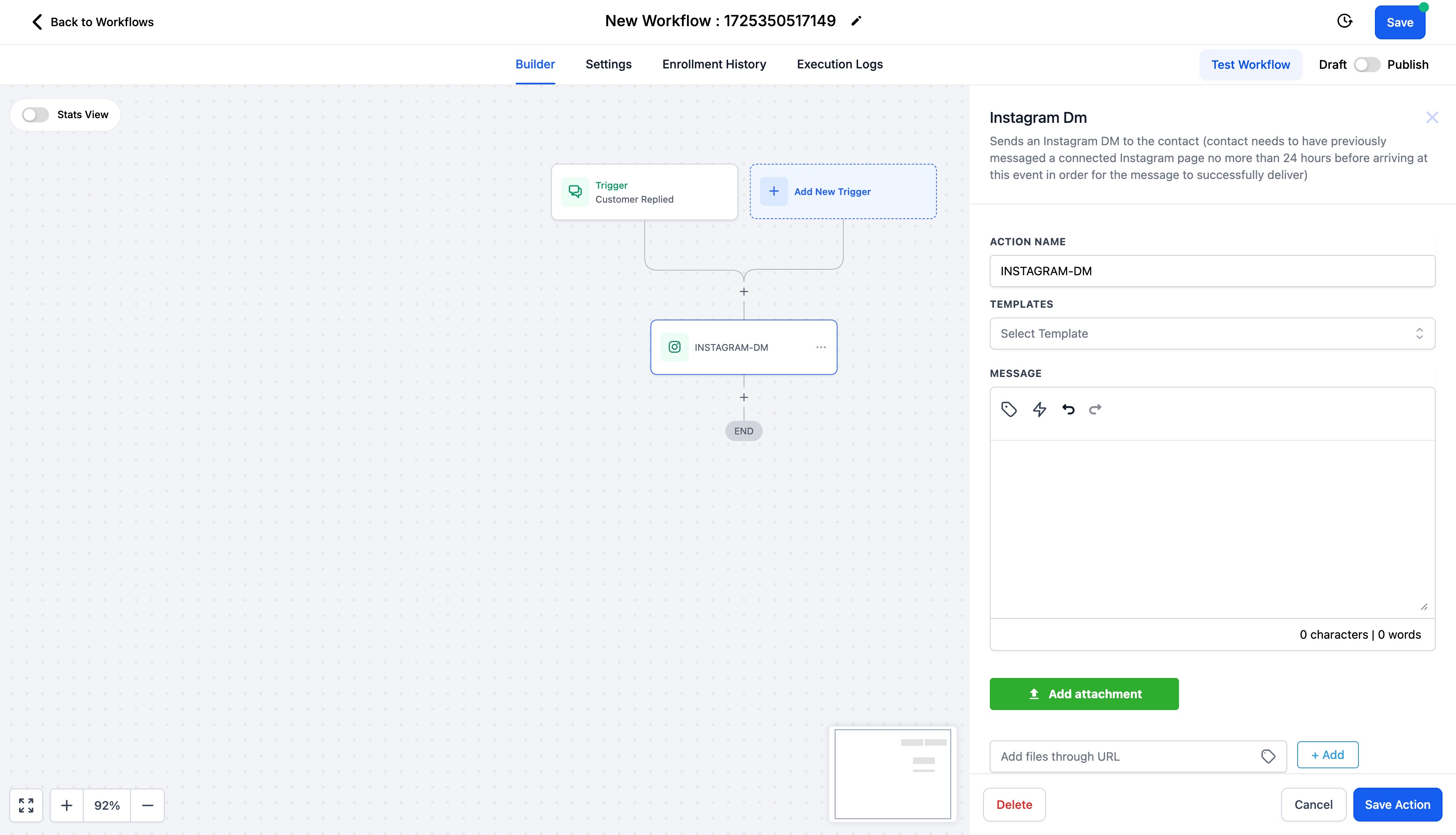
You can select from pre existing templates or even right your own message.You also have the ability to attach files. Click on "Add attachment" and select an attachment from your drive or enter the URL to add the files.
Use this action with the Trigger - "Customer Replied" and reply channel is "Instagram DM".
Please Note:
- This action should be used to send DMs to contacts only if the contact has sent a DM in last 24 hours.
- If this action is used with "Instagram Comment(s) on Post" workflow trigger,
- DM will be sent as a Reply to Comment if there is any recent comment on your Instagram post.
- DM will be sent as a Direct DM if there is no recent comment, provided the contact has sent a DM to your business within the last 24 hours.
Recommendation:
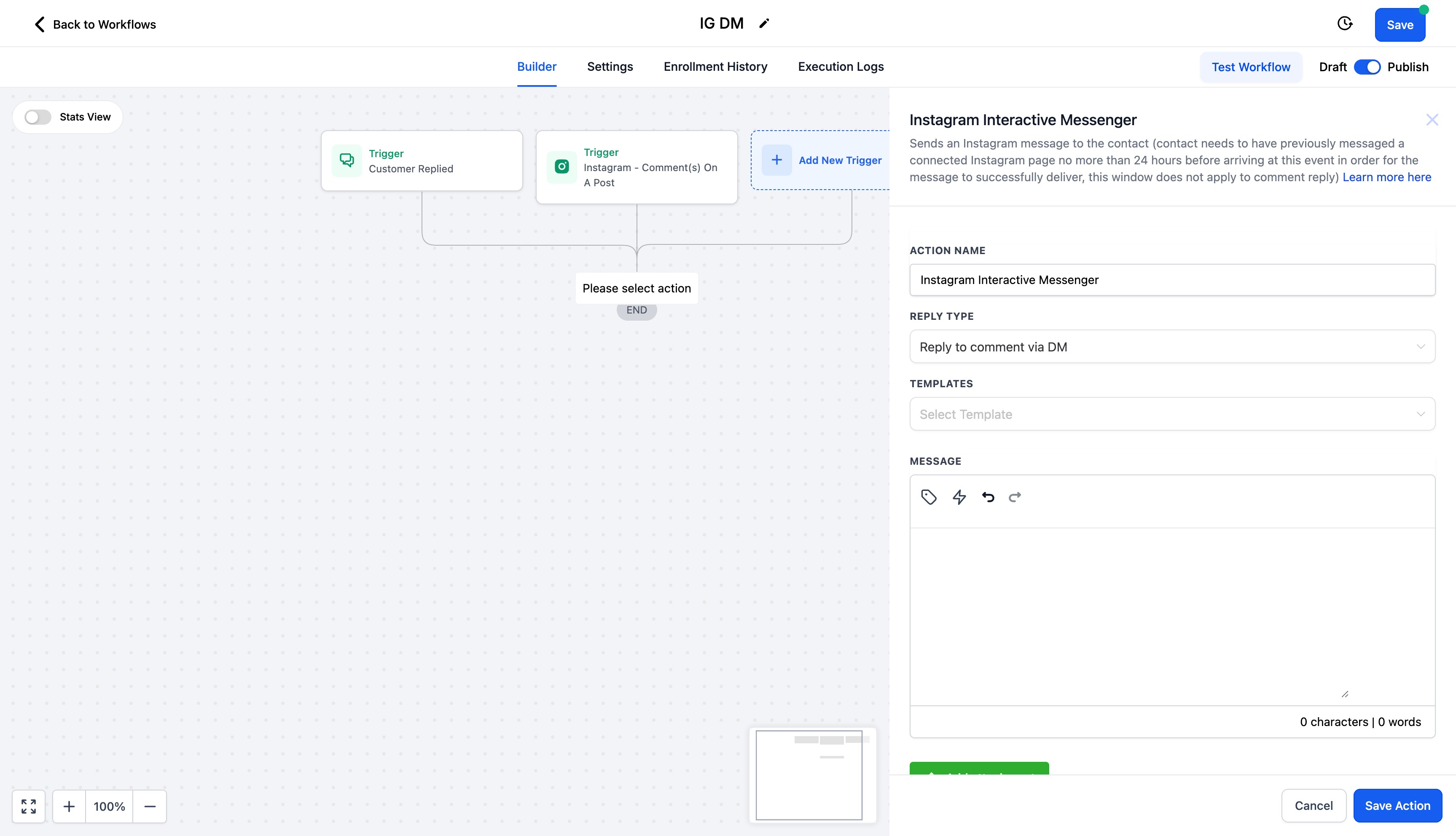
Use the "Instagram Interactive Messenger" action, to send Instagram DMs to contacts.
- If you are replying to a comment, set the Reply Type as Reply to Comment via DM
- If you are sending a direct DM, set the Reply Type as "Reply to DM"
You can view more details on "Instagram Interactive Messenger" Action - Here.
Note:
Previously, until August 31, 2024, you were able to send a direct message to any contact who commented on your Instagram post via the "Instagram DM" workflow action, regardless of whether they had sent a DM to your business within the last 24 hours. This was due to a bug on Meta's end, which has now been resolved.
Was this article helpful?
Related articles
- How to use Conversation Filters & Bulk Actions OverviewThe Conversation left panel is a new addition to the Conversations UI, which helps users filter conversations & perform various actions on them. Features: Bulk actions (limited to 100 conversations at a time) You can perform Conversation specific Bulk Actions to handle multiple conversations at a Conversations View
- How to CC (Carbon Copy) and BCC (Blind Carbon Copy) for email composerOur email composer is equipped with the functionality of CC and BCC capabilities, providing a robust emailing experience. This feature allows users to effectively manage their communication by engaging multiple stakeholders in a single thread while preserving individual confidentiality. As an integrConversations View
- Conversations FAQsQ. What attachment types are supported in Conversations? A: Conversations supports the following attachment types: .pdf, .docx, .doc, .csv, .xlsx, .xls, .txt, .jpg, .jpeg, .png, .gif, .svg, .mp4, .mpeg, .mp3, .wav, .wave, .aiff, .aif, .aifc, .gsm, .ulaw, .vcf, .vcard, .pptx Q: Why am I receiving aConversations View
- Workflow Action - Log External CallThis document explains how to use the workflow action - Log External Call, to log calls from third-party calling tools into the ResQEngage CRM. Covered in this Article: - What is the Workflow Action - Log External Call? - How to use this action? What is the Workflow Action - Log External Calls? UConversations View