Migration of existing domains
We're excited to announce a smoother process for migrating your existing domains to CloudFlare with our latest release. Say goodbye to the hassle of deletions and re-additions – introducing One-Click Migration with Domain Connect!
TABLE OF CONTENTS
Why is it good for you to migrate the domains
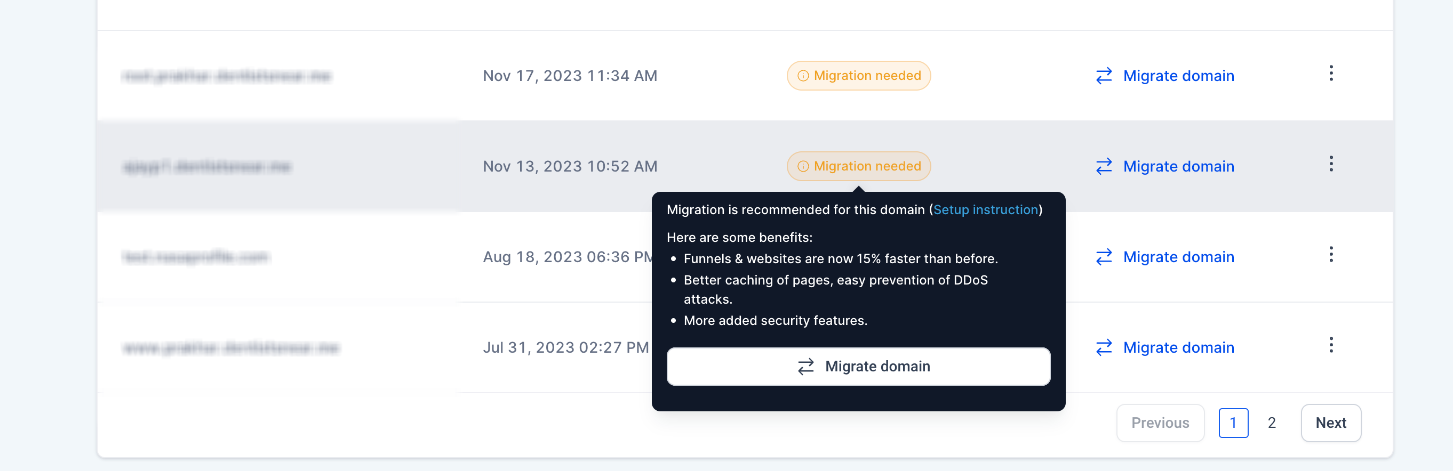
- Funnels & websites are now 15% faster than before.
- Better caching of pages, easy prevention of DDoS attacks.
- More added security features.
How to switch?
Automated Flow:
- Go to Domains Page
- Click on the Migrate Domain button.
- The Domain Connect flow will initiate.
- Simply follow the prompts, and update your DNS entries automatically.
- That’s it! Your domain migration to CloudFlare is complete, without any fuss.
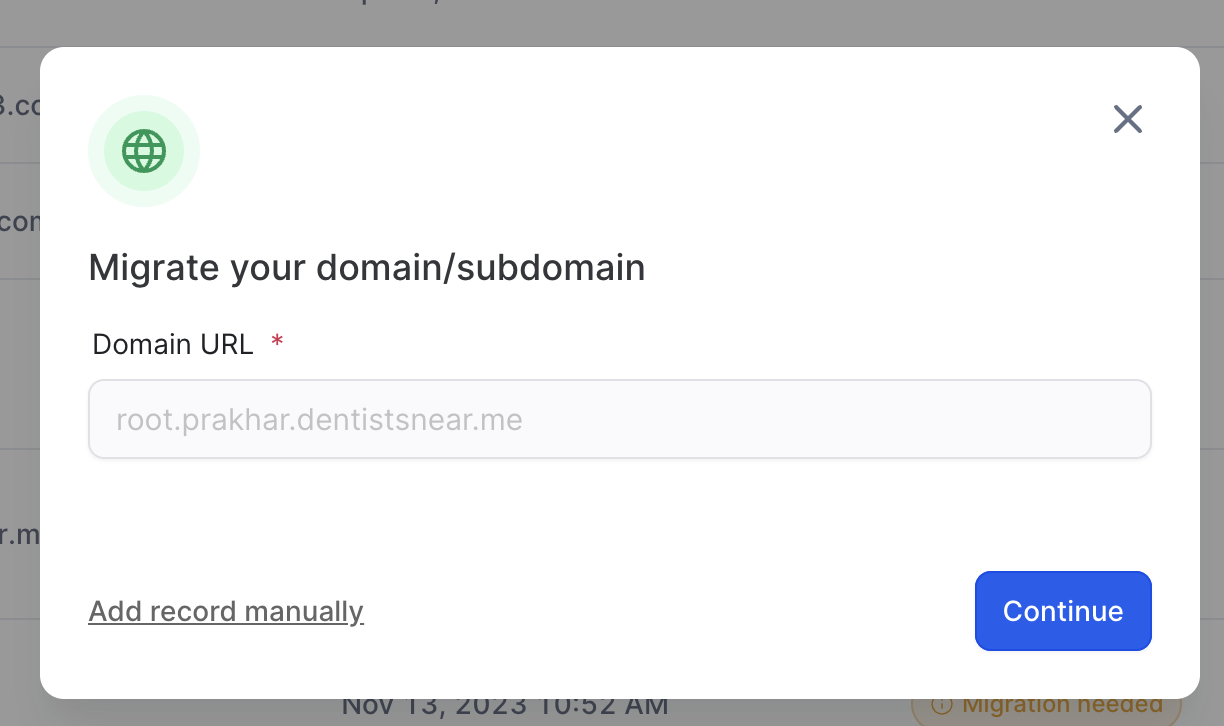
Manual Flow for Unsupported Providers:
- Click on the Migrate Domain button.
- Update your DNS entries:
- For CNAME records, point them to sites.ludicrious.cloud.
- For the Apex record set the IP address to 162.159.140.166.
- Click on the Authorize domain button verify that records.
- Congratulations! Your domain is now on CloudFlare.
Was this article helpful?
Related articles
- Cookie Policy DetailsA cookie policy is a legal requirement for websites that use cookies or similar tracking technologies. It informs users about the types of cookies used, their purposes, and how users can manage their preferences. Here are some key components to include in a cookie policy. TABLE OF CONTENTS - 1. IncFunnels & Websites Builder
- Marketing Tools to use in Funnel/Website - Cookie BannerIf you plan to use any of the following analytics tools, please refer to the codes provided in the document for proper setup. TABLE OF CONTENTS - Important Note - Facebook pixel - Google Analytics - Google Tag Manager Important Note The <noscript> tags must be removed because the ResQEngage cookFunnels & Websites Builder
- How to Use the Cookie Consent Banner in Funnels & WebsitesTABLE OF CONTENTS - Setting Up the Cookie Consent Banner- 1. Enable the Banner - 2. Configure Button Actions - 3. Customize Cookie Preferences - Customizing the Cookie Consent Banner- General Settings - Advanced Settings - Layout Options - Customizable Text for Buttons and Popup - New: Region-BaseFunnels & Websites Builder
- Nested URL Paths Support GuideTABLE OF CONTENTS - Overview - How to Use Nested URL Paths - Path Validation and Restrictions - Best Practices - Conclusion Overview The Nested URL Paths feature allows you to create hierarchical URLs for your funnels, websites, and webinars using forward slashes (/) to represent site structure. InFunnels & Websites Builder