Agency Connect can only run on your behalf once it knows two things: which program in the certification body’s portal each of your courses corresponds to, and where the voucher codes it collects should be banked. This article covers both — Course Mapping and Vouchers & Codes.
Before You Begin
- Agency Connect must already be connected to HSI or American Red Cross. See Setting Up Agency Connect for HSI and American Red Cross if you have not connected an account yet.
- Have the certification body’s portal open, or a list of the exact program names you are approved to teach. Mapping requires an exact match.
- Mapping is a one-time task per course. Once confirmed, every future assisted run for that course uses the mapping.
✔ An assisted run will not start until you confirm the mapping. The system suggests, it never guesses.
Part 1: Course Mapping
Where to find it: Agency Connect → Course Mapping.
Course Mapping tells Agency Connect which program in the certification body’s portal corresponds to each of your CPR Enroll courses. Until a course is mapped, Agency Connect cannot process an assisted run for it.
Step 1: Choose the Certification Body
- Open Agency Connect → Course Mapping.
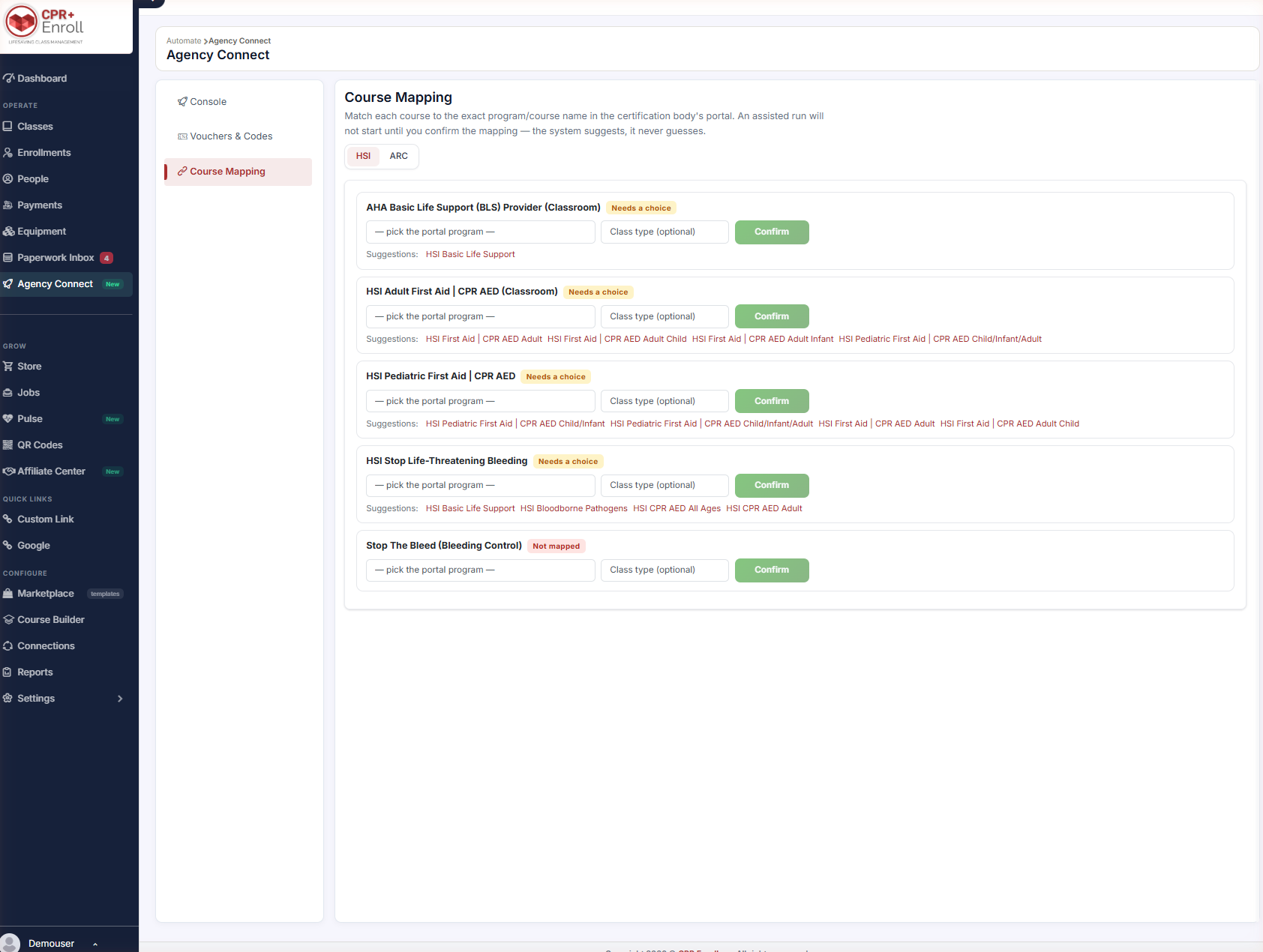
- Select the tab for the certification body you are mapping: HSI or ARC.
- Each tab lists your courses for that body, with its own mapping state.
Step 2: Find an Unmapped Course
Unmapped courses carry a status chip that tells you how much help the system can offer:
| Status chip | What it means | What to do |
|---|---|---|
| Needs a choice | Agency Connect found one or more candidate programs but cannot tell which is correct. | Review the blue Suggestions beneath the row and pick the right one. |
| Not mapped | No suggestions were found for this course. | Open the dropdown and select the program manually. |
Step 3: Select the Portal Program
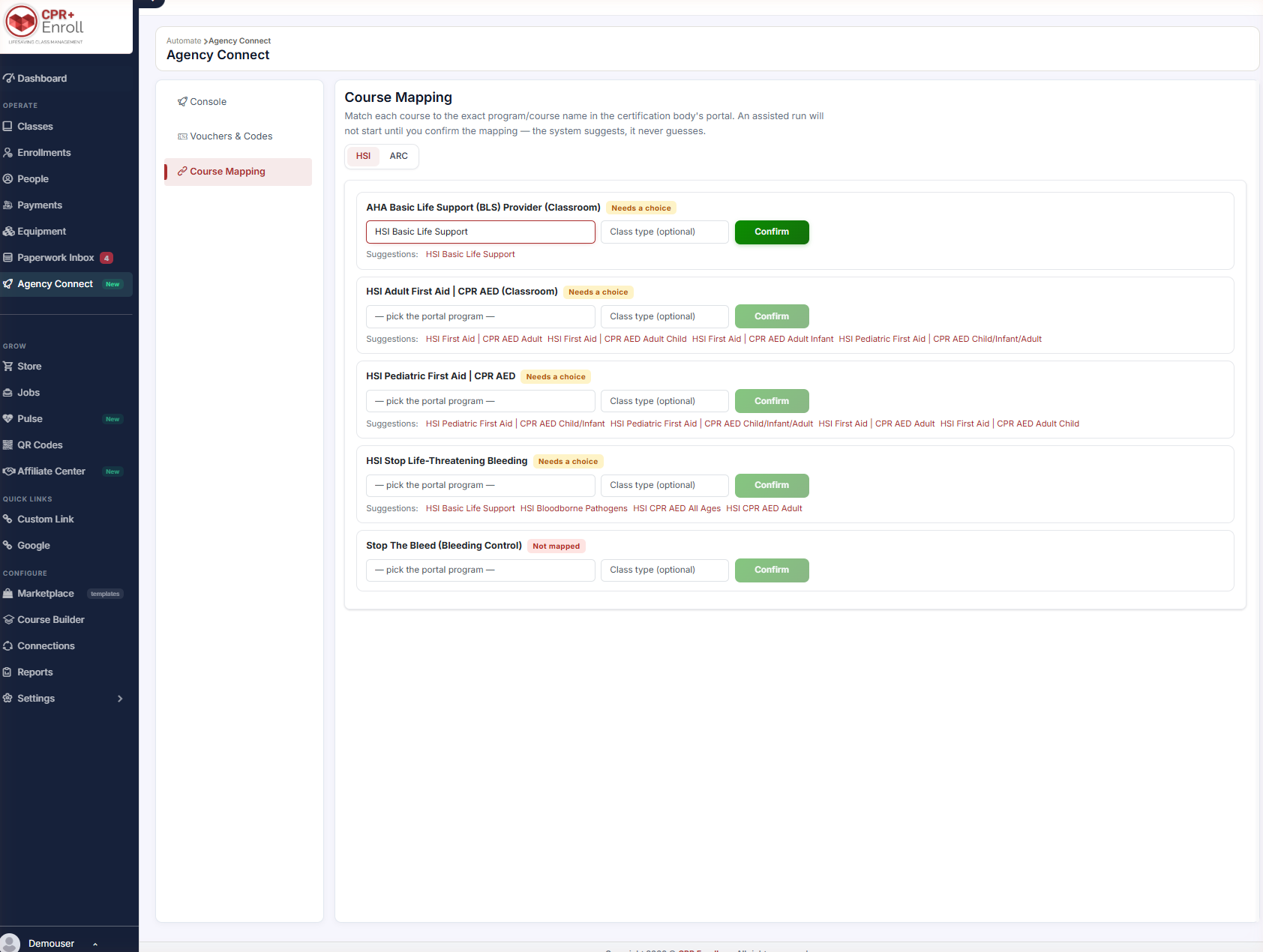
- Open the pick the portal program dropdown on the course row, or click one of the blue Suggestions shown beneath it.
- Optionally set a Class type if the program distinguishes between delivery formats.
- Click Confirm.
Step 4: Understand Why Suggestions Are Only Suggestions
A single CPR Enroll course — for example HSI Adult First Aid | CPR AED (Classroom) — can plausibly match several programs in the certification body’s portal. Agency Connect surfaces every candidate it finds and then stops, because picking the wrong program produces certificates for the wrong course. Confirming the match is a decision only you can make.
✔ When in doubt, check the portal. Open the certification body’s portal side by side and copy the program name exactly. A near-match is still the wrong course on a student’s certificate.
Part 2: Vouchers & Codes
Where to find it: Agency Connect → Vouchers & Codes.
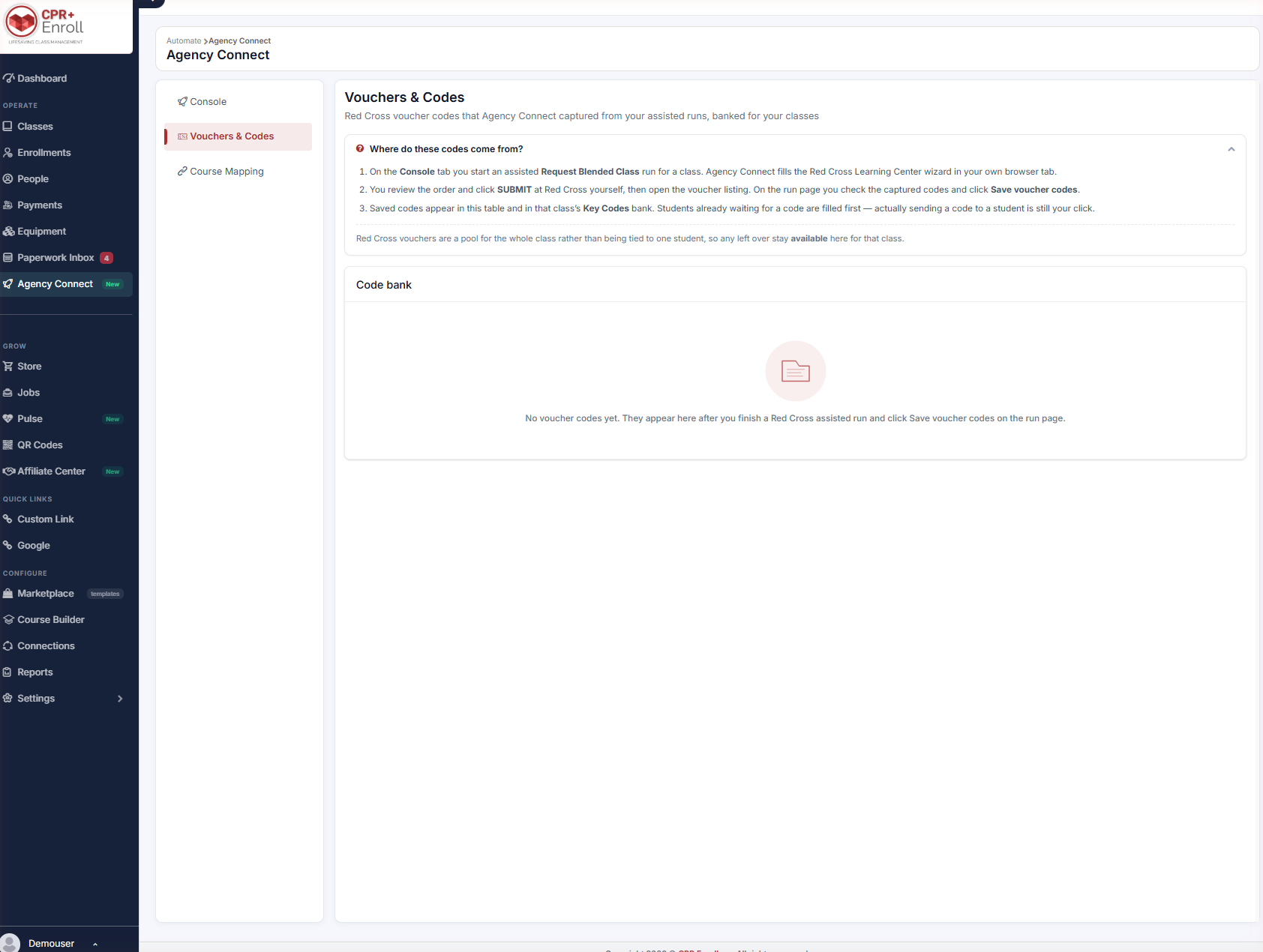
This page is the bank of Red Cross voucher codes that Agency Connect captured from your assisted runs, held for use in your classes.
Step 5: Understand How Codes Get Here
- Run a Red Cross assisted run to completion.
- On the run page, click Save voucher codes.
- The codes appear in the Code bank. Until a run has been saved this way, the Code bank shows its empty state.
Step 6: Work With the Code Bank
- Codes are a pool for the whole class rather than being tied to one student, so anything left over stays available for that class.
- Students already waiting for a code are filled first automatically — but actually sending a code to a student is still your click.
- Saved codes also attach to the class’s Key Codes, so they flow into the normal keycode delivery process for students — no separate step is required.
Expand Where do these codes come from? at the top of the page for the in-product explanation.
Best Practices
- Map every course you intend to run before your first assisted run, not on the day of class.
- Re-check mappings after the certification body renames or retires a program — a mapping to a retired program will fail at run time.
- Click Save voucher codes at the end of every Red Cross run. Codes not saved from the run page have to be entered by hand later.
- Use the certification-body filter on the Code bank before assigning codes, so you never hand an HSI class a Red Cross code.
Frequently Asked Questions
| Question | Answer |
|---|---|
| Why won’t my assisted run start? | The course is probably unmapped. Agency Connect will not start an assisted run until the course mapping is confirmed. |
| Can Agency Connect map courses for me automatically? | No. It suggests candidates, but you must confirm. Picking the wrong program produces certificates for the wrong course. |
| What does the Needs a choice chip mean? | Suggestions were found but more than one is plausible, so the system is waiting for you to choose. |
| What if there are no suggestions at all? | The chip reads Not mapped. Open the dropdown and select the portal program manually. |
| My Code bank is empty. Is something broken? | No. Codes only appear after you finish a Red Cross assisted run and click Save voucher codes on the run page. |
| Do I have to distribute voucher codes separately? | No. Saved codes attach to the class’s Key Codes and follow the normal keycode delivery process. |
✔ You’re all set. With courses mapped and the Code bank filling from your runs, Agency Connect can process assisted runs end to end.
Was this article helpful?
That’s Great!
Thank you for your feedback
Sorry! We couldn't be helpful
Thank you for your feedback
Feedback sent
We appreciate your effort and will try to fix the article