Bulk Add and Remove Tags from Contacts
These features provide enhanced control over bulk actions for tags, allowing for more efficient management of contacts. You can easily, add selected tags, remove selected/all tags from selected contacts and restore them when needed.
This feature is currently live via Labs.
IN THIS ARTICLE
Feature 1 - Bulk Add Tags to Selected Contacts
How to:
Step 1: Select a few contacts
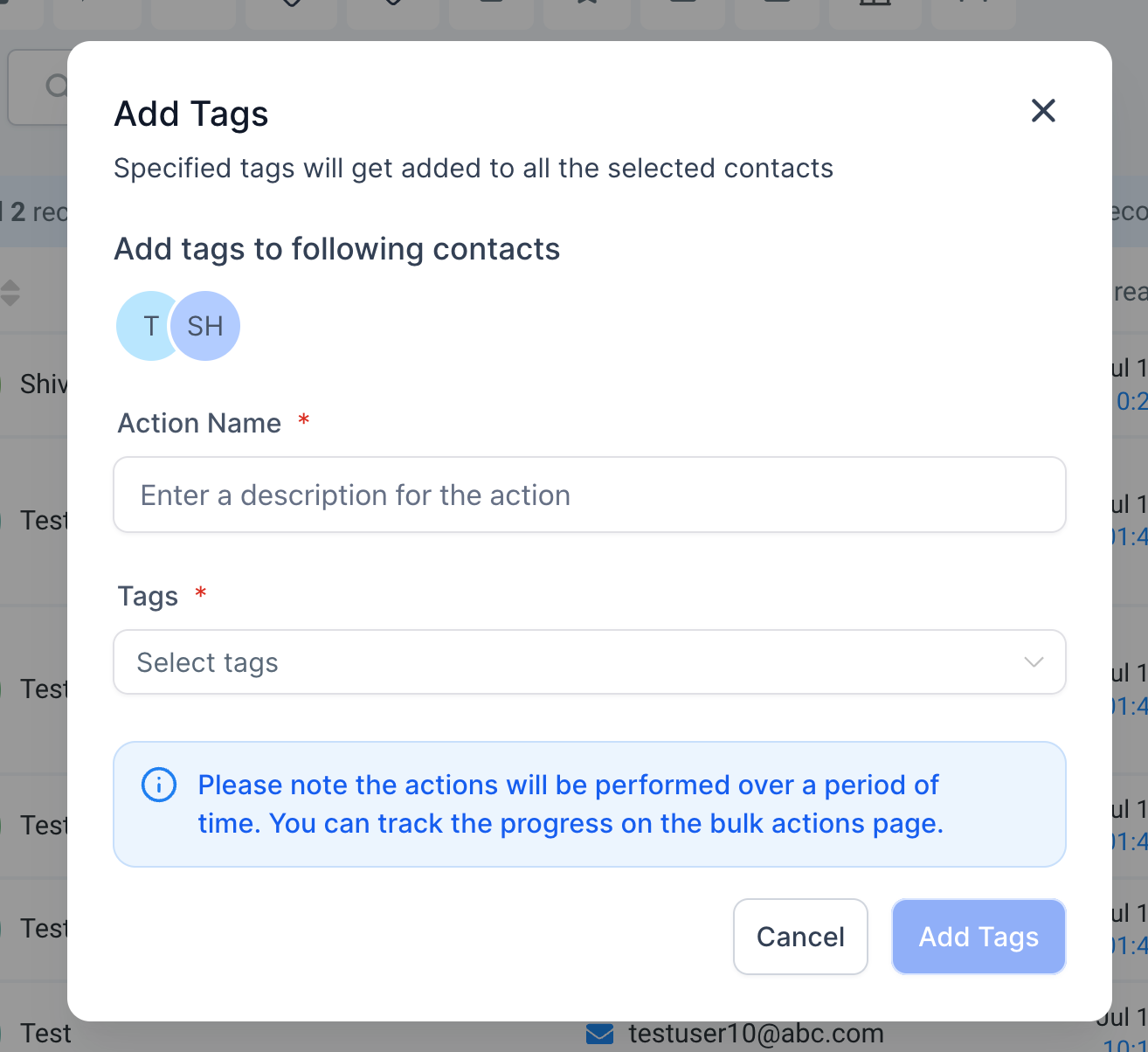
Step 2: Click on "Add Tag" bulk action
Step 3: Name the action and select which tags should be added to these contacts; then "Add Tags"
Step 4: Check the progress by clicking on the success percentages.
Feature 2 - Bulk Remove Tags to Selected Contacts
How to:
Step 1: Select a few contacts
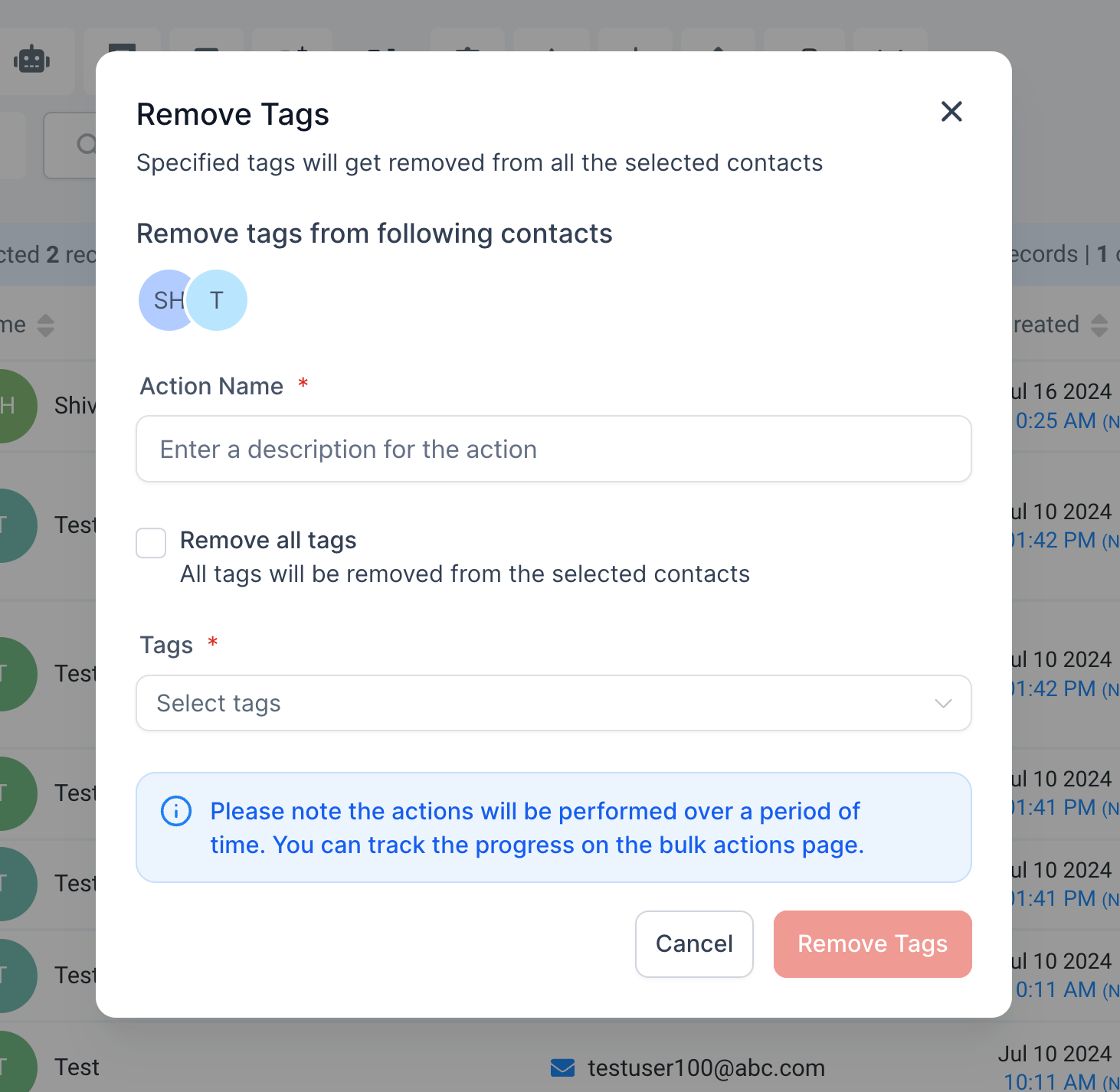
Step 2: Click on "Remove Tag" bulk action
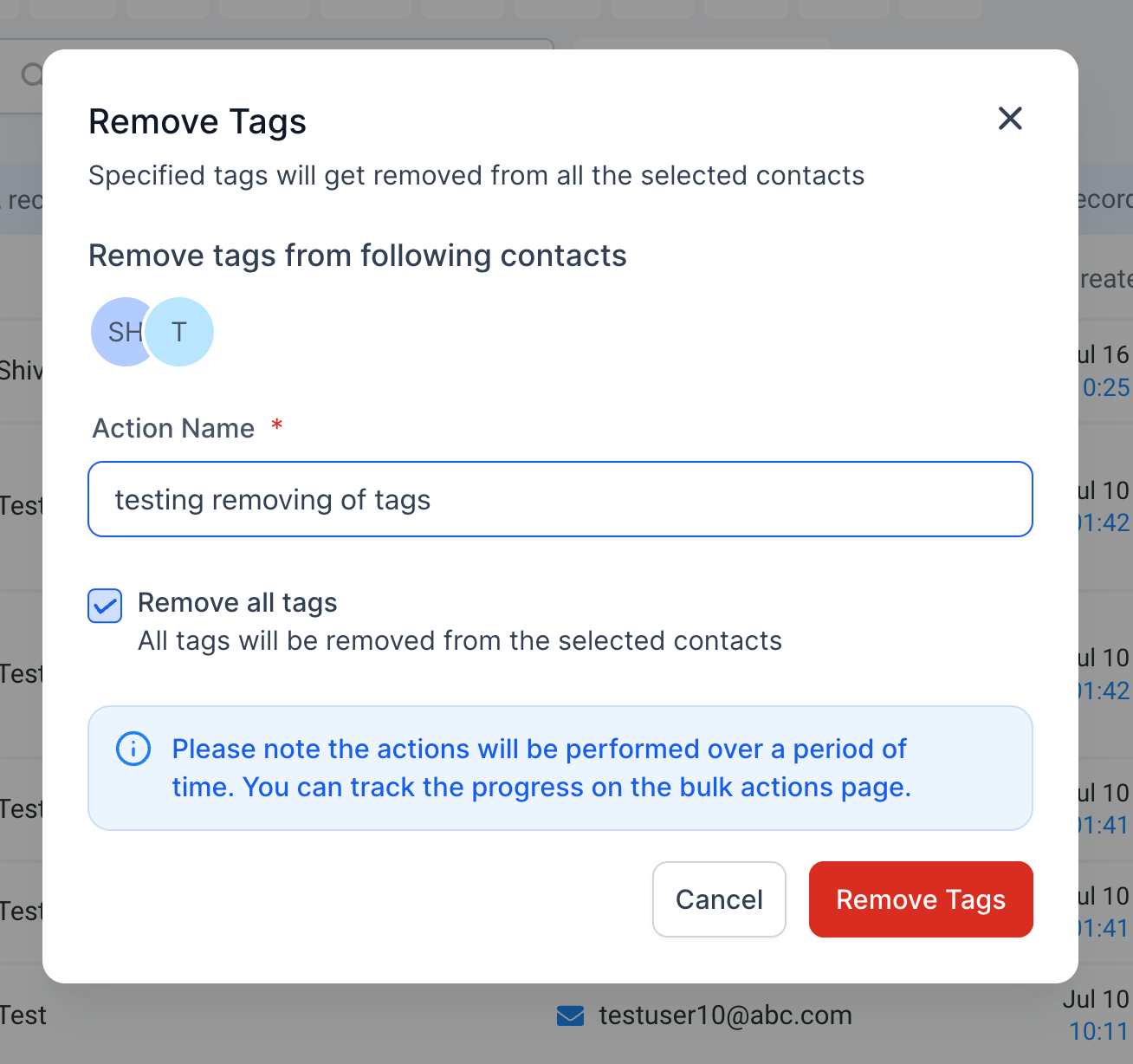
Step 3: Name the action and select which tags should be removed to these contacts; or option to remove all tags.
Step 4: Click on "Remove Tags"
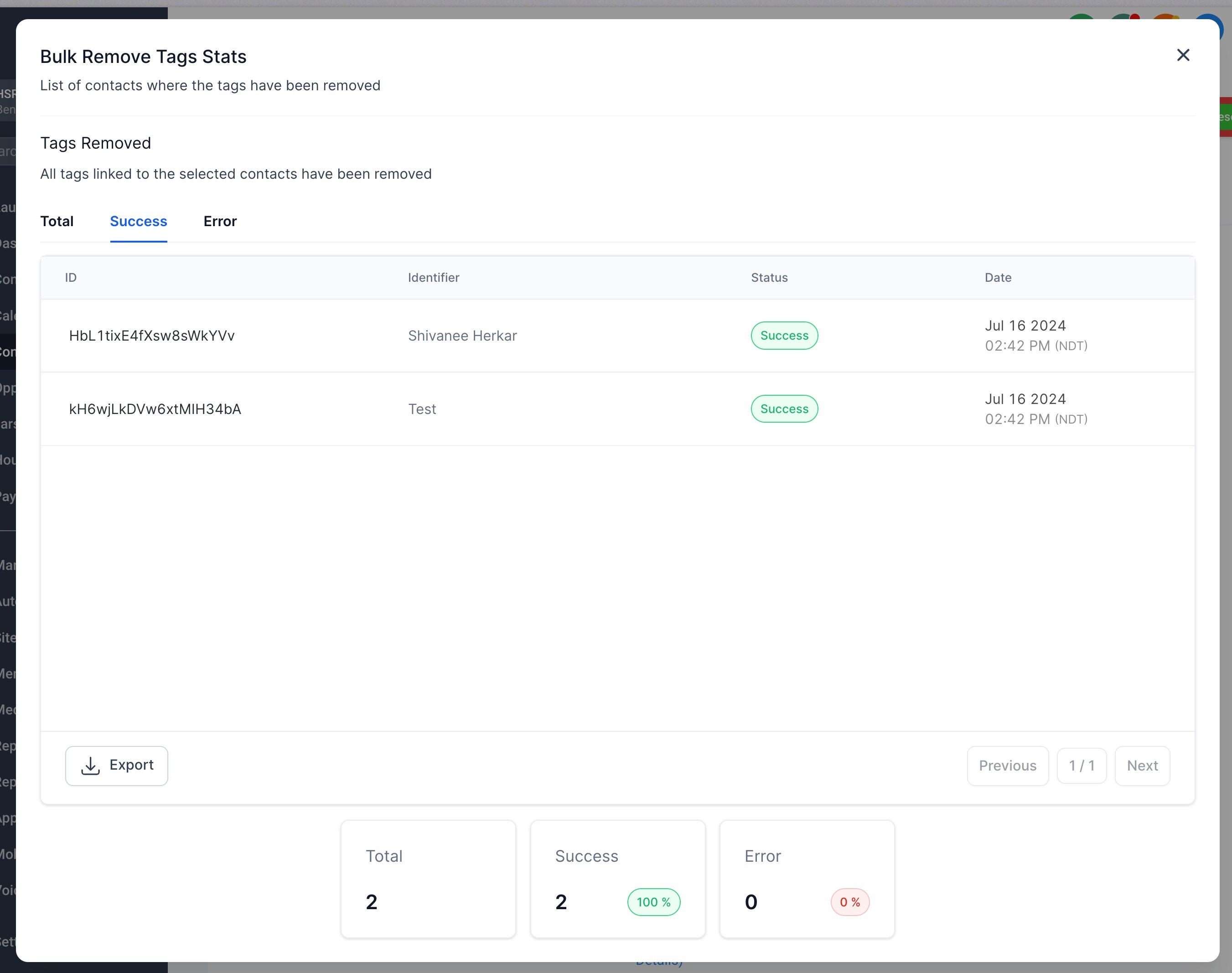
Step 5: Check the progress by clicking on the success percentages.
Feature 3 - Restore Removed Tags
How to:
Step 1: Go to Bulk Actions page and click on the kebab menu (3 dots menu) on the right
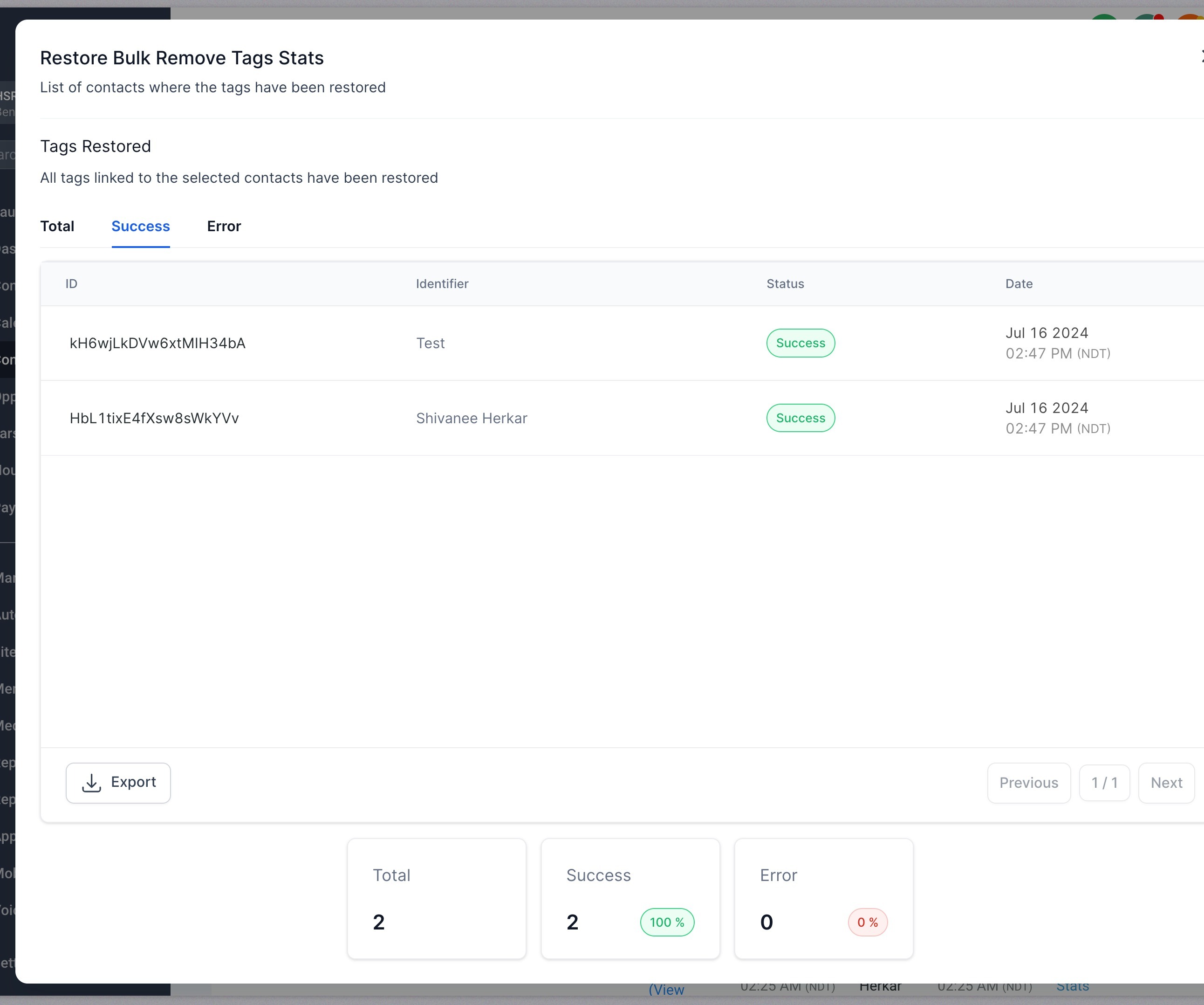
Step 2: Click on Restore and this will start the restore process
Step 3: The new action would start appearing in the bulk actions page as a new action

Was this article helpful?
Related articles
- How to input Multiple Phone Numbers for a Contact?Multiple Phone Numbers for a Contact allows users to efficiently manage multiple phone numbers for a single contact efficiently, thereby improving communication and organization. From adding and editing multiple numbers to designating a primary contact, this feature is about optimizing user experienContacts
- Configuring Searchable Fields for ObjectsThis feature allows admins to configure which fields are searchable for their location. Once updated, this change reflects for all users and impacts every place where the object can be searched, enhancing the flexibility and customization of searches. In This Article - Feature 1 - Configuring SeaContacts
- Importing Contacts and Opportunities via CSV (Coming Soon)The "Import Contacts and Opportunities" feature allows you to efficiently import both contacts and opportunities from a CSV file. You can map fields, create or update records, and monitor the import process seamlessly, ensuring accurate data entry and time-saving for bulk actions. Do check out thisContacts
- Associate Contacts Using Custom LabelsContacts • Associations • CRM Associate Contacts Using Custom Labels Contact Associations let you connect related contacts and other CRM records using custom labels. Relationships can represent spouses, managers, employees, buyers, sellers, or contacts connected to Custom Objects. Association labelsContacts