Merging Multiple Records
Merging contacts is a powerful way to clean up your database, eliminate duplicate records, and consolidate important information into one master record.
Merging helps:
- Eliminate duplicate entries.
- Consolidate data into a single, accurate record.
- Streamline communication and tracking.
TABLE OF CONTENTS
- Step 1: Select Contacts to Merge
- Step 2: Choose the Master Record
- Step 3: Review and Map Fields
- Step 4: Confirm the Merge
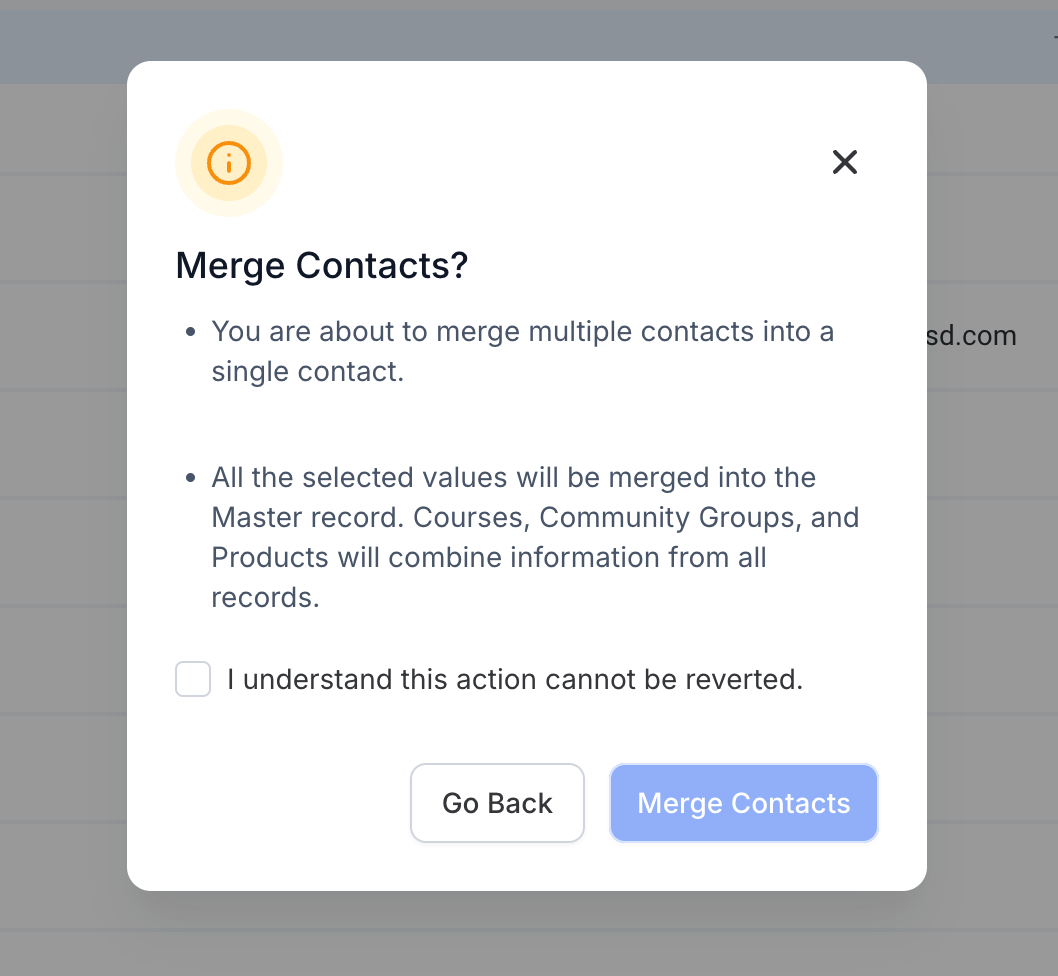
Merging contacts is a non-reversible action. Only admins have the access to merge contacts in a location.
Step 1: Select Contacts to Merge
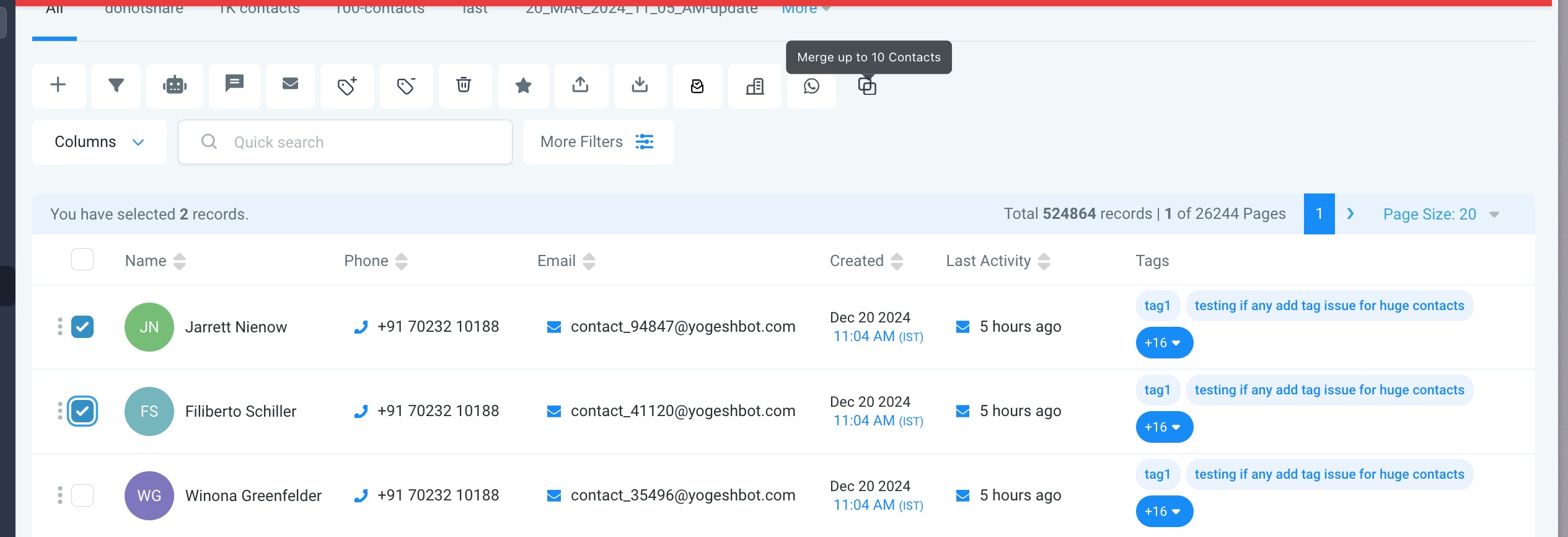
- Go to the Contacts section of your CRM.
- Select the contacts you want to merge by checking the boxes next to their names.
- Click on the Merge icon on the top bar.
You can only merge upto 10 contacts in one single merge.
Step 2: Choose the Master Record
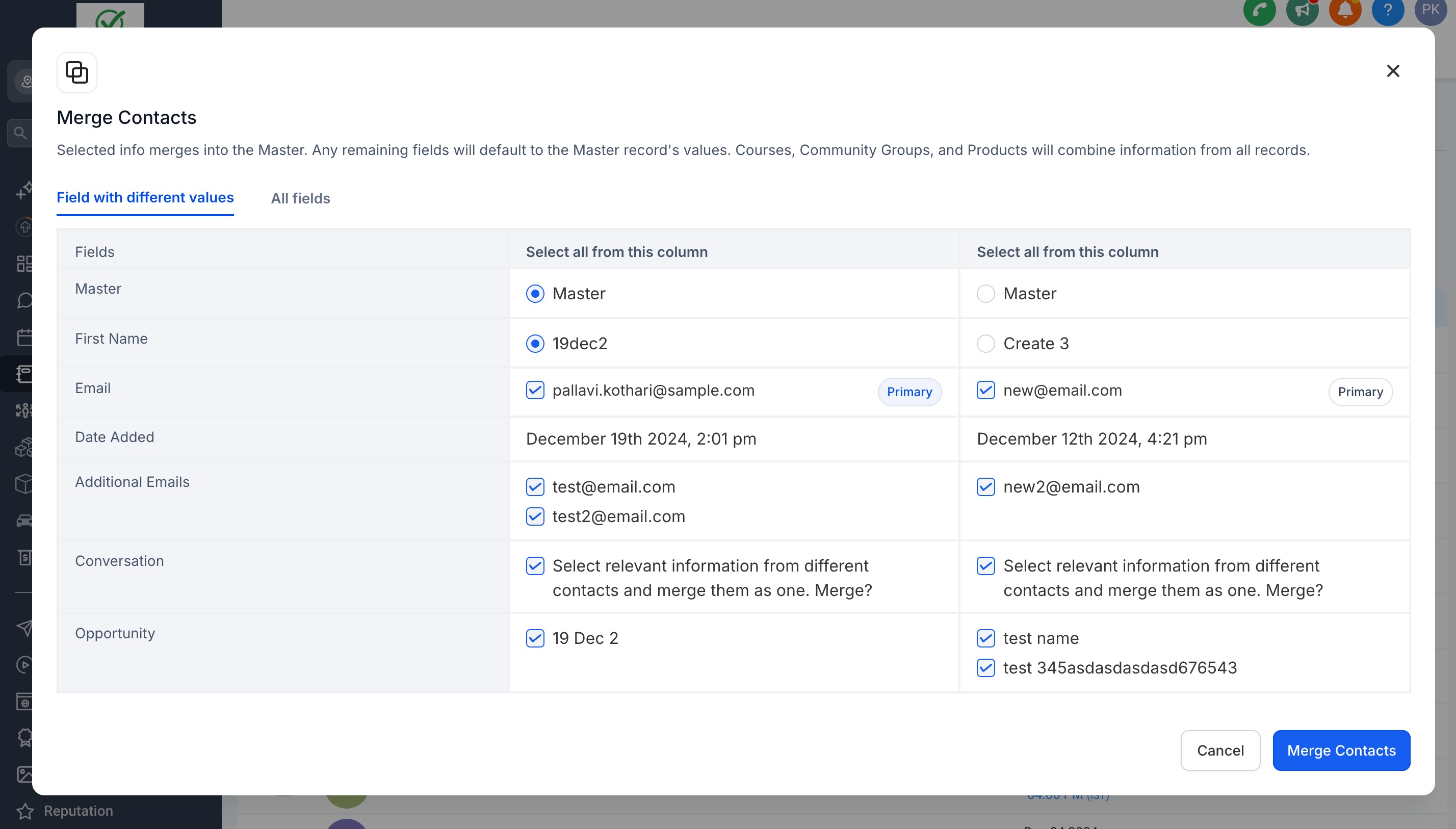
- In the merge preview screen, choose the Master Record.
- The Master Record is the primary record where consolidated data will be stored.
- All non-conflicting fields from other records will default to the Master Record’s values.
Step 3: Review and Map Fields
- Mandatory Field: Ensure you select a Primary Email and Phone for the Master Record if there are additional email addresses and phone numbers that needed to be added in the contact.
- If there’s no Primary Email, remove additional emails and assign one as the primary to proceed.
- For conflicting fields (e.g., phone numbers, addresses), choose the data you want to keep.
- Information like Courses, Community Groups, and Products will automatically combine across all merged records. Other information like Activities, Payments, Orders, Invoices and Appointments will automatically default to the activity of the master record.
Step 4: Confirm the Merge
- Double-check your selections in the merge preview.
- Click Merge to consolidate the selected contacts into one record.
- Once merged, the data from non-master records will be consolidated into the Master Record, and the duplicates will be removed.
Was this article helpful?
Related articles
- How to input Multiple Phone Numbers for a Contact?Multiple Phone Numbers for a Contact allows users to efficiently manage multiple phone numbers for a single contact efficiently, thereby improving communication and organization. From adding and editing multiple numbers to designating a primary contact, this feature is about optimizing user experienContacts
- Bulk Add and Remove Tags from ContactsThese features provide enhanced control over bulk actions for tags, allowing for more efficient management of contacts. You can easily, add selected tags, remove selected/all tags from selected contacts and restore them when needed. This feature is currently live via Labs. IN THIS ARTICLE - FeaturContacts
- Configuring Searchable Fields for ObjectsThis feature allows admins to configure which fields are searchable for their location. Once updated, this change reflects for all users and impacts every place where the object can be searched, enhancing the flexibility and customization of searches. In This Article - Feature 1 - Configuring SeaContacts
- Importing Contacts and Opportunities via CSV (Coming Soon)The "Import Contacts and Opportunities" feature allows you to efficiently import both contacts and opportunities from a CSV file. You can map fields, create or update records, and monitor the import process seamlessly, ensuring accurate data entry and time-saving for bulk actions. Do check out thisContacts