Importing Contacts and Opportunities via CSV (Coming Soon)
The "Import Contacts and Opportunities" feature allows you to efficiently import both contacts and opportunities from a CSV file. You can map fields, create or update records, and monitor the import process seamlessly, ensuring accurate data entry and time-saving for bulk actions.
Do check out this file before importing both contacts and opportunities: Import Opportunities.
TABLE OF CONTENTS
Step 1: Access Import Option
- Navigate to the Opportunities section and click on the three dots (options menu).
- Choose the Import option to begin the process.
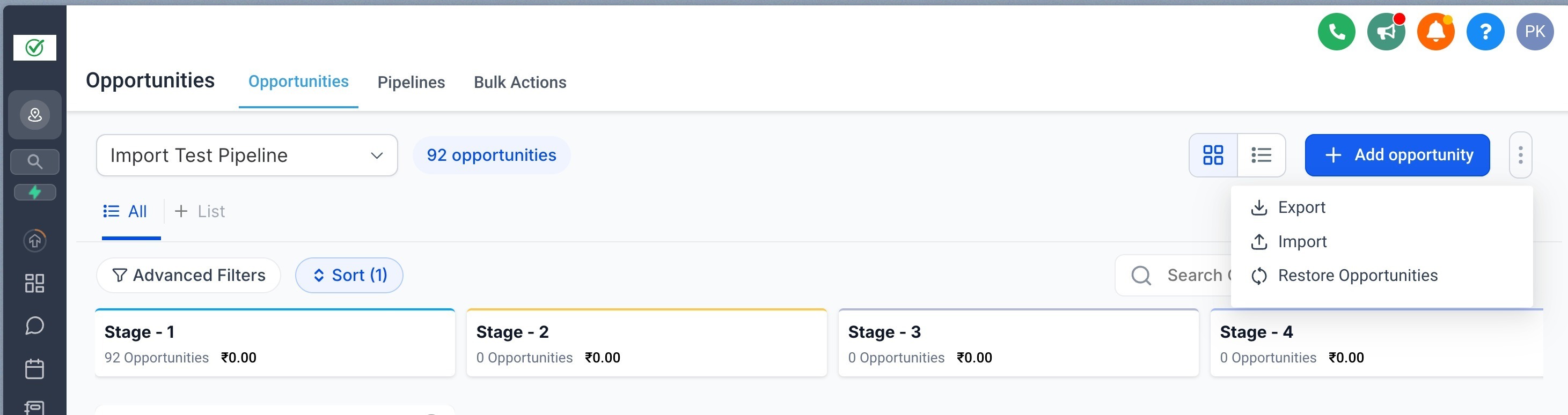
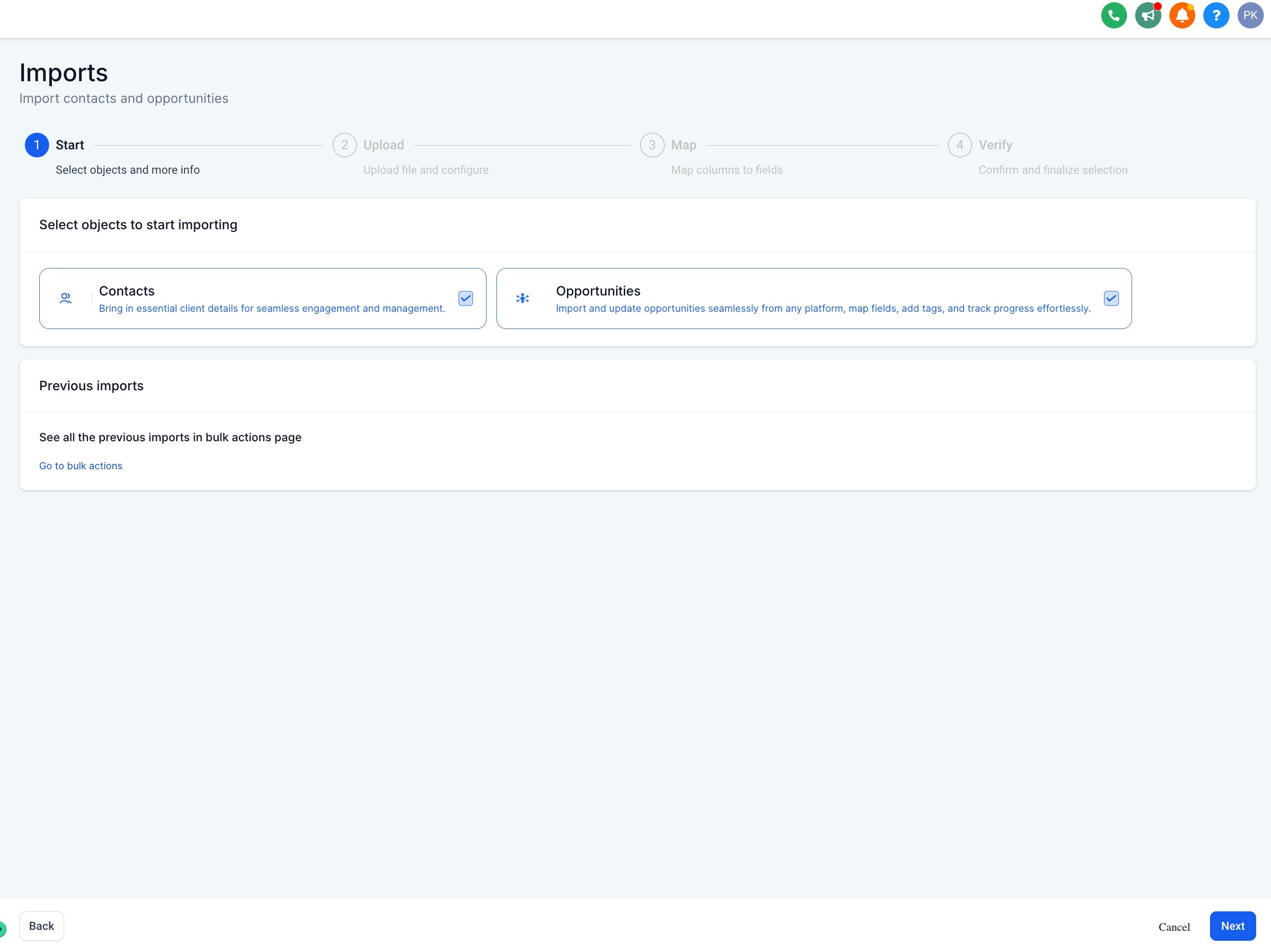
Step 2: Select Objects to Import
- In the import screen, select both Contacts and Opportunities as the objects you want to import and click on "Next".
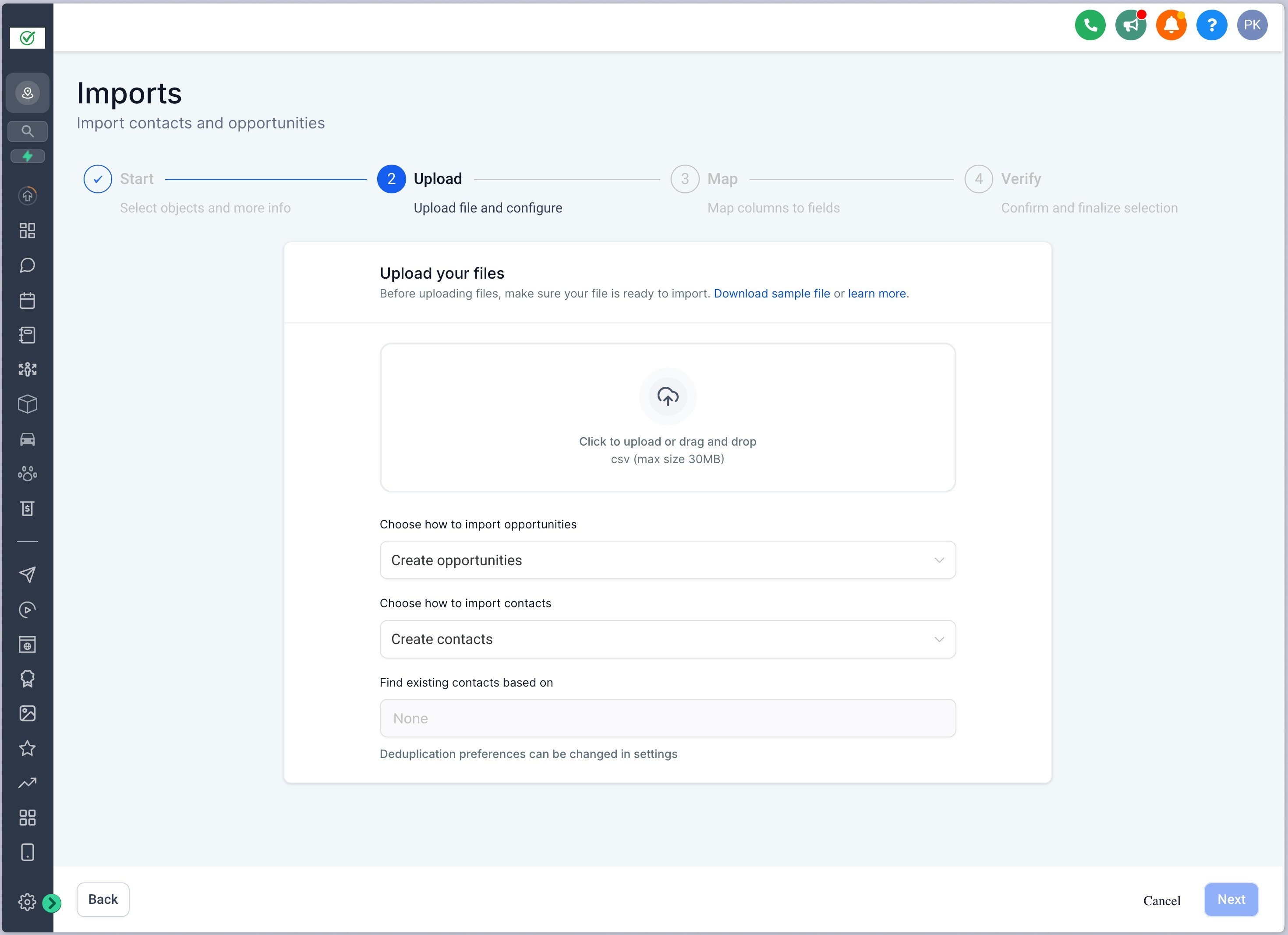
Step 3: Upload CSV File
- Upload a CSV file containing details for both Contacts and Opportunities.
- Decide for each object whether you want to Create, Update, or Create & Update records during the import.
- If an Opportunity ID is provided in the CSV, the opportunity will be updated. If not, a new opportunity will be created.
- Click on "Next"
Contact de-duplication settings will be automatically fetched from the global settings and cannot be updated during the import process
Step 4: Map fields
- Map fields from the CSV to the correct object fields.
- Ensure you are selecting the right object (Contacts or Opportunities) when mapping each field to avoid errors.
- This feature also allows the creation of contacts with multiple email addresses and phone numbers. These additional details will be added automatically during the import process.
- If Contacts and Opportunities are on the same line in the CSV, they will be automatically mapped to each other.
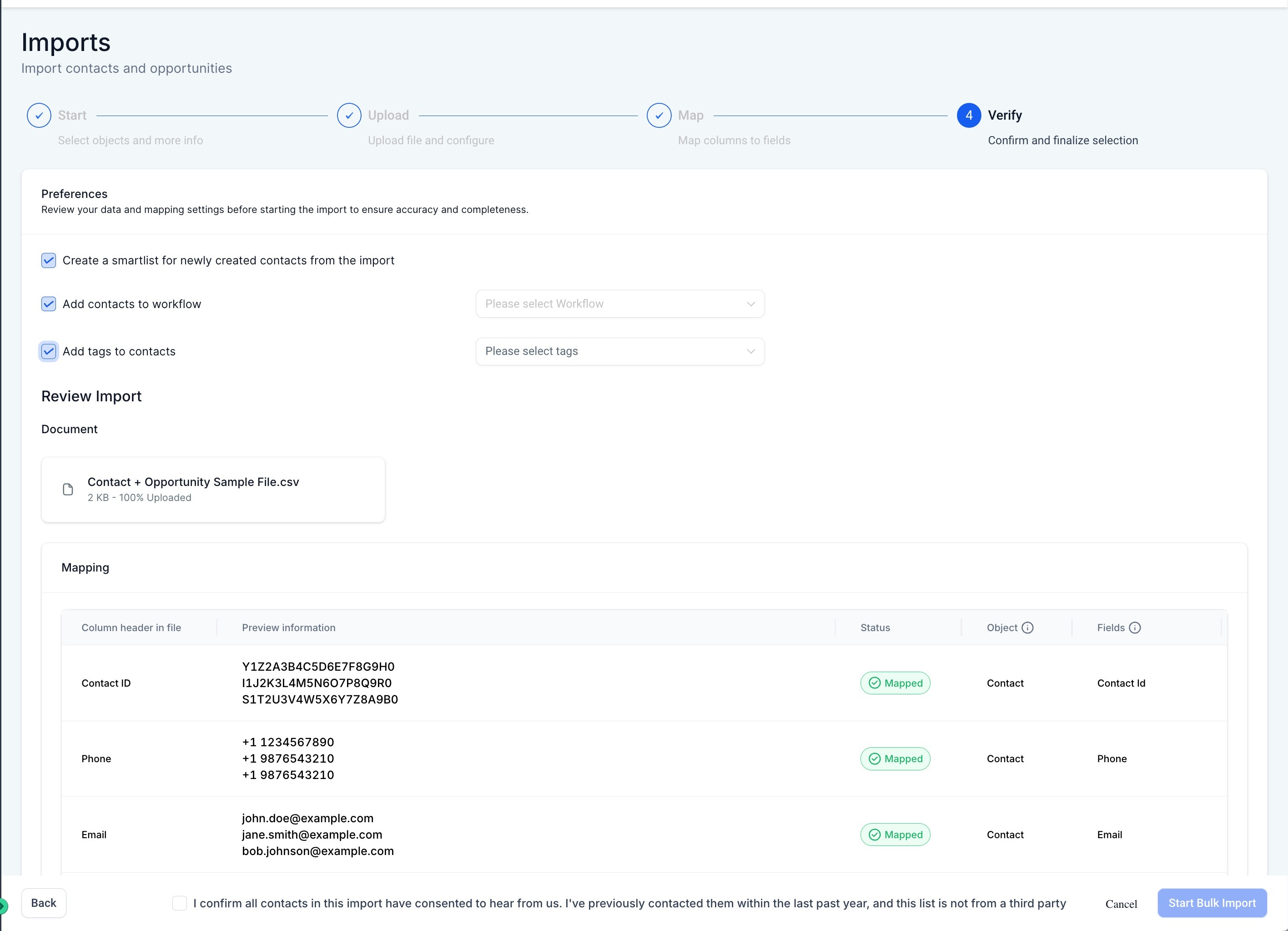
Step 5: Verify and Import
- Review your mappings, then confirm and proceed with the import.
- You can also choose to create a smartlist, add contacts to a workflow or add a new tag to the imported contacts.
Step 6: Monitor Import Status
- You can monitor the progress and status of the import via the Contacts and Opportunities Bulk Actions Pages.
- Both contacts and opportunities imports will appear in the same place under Bulk Actions.
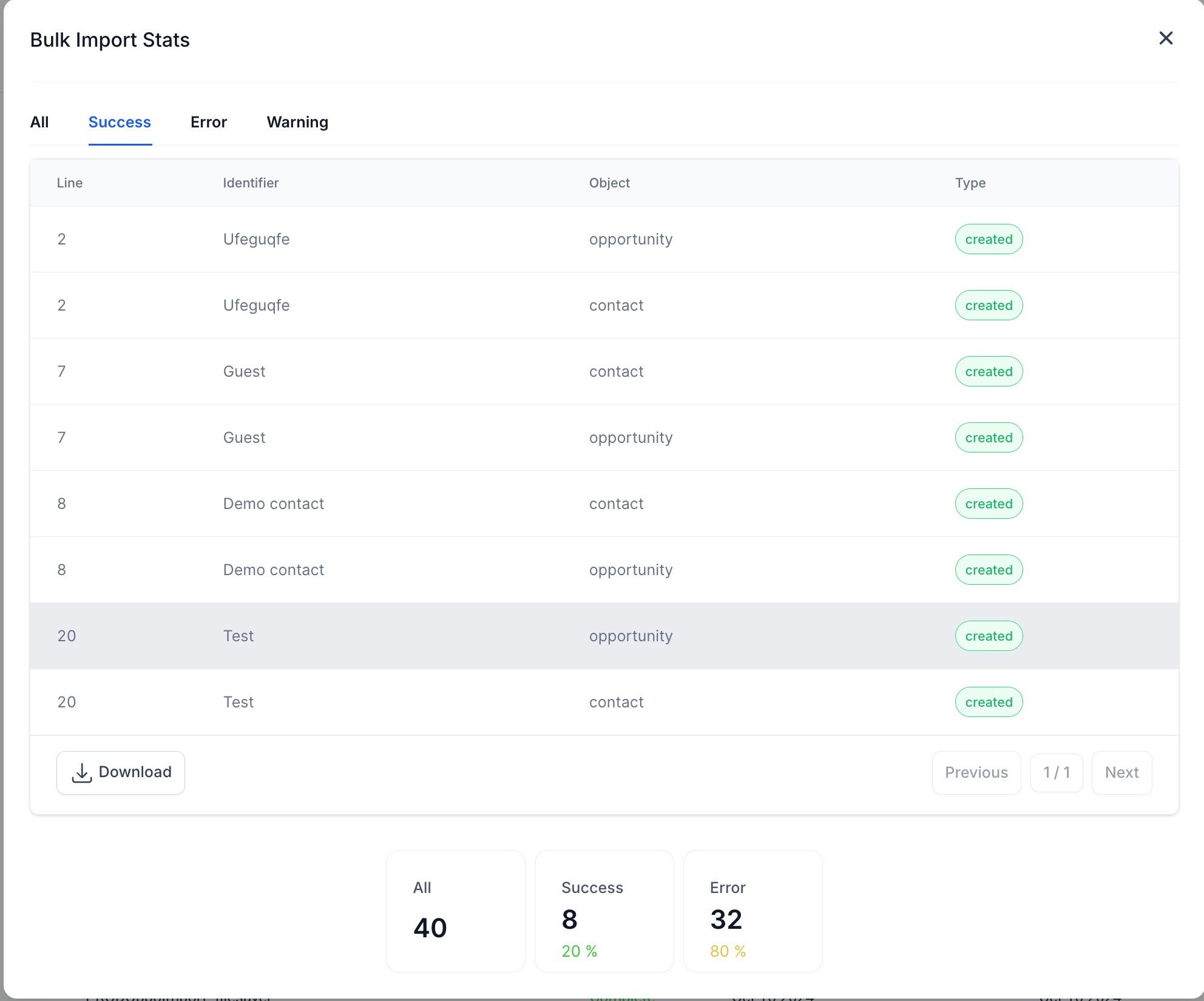
- Click on the "Show Stats" button to view Stats of the import - you can also download the error log and view further details about the error and how to fix them in the "Error" tab

Was this article helpful?
Related articles
- How to input Multiple Phone Numbers for a Contact?Multiple Phone Numbers for a Contact allows users to efficiently manage multiple phone numbers for a single contact efficiently, thereby improving communication and organization. From adding and editing multiple numbers to designating a primary contact, this feature is about optimizing user experienContacts
- Bulk Add and Remove Tags from ContactsThese features provide enhanced control over bulk actions for tags, allowing for more efficient management of contacts. You can easily, add selected tags, remove selected/all tags from selected contacts and restore them when needed. This feature is currently live via Labs. IN THIS ARTICLE - FeaturContacts
- Configuring Searchable Fields for ObjectsThis feature allows admins to configure which fields are searchable for their location. Once updated, this change reflects for all users and impacts every place where the object can be searched, enhancing the flexibility and customization of searches. In This Article - Feature 1 - Configuring SeaContacts
- Associate Contacts Using Custom LabelsContacts • Associations • CRM Associate Contacts Using Custom Labels Contact Associations let you connect related contacts and other CRM records using custom labels. Relationships can represent spouses, managers, employees, buyers, sellers, or contacts connected to Custom Objects. Association labelsContacts