Call Transcriptions for Recorded Calls
Call transcriptions make it easy to review and understand recorded conversations without listening to the entire call. This article shows you how to enable the call transcription feature in your account.
Note: This is a paid service and you will be charged on top of call recordings for generating the transcription. TABLE OF CONTENTS
- What Is Call Transcription?
- Key Benefits of Call Transcription Feature
- How to Enable Call Transcription
- How to Find the Call Transcriptions
- Frequently Asked Questions
What Is Call Transcription?
Call transcription is a paid Voice Intelligence add‑on that converts inbound and outbound call recordings into written text automatically. The service is charged per recorded minute, billed in addition to your standard call‑recording fee.
Key Benefits of Call Transcription Feature
- Automatic Transcriptions: Transcriptions will be automatically generated for all outbound and inbound recorded calls, saving you time and effort.
- Enhanced Visibility: Transcriptions will be seamlessly integrated into the conversation page, providing easy access and reference to call content.
- Quick Review of Conversations: Read through call content faster without needing to replay the entire recording.
- Improved Team Training: Use transcriptions as a resource to coach team members on call handling and communication.
- Better Record Keeping: Maintain a written log of conversations for reference, compliance, or documentation.
How to Enable Call Transcription
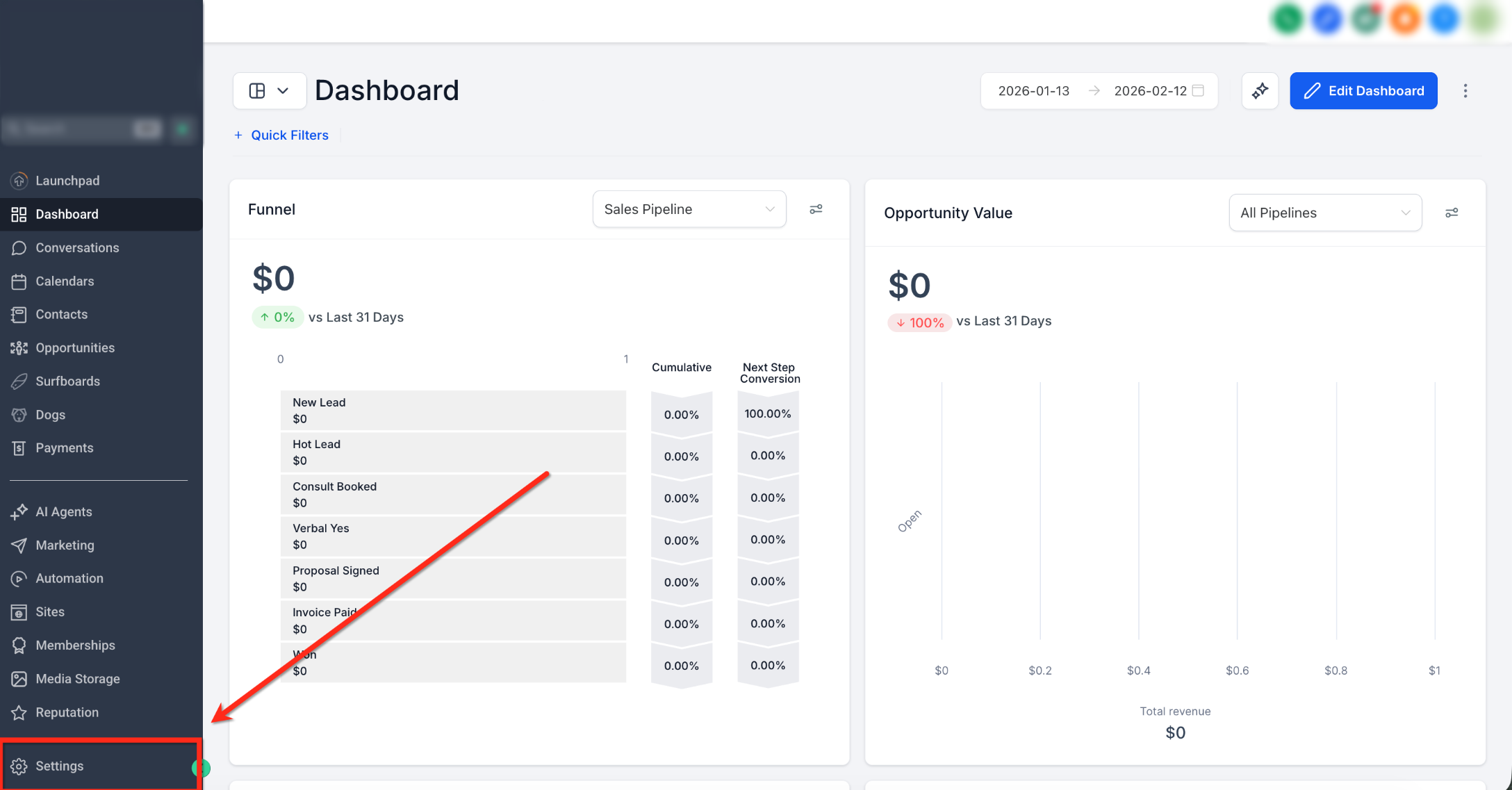
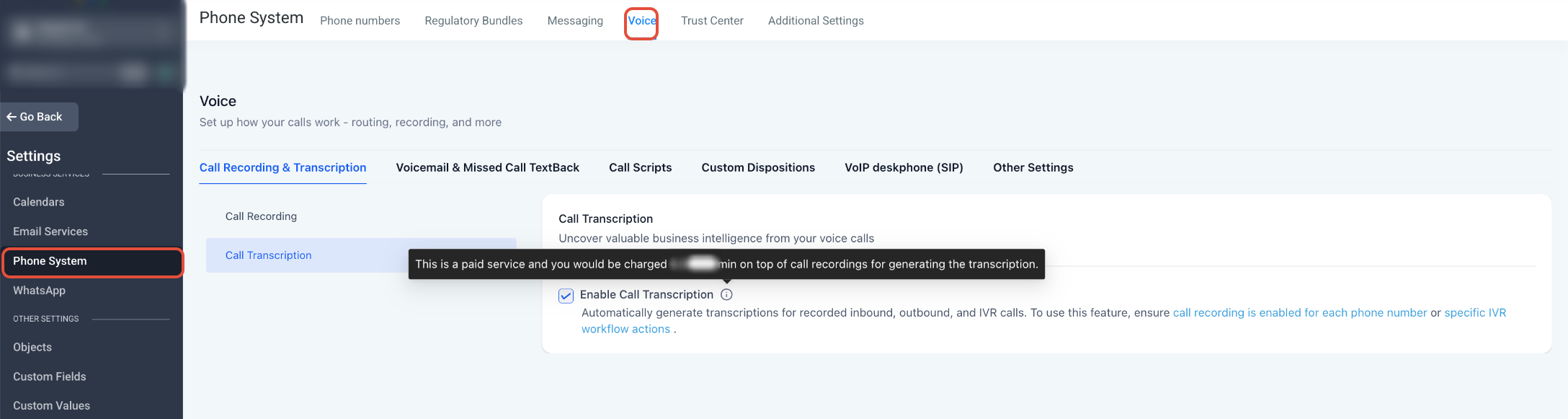
- Navigate to Settings.
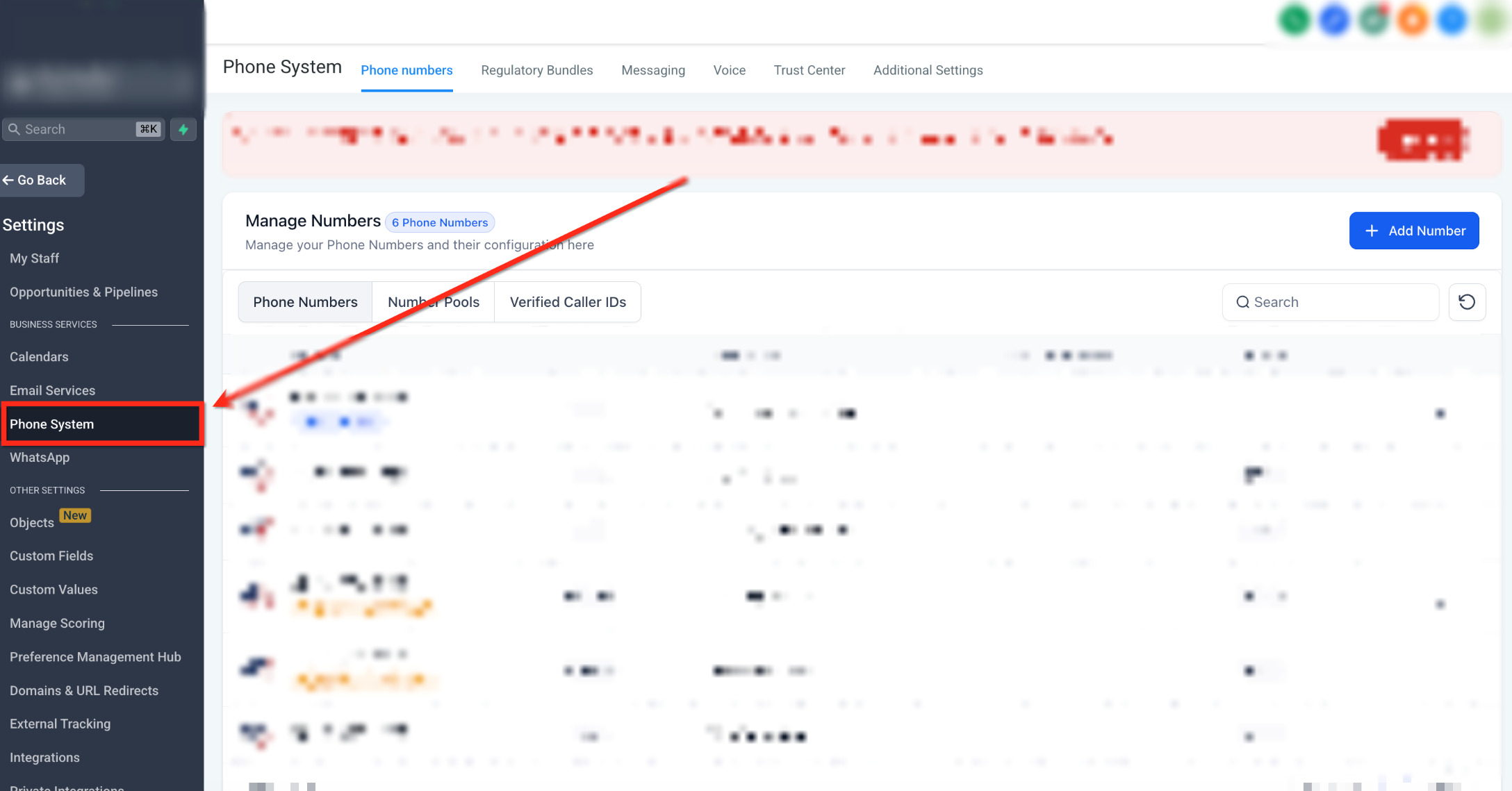
- Click on Phone System.
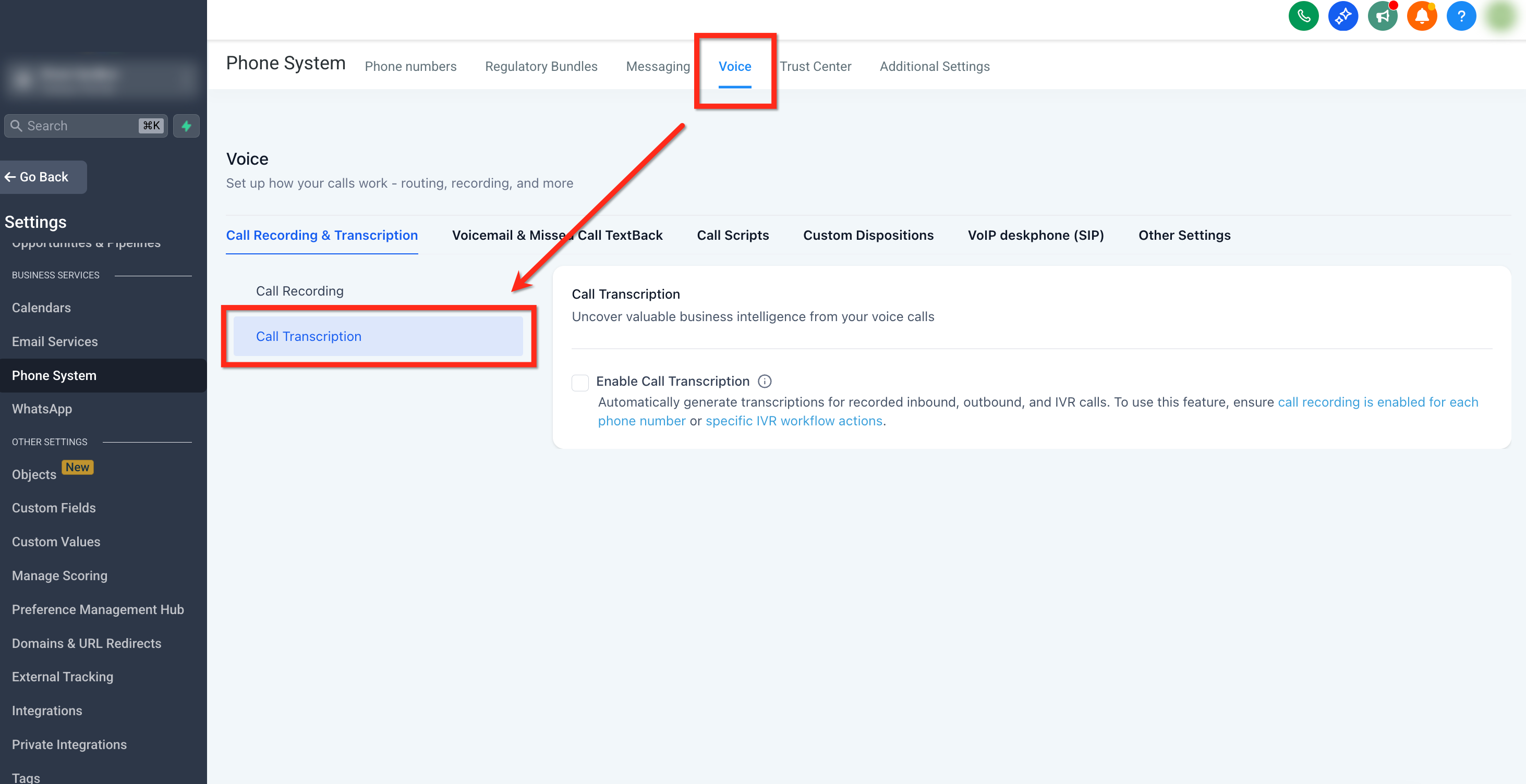
- Click on Voice tab and then on Call Transcription available under Call Transcription page.
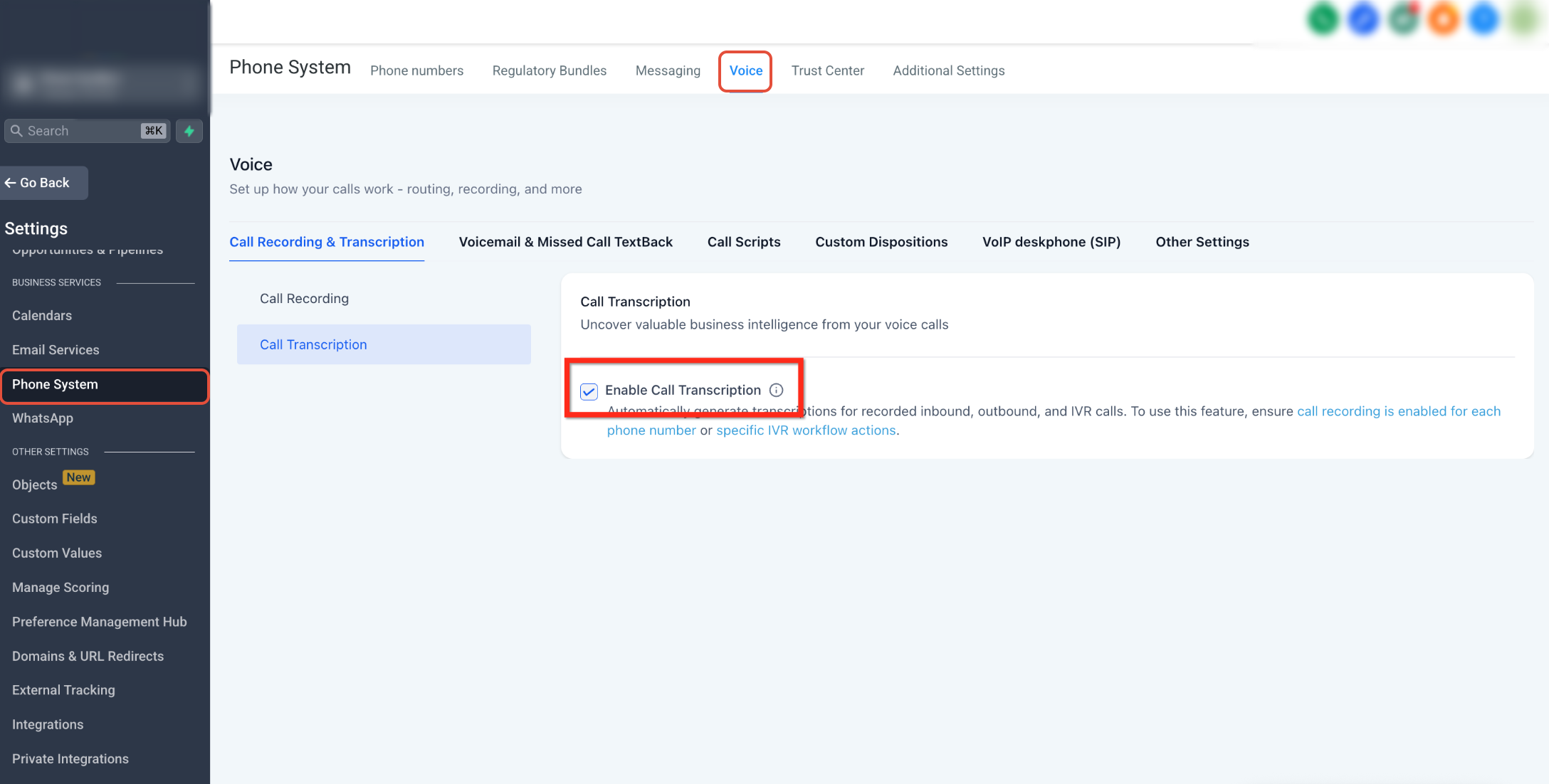
- Click on the Enable Call Transcription box to turn it on.
How to Find the Call Transcriptions
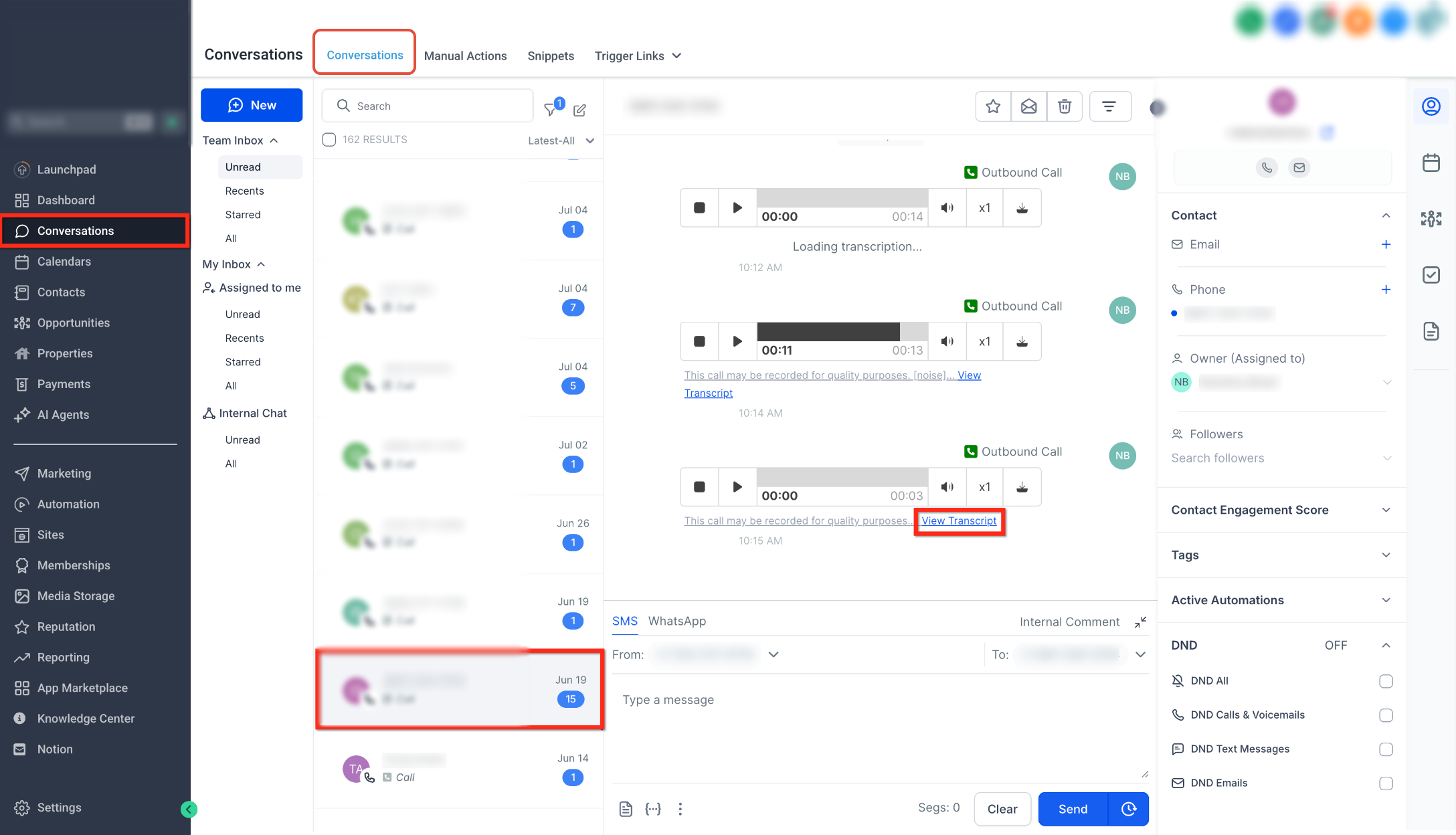
- Click on Conversations tab.
- Find the Contact that you want the transcription for.
- Click on the View Transcript option under the playback control for the particular call.
Frequently Asked Questions
Q: Do I need call recording enabled to use transcription?
Yes. Transcriptions require call recording to be enabled for the phone numbers. If recording is disabled, the call won't be transcribed.
Q: How much does call transcription cost?
It is charger per recorded minute, charged on top of standard call‑recording fees. The exact pricing can be seen when you enable the feature.
Q: Will old recordings be transcribed retroactively?
No. Transcription starts only for calls recorded after you enable the feature.
Q: Where can I find the transcriptions?
They’re shown in the Conversations page under each call entry, next to the playback controls.
Q: Can I disable transcription later?
Yes. Return to Settings → Phone Numbers → Voice → Call Recording & Transcription → Call Transcription and toggle Enable Call Transcription off.
Need Help?
If call transcriptions are not being generated or are missing from a conversation, first review the call recording and transcription settings.
Verify that:
- Call Recording is enabled for the affected phone number.
- Call Transcription is enabled under the Voice settings.
- The call occurred after transcription was enabled.
- The call was successfully recorded.
- The affected call appears in Conversations.
- The View Transcript option is available under the call playback controls.
- The call was inbound or outbound through a supported phone number.
- Enough time has passed for the transcription to finish processing.
- Billing is active and the transcription service can be charged successfully.
Keep in mind that older recordings are not transcribed retroactively. Only calls recorded after the feature is enabled are eligible for transcription.
If the issue continues, collect the affected phone number, call date and time, contact name, recording status, transcription setting, and screenshots of the call entry before contacting support.
Was this article helpful?
Related articles
- Why are my Calls marked as Spam and how can I avoid itOverview If your business calls are being flagged as 'Spam Likely' or 'Scam,' it can reduce answer rates and harm your credibility. This guide explains why calls are marked as spam and provides actionable steps to prevent it. TABLE OF CONTENTS - Why Are Calls Marked as Spam?- Common Reasons for SpLeadConnector Phone
- Phone Number Settings ExplainedDo you want to understand your CRM's different phone number settings but feel uncertain about it? Don't worry. It's easier than you think to grasp these settings. Below is the breakdown of the phone settings. Covered in this article: Number Name Forwarding Number Pass Called Number As Caller ID EnLeadConnector Phone
- How to Purchase a Phone Number for Your BusinessThis article walks you through how to purchase a phone number within ResQEngage, enabling SMS and voice functionality for your clients or team members. TABLE OF CONTENTS - What is Phone Number Purchasing in ResQEngage? - Key Benefits of Purchasing a Phone Number - Steps to Purchase a Phone Number - LeadConnector Phone
- Forbidden message categories for SMS and MMS in the US and CanadaSMS Compliance Forbidden Message Categories for SMS and MMS in the US and Canada Understand prohibited message types and compliance requirements to maintain reliable SMS and MMS delivery for your business communications. What You'll Learn Mobile carriers in the United States and Canada enforce strLeadConnector Phone