How to Purchase a Phone Number for Your Business
This article walks you through how to purchase a phone number within ResQEngage, enabling SMS and voice functionality for your clients or team members.
TABLE OF CONTENTS
- What is Phone Number Purchasing in ResQEngage?
- Key Benefits of Purchasing a Phone Number
- Steps to Purchase a Phone Number
- Regulatory Requirements for International Phone Numbers
- Frequently Asked Questions
- Related Articles
Why Purchase a Phone Number in ResQEngage?
Purchasing a phone number in ResQEngage allows you to send and receive calls and texts directly from the platform. This gives users access to a wide range of local and toll-free numbers which is essential for automating outreach, managing client communications, and building a seamless experience across funnels, campaigns, and conversations.
Note: Phone numbers are managed at the sub-account level, not agency-wide. Each sub-account should have its own number for tracking and configuration purposes.
Key Benefits of Purchasing a Phone Number
- Enables two-way SMS and calling inside ResQEngage.
- Establishes local or toll-free presence for branding and trust.
- Powers automated workflows, call routing, and voicemail.
- Integrates with users, pipelines, and campaigns for seamless communication.
- Prevents the need to use personal phone numbers for business tasks.
Steps to Purchase a Phone Number
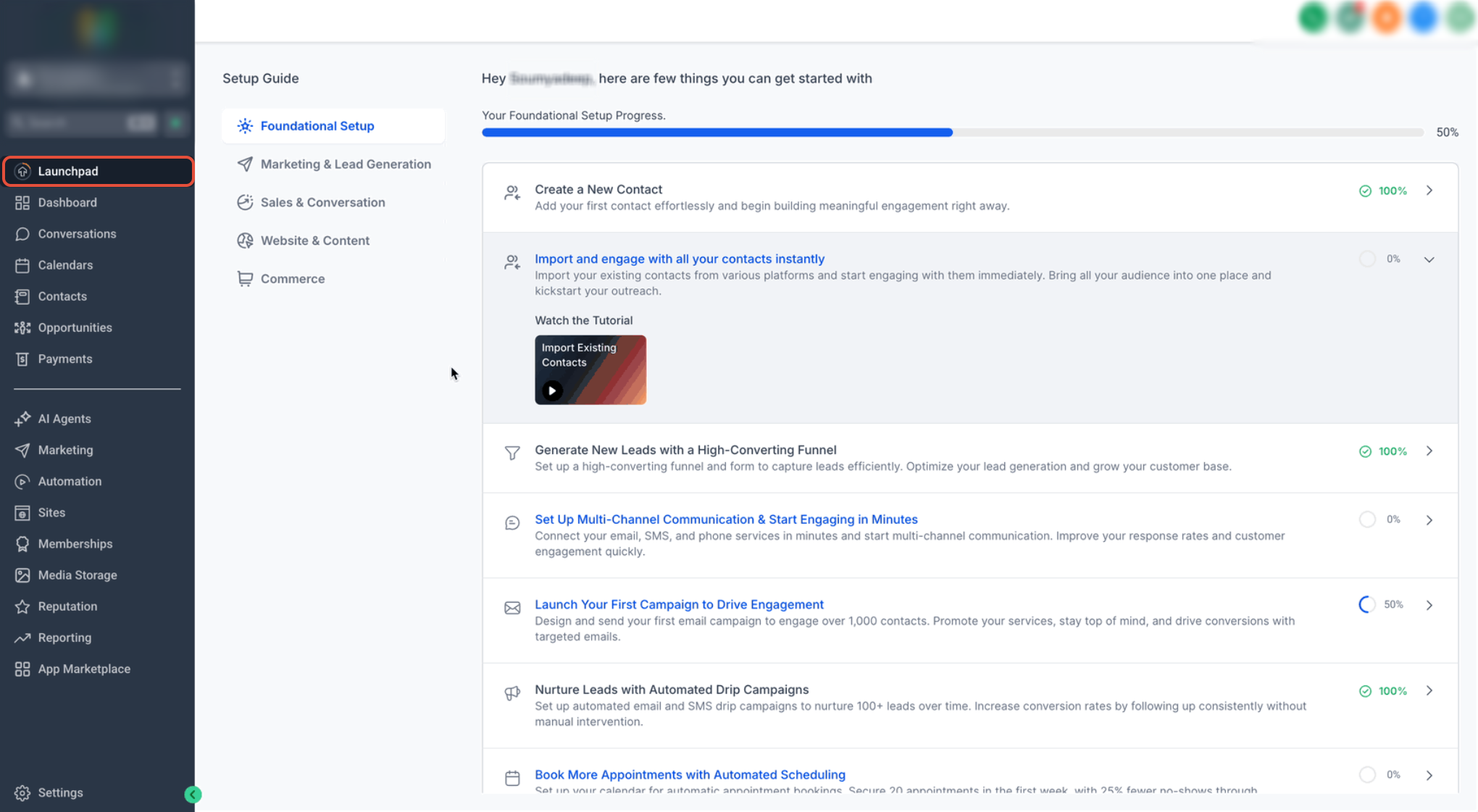
Step 1: Navigate to Phone Number Settings
- Click on Settings from your sub-account.
- Select PhoneNumbers under Business Services.
- Click on the + Add Number button and select Add Phone Number from the drop-down.
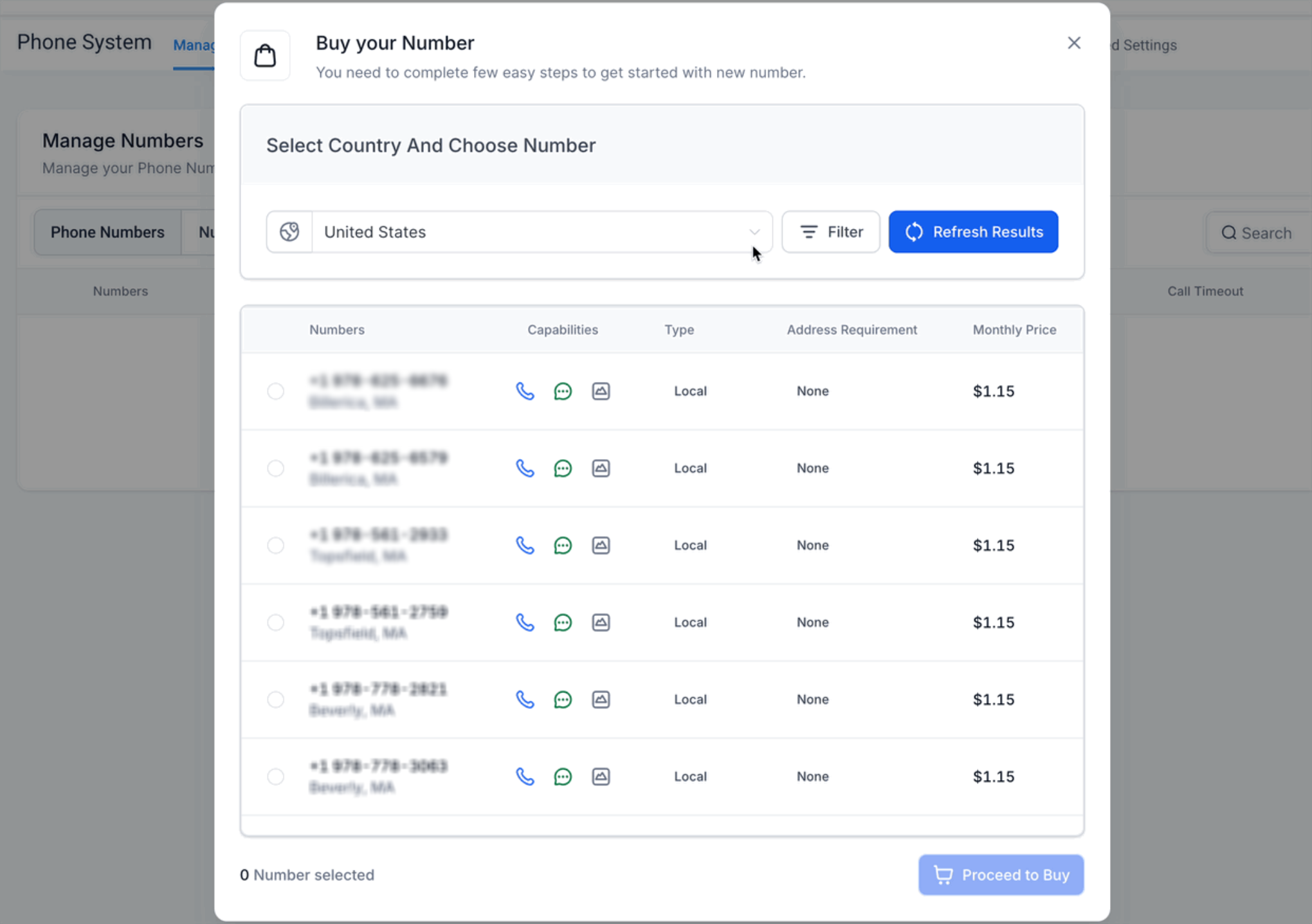
Step 2: Selecting Country and Number
- Select your desired Country from the list of available countries.
- You can choose your Number from the available list of Local or Toll Free numbers.
- Use the Refresh Results button to get a new list of available numbers.
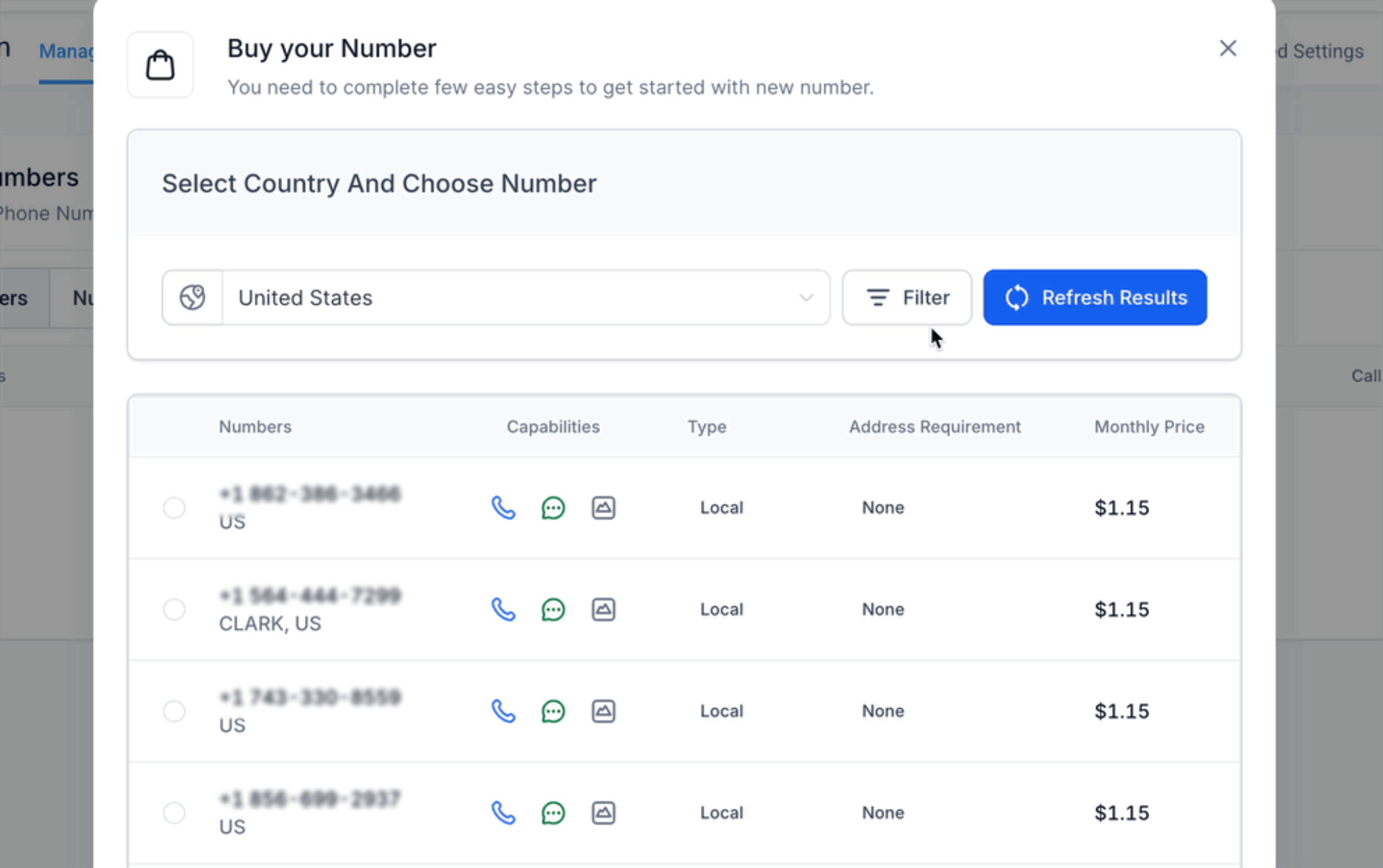
Search Filters
You can use the filter option to search your desirable numbers on the basis of:
- Digit or Phrases and match it with (first, last or any) part of the number.
- Capabilities (SMS, MMS, Voice)
- Number Type (Local or Toll Free)
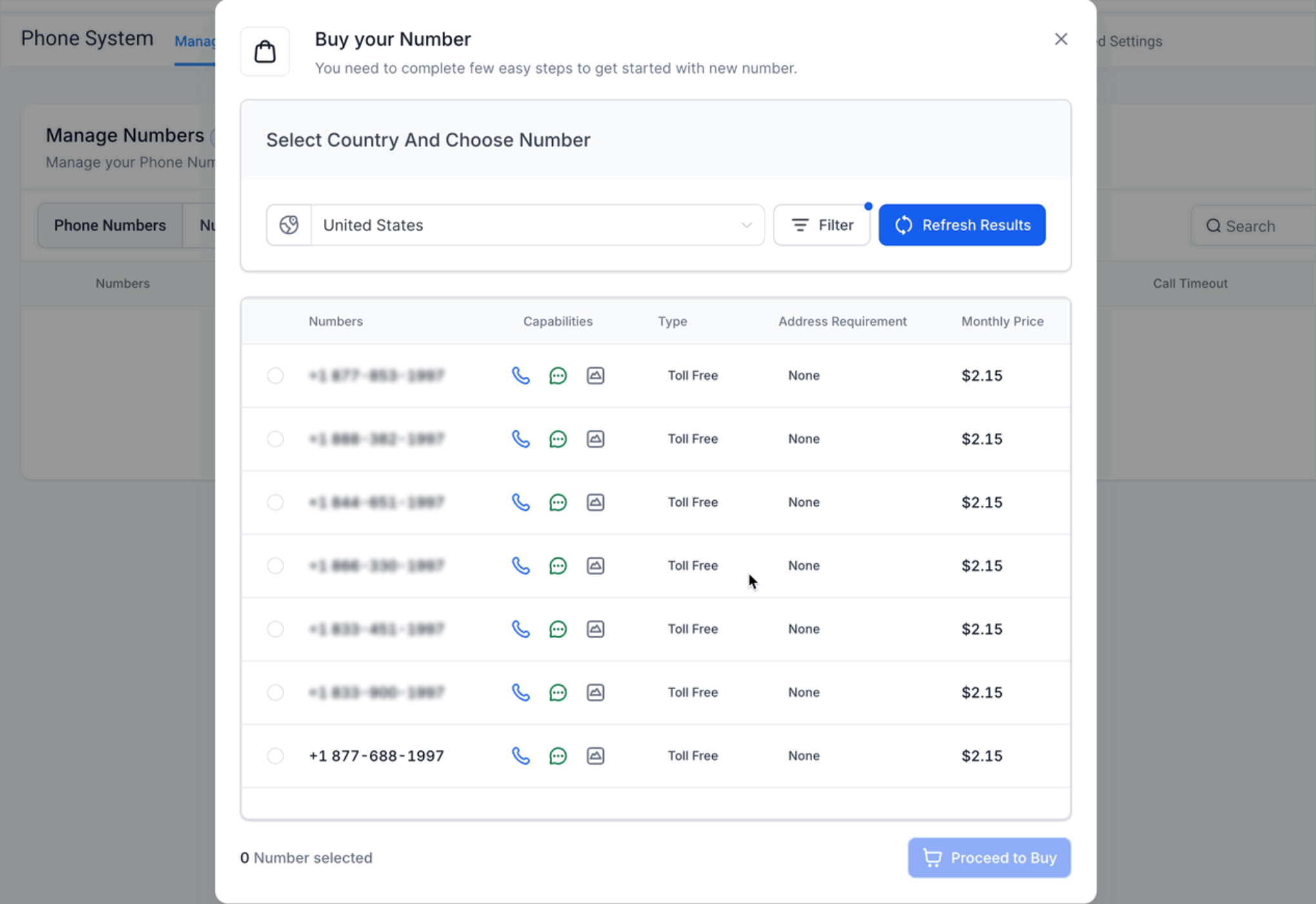
Step 3: Purchasing a Number
- Select the number of your choice.
- Click on Proceed to Buy button to complete the purchase.
Regulatory Requirements for International Phone Numbers
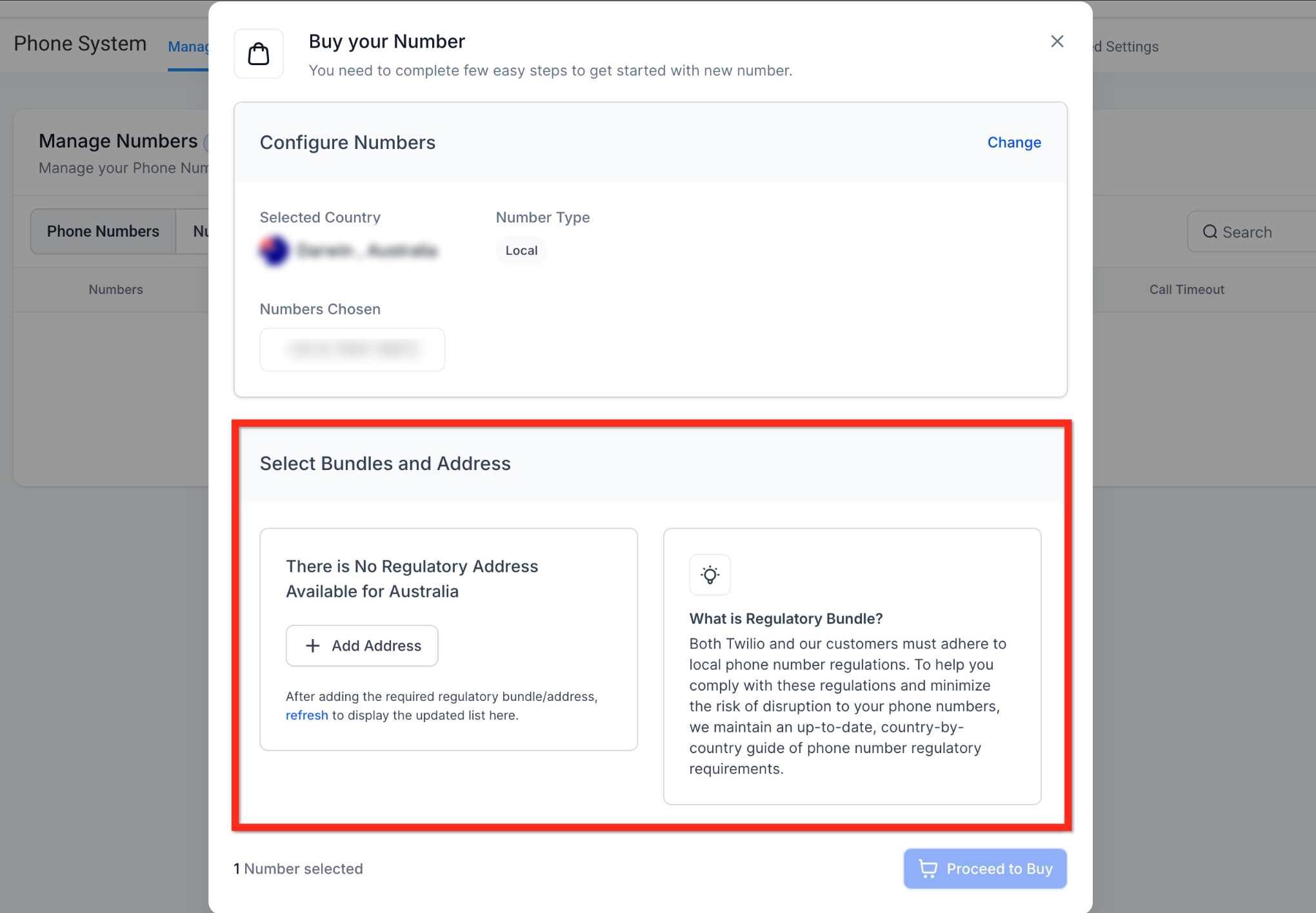
A regulatory bundle or address is required when purchasing phone numbers in most countries outside the USA and Canada.
Frequently Asked Questions
Q: Can I purchase multiple phone numbers for the same sub-account?
Yes, you can purchase multiple numbers. This is helpful for managing different departments, services, or geographic regions within the same sub-account.
Q: Do I need a separate number for each user?
Not necessarily. One number can serve multiple users if routed correctly, but for personalized outbound messaging and tracking, dedicated numbers per user are recommended.
Q: Will I be charged monthly for purchased phone numbers?
Yes. you will be charged a small monthly rental fee for each number. Rates vary based on the type (local or toll-free) and region.
Need Help?
If you are unable to purchase a phone number or the number you need is not appearing in the available results, first review the account settings, country selection, search filters, and any regional requirements.
Verify that:
- You are working in the correct account.
- The selected country is correct.
- The number type matches what you need, such as local or toll-free.
- The required capabilities, such as SMS, MMS, or Voice, are selected.
- Search filters are not too restrictive.
- You refreshed the available number results.
- The number you selected is still available for purchase.
- Your billing method is active and able to complete the purchase.
- Any required regulatory address or documentation has been completed for the selected country.
- The purchased number appears under Settings → Phone Numbers after checkout.
If a number is available but the purchase does not complete, review any displayed error and confirm that all required account and regulatory information is valid.
If the issue continues, capture the selected country, number type, capabilities, search filters, the phone number you attempted to purchase, and any displayed error before contacting support.
Was this article helpful?
Related articles
- Why are my Calls marked as Spam and how can I avoid itOverview If your business calls are being flagged as 'Spam Likely' or 'Scam,' it can reduce answer rates and harm your credibility. This guide explains why calls are marked as spam and provides actionable steps to prevent it. TABLE OF CONTENTS - Why Are Calls Marked as Spam?- Common Reasons for SpLeadConnector Phone
- Phone Number Settings ExplainedDo you want to understand your CRM's different phone number settings but feel uncertain about it? Don't worry. It's easier than you think to grasp these settings. Below is the breakdown of the phone settings. Covered in this article: Number Name Forwarding Number Pass Called Number As Caller ID EnLeadConnector Phone
- Forbidden message categories for SMS and MMS in the US and CanadaSMS Compliance Forbidden Message Categories for SMS and MMS in the US and Canada Understand prohibited message types and compliance requirements to maintain reliable SMS and MMS delivery for your business communications. What You'll Learn Mobile carriers in the United States and Canada enforce strLeadConnector Phone
- A2P 10DLC Campaign Approval Best PracticesA2P 10DLC Campaign approval depends on whether your registration clearly explains who is sending messages, what recipients will receive, why they receive them, and how they provided consent. Use this guide before submitting or resubmitting a Campaign to identify common issues with your use case, samLeadConnector Phone