Apify - Actions & Triggers in Workflows
Connect workflows with Apify to automate web scraping, run actors, and process external data in real time—without third-party tools. This guide explains what the integration is, key benefits, setup, and best practices so your CRM workflows can leverage external data seamlessly.
What is Apify Actions & Triggers in Workflows?
Apify actions and triggers connect workflows with Apify’s automation platform.
Triggers listen for events in Apify (like completed actor or task runs) and start workflows . Actions allow workflows to execute Apify actors, scrape websites, and retrieve structured data.
Key Benefits of Apify Actions & Triggers
Automated data extraction from websites
Real-time enrichment of contacts and opportunities
No-code scraping using prebuilt actors
Connecting Your Apify Account
Go to Automation → Workflows
Add an Apify action or trigger
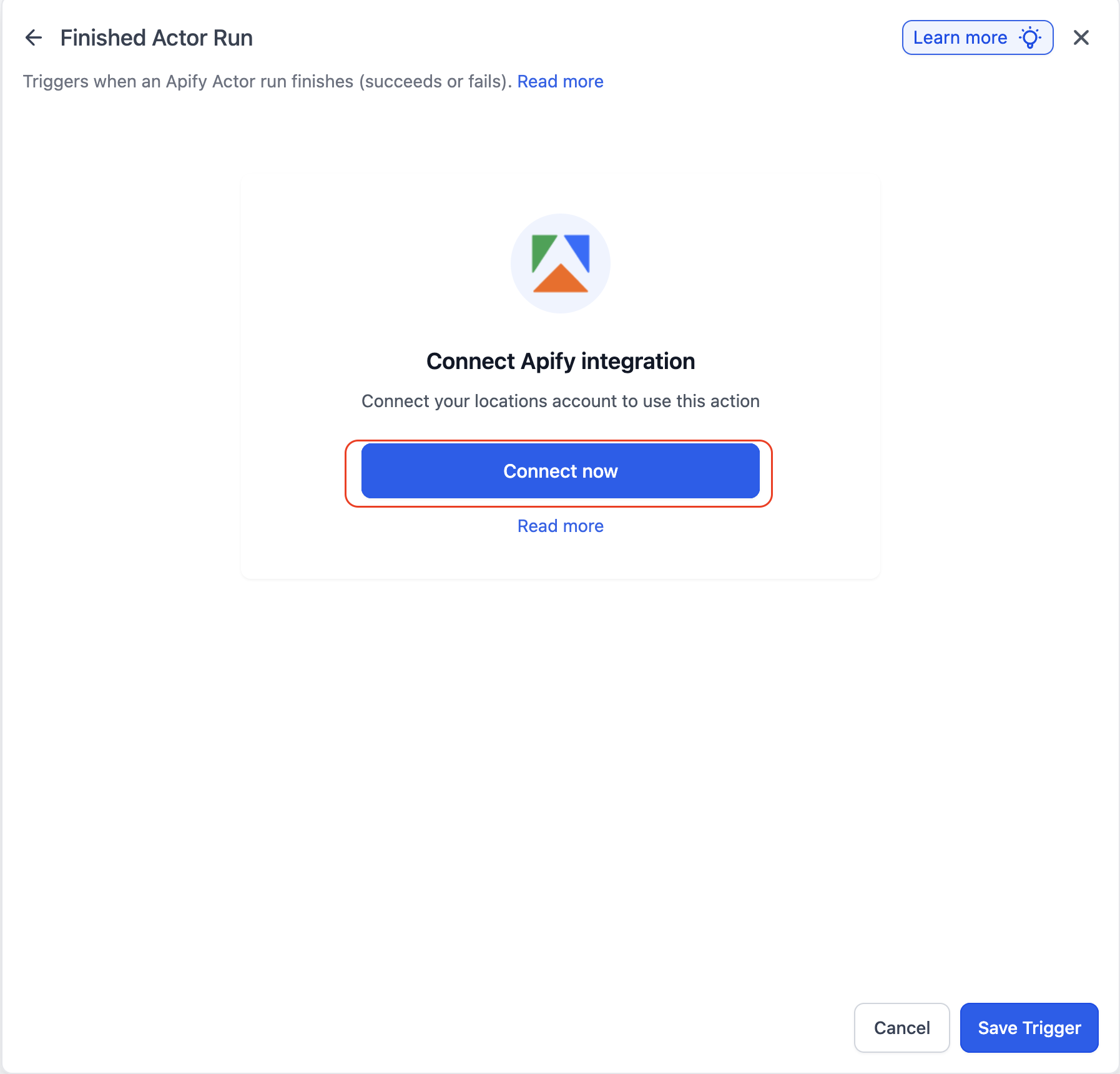
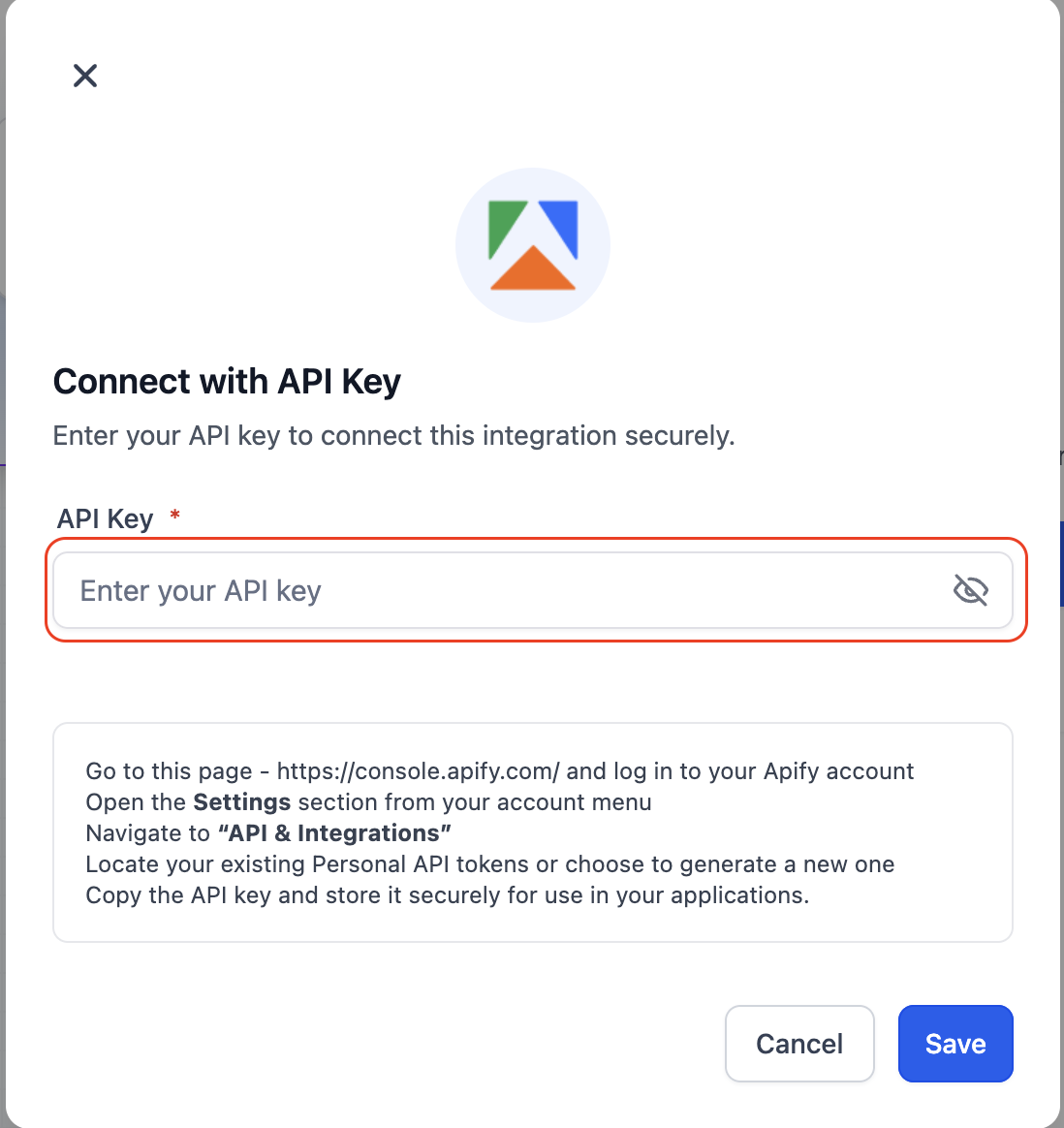
Click Connect Now and authenticate
Save the connection
Alternate path: Settings → Integrations → Apify → Connect
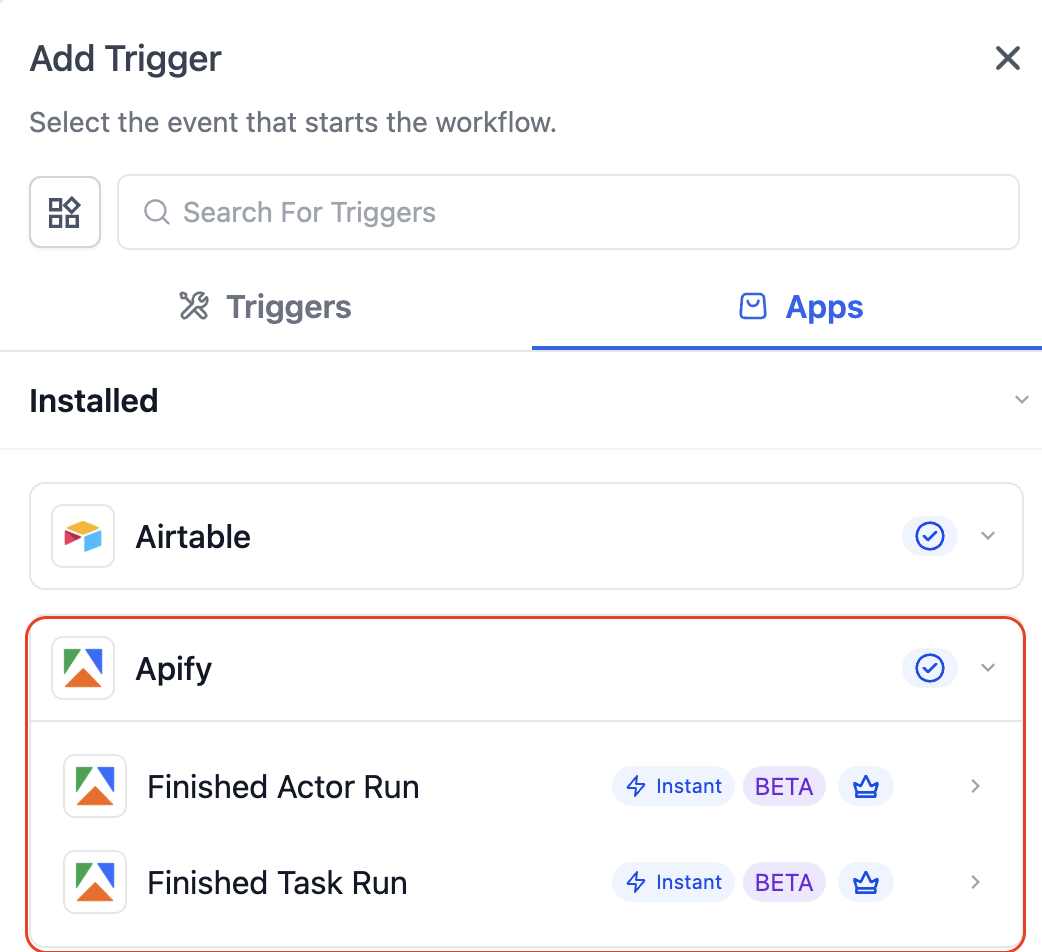
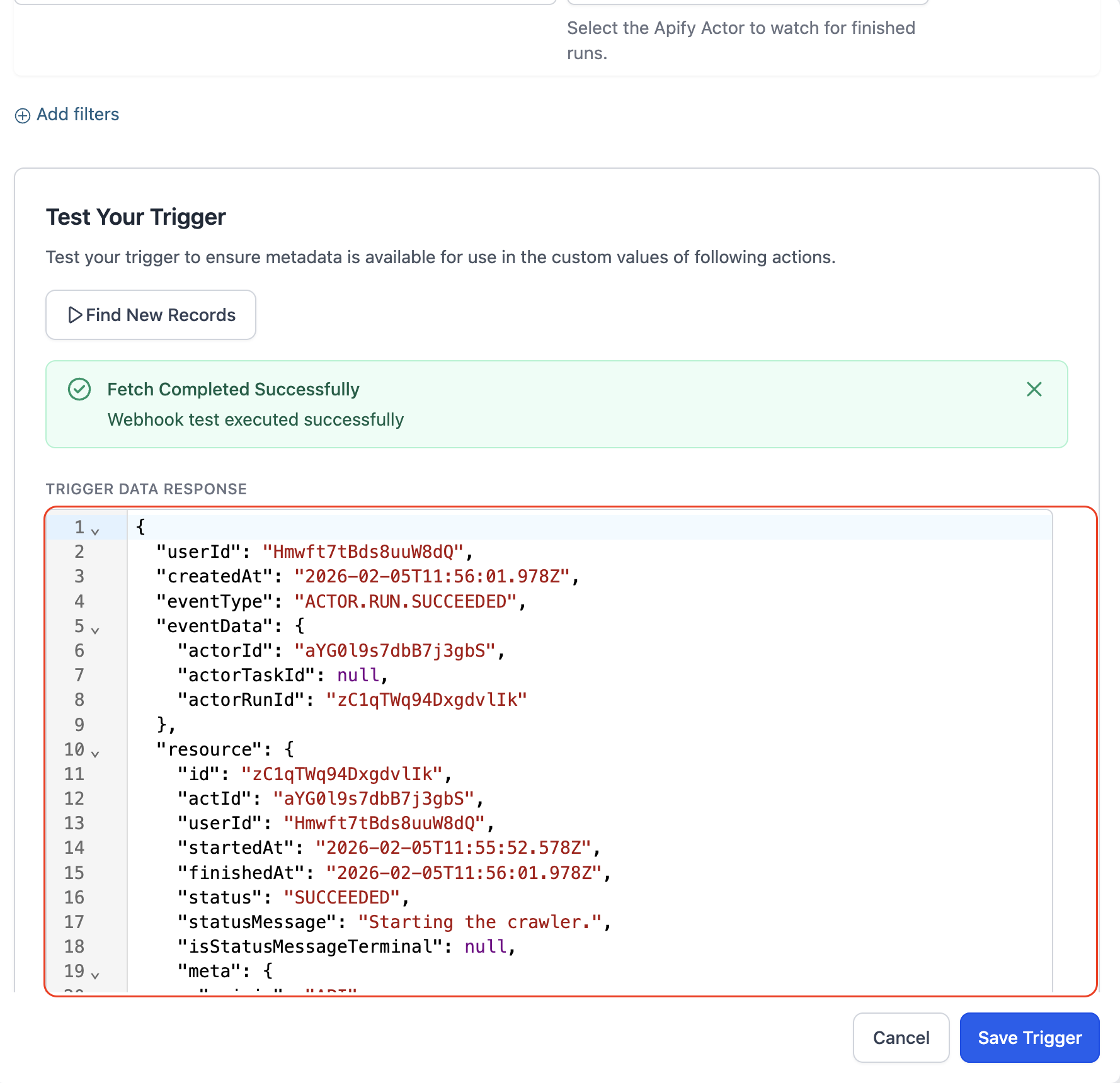
Available Triggers (Apify → Workflows)
| Trigger | What it does |
|---|---|
| Finished Actor Run | Fires when an Apify actor completes execution |
| Finished Task Run | Fires when an Apify task finishes execution |
Available Actions (Workflows → Apify)
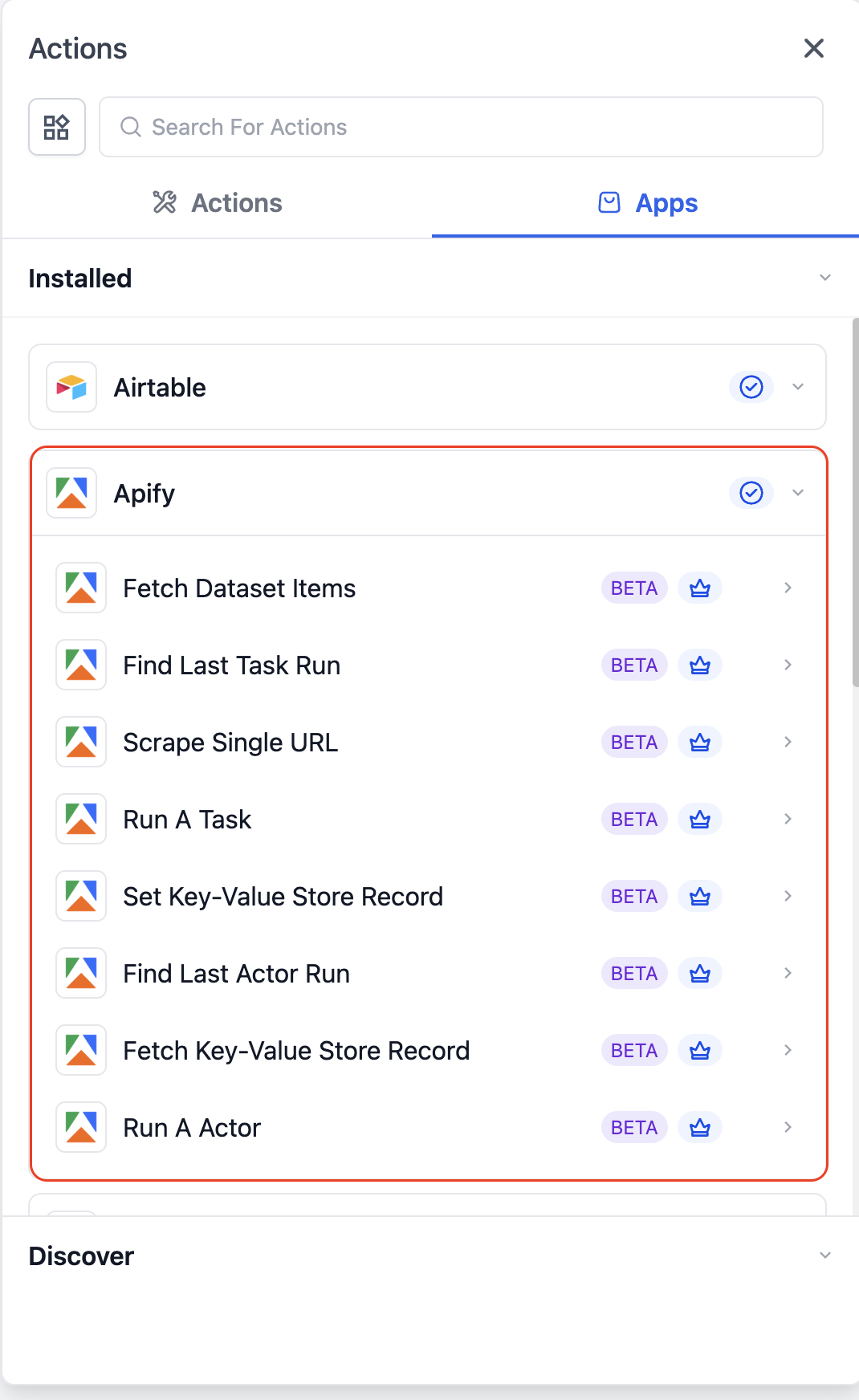
Core Actions
| Action | Purpose |
|---|---|
| Run A Task | Executes a predefined Apify task |
| Run An Actor | Runs an Apify actor with custom input |
| Scrape Single URL | Extract structured data from a URL |
Data Retrieval Actions
| Action | Purpose |
|---|---|
| Fetch Dataset Items | Retrieve dataset output |
| Find Last Task Run | Get latest task execution details |
| Find Last Actor Run | Get latest actor execution detail |
Storage Actions
| Action | Purpose |
|---|---|
| Set Key-Value Store Record | Store data in Apify |
| Fetch Key-Value Store Record | Retrieve stored data |
How To Setup Apify Actions & Triggers
Open a workflow
Connect Apify
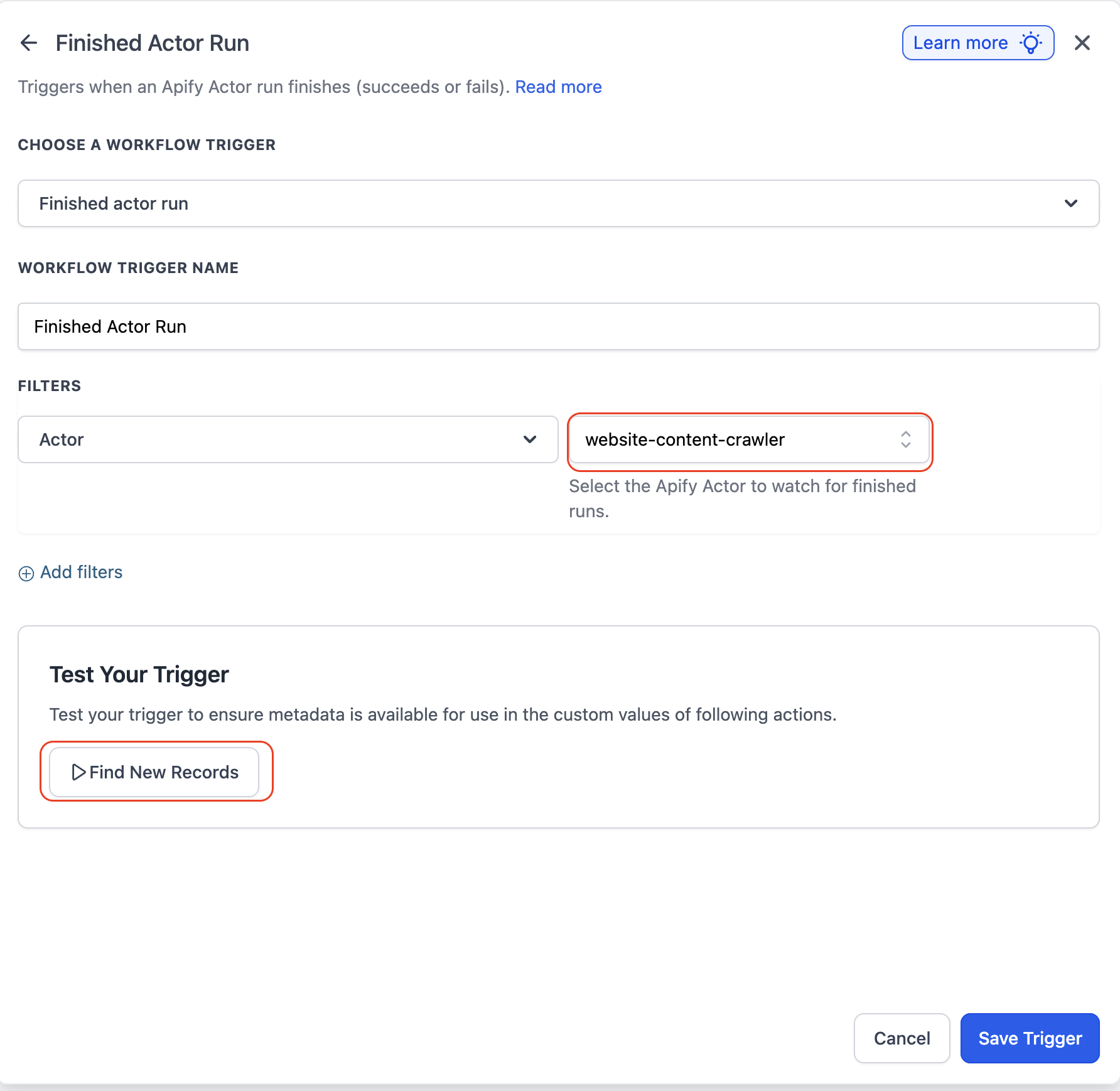
Choose trigger or action
Configure fields
Test action or trigger
Test workflow
Publish
Common Use Cases
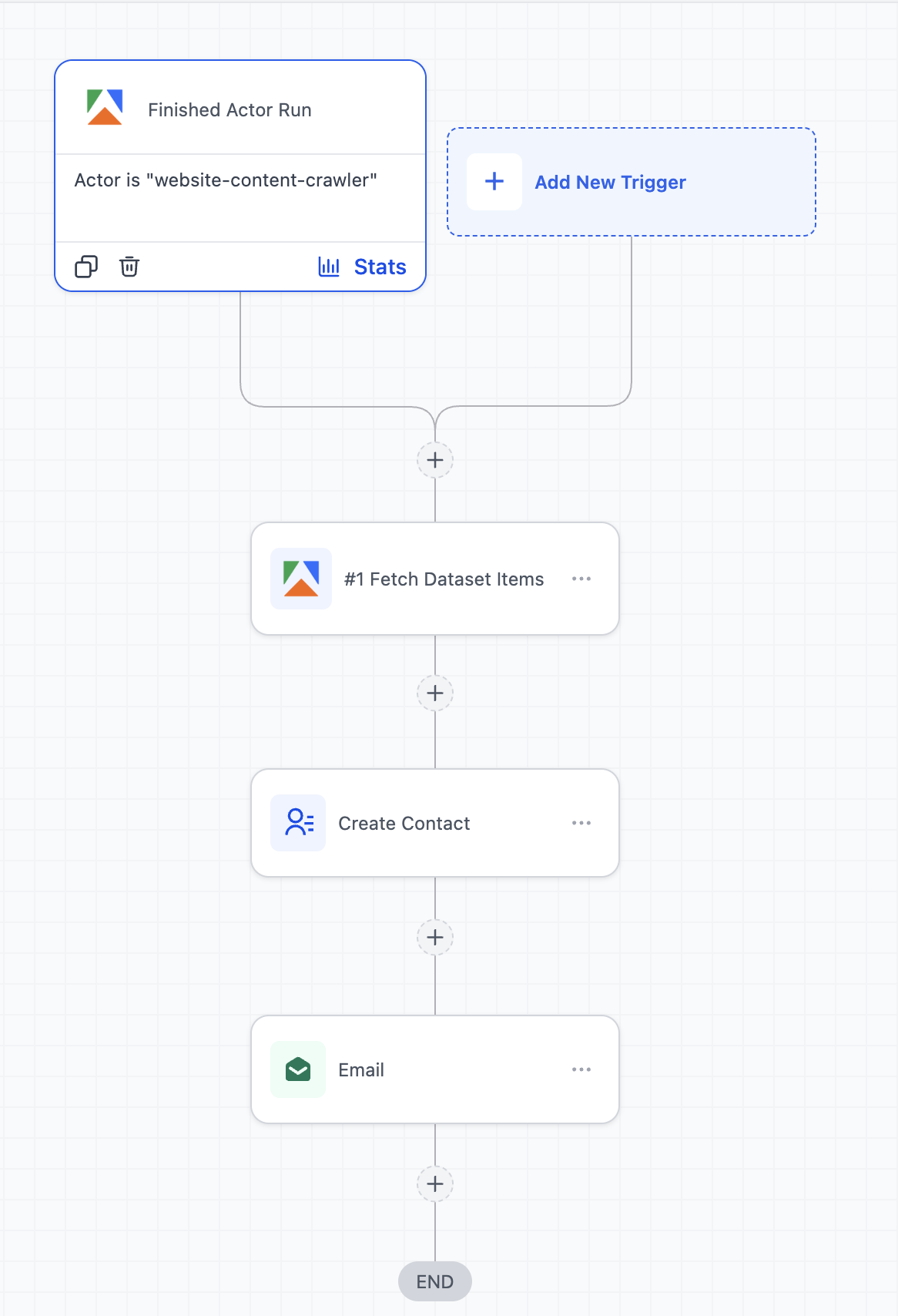
Use Case 1: Local Business Lead Generation from Google Maps
Goal: Automatically generate local leads for outreach campaigns
Workflow Setup:
- Trigger: Finished Actor Run (Google Maps scraper in Apify)
- Action: Fetch Dataset Items
- Action: Create/Update Contact
- Action: Add to Workflow (Email/SMS campaign)
Example:
A marketer runs an Apify actor to scrape dentists in a city → once completed, leads are automatically added → each lead is enrolled into a cold outreach campaign with email and SMS follow-ups.
Use Case 2: Competitor Monitoring & Instant Alerts
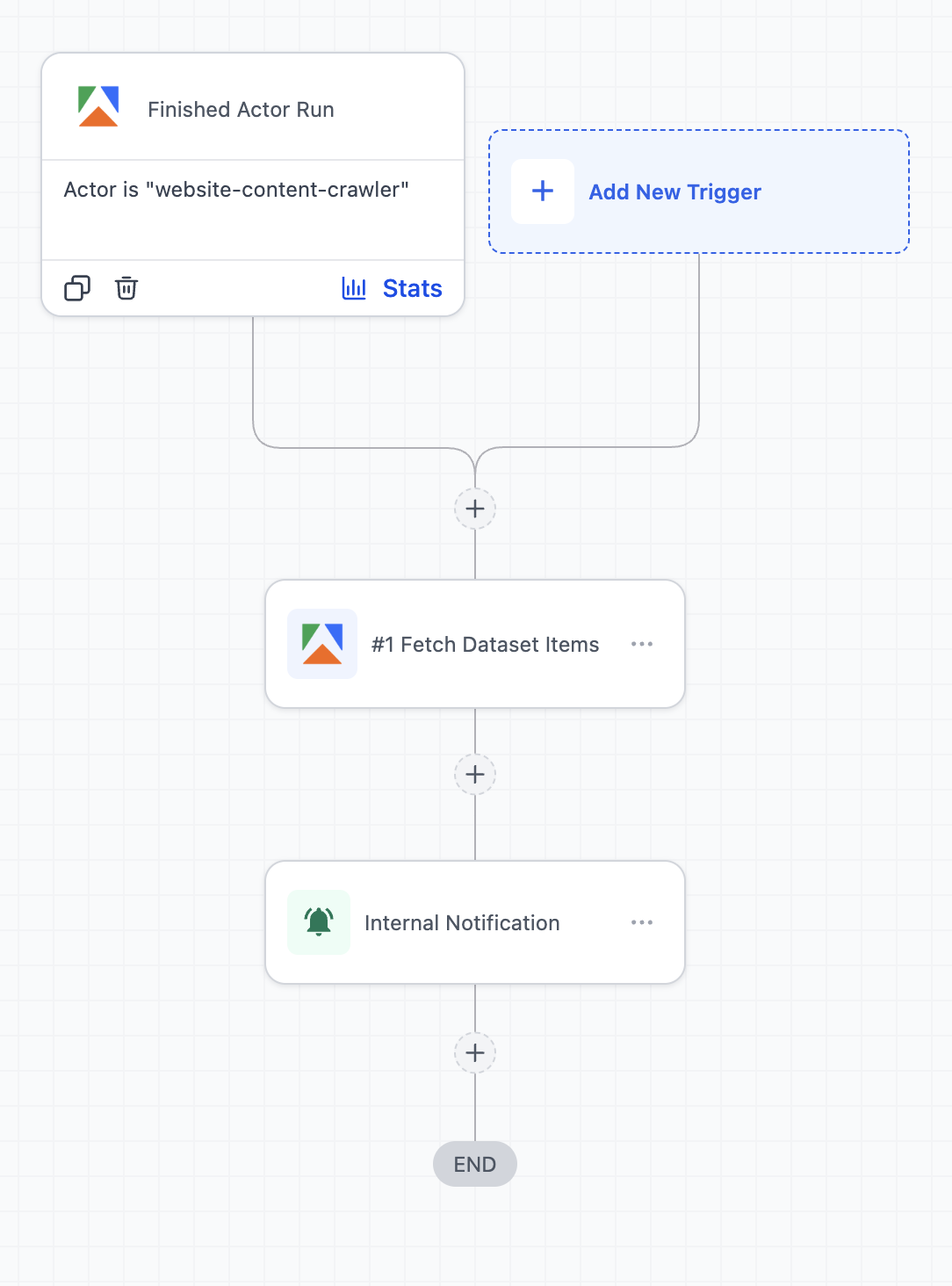
Goal: Track competitor updates and react quickly
Workflow Setup:
- Trigger: Finished Task Run (website/product scraper)
- Action: Fetch Dataset Items
- Action: Send Internal Notification
- Action: Create Task (Workflows)
Example:
An Apify task monitors competitor websites or pricing pages → when changes are detected, the workflow triggers → the marketing team gets notified and a task is created to respond (e.g., update ads or pricing strategy).
Frequently Asked Questions
Q: How do I handle large datasets?
Use Fetch Dataset Items and process data with array action.
Q: Are there any charges for using Apify actions and triggers?
Yes, usage is based on Apify pricing (compute and storage) and premium workflow usage, as applicable.
Was this article helpful?
Related articles
- Set Event Start Date Event In WorkflowsIn this guide, we'll explore the "Set Event Start Date" Workflow Action, a dynamic tool that allows you to schedule tasks and reminders within your workflow for precise event management. This feature is crucial for maintaining well-organized webinars, conferences, or personalized notification systemWorkflow
- How to use the Inbound Webhook Workflow Premium Trigger?Inbound Webhooks enable seamless CRM integration by allowing external systems to automatically send data using various HTTP request methods like GET, POST, and PUT. This real-time data transfer capability enhances CRM functionality and streamlines workflows, facilitating efficient communication and Workflow
- How to use the Custom Webhook LC Premium Workflow Action?The Custom Webhook - LC Premium Action is a feature enabling real-time data exchange between your CRM and third-party services. It allows tailored requests with various HTTP methods, authorization, headers, and query parameters. This user-friendly tool ensures efficient and accurate workflows while Workflow
- How to use the Workflow Slack Premium Action?Workflow Slack Premium Action is a feature that enables users to send automated messages to Slack channels and users, streamlining communication and improving team collaboration. The action offers three main events: sending a message to a user, a private channel, or a public channel. Covered in thWorkflow