How to set up Delete Contact action
In this Article
- What is Delete Contact Action?
- How to set up Delete Contact action?
- FAQs
- Use Cases
What is Delete Contact?
Delete Contact is a powerful new action in workflow that permanently removes a contact from your account and workflows. This action provides a way to maintain a clean and organised contact list, ensuring you only target relevant leads and prospects.
How to set up Delete Contact action in workflows?
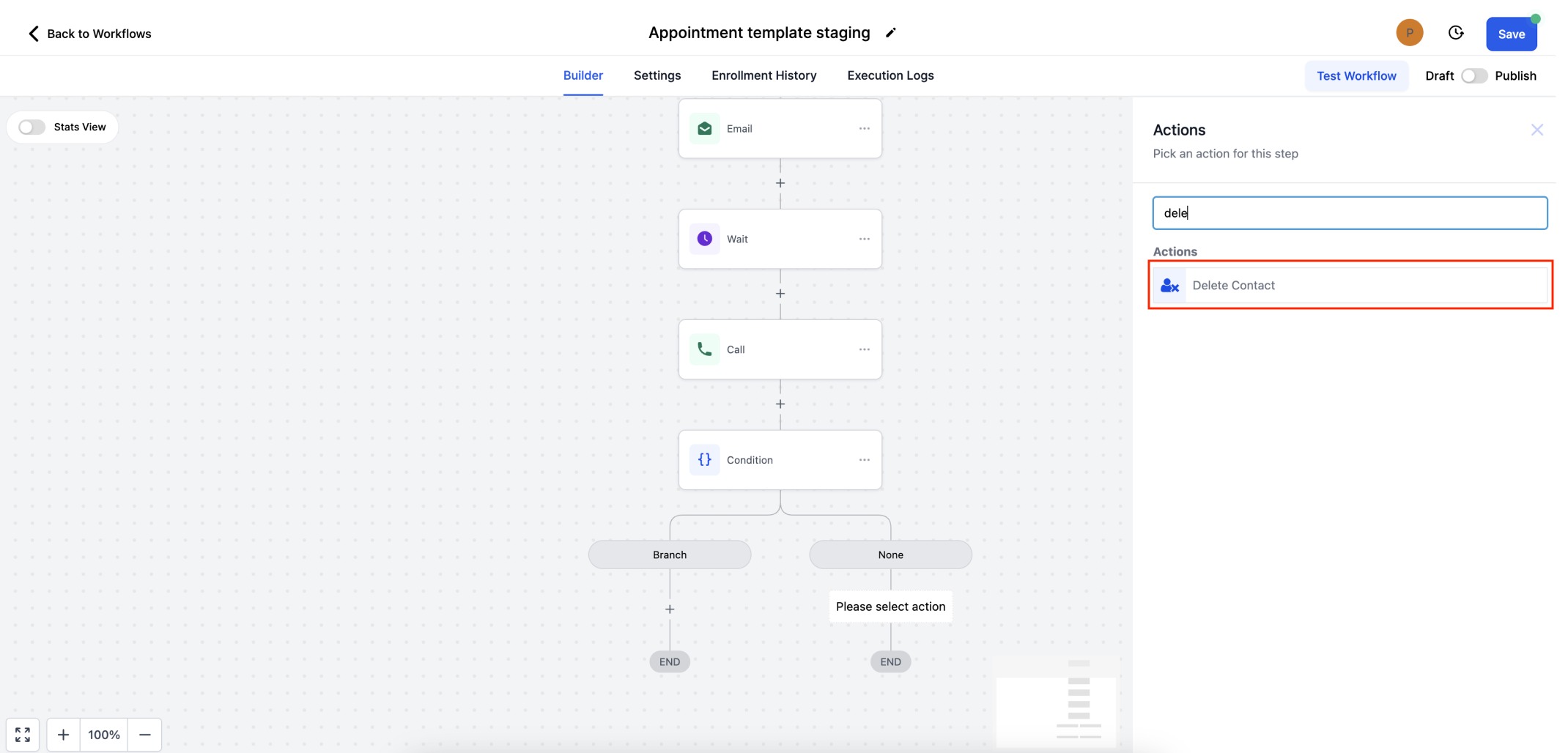
Step 1 - Add the Action - Click the "+" button to add an action. Search for delete contact or scroll down to "Actions" tab to select the same.
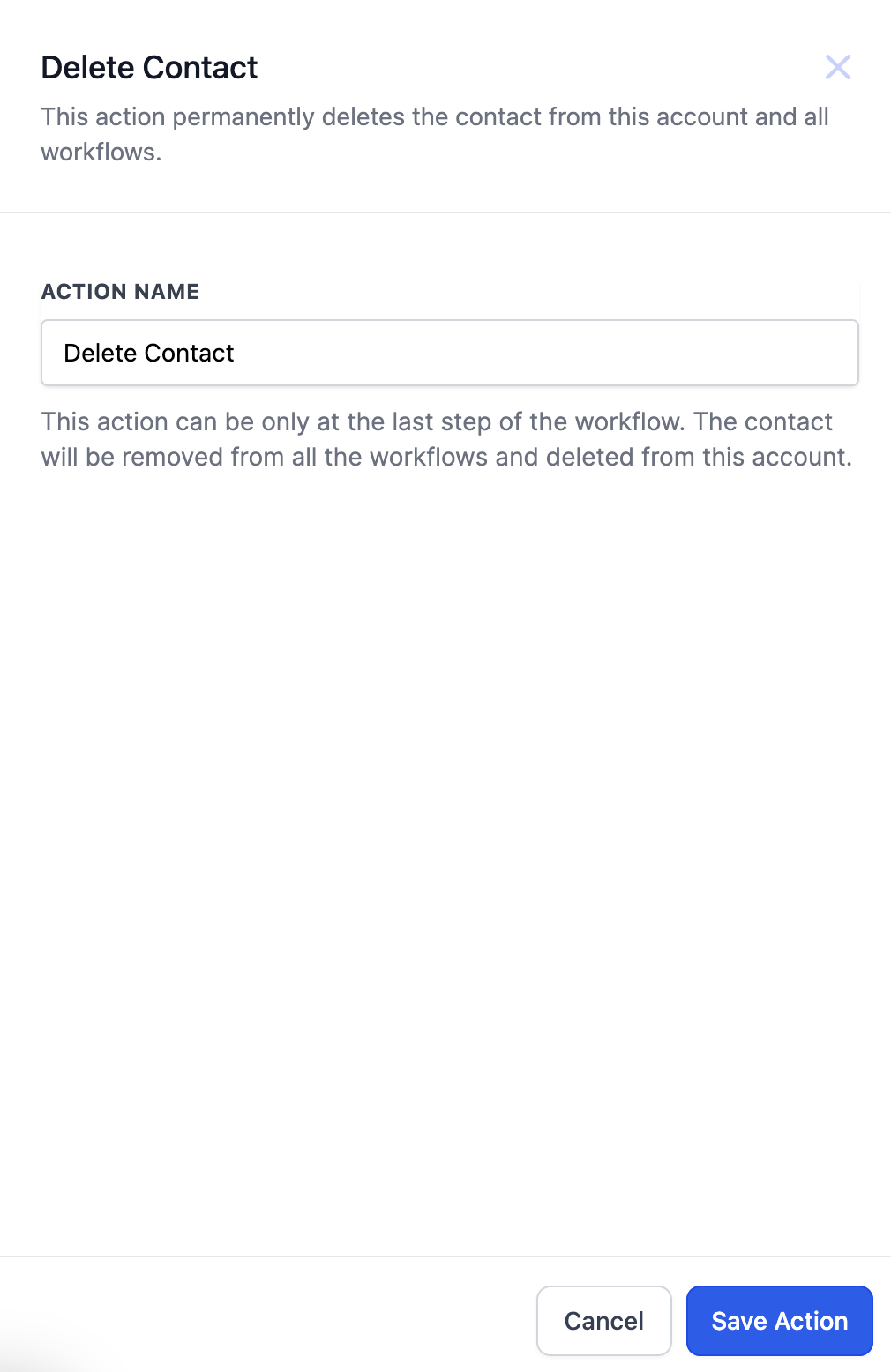
Step 2 - Save the Action - Click on "Save Action" to finalise the workflow step.
FAQs
Q: Can Delete Contact Action be added anywhere in the workflow?
A: Delete Contact action can be available only as the last step of the workflow. This action can only be added to the end of the branch.
Q: Can I restore the deleted contact?
A: Manual restoring of the contact can be done at the CRM end.
Use Cases
- Auto deleting spam contacts.
- Delete contact using inbound webhooks or custom webhooks.
Was this article helpful?
Related articles
- Set Event Start Date Event In WorkflowsIn this guide, we'll explore the "Set Event Start Date" Workflow Action, a dynamic tool that allows you to schedule tasks and reminders within your workflow for precise event management. This feature is crucial for maintaining well-organized webinars, conferences, or personalized notification systemWorkflow
- How to use the Inbound Webhook Workflow Premium Trigger?Inbound Webhooks enable seamless CRM integration by allowing external systems to automatically send data using various HTTP request methods like GET, POST, and PUT. This real-time data transfer capability enhances CRM functionality and streamlines workflows, facilitating efficient communication and Workflow
- How to use the Custom Webhook LC Premium Workflow Action?The Custom Webhook - LC Premium Action is a feature enabling real-time data exchange between your CRM and third-party services. It allows tailored requests with various HTTP methods, authorization, headers, and query parameters. This user-friendly tool ensures efficient and accurate workflows while Workflow
- How to use the Workflow Slack Premium Action?Workflow Slack Premium Action is a feature that enables users to send automated messages to Slack channels and users, streamlining communication and improving team collaboration. The action offers three main events: sending a message to a user, a private channel, or a public channel. Covered in thWorkflow