Short links in CPR Enroll+ are shortened URLs using the cprenroll.me domain that redirect to your full registration pages, class pages, or any other URL. They are automatically generated for key platform items and can also be created manually. Short links are ideal for sharing in text messages, social media posts, or print materials where long URLs are impractical.
Where Short Links Are Auto-Generated
CPR Enroll+ automatically creates short links for your class registration page (all three views: Layout Based, List, Calendar), individual class pages, and each QR code you create.
Finding Your Short Links
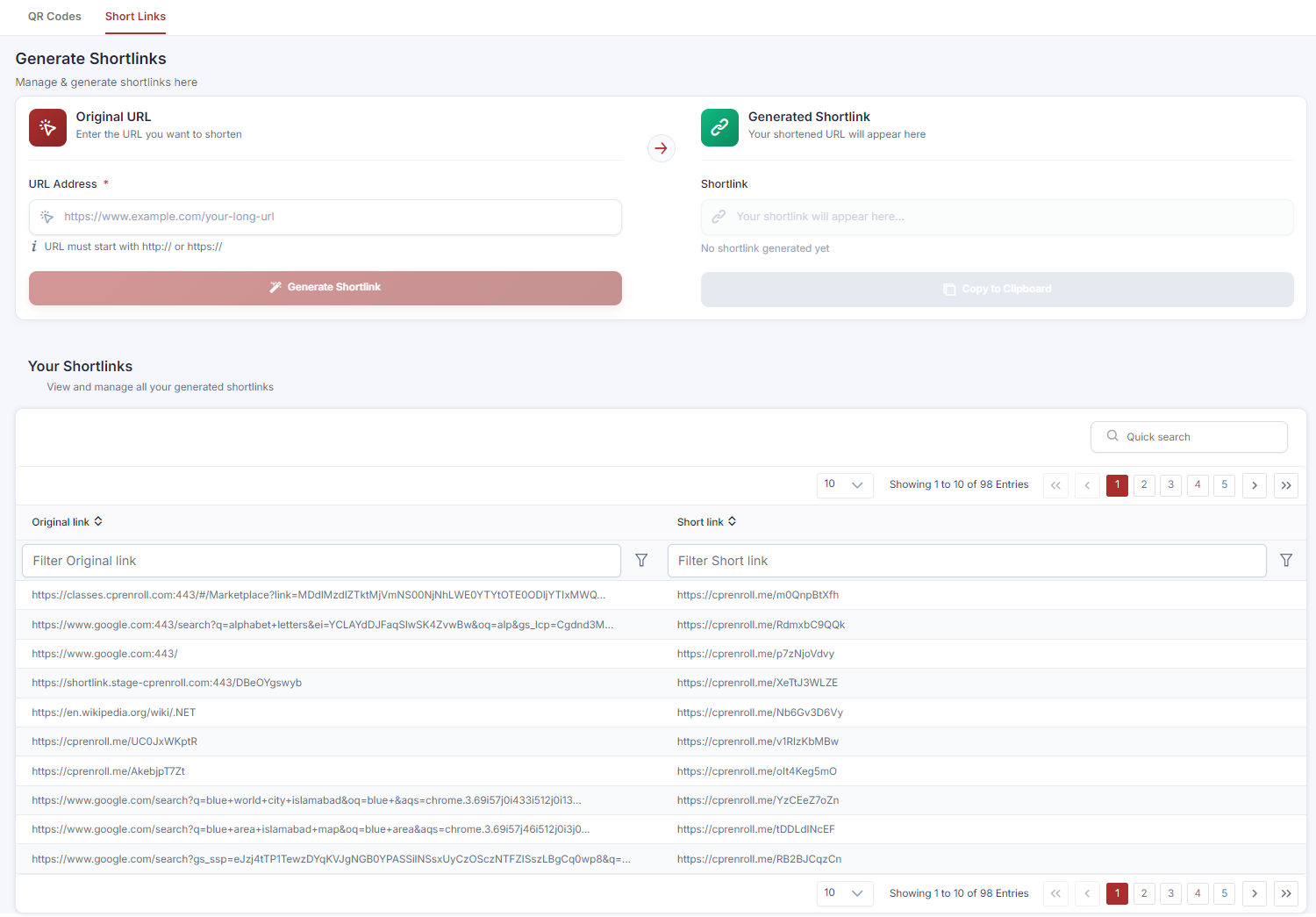
From the sidebar, click QR Codes, then click the Short Links tab. All auto-generated and custom short links are listed in the Your Shortlinks table with two columns: “Original link” and “Short link.” Use the Quick search field to find a specific link, or scroll the table to browse.
Creating a Custom Short Link
From the sidebar, click QR Codes, then click the Short Links tab.
In the Original URL section, enter the long URL you want to shorten in the URL Address field. The URL must start with http:// or https://.
Click Generate Shortlink. Your new cprenroll.me short link appears immediately in the Generated Shortlink section on the right.
Click Copy to Clipboard to copy it.
Where to Use Short Links
Short links work anywhere a long URL would be inconvenient: text messages to prospective students, social media bios and posts, email newsletters, printed flyers and business cards, and verbal sharing.
Was this article helpful?
That’s Great!
Thank you for your feedback
Sorry! We couldn't be helpful
Thank you for your feedback
Feedback sent
We appreciate your effort and will try to fix the article