Your business can appear in the public CPR Class Finder business directory independently of your class listings. It is a second surface for the same audience to find you — and it is one toggle.
Before You Begin
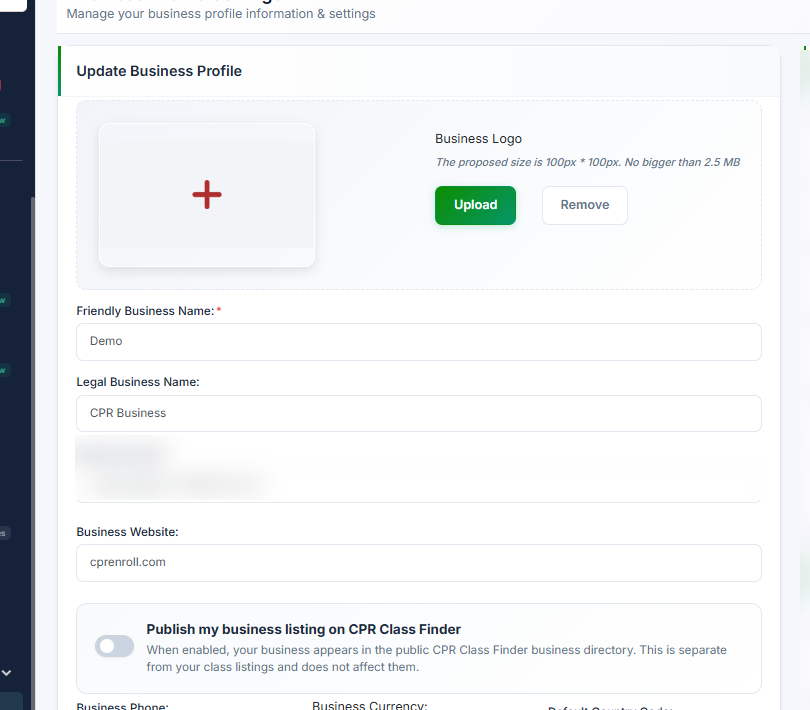
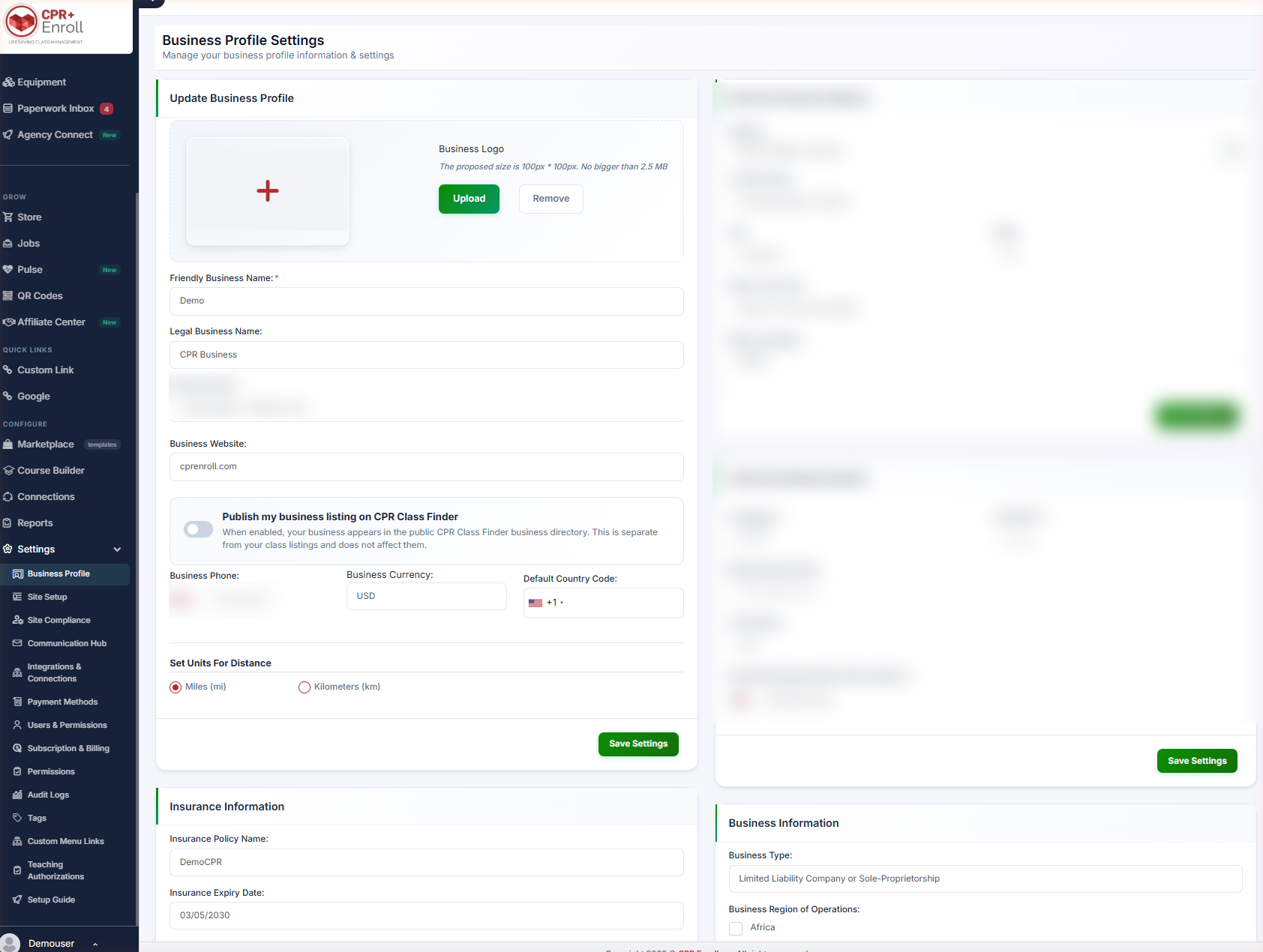
- Find it at Settings → Business Profile → Update Business Profile.
- Complete your profile fields first (listed in Step 3). A half-filled directory entry is worse than none.
- Have a logo ready — the recommended size is 100 × 100 px, no larger than 2.5 MB.
Step 1: Turn It On
- Toggle Publish my business listing on CPR Class Finder.
- Click Save Settings.
The helper text states the scope clearly: when enabled, your business appears in the public CPR Class Finder business directory. This is separate from your class listings and does not affect them.
Profile changes appear in the directory automatically after saving.
Step 2: Choose Your Combination
Because the business listing and class listings are independent, you have four options:
| Business listing | Class listings | Result |
|---|---|---|
| On | On | Full presence — profile and bookable classes. |
| On | Off | A directory presence with no public class list. |
| Off | On | Classes discoverable, business profile hidden. |
| Off | Off | No public presence on Class Finder. |
Class listing visibility is controlled per class with the Publish on cprclassfinder.us toggle on the Create Class form.
✔ These two settings do not talk to each other. Turning the business listing off does not hide your classes, and publishing a class does not publish your profile.
Step 3: Complete the Fields the Directory Shows
The directory shows your organization name, logo, description, contact information, location, website and a link to your available classes. Make sure these are complete before you publish:
- Friendly Business Name and Legal Business Name
- Business Email and Business Phone
- Business Website
- Business Logo — recommended 100 × 100 px, no larger than 2.5 MB
- Business Physical Address, including City, State and Time Zone
Step 4: Understand the SEO Benefit
- Public upcoming classes are individually crawlable and eligible for Google Event rich results.
- Each class has its own URL.
- An auto-generated sitemap keeps Google in step.
- City landing pages are generated from actual class availability.
Publishing the business profile adds a second surface for the same audience to find you.
Best Practices
- Use a Friendly Business Name people would actually search for, not the legal entity name.
- Upload a square logo at the recommended size. Rectangular logos crop badly in directory cards.
- Set the Time Zone correctly — it affects how your class times are presented to searchers.
- Keep classes published even if you turn the business listing off. Crawlable class pages are the bigger SEO asset.
- Re-check the directory after saving. Changes appear automatically, so a mistake is public immediately.
Frequently Asked Questions
| Question | Answer |
|---|---|
| Does publishing my business listing change my class listings? | No. It is separate and does not affect them. |
| How do I publish an individual class? | Use the Publish on cprclassfinder.us toggle on the Create Class form. |
| How soon do profile edits show in the directory? | Automatically after saving. |
| What logo size should I use? | 100 × 100 px is recommended, no larger than 2.5 MB. |
| Can my classes be found without a business listing? | Yes — the two are independent. |
| Do individual classes get their own pages? | Yes. Each class has its own URL and is eligible for Google Event rich results. |
| Do I need to submit a sitemap? | No. The sitemap is auto-generated. |
✔ You’re all set. Profile published, classes crawlable, and both working independently of each other.
Was this article helpful?
That’s Great!
Thank you for your feedback
Sorry! We couldn't be helpful
Thank you for your feedback
Feedback sent
We appreciate your effort and will try to fix the article