WhatsApp Onboarding Failure: “Please create a new WhatsApp Business Account since a payment method already exists for the current WhatsApp Business Account”
If you encounter the error message:
“Please create a new WhatsApp Business Account since a payment method already exists for the current WhatsApp Business Account.”
This means that your existing WhatsApp Business Account (WABA) already has an active payment method associated with it.
Meta does not allow a WABA with an existing payment method to be connected again through another platform. Therefore, the onboarding process will fail if you try to reuse that WABA.
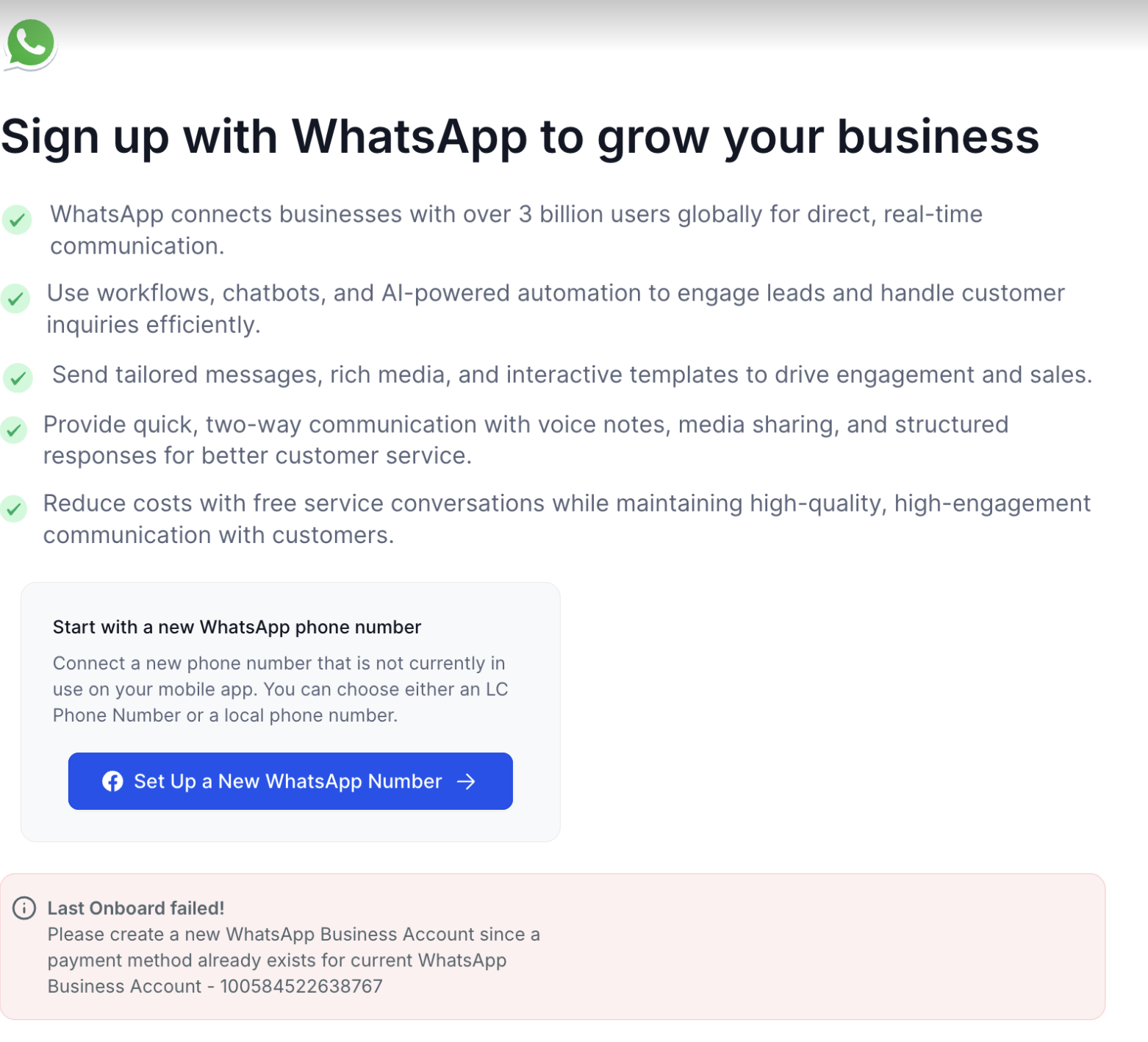
Why This Happens
This error occurs because:
The WABA you are trying to connect has already been used previously (either directly in Meta or through another Business Solution Provider).
Meta prevents connecting a WABA that already has a billing setup or payment method to another BSP (Business Solution Provider) to avoid duplicate billing.
How to Fix the Issue
To successfully complete onboarding, you need to create a new WhatsApp Business Account (WABA) under your existing Meta Business Manager.
Follow the steps below:
Step 1: Go to Your Meta Business Settings
Visit Meta Business Settings.
Log in using the Facebook account that manages your business assets.
Step 2: Create a New WhatsApp Business Account
In the left-hand menu, go to Accounts → WhatsApp Accounts.
Click on + Add.
Select Create a New WhatsApp Business Account.
Enter a unique name for the new account (example: YourBusinessName-New).
Complete the setup prompts.
Step 3: Return to Whatsapp Onboarding Flow
Go back to your WhatsApp onboarding flow.
When prompted to select a WhatsApp Business Account, choose the newly created WABA.
Continue the onboarding process normally.
Additional Tips
Do not delete your old WABA if it’s linked to other services or campaigns.
If you are unsure which payment method is attached, visit Meta Payment Settings to review existing setups.
Always use a new WABA for onboarding if you’ve previously connected the same number with another provider.
Was this article helpful?
Related articles
- How to Enable WhatsApp in your account?TABLE OF CONTENTS - Method 1: Connect a New WhatsApp Business number - How to Sign Up With the New WhatsApp Business AppPhone Number Verification - FAQs - Q. I received an error message stating that the number is registered to an existing WhatsApp account. What should I do next? - Q. You have alreaSetup
- WhatsApp FAQsTABLE OF CONTENTS - Q. Can I use my existing WhatsApp number for the WhatsApp Business Platform? - Q. Failed to send a message because this user's phone number is part of an experiment - Q. What steps do I need to take to use my existing WhatsApp number? - Q. Can I use my number on both the WhatsAppSetup
- Marketing Opt-out Button to Your Message TemplateTABLE OF CONTENTS - Enhance Customer Experience with a Marketing Opt-Out Button- Benefits of Adding a Marketing Opt-Out Button - Creating a High-Quality Opt-Out Experience Enhance Customer Experience with a Marketing Opt-Out Button Your business can now incorporate a marketing opt-out button in neSetup
- WhatsApp - Workflow IntegrationTABLE OF CONTENTS - Automating WhatsApp Responses with Workflow Automation- Step 1: Create a New Workflow - Step 2: Set Up a Trigger - Step 3: Apply WhatsApp-Specific Filters - Step 4: Define an Automated Action - Step 5: Customize the Automated Response - Step 6: Save & Activate the Workflow - HowSetup