
The CPR Enroll support team is here to help you resolve issues, answer questions, and get the most out of the platform. We offer several ways to reach us — choose the one that fits your urgency and preference.
Support Channels
| Channel | How to Use It | Best For |
|---|---|---|
| support@cprenroll.com | General questions, account issues, feedback | |
| Support ticket | help.cprenroll.com → Submit a ticket | Detailed issues that need tracking |
| Knowledge base | help.cprenroll.com | Self-service answers to common questions |
| In-app feedback | Thumbs-down button below any platform response | Quick feedback on a specific interaction |
Submitting a Support Ticket
For issues that need tracking or involve multiple steps to resolve, submitting a support ticket is the best approach. It gives our team full context and creates a paper trail for follow-up.
- Go to
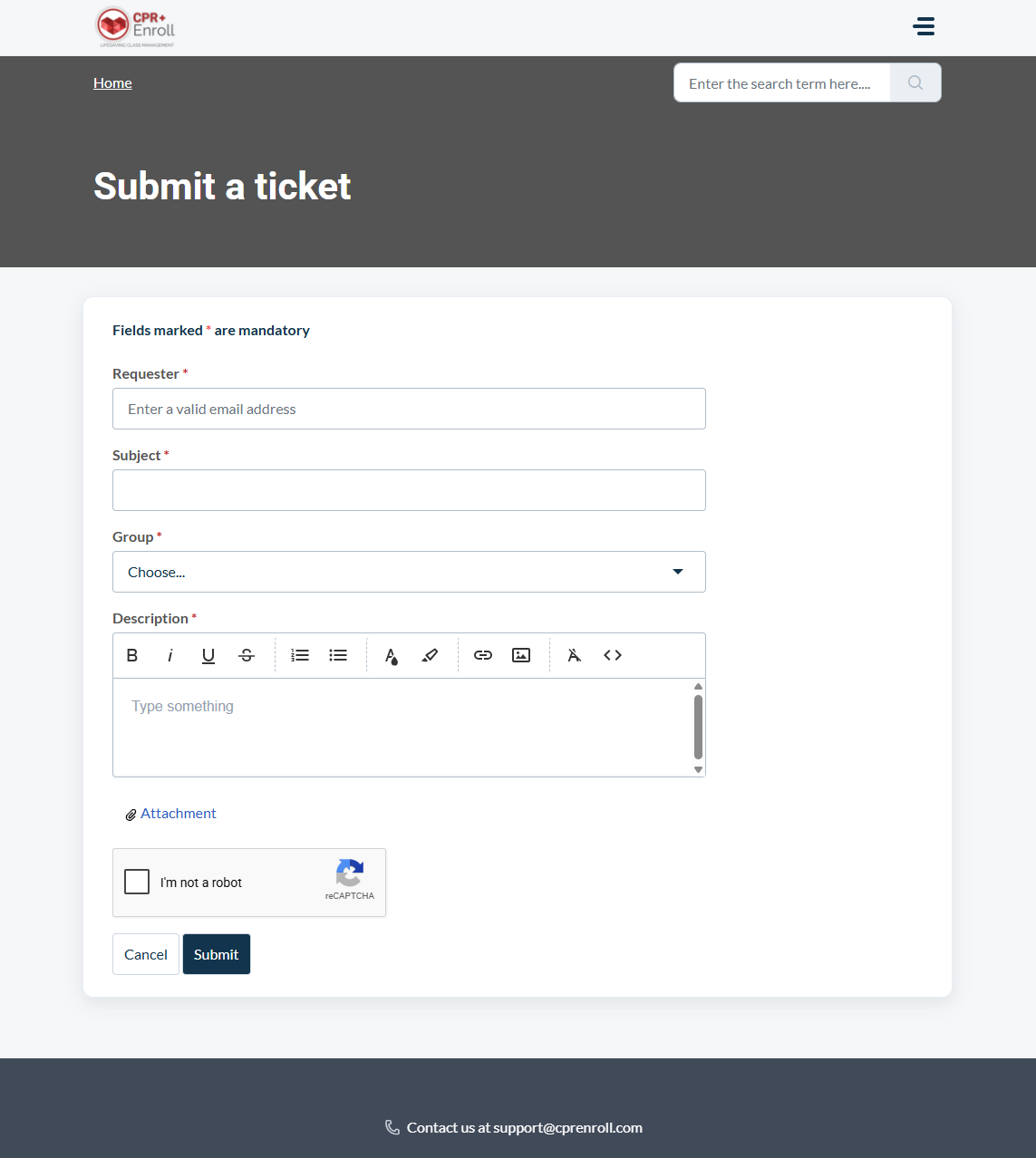
help.cprenroll.comand click Submit a Ticket in the navigation bar. - Fill in your name, email, and a brief subject line describing the issue.
- In the description field, include: the exact steps that led to the issue, what you expected to happen, and what actually happened. Screenshots are very helpful.
- Click Submit. You will receive an email confirmation with a ticket number.
- A member of the support team will respond to your ticket by email, typically within one business day.
Response Times
- Email and tickets: Typically within 1 business day.
- Urgent issues (platform down, payment failure): Flag "Urgent" in the subject line of your email for priority attention.
✔ Check the knowledge base first. Many common questions — including how to set up Stripe, create classes, and share your registration page — are answered in detail at help.cprenroll.com. Searching there before submitting a ticket often gets you a faster answer.
Was this article helpful?
That’s Great!
Thank you for your feedback
Sorry! We couldn't be helpful
Thank you for your feedback
Feedback sent
We appreciate your effort and will try to fix the article