If you teach the same course on a regular schedule — weekly BLS classes, monthly ACLS sessions, or twice-weekly CPR/AED courses — the recurring class feature lets you generate an entire series of scheduled classes automatically. Instead of creating each session individually, you configure a recurrence pattern and CPR Enroll+ creates all sessions at once.
Before You Begin
Make sure you have at least one Course, one Location, and one Instructor set up before creating recurring classes.
Know your schedule requirements, including start dates, class times, recurrence interval, and series end date.
Step-by-Step Instructions
Step 1: Create the Base Class
From the sidebar, click Classes and then click the + button.
Fill in all required fields: Class Type, Course, Location, Instructor, Max Students, and Price.
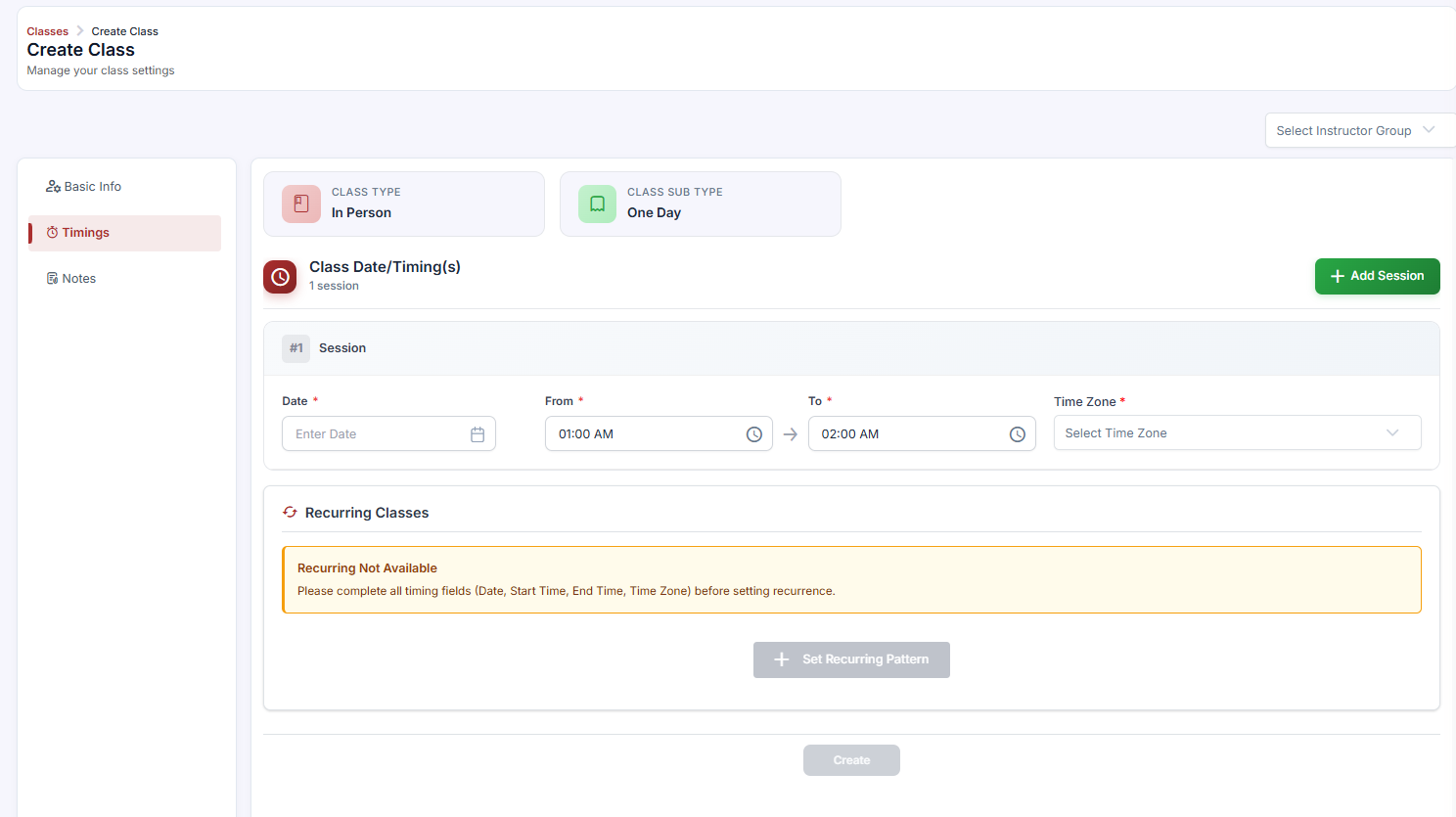
In the Timings section, enter the Date, Start Time, End Time, and Timezone for the first occurrence of the series — this is the starting anchor date.
Step 2: Configure the Recurring Pattern
Once you enter a valid date and time, a Recurring Classes section appears automatically below the Timings area.
Frequency — choose Daily, Weekly, or Monthly.
Interval — set how many days/weeks/months between sessions. Interval = 1 + Weekly = every week; Interval = 2 + Weekly = every other week.
Days of Week (Weekly only) — select which days the class runs (e.g., check Tuesday and Thursday for a twice-weekly schedule).
End Date — set the last date of the series. CPR Enroll+ creates all sessions between the start date and this end date.
✔ Session count preview: After configuring the pattern, CPR Enroll+ shows a preview count of how many class sessions will be created (e.g., "This will create 12 classes"). Review this number before saving to confirm the pattern is correct.
Step 3: Save and Review
Click Save. CPR Enroll+ creates all class sessions simultaneously.
Go to Classes > Upcoming tab to see all generated sessions listed individually.
Each session is an independent class you can edit, cancel, or modify — modifying any single session will not affect the rest of the series.
Step 4: Editing or Canceling a Single Session
Edit a session: Click ⋮ > Edit on the specific class. Only that session is modified — other sessions are unaffected.
Cancel a session: Click ⋮ > Cancel Class. If students are enrolled, CPR Enroll+ automatically sends cancellation emails. Only that session is canceled.
Best Practices
For high-volume schedules (e.g., 3 classes per day, 5 days a week), consider creating separate recurring series for each day of the week so each series is easier to manage independently.
Double-check your session count preview before clicking Save to prevent generating unintentional classes.
Verify instructor availability across all dates in the range before committing to a long recurring series.
Frequently Asked Questions
✔ You're all set. Your recurring class schedule is created, all individual sessions are posted, and you can manage each class independently as needed.
Was this article helpful?
That’s Great!
Thank you for your feedback
Sorry! We couldn't be helpful
Thank you for your feedback
Feedback sent
We appreciate your effort and will try to fix the article