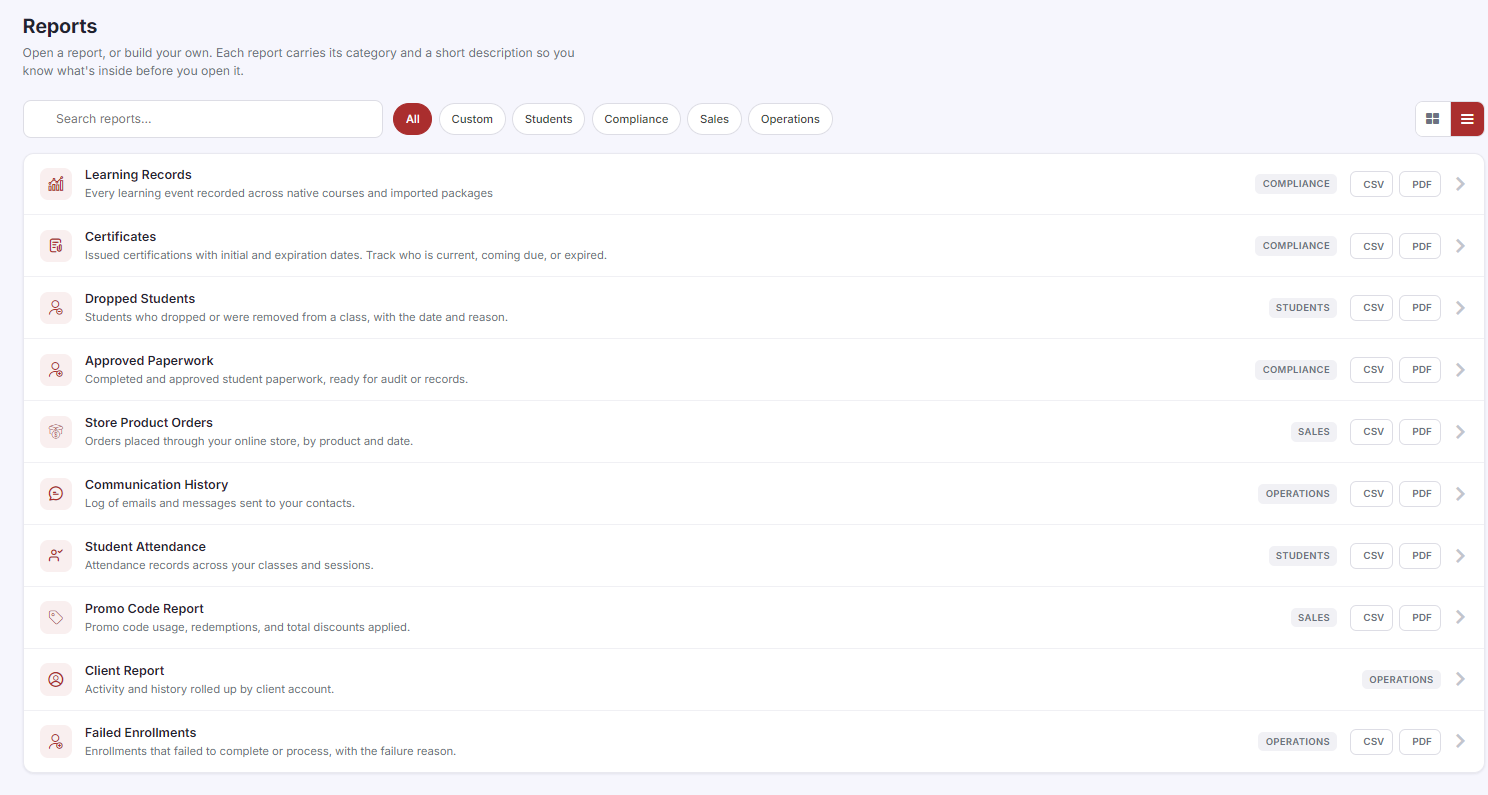
If your training organization is affiliated with the American Heart Association, American Red Cross, Health & Safety Institute, or another certifying body, you may be required to provide documentation of classes taught, instructors certified, and paperwork submitted during periodic audits. CPR Enroll+ stores all of this data and allows you to export it on demand. This guide identifies the five key reports auditors typically request.
Report 1 — Instructor Certifications
Go to Reports > Certificates > Instructor tab.
Review the Coming Due and Expired sub-tabs for any lapsed certifications that need renewal before your audit.
Click Export to download the full instructor certification list.
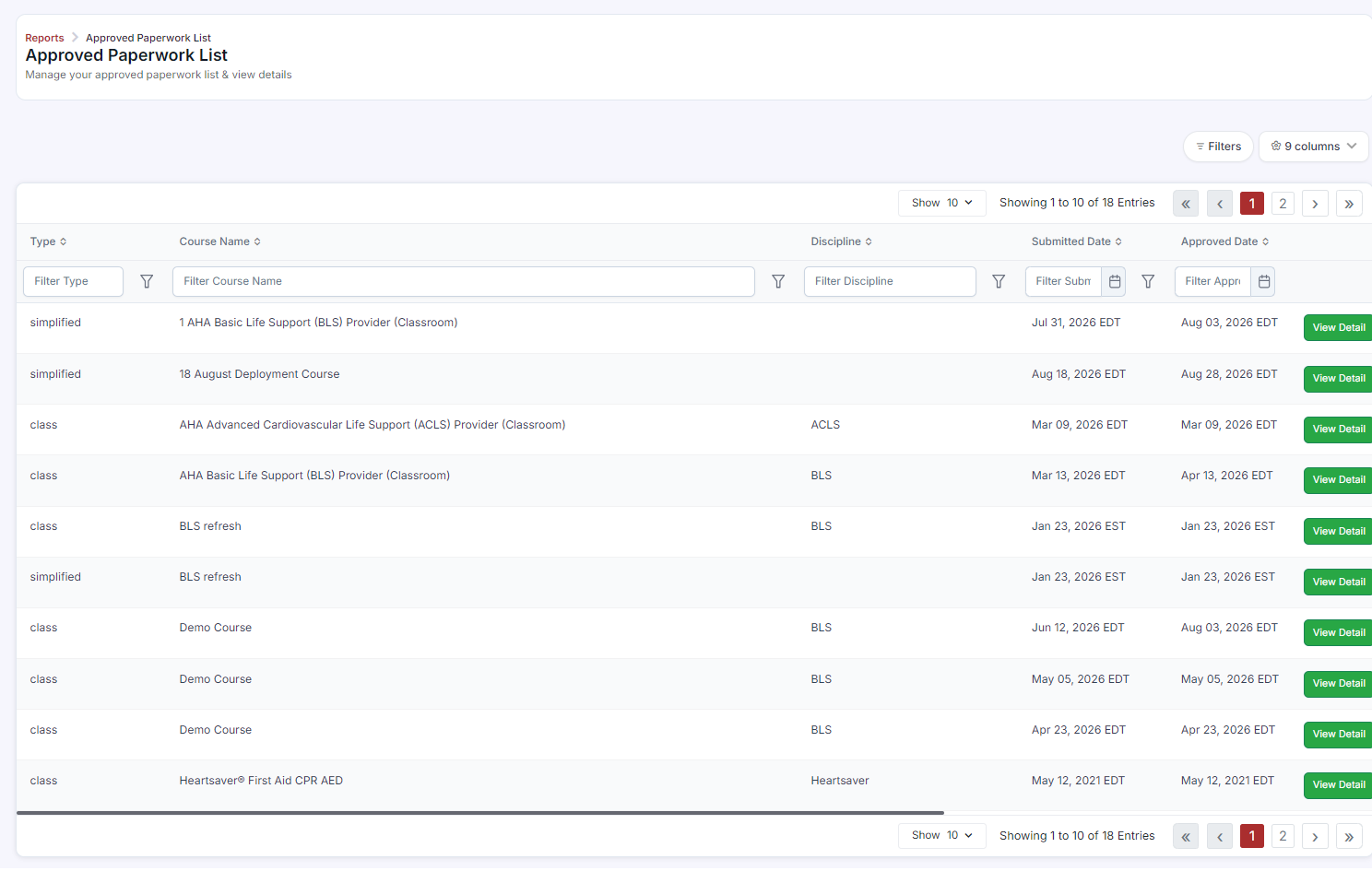
Report 2 — Approved Paperwork (Skills Testing Records)
Go to Reports > Approved Paperwork.
Use the Filters button to narrow by your audit date range, course, instructor, or discipline.
Click Export. This is typically the primary document requested by AHA and ARC auditors.
Report 3 — Student Attendance
Go to Reports > Student Attendance.
Filter by the date range of your audit period.
The table shows each student, their class, date, and attendance status.
Export the report for your audit package.
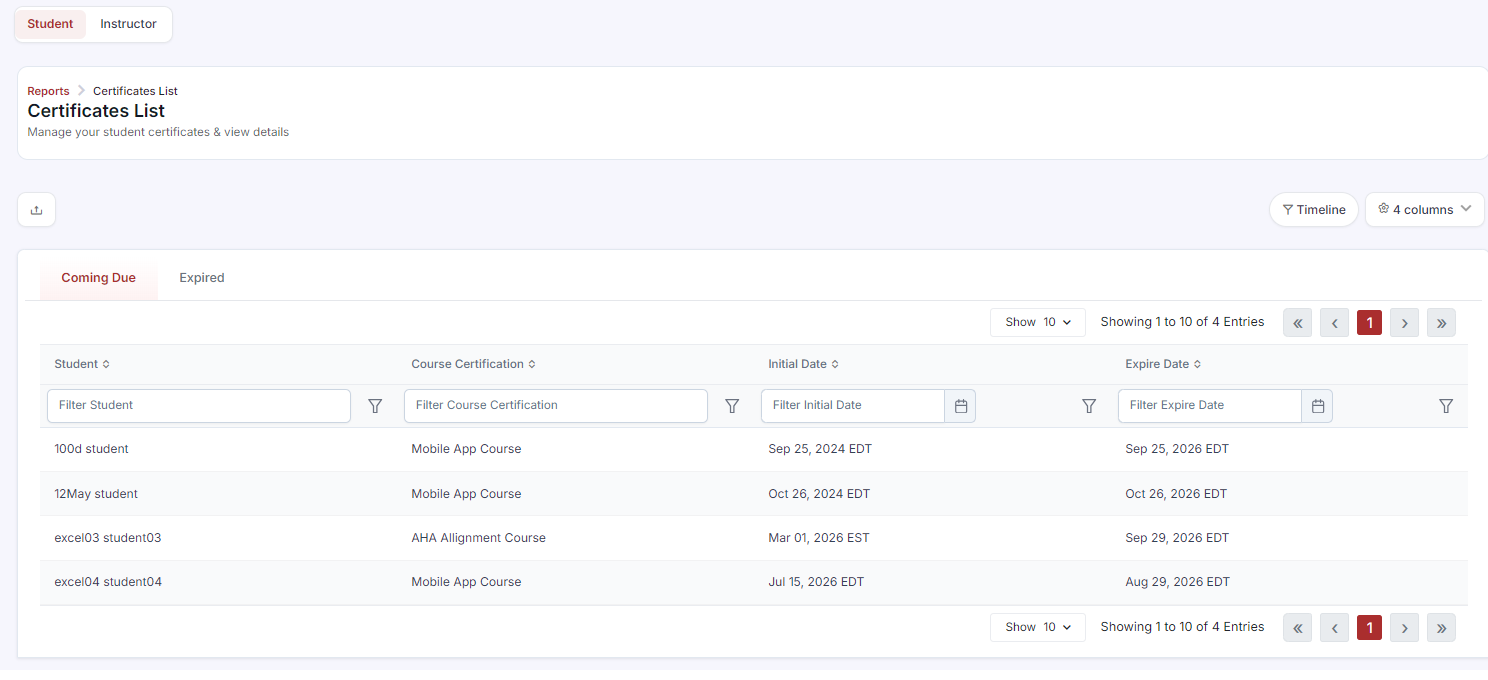
Report 4 — Certificates Issued to Students
Go to Reports > Certificates > Student tab.
Filter by date range, discipline (BLS, ACLS, etc.), or association.
Export the list as supporting documentation of certifications issued.
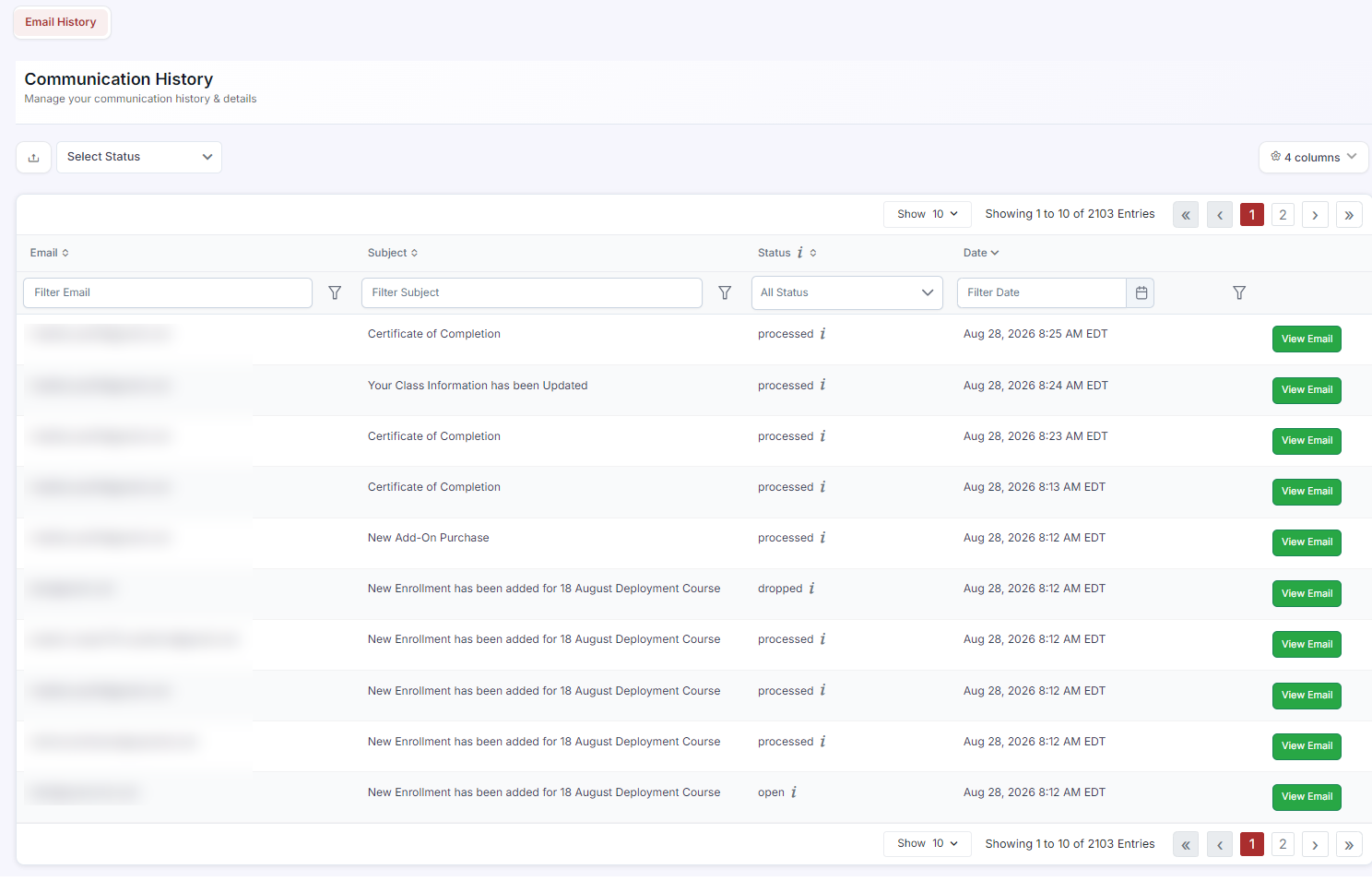
Report 5 — Communication History (Confirmation Email Proof)
Go to Reports > Communication History.
Filter by Email Type (e.g., Enrollment Confirmation) and the audit date range.
This provides a log of every confirmation email sent to every student — proof that students received their class information.
Click View Email on any row to see the exact email content sent.
Audit Package Summary
Was this article helpful?
That’s Great!
Thank you for your feedback
Sorry! We couldn't be helpful
Thank you for your feedback
Feedback sent
We appreciate your effort and will try to fix the article