Certificates, badges and paperwork now share one builder and one issuance pipeline. This article explains the model before you start designing.
Before You Begin
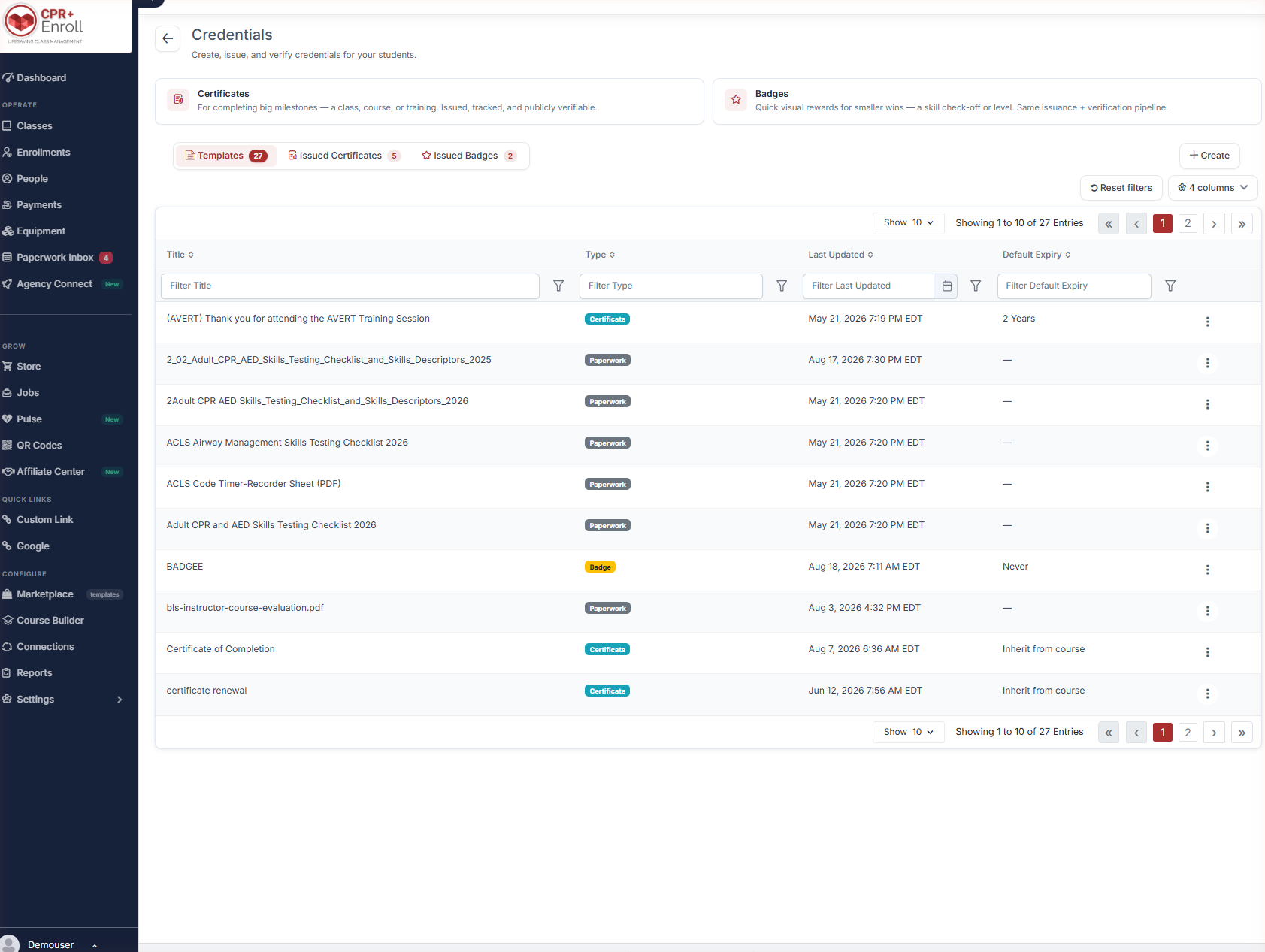
- Credentials live at Course Builder > Credentials. The page header reads “Create, issue, and verify credentials for your students.”
- Decide whether what you are making is a certificate, a badge or paperwork — the three behave differently.
- Nothing you design here is issued until you issue it. Building a template is safe.
The Two Credential Types
| Type | Use it for | How the product describes it |
|---|---|---|
| Certificate | Completing a class, course or training. | “For completing big milestones — a class, course, or training. Issued, tracked, and publicly verifiable.” |
| Badge | A skill check-off or a level. | “Quick visual rewards for smaller wins — a skill check-off or level. Same issuance + verification pipeline.” |
Paperwork — waivers and forms signed at class — is built in the same canvas but is not issued as a credential. It has no Credential ID and no public verification page.
The Three Tabs
| Tab | What it holds |
|---|---|
| Templates | Every certificate, badge and paperwork template you have, with Title, Type, Last Updated and Default Expiry. |
| Issued Certificates | Every certificate issued, with Issued To, Issued Date, Expiry Date, Source and Credential ID. |
| Issued Badges | The same for badges. |
Default Expiry on a template can be a fixed period such as 2 Years, Never, or Inherit from course.
Creating Something
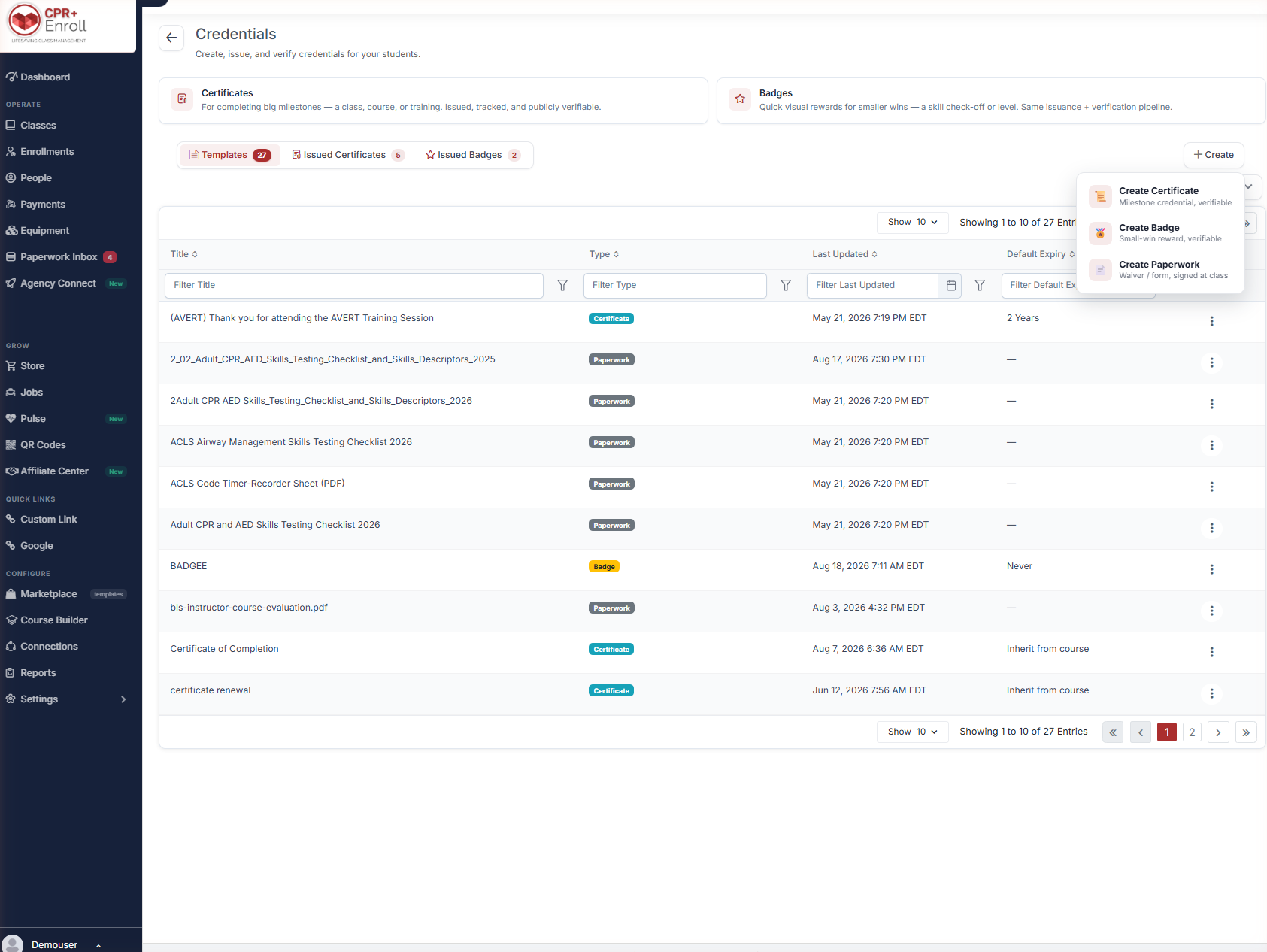
Click + Create and choose:
- Create Certificate — milestone credential, verifiable.
- Create Badge — small-win reward, verifiable.
- Create Paperwork — waiver or form, signed at class.
Template Versioning
Templates are versioned automatically. The exact version used to generate a document or issue a credential is preserved.
✔ Editing a template never rewrites history. A certificate issued last year keeps the design it was issued with, even after you redesign the template. You do not need to duplicate a template before editing it.
Best Practices
- Use badges for skill check-offs and certificates for course completion. Both verify the same way, so the distinction is about what the recipient understands they have earned.
- Set Default Expiry on the template rather than per issue — Inherit from course keeps expiry logic in one place.
- Build paperwork in the same canvas but do not expect it to appear in the issued tabs. It is a document, not a credential.
- Design once and edit freely. Versioning means you are not risking historical records.
Frequently Asked Questions
| Question | Answer |
|---|---|
| Where do I find credentials? | Course Builder > Credentials. |
| What is the difference between a certificate and a badge? | Scale, not mechanism. Certificates mark milestones, badges mark smaller wins; both use the same issuance and verification pipeline. |
| Is paperwork a credential? | No. It is built in the same canvas but is not issued, has no Credential ID and no verification page. |
| Will editing a template change credentials I already issued? | No. Templates are versioned and the issued version is preserved. |
| What expiry options does a template have? | A fixed period, Never, or Inherit from course. |
✔ You know the model. Next, read Designing a Certificate or Badge in the Document Builder.
Was this article helpful?
That’s Great!
Thank you for your feedback
Sorry! We couldn't be helpful
Thank you for your feedback
Feedback sent
We appreciate your effort and will try to fix the article