Can I embed in my website?

✔ Short answer: Yes. CPR Enroll provides ready-made embed codes so your class schedule and registration widget can live directly on your own website. Students can browse and enroll without ever leaving your site.
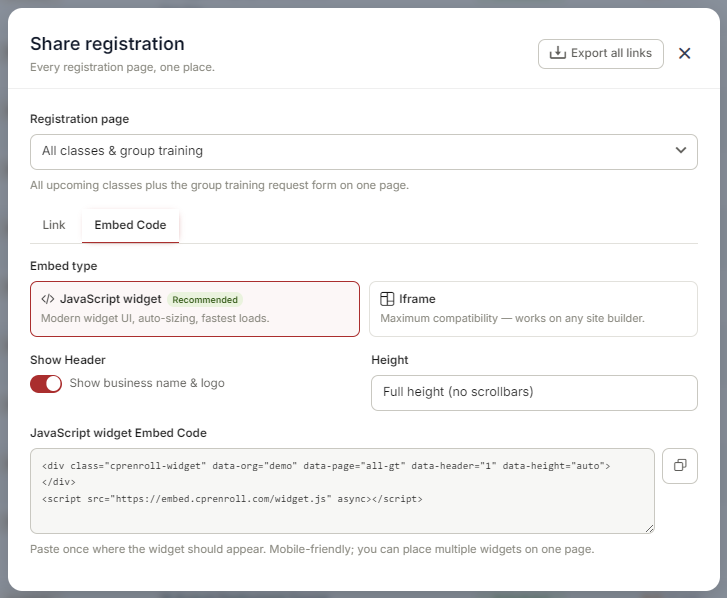
How It Works
- Every embed code is available as either a standard iframe or a modern Advanced Widget — whichever best fits your website platform.
- All embed codes are mobile-responsive and automatically adjust to the width of their container.
- You can place more than one widget on the same page — for example, to show different class categories in different sections of your site.
- Your registration widget updates automatically as your schedule changes, so there's nothing to maintain once it's embedded.
Where to Get Your Embed Code
- Click your username in the lower left of the screen.
- Click the ^ arrow.
- Select Share Registration.
- Click the Class Registration tab, then click the Embed Code sub-tab.
- Copy your chosen embed code and paste it into your website's HTML wherever you'd like the widget to appear.
Was this article helpful?
Related articles
- Creating and Using Short LinksShort links in CPR Enroll+ are shortened URLs using the cprenroll.me domain that redirect to your full registration pages, class pages, or any other URL. They are automatically generated for key platform items and can also be created manually. Short links are ideal for sharing in text messages, sociGetting Started
- Understanding Share RegistrationThe Share Registration screen is where you'll find every link and embed code you need — your full class catalog, appointment booking, and group training — along with embeddable website widgets, all from one place. Before You Begin - Your classes are scheduled and visible on your calendar, since the Getting Started
- How to Find Important URLs for EnrollmentsCPR Enroll+ uses three domains that serve different purposes. Knowing which URL to use — and where to find it — ensures you share the right link with students and embed the right widget on your website. The Three CPR Enroll+ Domains Domain Purpose Who Uses It dashboard.cprenroll.com Admin dashboardGetting Started
- What Is an Enrollment URL?An Enrollment URL is the link you share with prospective students so they can browse your class schedule and register. It points to your student-facing registration page at classes.cprenroll.com — this is completely separate from your admin dashboard. Students who visit this link never see any adminGetting Started