How to contact Support?
The CPR Enroll support team is here to help you resolve issues, answer questions, and get the most out of the platform. We offer several ways to reach us — choose the one that fits your urgency and preference.
Support Channels
| Channel | How to Use It | Best For |
|---|---|---|
| [email protected] | General questions, account issues, feedback | |
| Support ticket | help.cprenroll.com → Submit a ticket | Detailed issues that need tracking |
| Knowledge base | help.cprenroll.com | Self-service answers to common questions |
| In-app feedback | Thumbs-down button below any platform response | Quick feedback on a specific interaction |
Submitting a Support Ticket
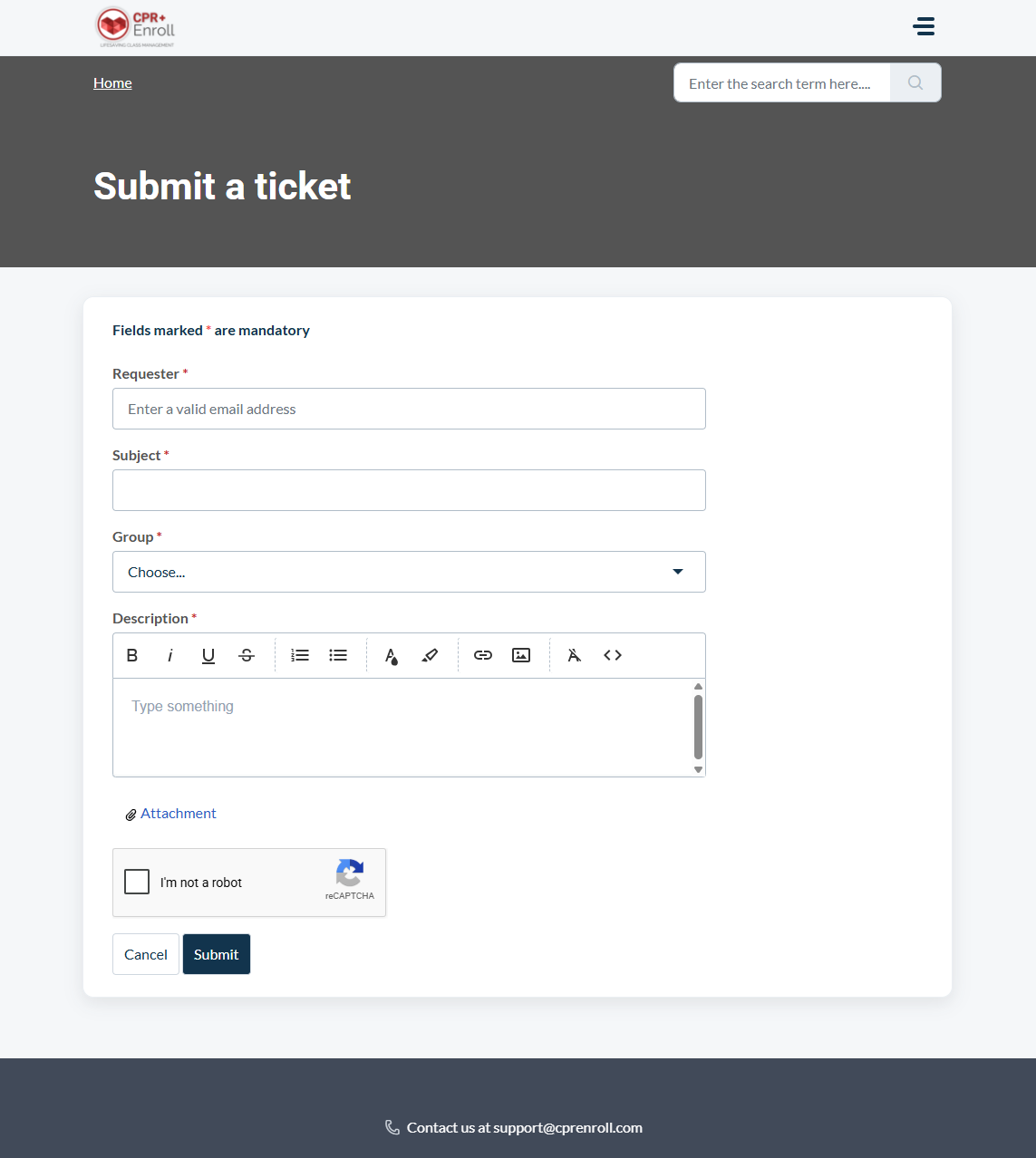
For issues that need tracking or involve multiple steps to resolve, submitting a support ticket is the best approach. It gives our team full context and creates a paper trail for follow-up.
- Go to
help.cprenroll.comand click Submit a Ticket in the navigation bar. - Fill in your name, email, and a brief subject line describing the issue.
- In the description field, include: the exact steps that led to the issue, what you expected to happen, and what actually happened. Screenshots are very helpful.
- Click Submit. You will receive an email confirmation with a ticket number.
- A member of the support team will respond to your ticket by email, typically within one business day.
Response Times
- Email and tickets: Typically within 1 business day.
- Urgent issues (platform down, payment failure): Flag "Urgent" in the subject line of your email for priority attention.
✔ Check the knowledge base first. Many common questions — including how to set up Stripe, create classes, and share your registration page — are answered in detail at help.cprenroll.com. Searching there before submitting a ticket often gets you a faster answer.
Was this article helpful?
Related articles
- Welcome to CPR Enroll+Welcome to CPR Enroll+ — a complete operating system built specifically for CPR, first aid, and lifesaving training businesses. Whether you are an independent instructor running weekend classes or a training center managing dozens of instructors and hundreds of students a month, CPR Enroll+ is desiWelcome and Onboarding
- The Launchpad is Gone, What Now?We've upgraded the way new accounts get started with CPR Enroll. The Launchpad has been retired, and in its place we've introduced the Setup Guide — a more organized, more complete home for everything you need to set up and start selling classes. Same purpose, better experience. ✔ Why the change is Welcome and Onboarding
- What Browsers do you need to use your AccountCPR Enroll is a modern web application built as a Single-Page Application (SPA). The admin dashboard at dashboard.cprenroll.com and the student registration pages at classes.cprenroll.com both require a current, JavaScript-enabled web browser to function correctly. Supported Browsers — Admin DashboaWelcome and Onboarding
- Schedule an Onboarding CallGetting started with a new platform is much easier when you have a guide. CPR Enroll+ offers a free one-on-one onboarding call for new account holders. In 30–45 minutes, a member of our team will walk through your specific setup, answer your questions live, and make sure you are ready to take your fWelcome and Onboarding