Running a Compliance Audit Report

If your training organization is affiliated with the American Heart Association, American Red Cross, Health & Safety Institute, or another certifying body, you may be required to provide documentation of classes taught, instructors certified, and paperwork submitted during periodic audits. CPR Enroll+ stores all of this data and allows you to export it on demand. This guide identifies the five key reports auditors typically request.
ℹ Audit readiness CPR Enroll+ retains compliance records for extended periods. Combining the five reports below covers the most common audit data requests from major certification bodies. |
Report 1 — Instructor Certifications
Go to Reports > Certificates > Instructor tab.
Review the Coming Due and Expired sub-tabs for any lapsed certifications that need renewal before your audit.
Click Export to download the full instructor certification list.
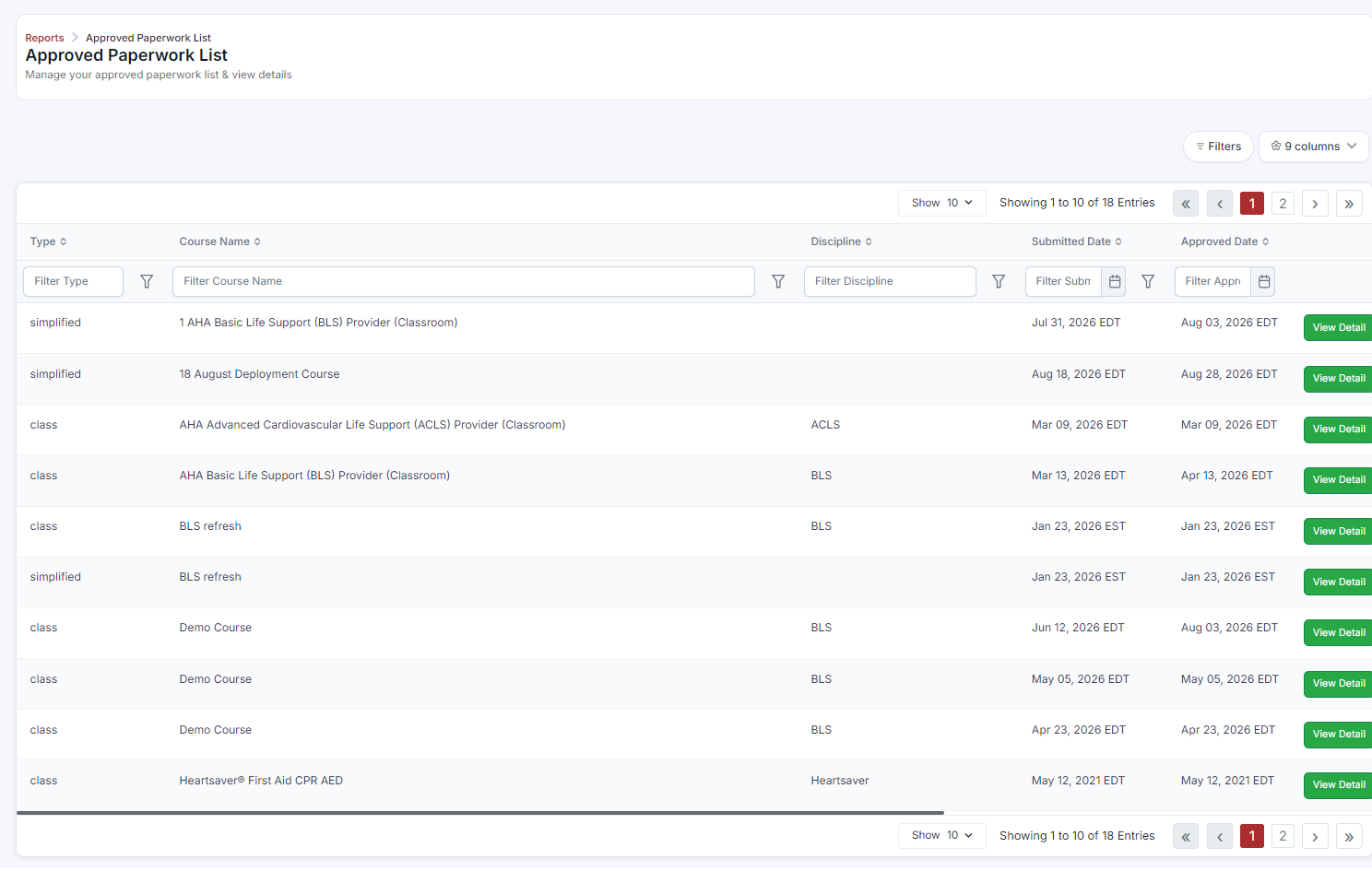
Report 2 — Approved Paperwork (Skills Testing Records)
Go to Reports > Approved Paperwork.
Use the Filters button to narrow by your audit date range, course, instructor, or discipline.
Click Export. This is typically the primary document requested by AHA and ARC auditors.
✔ AHA audit tip AHA audits require skills testing documentation for every student who received a card. Cross-reference the Approved Paperwork report with the Student Attendance report to confirm every present student has corresponding paperwork. |
Report 3 — Student Attendance
Go to Reports > Student Attendance.
Filter by the date range of your audit period.
The table shows each student, their class, date, and attendance status.
Export the report for your audit package.
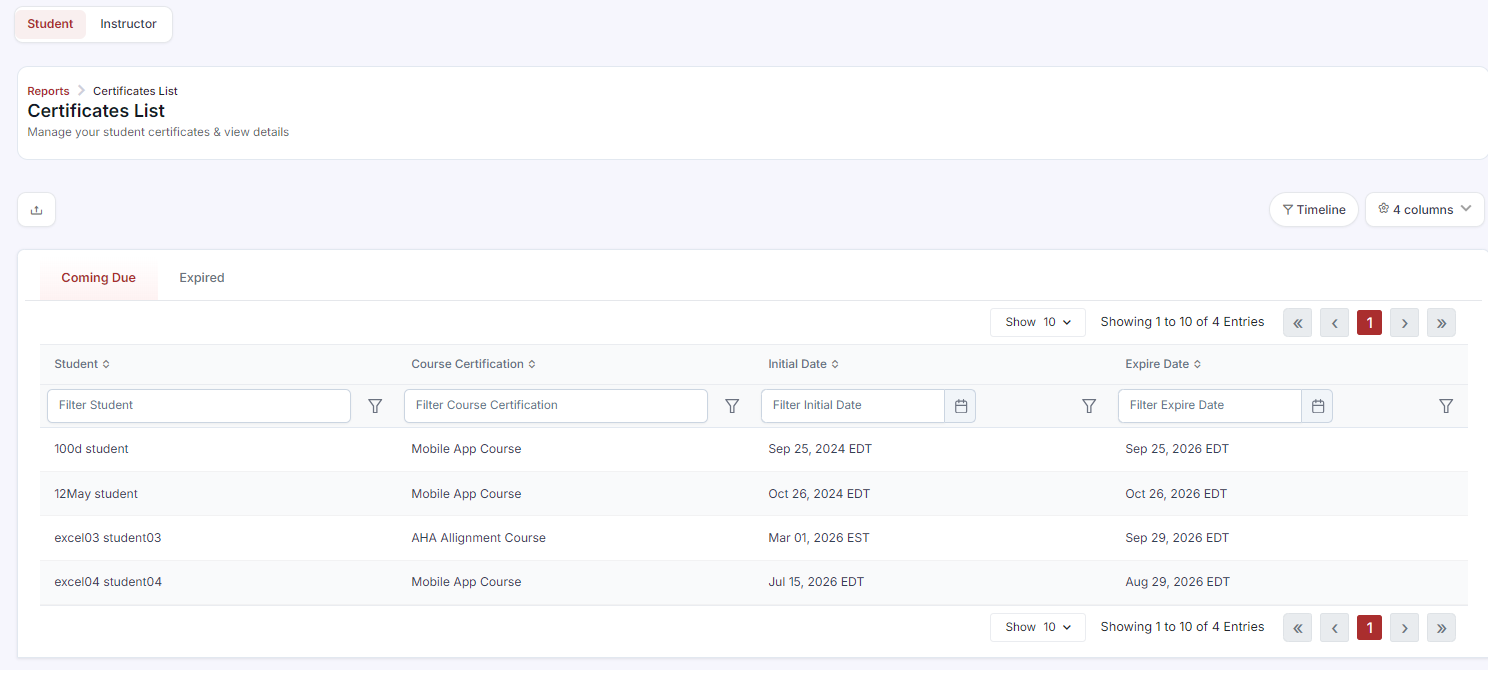
Report 4 — Certificates Issued to Students
Go to Reports > Certificates > Student tab.
Filter by date range, discipline (BLS, ACLS, etc.), or association.
Export the list as supporting documentation of certifications issued.
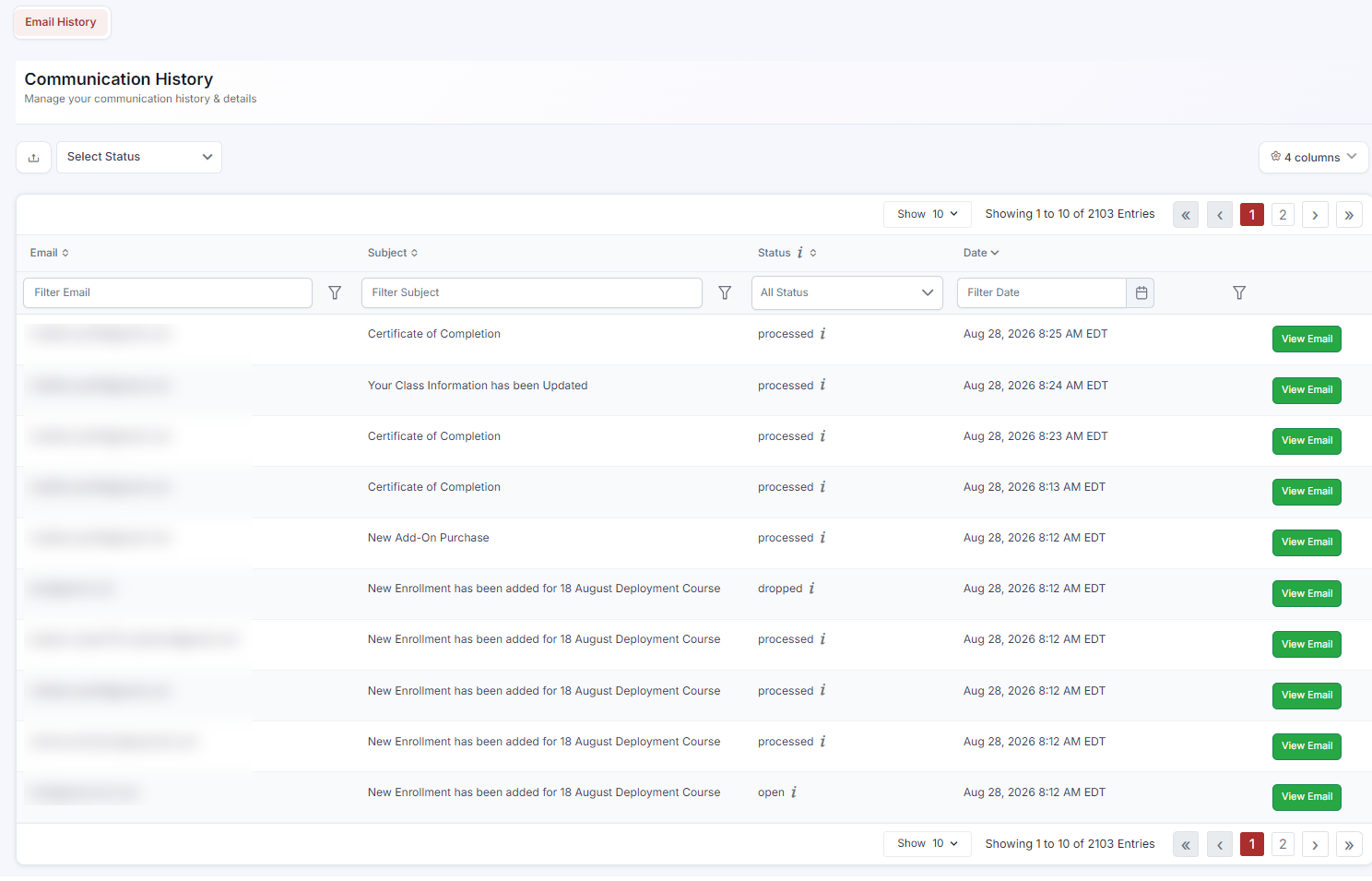
Report 5 — Communication History (Confirmation Email Proof)
Go to Reports > Communication History.
Filter by Email Type (e.g., Enrollment Confirmation) and the audit date range.
This provides a log of every confirmation email sent to every student — proof that students received their class information.
Click View Email on any row to see the exact email content sent.
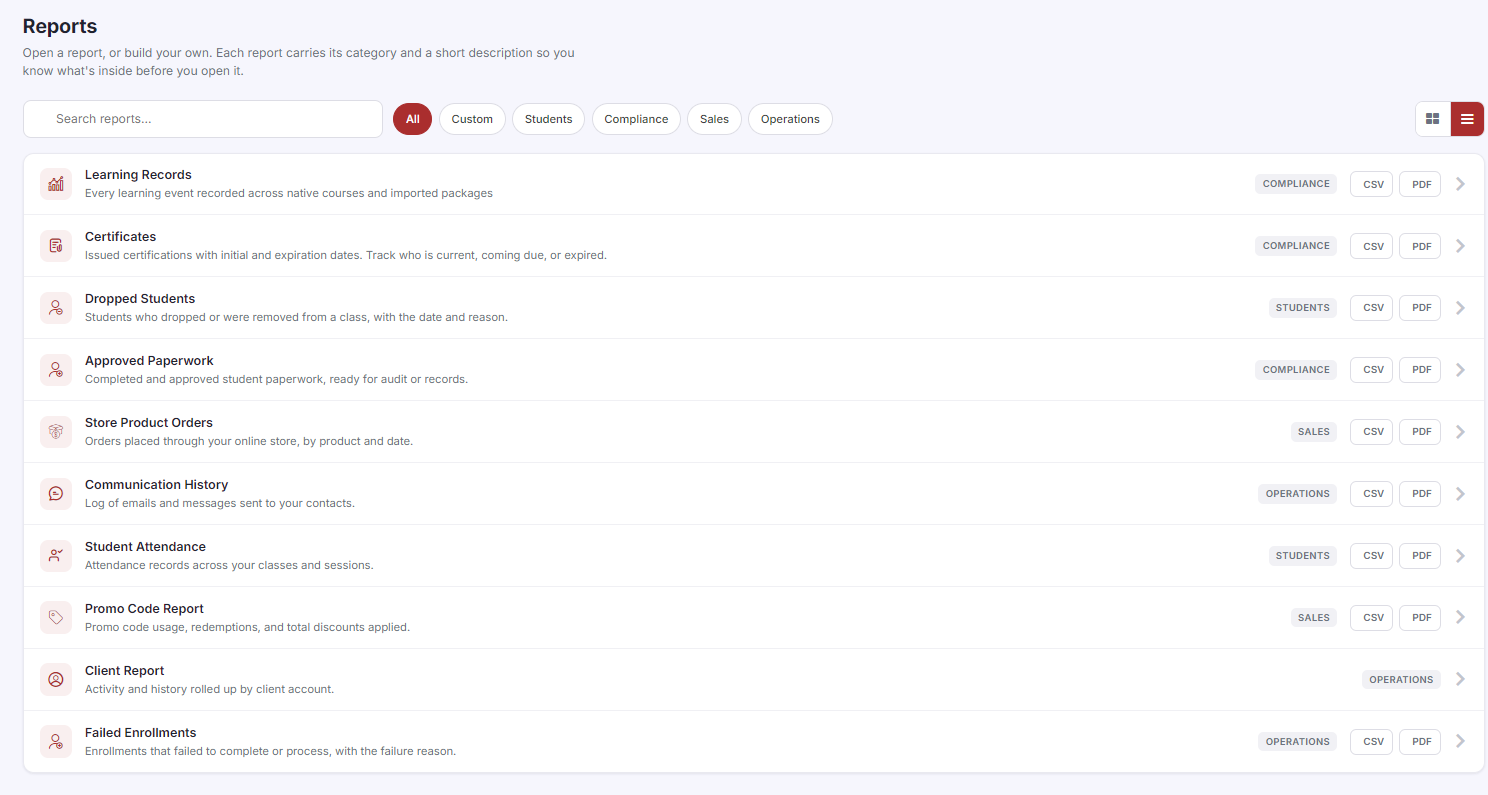
Audit Package Summary
Required Data | Report Location |
Instructor certifications (active & expired) | Reports > Certificates > Instructor |
Skills testing paperwork | Reports > Approved Paperwork |
Student attendance records | Reports > Student Attendance |
Certificates issued to students | Reports > Certificates > Student |
Class roster (enrollments) | Enrollments > List view > Export |
Confirmation emails sent | Reports > Communication History |
Was this article helpful?
Related articles
- The DashboardWhen users refer to “the Dashboard” in CPR Enroll+, they typically means the data and operations view accessible from “Dashboard” in the sidebar. This article explains both and describes the overall layout of the platform. ℹ If you are looking for the home screen with action cards for Courses, LocaReports
- What Kind of Reports Can I Get?CPR Enroll+ includes ten built-in reports covering certifications, compliance, attendance, communications, client activity, and financial data. All reports can be filtered, sorted, and exported. This article describes each report and when to use it. Accessing Reports From the left sidebar, click RepReports
- How to See the Status of an Email Sent to a Student?CPR Enroll+ logs every email sent from the platform and records its delivery status. This lets you confirm that a student received their enrollment confirmation, class reminder, or other communication — and investigate if they claim they never got it. Finding Email Delivery Status From the sidebar, Reports
- How to Easily Download Enrollment Data?Exporting your enrollment data as a spreadsheet gives you a complete, portable snapshot of your student roster for a class, date range, or your entire account. Use exports for external analysis, bulk email campaigns, certification body submissions, or simply as a backup of your records. Exporting AlReports