
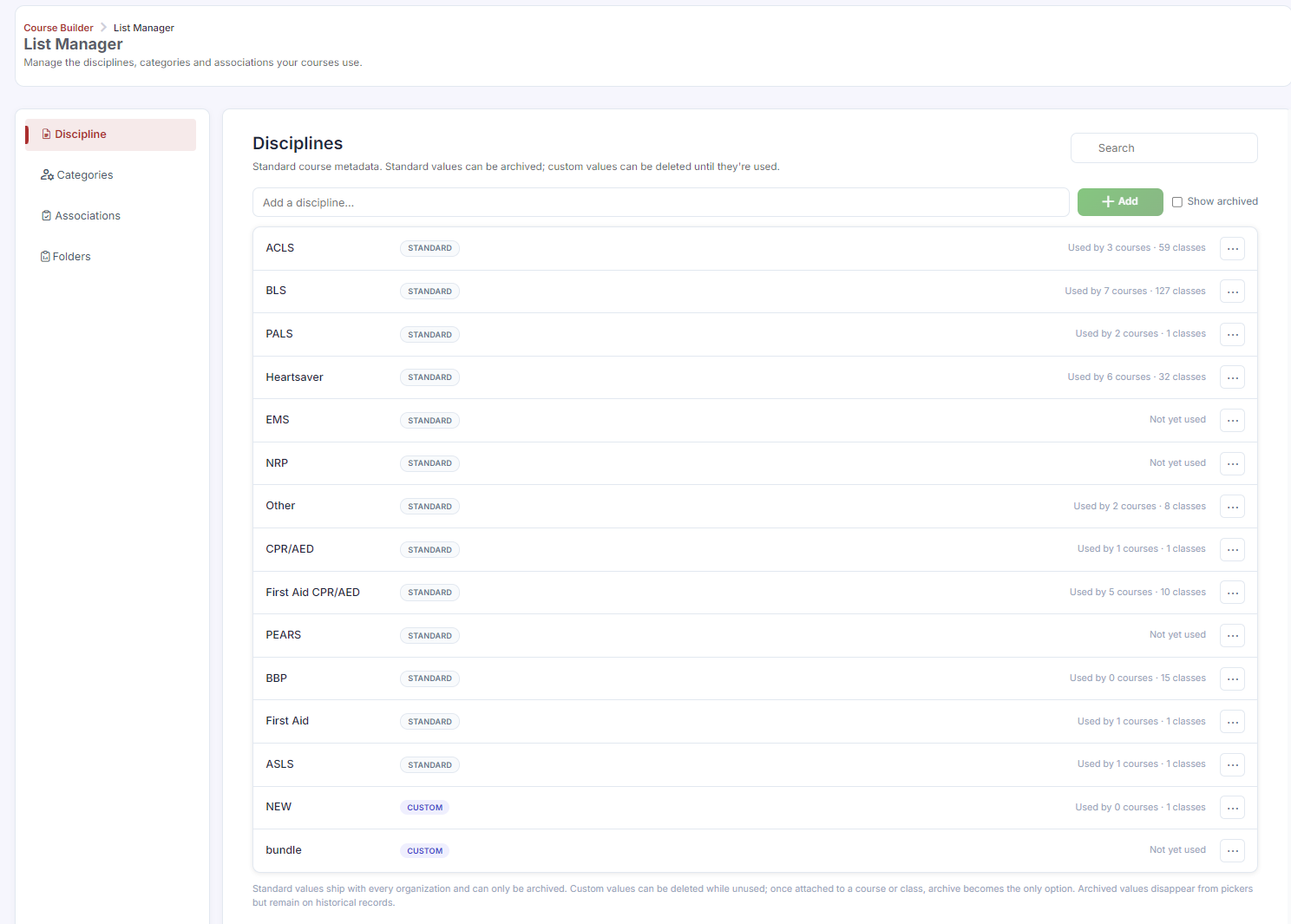
Disciplines categorize your courses by the type of training they cover — BLS, ACLS, First Aid, CPR/AED, and so on. Every course in CPR Enroll+ should be assigned a discipline. Disciplines are used to filter your course catalog on the student registration page, making it easier for students to find the training they need.
Before You Begin
CPR Enroll+ includes 13 built-in disciplines:
- ACLS (Advanced Cardiovascular Life Support)
- ASLS (Advanced Stroke Life Support)
- BBP (Bloodborne Pathogens)
- BLS (Basic Life Support)
- CPR/AED
- EMS (Emergency Medical Services)
- First Aid
- First Aid CPR/AED
- Heartsaver
- NRP (Neonatal Resuscitation Program)
- PALS (Pediatric Advanced Life Support)
- PEARS (Pediatric Emergency Assessment, Recognition, and Stabilization)
- Other
Step-by-Step Instructions
Step 1: Assign a Discipline to a Course
- Go to Course Builder > Courses.
- Click + Create for a new course, or ⋮ > Edit on an existing one.
- In the course form, find the Discipline dropdown.
- Select the appropriate discipline.
- Click Save.
Step 2: Browse Discipline Templates from the Marketplace
- Click Marketplace in the sidebar.
- Select Disciplines from the category dropdown.
- Hover over a discipline card and click Use Template to import it into your account.
✔ Disciplines as registration filters: On your student registration page, students can filter your class catalog by discipline. Make sure every course has the correct discipline assigned so students can find classes easily.
Best Practices
- Assign a discipline to every course, even ones outside the standard 13, using "Other" if nothing else fits.
- Double-check discipline assignment when cloning a course, since it's easy to overlook when reusing an existing course as a template.
- Browse the Marketplace for discipline templates before assuming you need to build a new discipline structure from scratch.
- Review your full course list periodically to confirm no courses are missing a discipline, since this affects how easily students can filter and find them.
Frequently Asked Questions
| Question | Answer |
|---|---|
| How many built-in disciplines does CPR Enroll+ include? | 13, ranging from ACLS to PEARS, plus a general "Other" category. |
| What happens if a course has no discipline assigned? | Students won't be able to find it when filtering the class catalog by discipline on the registration page, making it harder to discover. |
| Where can I find additional discipline templates? | In the Marketplace, under the Disciplines category. |
✔ You're all set. Your course now has a discipline assigned, making it easy for students to filter and find on the registration page.
Was this article helpful?
That’s Great!
Thank you for your feedback
Sorry! We couldn't be helpful
Thank you for your feedback
Feedback sent
We appreciate your effort and will try to fix the article